
Overview of the Software
Table of Contents
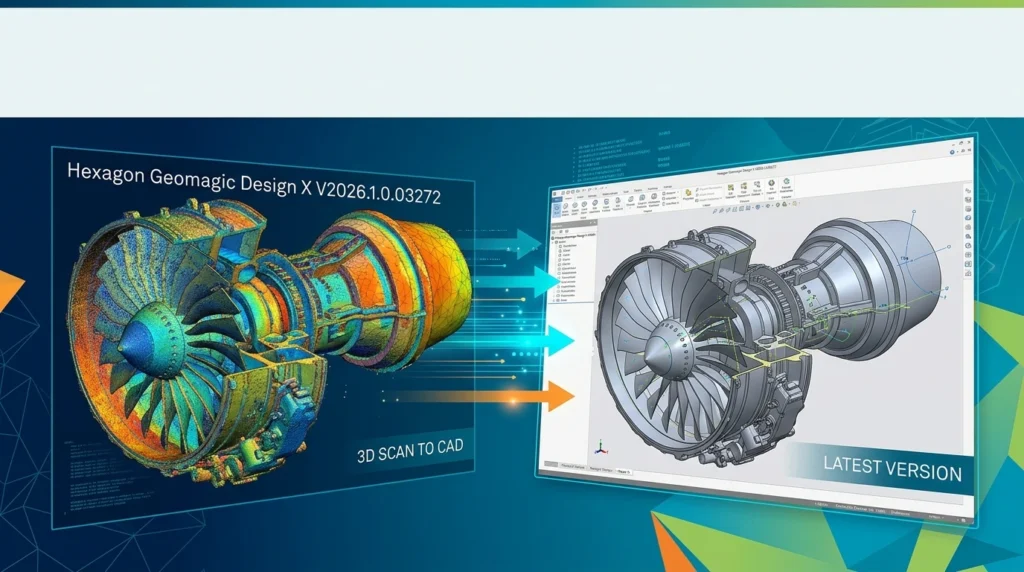
Hexagon Geomagic Design X V2026.1.0.03272 is a specialized reverse engineering software that converts 3D scan data into feature-based, editable CAD models. It combines advanced mesh processing, intelligent surface fitting, and history-based parametric modeling in a single environment, enabling engineers to recreate legacy parts, customize products, and accelerate product development workflows.
The software serves as a bridge between physical objects and digital design. It captures point cloud or mesh data from 3D scanners, processes it into a clean polygon mesh, and then uses automated and guided tools to extract solids, surfaces, and sketches that can be edited with full feature history. This scan-to-CAD workflow eliminates the manual reconstruction that traditionally consumes hours or days of engineering time.
Geomagic Design X is developed by Hexagon, a global leader in measurement and manufacturing intelligence solutions. The software is used across aerospace, automotive, medical device, and maintenance, repair and overhaul (MRO) industries where recreating physical components as digital models is essential.
Key Features
LiveTransfer Technology
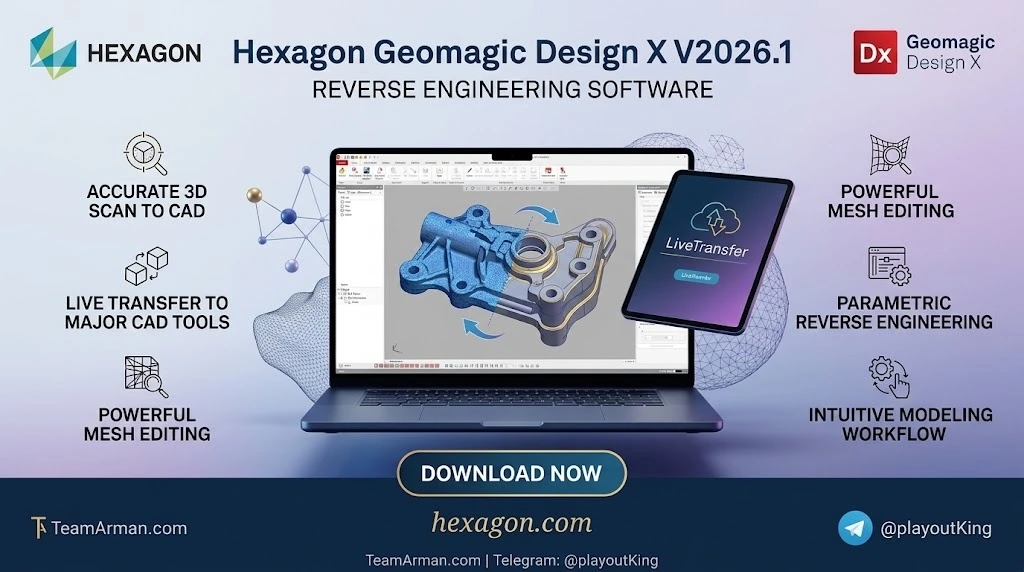
LiveTransfer is the signature feature that differentiates Geomagic Design X from other reverse engineering tools. It transfers the complete parametric model, including the full feature tree, directly into major CAD platforms such as SOLIDWORKS, Siemens NX, Autodesk Inventor, PTC Creo, and Solid Edge. The transferred model remains fully editable, so engineers can continue refining the design without rebuilding anything.
Automated and Guided Surfacing Tools
The software provides both automatic and selective surfacing capabilities. Auto Surface, Fit Surface Patches, and Boundary Fit tools allow users to fit accurate NURBS surfaces to mesh data. The Region Segmentation feature automatically divides scan data into geometric regions, while Modeling Wizards guide users through extrusion, revolution, loft, and sweep operations.
Comprehensive Mesh and Point Cloud Processing
Geomagic Design X handles large mesh and point cloud datasets with professional-grade performance. Users can clean up scan data, repair mesh errors, align multiple scans, and optimize polygon meshes using a comprehensive set of fixing tools and wizards.
Accuracy Analyzer
The patented Accuracy Analyzer tool provides real-time comparison between the constructed CAD model and the original scan data. Using intuitive color maps and tolerance visualization, engineers can verify dimensional accuracy at every stage of the rebuild process.
Direct Scanner Control
Geomagic Design X supports direct integration with Hexagon handheld 3D scanners and third-party scanning systems. This eliminates the need for intermediary software and streamlines the data capture-to-modeling workflow.
Extensive CAD File Support
The software supports import and export of most current CAD file formats, including native formats from CATIA, Inventor, NX, Parasolid, Pro/E, Creo, and SOLIDWORKS. It also handles mesh formats such as STL and OBJ, as well as point cloud data.
What’s New in the Latest Version
The V2026.1.0.03272 release introduces several significant enhancements that improve reverse engineering efficiency and expand compatibility with the latest CAD platforms.
Scanner Direct Control Upgrades
A new Hexagon handheld 3D scanner plug-in allows users to access scanning properties from HHScan directly within Geomagic Design X. The software now supports DefinSight software for seamless Scantech scanning workflows. RDS hardware support has been upgraded to version 6.6, adding gray scale line scanning and Unicode support for project names and paths.
Split Mesh Enhancements
The Split Mesh tool now supports 3D curve splitting, allowing users to project curves onto the nearest mesh surface. Meshes and regions can be used as split tools, simplifying complex workflows. When splitting with multiple enclosed concentric profiles, section ends can be capped automatically for cleaner results. The software also preserves both inner and outer portions of the mesh when splitting with closed curves, preventing data loss.
Pipe & Sweep Modelling Wizard Improvements
Spline editing behavior in the Pipe and Sweep Wizard has been refined with a more appropriate influence radius. Viewports now display Front and Top views by default for improved spatial awareness. Rotation is enabled in all viewports for more consistent navigation during modeling.
Modelling Workflow Improvements
Solid Extrude, Solid Resolve, Solid Loft, Solid Sweep, and Solid Primitive commands now remember the previously used Result Operator, reducing repetitive setup during modeling sessions. The Legacy Boundary Fit command has been renamed to Boundary Fit and reorganized as a standard command for creating surface patches.
Expanded CAD Compatibility
LiveTransfer now supports SOLIDWORKS 2026, and import support has been extended to the latest versions of CATIA V5 (R8 to V5-6 R2026), Inventor (V6–V2026), NX (11–NX 2506), Parasolid (9.0–38.0.x), Pro/E and Creo (16–Creo 12.0), and SOLIDWORKS (98–2026). Leica .LGSx files can now be imported directly into Geomagic Design X.
System Requirements
Geomagic Design X V2026.1.0.03272 requires a 64-bit Windows environment. The following table summarizes the minimum and recommended specifications:
| Component | Minimum | Recommended |
|---|---|---|
| Operating System | Windows 10 64-bit | Windows 11 64-bit |
| Processor | Intel 64-bit or AMD 64-bit | Intel Core i7/i9 (13th gen or newer), AMD Ryzen 7/9 (5000 series or newer) |
| RAM | 8 GB | 16 GB or higher |
| Hard Disk Space | 30 GB available | SSD with 256 GB or more |
| Display | 1280×960, 32-bit true color | 1280×1024 or higher |
| GPU | OpenGL 3.0 or above with 4 GB VRAM | Dedicated graphics card with higher VRAM |
The software supports English, Chinese, Japanese, Korean, German, Italian, Portuguese, Spanish, Polish, Turkish, French, and Czech languages.
Installation Guide
Installing Geomagic Design X follows a straightforward process:
-
Download the installer from the official Hexagon Geomagic support portal or authorized distributor website.
-
Extract the package if the downloaded file is compressed in ZIP format.
-
Run Setup.exe with administrator privileges by right-clicking and selecting “Run as administrator.”
-
Select your language and click OK to proceed.
-
Choose the installation type and ensure all prerequisite packages are installed.
-
Follow the on-screen instructions to complete the installation.
-
Activate your license using the provided credentials or licensing system.
For direct scanner integration, download and install the latest drivers from your scanner manufacturer and calibrate the device before use. The LiveScan feature allows scan data to be read directly from the scanner into Geomagic Design X without an intermediary application.
How to Use the Software
The typical reverse engineering workflow in Geomagic Design X follows these stages:
Stage 1: Data Capture and Import
Capture scan data using a compatible 3D scanner or import existing point cloud and mesh files. The software supports direct scanner control through LiveScan, as well as import of STL, OBJ, and other mesh formats.
Stage 2: Mesh Processing and Cleanup
Use the mesh editing tools to clean up scan data. Remove noise, fill holes, repair errors, and align multiple scans. The Region Segmentation tool automatically divides the mesh into logical geometric regions for easier feature extraction.
Stage 3: Feature Extraction
Extract geometric features from the mesh using automated and guided wizards. The software can detect planes, cylinders, cones, spheres, and freeform surfaces. Auto Sketch generates 2D profiles from mesh cross-sections, complete with sketch constraints.
Stage 4: Parametric Modeling
Build the CAD model using history-based feature operations. Extrude, revolve, loft, and sweep operations are available with full parametric control. The LiveTransfer feature tree preserves all modeling history for downstream editing.
Stage 5: Accuracy Verification
Use the Accuracy Analyzer to compare the constructed surfaces against the original scan data. Color maps and tolerance visualizations highlight deviations, allowing engineers to refine the model until it meets dimensional specifications.
Stage 6: Export and Transfer
Export the finished model to your preferred CAD platform using LiveTransfer or standard file formats. The complete feature history is preserved, enabling seamless continuation of the design process.
Best Use Cases
Legacy Part Recreation
When original CAD files are lost or unavailable, Geomagic Design X enables engineers to recreate accurate, editable models from physical parts. This is particularly valuable for maintaining aging equipment and obsolete components.
MRO Reverse Engineering
Maintenance, repair and overhaul teams use the software to reverse engineer replacement parts for aircraft, industrial machinery, and other critical equipment. The combination of handheld scanning and automated modeling tools reduces downtime and accelerates repair cycles.
Product Customization
Manufacturers can scan existing products and modify them to create customized variants. The parametric feature tree allows engineers to adjust dimensions, add features, and iterate designs without starting from scratch.
Quality Inspection Preparation
The Accuracy Analyzer and comparison tools help quality engineers prepare inspection workflows by creating reference CAD models from scan data. This is essential for first-article inspection and production quality control.
Automotive and Aerospace Component Design
Complex surface reconstruction is a core capability for automotive steering joints, engine casings, aircraft cabin components, and other parts with intricate geometry.
Advantages and Limitations
Advantages
-
Significant time savings: Documented benchmarks show a 3–10x faster path to CAD compared to traditional manual reconstruction methods.
-
Full parametric editability: Unlike mesh-based reverse engineering tools that produce frozen geometry, Geomagic Design X creates history-based models with editable feature trees.
-
Seamless CAD integration: LiveTransfer preserves the complete modeling history when transferring to SOLIDWORKS, Siemens NX, and other platforms.
-
Comprehensive scanner support: Direct integration with Hexagon handheld scanners and compatibility with a wide range of third-party 3D scanning devices.
-
Real-time accuracy verification: The patented Accuracy Analyzer provides immediate feedback on model-to-scan deviation throughout the modeling process.
-
Strong user satisfaction: The software holds a 4.7 overall rating across review platforms, with particularly high marks for functionality and customer support.
Limitations
-
Complex surface limitations: For highly organic or sculpted surfaces, the automated fitting tools may require significant manual refinement, and some advanced geometric constraints are not fully supported.
-
Hardware demands: Processing large scan datasets requires substantial RAM and a capable GPU for smooth performance.
-
Learning curve: While the guided wizards simplify many operations, mastering the full parametric modeling toolset requires training and practice.
-
Texture mapping constraints: Editable atlas control for texture mapping is limited, which may affect workflows that require detailed color texture preservation.
Alternatives to the Software
Several software solutions compete with Geomagic Design X in the reverse engineering and scan-to-CAD space:
-
Geomagic Wrap: A more affordable option from Hexagon that focuses on point cloud and mesh processing without the full parametric modeling capabilities of Design X. It is ideal for users who need polygon models for 3D printing rather than editable CAD features.
-
Artec Studio: Professional 3D scanning and data processing software from Artec 3D. It offers fast mesh-to-CAD analysis and integrates with Geomagic Control X for inspection workflows. Export options include STEP files for SOLIDWORKS.
-
Leios: A specialized scan-to-CAD tool from egsolutions that converts point clouds into NURBS models with complete control over each processing phase.
-
PolyWorks Modeler: A reverse engineering and modeling solution from InnovMetric that is often compared with Geomagic Design X in academic and industrial evaluations.
-
Ansys SpaceClaim: A direct modeling CAD tool that offers some reverse engineering capabilities but is primarily focused on general 3D design and simulation preparation.
For users seeking the highest dimensional fidelity without time constraints, manual reconstruction in CATIA remains the most accurate approach. Geomagic Design X offers the best balance of precision, automation, and processing speed for most reverse engineering applications.
Frequently Asked Questions
What is Geomagic Design X used for?
Geomagic Design X is reverse engineering software that converts 3D scan data into feature-based, editable CAD models. It is used for legacy part recreation, MRO part replacement, product customization, and quality inspection preparation.
What file formats does Geomagic Design X support?
The software supports import and export of most CAD formats, including CATIA, Inventor, NX, Parasolid, Pro/E, Creo, and SOLIDWORKS files. Mesh formats such as STL and OBJ are also supported, along with Leica .LGSx files in the latest version.
Can Geomagic Design X transfer models to SOLIDWORKS?
Yes. LiveTransfer technology sends the complete parametric model, including the full feature tree, directly into SOLIDWORKS. The latest version supports SOLIDWORKS 2026.
What are the system requirements for Geomagic Design X V2026.1.0.03272?
The minimum requirements include Windows 10 64-bit, an Intel or AMD 64-bit processor, 8 GB RAM, 30 GB available disk space, and an OpenGL 3.0 compatible graphics card with 4 GB VRAM. Recommended specifications include Windows 11, 16 GB RAM, and an Intel Core i7/i9 or AMD Ryzen 7/9 processor.
Is Geomagic Design X suitable for beginners?
The software includes guided wizards and automated tools that simplify many operations. However, proficiency with parametric CAD modeling concepts is recommended. Geomagic offers a “Go” plan with a reduced feature set and lower price point for users new to reverse engineering.
How does Geomagic Design X compare to Geomagic Wrap?
Geomagic Wrap focuses on point cloud and mesh processing to create polygon models suitable for 3D printing and downstream applications. Geomagic Design X adds full parametric CAD modeling capabilities with feature history, making it suitable for engineering design workflows that require editable models.
Can I try Geomagic Design X before purchasing?
Yes. A free trial is available. Contact Hexagon or an authorized distributor to request a trial license and installation package.
What types of 3D scanners work with Geomagic Design X?
The software supports direct control of Hexagon handheld 3D scanners, Scantech DefinSight devices, and RDS hardware. It also imports scan data from most third-party 3D scanners through standard mesh and point cloud formats.
Final Thoughts
Hexagon Geomagic Design X V2026.1.0.03272 represents a mature and powerful solution for reverse engineering professionals. Its combination of automated mesh processing, intelligent surface fitting, and full parametric modeling creates a workflow that dramatically reduces the time required to convert physical parts into editable CAD models.
The latest version strengthens the software’s position as an industry standard through direct scanner control enhancements, improved mesh splitting capabilities, expanded CAD compatibility, and refined modeling workflows. For engineering teams that regularly work with legacy parts, MRO components, or complex surface geometry, Geomagic Design X delivers measurable productivity gains and design flexibility.
Organizations evaluating reverse engineering software should consider Geomagic Design X for its balance of automation and control, its seamless integration with major CAD platforms, and its proven track record across aerospace, automotive, and industrial manufacturing sectors.