
Overview of Bookmap 7.8.0
Table of Contents
Bookmap is a desktop-based market visualization and trading platform developed by Bookmap Ltd. The software renders the full limit order book as a dynamic heatmap that updates up to 40 frames per second, allowing traders to observe the complete evolution of market depth rather than just trade executions. The platform supports futures, US equities, and cryptocurrencies, connecting to a wide range of data providers and brokers including Rithmic, dxFeed, CQG, Interactive Brokers, Tradovate, and multiple crypto exchanges.
The core philosophy behind Bookmap is transparency. Traditional charts compress market activity into open-high-low-close bars, hiding the order book dynamics that often precede price movements. Bookmap exposes this data layer, enabling traders to see when large limit orders are added, when they are pulled, and when they are absorbed by aggressive market participants.
The platform is available for Windows, macOS, and Linux (with limited Linux support), and offers a free Digital tier alongside paid subscriptions for serious futures and equity traders.
Key Features of Bookmap 7.8.0
Real-Time Liquidity Heatmap
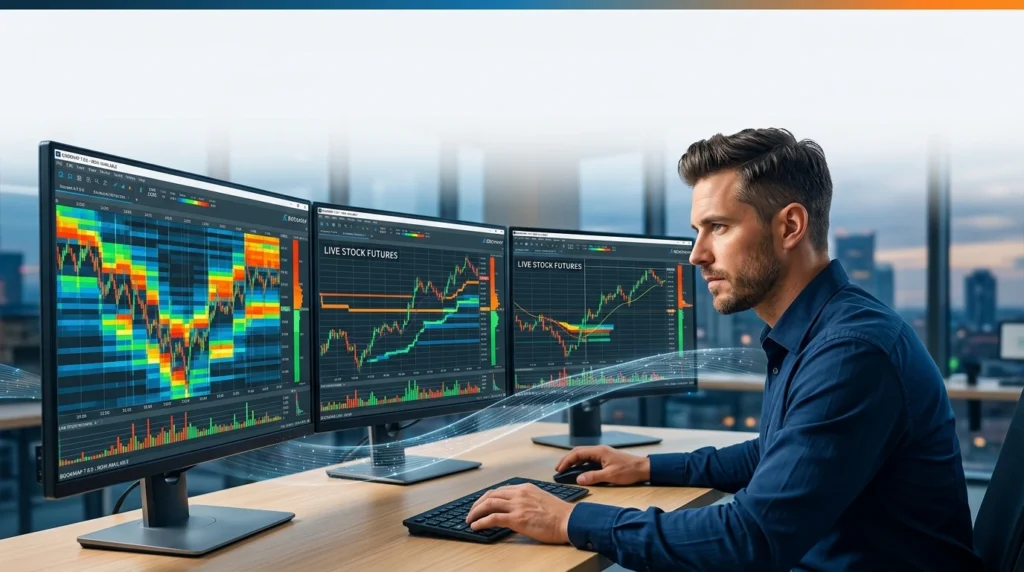
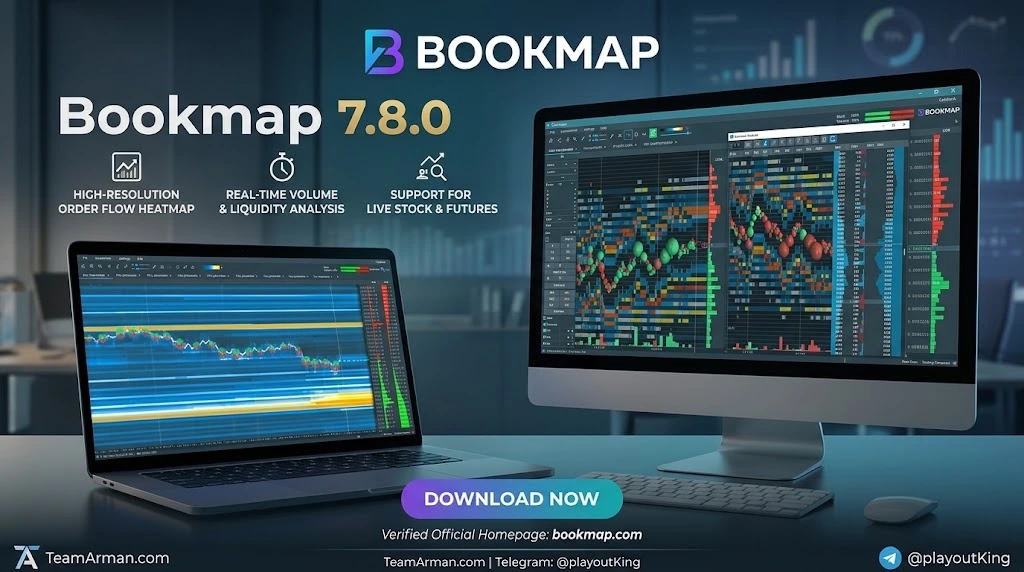
The liquidity heatmap is Bookmap’s signature feature. It displays every resting limit order at every price level, color-coded by depth. Bright zones indicate heavy concentrations of passive orders, while dark areas represent thin liquidity. Traders use this visualization to identify where institutional players have placed large buy or sell walls, and to anticipate potential reversals when price approaches these zones.
Volume Bubbles
Every executed trade appears as a circular bubble on the heatmap, sized proportionally to the traded quantity and color-coded by aggressor side. Blue bubbles represent aggressive buying, while red bubbles indicate aggressive selling. This allows traders to quickly assess whether buyers or sellers are in control at any given moment.
Historical Best Bid/Ask
Unlike traditional charts, Bookmap displays the historical best bid and ask at every moment, providing a granular view of how the spread and top-of-book liquidity have evolved over the session.
Depth of Market (DOM) and Columns
Bookmap includes a professional DOM ladder with configurable columns showing current order book depth, volume, trade counters, quote counters, and custom notes. The DOM can be displayed alongside the heatmap for integrated order flow analysis.
Replay Mode
Replay Mode allows traders to record live market depth data and play it back at variable speeds for practice and strategy refinement. This is particularly valuable for developing the skill of reading order flow without risking capital.
Iceberg and Large Lot Tracker
Bookmap’s proprietary Iceberg Order Tracker identifies hidden institutional orders that are only partially visible in the order book. The Large Lot Tracker highlights unusually large individual orders that may signal institutional activity.
Multibook (Crypto)
For cryptocurrency traders, Bookmap’s Multibook feature aggregates order book data from multiple exchanges simultaneously, providing a consolidated view of global liquidity.
One-Click Trading
Traders can execute orders directly from the heatmap or DOM with a single click, using the middle mouse button for rapid entry and exit. This feature is available on Global Plus subscriptions.
What’s New in Bookmap 7.8.0
Bookmap’s Version 7 release introduced several significant enhancements that carry forward into version 7.8.0:
Historical Market Depth Data
Version 7 added access to historical market depth data, allowing the chart to display order book information from before the moment of subscription. Bookmap provides up to 48 hours of historical depth data from three sources: locally recorded sessions, Bookmap servers, and Devexperts servers. This is a capability that no other retail trading platform currently offers.
Colormaps Heatmap Schemes
Two new color schemes, called “colormaps,” were added to the heatmap. These allow traders to more easily assess differences between order book depth sizes across different times and price levels.
Trading from Columns
Trading functionality was extended to the column-based view, allowing order entry directly from the ladder interface.
GDAX (Coinbase Pro) Connectivity
Bookmap added live connectivity to GDAX, supporting Bitcoin, Ethereum, and Litecoin trading with minimal order sizes for low-risk practice.
Enhanced Add-On Support
The marketplace now supports a broader range of add-ons, including Footprint Charts, SpotGamma Professional, and custom Python-based indicators.
System Requirements for Bookmap 7.8.0
Bookmap is a resource-intensive application, particularly when processing full-depth market-by-order (MBO) data. The following specifications are provided by Bookmap’s official documentation.
Minimum Requirements (Windows)
-
Operating System: 64-bit Windows 8 or higher
-
Display Resolution: 1280×960 minimum
-
RAM: 8 GB minimum
-
Storage: 10 GB free disk space (application ~500 MB; cache requires significantly more)
-
Processor: Intel Core i5 or equivalent
-
Internet: Stable connection, 5 Mbit/sec minimum
-
Mouse: Middle button required for one-click trading add-on
Recommended for Light Use
-
OS: Windows 10
-
Display: 1920×1080
-
Video Card: 1 GB memory supporting OpenGL 3.3
-
RAM: 16 GB or more
-
Storage: SSD with 100 GB free space
-
CPU: Intel Core i7 / AMD Ryzen 7 (4+ cores, 2.6 GHz+)
-
Internet: 50 Mbit/s minimum
Recommended for Heavy Use (Full MBO Data)
-
OS: Windows 10
-
Display: 1920×1080
-
Video Card: Modern card with 1 GB memory, OpenGL 3.3
-
RAM: 32 GB (more if running other applications)
-
Storage: SSD with 100 GB free space
-
CPU: Intel Core i9 / AMD Ryzen 9 (8+ cores, 3 GHz+)
-
Internet: 100 Mbit/s minimum, low packet loss
macOS and Linux
Bookmap is compatible with macOS (Intel and Apple Silicon) and Linux, though Linux support is limited. Mac users should verify that their system meets equivalent hardware specifications.
Installation Guide: How to Download and Set Up Bookmap 7.8.0
Step 1: Choose Your Subscription Package
Bookmap offers four tiers: Digital (free), Digital Plus ($19/month), Global ($49/month), and Global Plus ($99/month). Futures and US stock data are sold separately from the platform subscription.
Step 2: Download the Installer
Navigate to the Bookmap portal and log in. Under the “Get Started” tab, download the installer for your operating system: Windows, Mac Intel, Mac M1/M2, or Linux.
Step 3: Install the Application
Run the installer and follow the on-screen prompts. Accept the license agreement and choose your installation directory. The application itself requires approximately 500 MB, but plan for at least 10 GB of free space for cache data.
Step 4: Enter Your License Key
Copy your license key from the “Get Started” tab in your user portal. Launch Bookmap and enter the key when prompted.
Step 5: Choose a Run Mode
Bookmap offers three modes: Simulation Mode (trade with real-time data using a simulator), Trading Mode (execute through your broker or exchange), and Replay Mode (replay recorded market depth data for backtesting).
Step 6: Connect a Data Provider
Navigate to Connections → Configure, select your data provider, and enter your credentials. Return to Connections, select the provider, and click Add Symbol to subscribe to an instrument.
How to Use Bookmap 7.8.0
Reading the Heatmap
The heatmap displays passive limit orders as horizontal color bands. Bright, thick bands indicate heavy liquidity; thin or dark areas indicate limited depth. When price approaches a bright band and bounces, that level is acting as support or resistance. When price slices through a thick band, those orders have been absorbed or pulled.
Identifying Iceberg Orders
Iceberg orders appear as repeated small trades at the same price level without the visible order book showing a corresponding large order. Bookmap’s Iceberg Tracker highlights these patterns, revealing hidden institutional interest.
Using Volume Bubbles
Large bubbles clustered at a specific price level indicate aggressive trading activity. A sequence of large red bubbles followed by a reversal often signals seller exhaustion. Conversely, large blue bubbles at a support level suggest aggressive buying interest.
Setting Up Alerts
Bookmap supports voice alerts and visual notifications for custom conditions, such as when a price level is breached or when large orders appear. These can be configured in the settings panel.
Recording and Replaying Sessions
Use the Record function during live market hours to capture market depth data. Later, load the recording in Replay Mode to practice reading order flow or to backtest specific scenarios.
Best Use Cases for Bookmap 7.8.0
Futures Scalping
Scalpers use Bookmap’s heatmap to identify short-term support and resistance levels created by resting limit orders. The ability to see order book dynamics in real time provides a pre-trade awareness that candlestick charts cannot replicate.
Crypto Order Flow Analysis
Cryptocurrency traders use Bookmap’s Multibook feature to aggregate order book data across exchanges, identifying global liquidity zones and potential manipulation.
Institutional Order Detection
Traders seeking to follow “smart money” use Bookmap’s Large Lot Tracker and Iceberg Detection to identify where institutional participants are accumulating or distributing positions.
Trade Review and Education
Replay Mode makes Bookmap an excellent educational tool. Traders can revisit their session recordings to analyze what they saw, what they missed, and how they could have improved their order flow reading.
Market Microstructure Research
Quantitative traders and researchers use Bookmap’s historical market depth data to study market microstructure, order book dynamics, and execution quality.
Advantages and Limitations of Bookmap 7.8.0
Advantages
-
Unmatched liquidity visualization: The heatmap provides a level of market transparency that no other retail platform currently matches.
-
Historical depth data: Access to 48 hours of historical market depth is a unique feature.
-
Broad asset coverage: Supports futures, US equities, and cryptocurrencies.
-
Multiple data providers: Connects to Rithmic, dxFeed, CQG, iQFeed, and more.
-
Replay and simulation: Excellent for practice and strategy development.
-
Active marketplace: Growing ecosystem of third-party add-ons and indicators.
Limitations
-
Resource intensive: Full MBO data requires high-end hardware (32 GB RAM, 8+ core CPU).
-
Data costs: Futures and stock market data are sold separately and can add $34–$79 per month to the subscription cost.
-
Learning curve: Interpreting the heatmap effectively requires practice and education.
-
No automated trading: Bookmap is primarily a visualization platform and does not offer native algorithmic trading.
-
Linux support limited: The Linux version is experimental and may not receive full updates.
-
No mobile app: The platform is desktop-only.
Alternatives to Bookmap 7.8.0
ATAS (Advanced Time and Sales)
ATAS offers deep cluster analysis and footprint charts with GPU-accelerated rendering. It supports a wider range of indicators and automated trading strategies, but its heatmap visualization is less prominent than Bookmap’s.
Quantower
Quantower is a modular, multi-broker platform with a C# API for automation. It supports DOM Surface, footprint charts, and multi-asset trading. Pricing starts free (via AMP Futures) or $70/month, making it more accessible than Bookmap for traders who need both visualization and automation.
Jigsaw Daytradr
Jigsaw focuses on DOM execution and education, with a best-in-class DOM ladder. It includes a 10-hour course and prop firm compatibility. It does not offer a heatmap, making it a complementary tool rather than a direct replacement.
Sierra Chart
Sierra Chart is a highly customizable platform popular among professional futures traders. It offers deep order flow analysis and automation but requires significant configuration and technical expertise.
GoCharting
GoCharting is a browser-based order flow platform that runs on any device, including Mac, Linux, and iPad. It offers DOM and heatmap visualization but lacks the depth of historical data and the advanced iceberg detection found in Bookmap.
TradingView
While TradingView dominates charting and social trading, it is not a true order flow platform. Bookmap and TradingView are complementary tools: TradingView for planning and Bookmap for execution.
Frequently Asked Questions
What is Bookmap 7.8.0 used for?
Bookmap 7.8.0 is used for real-time order flow analysis and trading in futures, stocks, and cryptocurrency markets. It visualizes the limit order book as a heatmap, helping traders identify liquidity zones, iceberg orders, and market depth dynamics.
Is Bookmap free to use?
Bookmap offers a free Digital tier that includes live crypto data, heatmap visualization, and volume indicators for one instrument at a time. Paid subscriptions start at $19/month (Digital Plus) and $49/month (Global) for futures and stock traders.
What are the system requirements for Bookmap?
Minimum requirements are 64-bit Windows 8, 8 GB RAM, and an Intel Core i5 processor. For full market-by-order data, Bookmap recommends 32 GB RAM, an Intel Core i9 or AMD Ryzen 9 with 8+ cores, and an SSD with 100 GB free space.
Does Bookmap work on Mac?
Yes, Bookmap is compatible with macOS, including both Intel and Apple Silicon (M1/M2) processors. Download the appropriate installer from the Bookmap portal.
What data providers does Bookmap support?
Bookmap connects to Rithmic, dxFeed, CQG Continuum, iQFeed, Interactive Brokers, Tradovate, Trading Technologies, Bybit, Coinbase, OKX, and several other providers.
Can I trade directly from Bookmap?
Yes, Bookmap supports one-click trading from the heatmap and DOM for futures, stocks, and cryptocurrencies. This feature is available on Global Plus subscriptions and requires a compatible broker connection.
How much does Bookmap cost in total?
The platform subscription ranges from free to $99/month. Futures and US stock market data are billed separately, typically adding $34–$79 per month. Total real-world cost for a Global subscriber with market data typically runs $83–$128 per month.
Does Bookmap offer a demo or trial?
Bookmap’s Digital tier is permanently free and includes live crypto data with core heatmap features. This serves as an unlimited demo for traders who want to explore the platform before committing to a paid subscription.
Final Thoughts
Bookmap 7.8.0 remains the leading platform for visual order flow analysis, offering a level of market transparency that traditional charting software cannot match. Its heatmap visualization, historical depth data, and extensive data provider connectivity make it an essential tool for serious futures, equity, and crypto traders who want to understand market microstructure at a granular level.
The platform is not without trade-offs. Its resource requirements are substantial, market data costs add significantly to the subscription price, and the learning curve for interpreting the heatmap is steep. However, for traders who commit to mastering order flow analysis, Bookmap provides a genuine informational edge that few competitors can replicate.
For traders considering alternatives, the choice often comes down to priorities. ATAS and Quantower offer deeper automation and cluster analysis. Jigsaw excels at DOM execution and education. GoCharting provides browser-based accessibility. But for pure liquidity visualization and historical market depth data, Bookmap stands alone.
Whether you are scalping futures, analyzing crypto order flow, or studying market microstructure, Bookmap 7.8.0 delivers the visibility required to trade with greater confidence and precision.
Our Paid Service