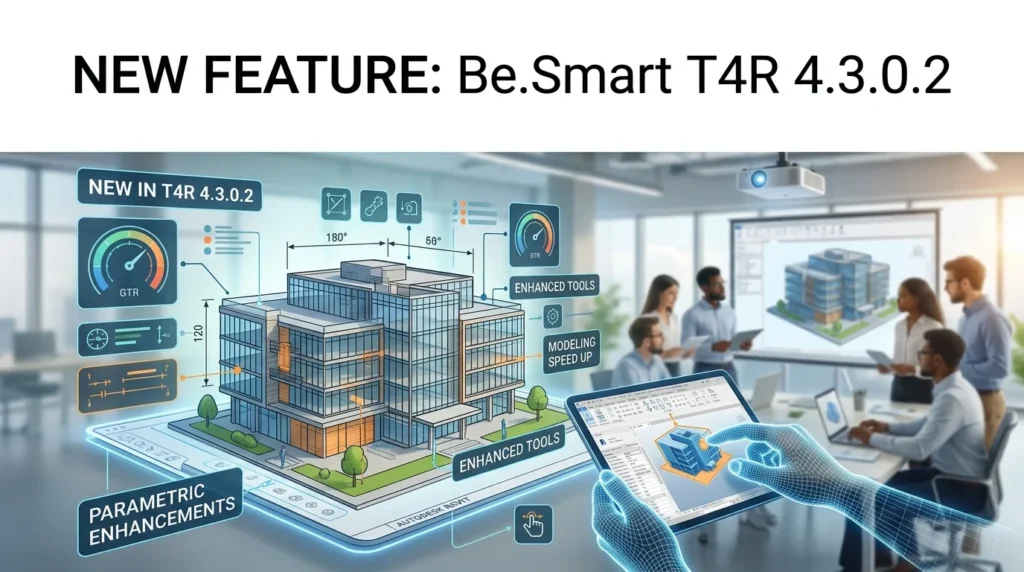

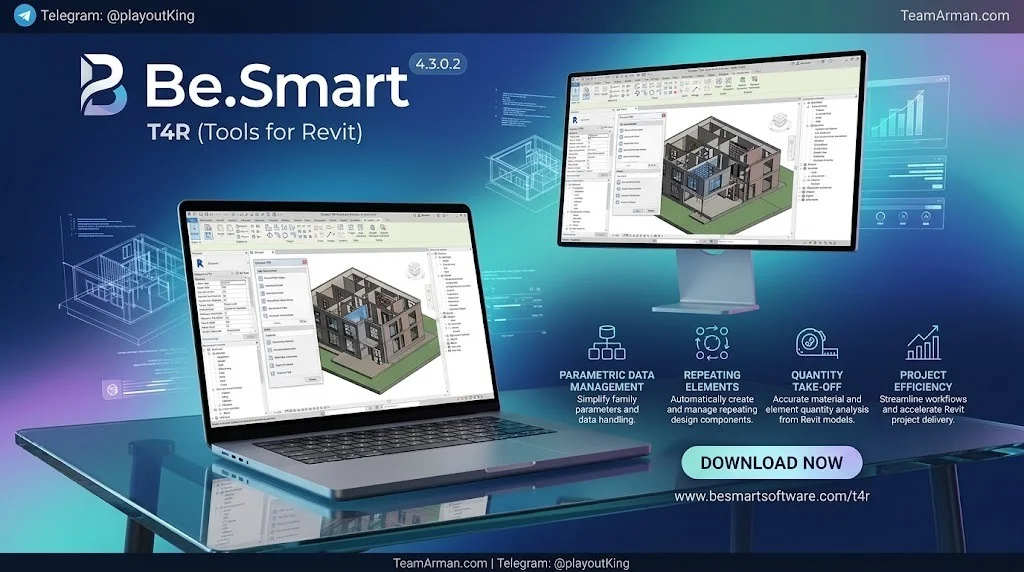
Overview of Be.Smart T4R
Table of Contents
Be.Smart T4R (formerly Holixa T4R and CADstudio Revit Tools) is a .NET-based Revit add-in that installs directly into the Revit ribbon. It is not a standalone application. Instead, it extends Revit’s native capabilities with a curated set of automation tools that address tasks Revit does not handle efficiently out of the box.
The suite is distributed in two tiers:
-
Be.Smart T4R Free (Bronze) — A core set of design management tools available at no cost. Includes Extended Filter, Job Time Tracker, References List, Link Checker, BIMSign, Renumber Rooms, Continuous Dimension, and more.
-
Be.Smart T4R (Silver) — The full productivity package for ARKANCE customers, adding advanced MEP tools, structural labeling, stair automation, and job tracking exports.
The toolset is compatible with Autodesk Revit 2022 through 2027, ensuring broad version coverage for firms with mixed deployments.
Key Features
Smart Pattern-Making for MEP Systems
The standout additions in recent T4R releases focus on intelligent pattern-making for mechanical, electrical, and plumbing (MEP) workflows:
-
Split Elbows — Select any pipe or duct elbow and split it into two equal-size elbows. A 90° elbow becomes two 45° elbows, giving you finer control over routing geometry in tight spaces.
-
Move & Join — Aligns and connects two MEP elements in a single action. The first element you select stays fixed; the second moves into alignment. Both are then joined into one continuous duct or piping system.
-
Join Systems — Connects touching MEP connectors into one system without moving them. This is the renamed “Element Connector” command, now grouped with Move & Join in the Revit toolbar.
Extended Filter and Data Management
The Extended Filter tool saves more than 50% of the time normally spent searching for elements. You can now edit and save filters, work with dropdown controls, and manage complex view criteria with greater flexibility. The References List and Link Checker tools further streamline external reference management by displaying all linked files and detecting updates automatically.
Level Manager and Visibility Control
The Level Manager received a significant usability upgrade, adding an Apply button, an editable list view, automatic plan view creation, sorting by elevation, and quick actions to duplicate, remove, or open views. The Unhide Hidden Elements tool now displays a toggle list, making visibility control simpler across large models.
BIMSign and Job Time Tracker
BIMSign watermarks BIM documents with a permanent invisible signature, helping protect project authorship and intellectual property. The Job Time Tracker automatically records net time spent editing a project, with improved .XLS export formatting for easier reporting and downstream processing.
What’s New in Version 4.3.0.2
The 4.3.x series builds on the major feature additions introduced in version 4.2.0.0. Key enhancements in the latest release cycle include:
-
Expanded Revit Compatibility — Full support for Autodesk Revit 2027 alongside 2026, 2025, and 2024.
-
Split Elbows Stability — Fixed an issue where the command would not work on certain elbow configurations.
-
Family Parameter Manager Fix — Resolved a bug with missing underscores in parameter names and an issue when adding shared parameter files.
-
Hide Features Persistence — Settings are now correctly saved after a Revit restart, so your visibility configurations survive session changes.
-
Coordinates Tool Reliability — Improved stability with corrected values and removal of misleading messages.
-
Localization Improvements — Added and refined Spanish and Polish language support.
-
Inactive Command Visuals — Commands are now disabled and greyed out when no license is detected, providing clearer license-status feedback.
For users upgrading from version 4.0.x, the 4.3.x line represents a substantial leap in MEP automation, interface responsiveness, and cross-version consistency.
System Requirements
Be.Smart T4R does not impose separate hardware requirements beyond what Revit itself demands. To run T4R 4.3.0.2 effectively, your workstation must meet the minimum system requirements for your installed Autodesk Revit version.
Practically speaking, ensure:
-
Operating System: 64-bit Microsoft Windows 11 (required for Revit 2024 and later)
-
Autodesk Revit: Version 2022, 2023, 2024, 2025, 2026, or 2027 installed and activated
-
Internet Connection: Active connection required for license verification and TOOLS4BIM Dock downloads
-
Permissions: Read/write access to application data folders and the Windows registry
-
Revit Updates: Latest Revit service packs installed before deploying T4R
For detailed processor, RAM, and graphics requirements, consult the official Autodesk Revit system requirements page for your specific version.
Installation Guide
Installing Be.Smart T4R 4.3.0.2 follows a straightforward process managed through the TOOLS4BIM Dock application.
Step 1: Download TOOLS4BIM Dock
Navigate to the Be.Smart download page. Select your country and the Autodesk Revit version you are running. Click the download link to obtain the TOOLS4BIM Dock installer.
Step 2: Install the Dock
Run the TOOLS4BIM Dock installer. If prompted by Windows User Account Control, click “Yes” to allow the installation to make changes to your computer. Follow the on-screen prompts to complete the Dock installation.
Step 3: Install Be.Smart T4R
Open TOOLS4BIM Dock. Locate Be.Smart T4R in the available products list and click “Install” or “Update.” The Dock downloads the appropriate T4R package for your Revit version and installs it automatically.
Step 4: Restart Revit
Close and reopen Autodesk Revit. The Be.Smart T4R ribbon tab should appear in the Revit interface. If the tab does not appear, verify that the Dock is running and that your license is active.
Step 5: Activate Your License
If you are using the Silver (extended) package, enter your license credentials when prompted. The Free (Bronze) tier requires no activation.
How to Use Be.Smart T4R
Working with Split Elbows
-
Open a project containing pipe or duct runs with elbows.
-
Navigate to the Be.Smart T4R MEP ribbon panel.
-
Click Split Elbows.
-
Select the elbow you want to split.
-
T4R replaces the elbow with two equal-size fittings. A 90° elbow becomes two 45° elbows.
This tool is especially useful when routing around obstructions or when coordination requires shallower bend angles.
Using Move & Join
-
Click Move & Join in the Join panel.
-
Select the first MEP element — this element stays in place.
-
Select the second MEP element — this element moves to align with the first.
-
T4R adjusts the length as needed and connects both into a single system.
Managing Levels with the Level Manager
-
Open the Level Manager from the T4R ribbon.
-
Review the editable list of levels. Sort by elevation as needed.
-
Use quick actions to duplicate, remove, or open level-associated views.
-
Click Apply to commit changes. T4R can automatically create plan views for new levels.
Tracking Project Time
The Job Time Tracker runs in the background once activated. It records net editing time per project. Export the data as an .XLS file for reporting through the improved formatting options.
Best Use Cases
MEP Coordination in Complex Buildings
Split Elbows and Move & Join directly address the friction points in MEP routing. When ductwork must thread through congested ceiling plenums, the ability to convert a 90° bend into two 45° fittings — without deleting and redrawing — saves significant modeling time.
BIM Management and Model Auditing
Extended Filter, References List, and Link Checker give BIM managers the visibility needed to audit large models. The Extended Filter tool alone can cut element-search time by more than half, which adds up across a multi-month project.
Structural and Architectural Documentation
Structure Description and Structure Label create automatic labels describing compound wall, roof, and floor structures, including material layers and thicknesses. These labels update automatically when the structure changes, reducing documentation rework.
Time Tracking for Firm Billing
The Job Time Tracker provides objective data on actual editing time per project. Firms that bill by the hour or need to justify staffing allocations can export this data for analysis.
Advantages and Limitations
Advantages
-
Broad Revit compatibility — Supports Revit 2022 through 2027, reducing friction in mixed-version environments.
-
Free tier available — The Bronze package provides genuinely useful tools at no cost, making T4R accessible to individual users and small firms.
-
Focused MEP improvements — Split Elbows and Move & Join solve specific, real problems in MEP coordination that native Revit handles poorly.
-
Consistent updates — ARKANCE maintains a regular release cadence with documented release notes and bug fixes.
-
Low learning curve — Tools integrate into the Revit ribbon and follow familiar selection-and-apply patterns.
Limitations
-
Requires Autodesk Revit — T4R cannot function as a standalone product.
-
Silver features behind paywall — The most powerful MEP and structural tools require a paid license through ARKANCE.
-
Windows only — No macOS support, consistent with Revit’s platform requirements.
-
Version dependency — You must install the T4R build matching your Revit version.
Alternatives to Be.Smart T4R
pyRevit
pyRevit is a free, open-source Revit add-in that automates repetitive tasks through Python scripting. It offers a large community library of tools and is highly customizable. However, it lacks the polished MEP-specific features and commercial support that T4R provides.
CTC Software BIM Project Suite
The CTC BIM Project Suite bundles over 30 Revit add-ins covering model checking, data management, and productivity. It is a more comprehensive suite than T4R but at a higher price point, with a one-time payment starting around $550.
Ideate BIMLink
Ideate BIMLink focuses on data exchange between Revit and Excel, making it a strong choice for firms that need to bulk-edit parameters and schedules. It is less focused on MEP modeling than T4R.
Dynamo for Revit
Dynamo is a visual programming environment built into Revit. It can automate nearly any task but requires scripting knowledge. T4R offers ready-made tools that require no programming, making it more accessible for most users.
Frequently Asked Questions
Is Be.Smart T4R free to use?
Yes, there is a free version called Be.Smart T4R Free (Bronze). It includes core design management tools such as Extended Filter, Job Time Tracker, and BIMSign. The full Silver package requires a paid license through ARKANCE.
What Revit versions does Be.Smart T4R 4.3.0.2 support?
T4R 4.3.0.2 is compatible with Autodesk Revit 2022, 2023, 2024, 2025, 2026, and 2027.
How do I download Be.Smart T4R?
Download the TOOLS4BIM Dock from the official Be.Smart download page. Select your country and Revit version, then use the Dock to install T4R.
What is the Split Elbows feature used for?
Split Elbows lets you divide a pipe or duct elbow into two equal-size fittings. For example, a 90° elbow becomes two 45° elbows. This is useful for routing around obstructions or meeting coordination requirements.
Does Be.Smart T4R work with Revit 2026?
Yes. Version 4.2.0.0 introduced full support for Autodesk Revit 2026, and the 4.3.x series continues that compatibility.
Can I use Be.Smart T4R on a Mac?
No. T4R requires Autodesk Revit, which runs only on 64-bit Microsoft Windows.
How does the Job Time Tracker work?
The Job Time Tracker automatically records net time spent editing a project. It runs in the background and exports data to .XLS format for reporting.
What is the difference between Join Systems and Move & Join?
Join Systems connects touching MEP connectors into one system without moving them. Move & Join also aligns the elements’ positions before connecting them.
Final Thoughts
Be.Smart T4R 4.3.0.2 fills a practical gap in the Revit ecosystem. Autodesk Revit is a powerful BIM platform, but it leaves many routine tasks — element searching, level management, elbow splitting, system joining — to manual workflows. T4R automates those tasks with a focused, well-documented toolset that integrates cleanly into the Revit ribbon. The addition of Split Elbows and the enhanced Join group makes this release particularly valuable for MEP engineers and BIM coordinators working on complex building systems. The free Bronze tier ensures that even individual Revit users can benefit from tools like Extended Filter and BIMSign without a financial commitment. For firms already invested in the ARKANCE ecosystem, T4R 4.3.0.2 represents a mature, stable productivity layer that earns its place in the daily Revit workflow.
Our Paid Service
“We do not sell or provide any software. We only offer professional support services. If any software on your system is not working properly, or you are facing installation errors, crashes, or any other technical issue — just contact us. We will help you fix the problem quickly and remotely via AnyDesk. No software will be provided from our side — only expert troubleshooting and support.”