
Overview of Molsoft ICM-Pro v3.9-5
Table of Contents
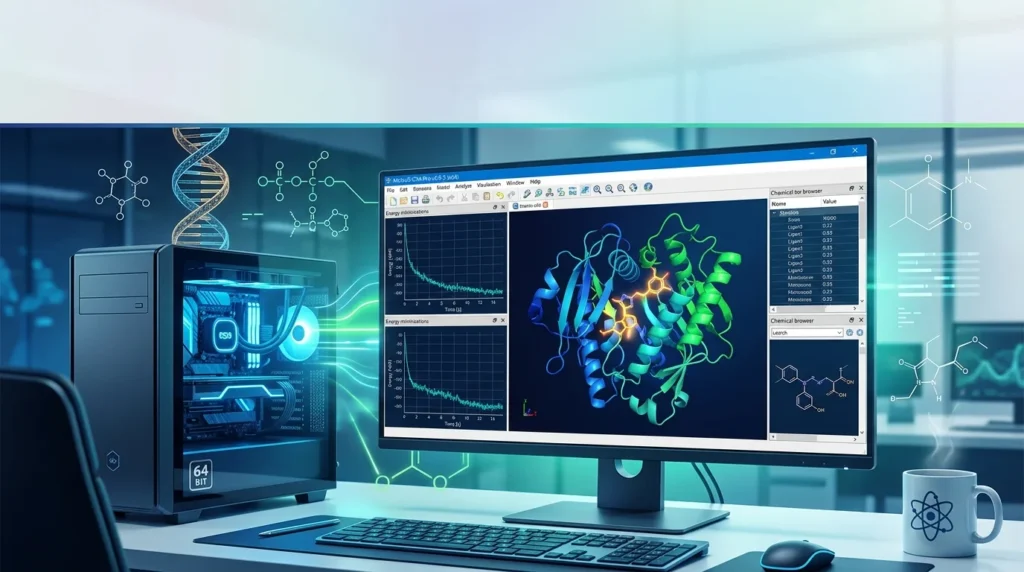
Molsoft ICM-Pro v3.9-5 is a desktop molecular modeling environment that empowers biologists and chemists to perform high-quality protein structure analysis, molecular docking, and ligand design. Developed by Molsoft L.L.C., this software suite integrates Internal Coordinate Mechanics (ICM) technology with modern AI-driven workflows, enabling researchers to visualize, model, and optimize molecular structures with precision. The latest 3.9-5 release introduces GPU-accelerated combinatorial docking, generative neural networks for lead optimization, and expanded peptide modeling capabilities. Whether you are an academic researcher exploring protein-ligand interactions or a medicinal chemist optimizing lead compounds, ICM-Pro provides a comprehensive platform for structure-based drug discovery.
Key Features of Molsoft ICM-Pro
Protein Structure Analysis and Visualization
ICM-Pro provides direct access to the Protein Data Bank (PDB), allowing you to download, inspect, and analyze protein structures in real time. The software supports a wide range of analytical tasks, including:
-
Building Ramachandran plots for backbone conformation assessment
-
Superimposing multiple structures for comparative analysis
-
Calculating distances, angles, contact areas, and surface areas
-
Displaying hydrogen bonds and electrostatic surfaces
-
Identifying ligand binding pockets using ICM Pocket Finder
The ICM Pocket Finder method identifies ligand binding sites in any protein, DNA, or RNA structure based on grid potential maps of van der Waals interactions. Physical properties of the pockets are calculated and tabulated, with a drug-likeness score provided for each site.
Molecular Docking and Virtual Screening
ICM-Pro offers a unique set of tools for accurate ligand-protein docking, peptide-protein docking, and protein-protein docking. The docking algorithm has been shown to rank first place compared to other leading docking software in terms of accuracy in independent assessments. The ICM-Pro desktop modeling GUI interface provides a step-by-step docking menu, or the process can be scripted for large-scale docking and screening.
When combined with the Virtual Ligand Screening (VLS) module, ICM-Pro enables high-throughput structure- and ligand-based screening on a local server or cloud. This configuration supports:
-
Automated parallel docking of thousands to millions of ligands
-
Advanced scoring systems including MolSoft’s physics-based score and RTCNN neural network-driven metrics
-
Full-featured ligand-based screening with pharmacophore modeling and similarity searching
3D Interactive Ligand Editor
The ICM 3D Interactive Ligand Editor allows you to interactively edit chemicals inside a receptor binding pocket. You can modify atoms and groups and immediately see the effect of those changes on ligand binding energy and score. This real-time feedback loop is invaluable for lead optimization, allowing researchers to pre-lock flexible drug candidates into their bioactive conformations and reduce entropic penalties of binding.
Molecular Dynamics Simulations
ICM-Pro includes GPU-accelerated Molecular Dynamics (MD) capabilities, achieving simulation speeds of approximately 3–12 ps/s (or 0.2–1.0 μs/day) on a cost-effective workstation GPU. The software provides a direct binary interface to OpenMM, allowing seamless transfer of molecular objects to the MD engine and automatic collection of trajectory snapshots into the ICM conformational stack. Automated system preparation includes solvation in a periodic water box, assignment of AMBER atom types and charges, generation of AM1-BCC charges for ligands, and initial energy minimization.
What’s New in Molsoft ICM-Pro v3.9-5
The 3.9-5 release introduces several groundbreaking features that significantly expand the software’s capabilities for large-scale virtual screening and AI-driven drug design.
CombiRIDGE: High-Throughput Combinatorial Anchored Docking
CombiRIDGE is a new GPU-accelerated solution for high-throughput ligand docking and screening of vast chemical spaces. It leverages MolSoft’s generative neural network conformer enumeration method GINGER, ultra-fast GPU docking technology RIDGE, and advanced graph neural network scoring RTCNN. The anchor-driven approach begins with a 3D anchor or core fragment, anchoring the core within the binding site to maintain critical interactions. Using GINGER, full 3D conformers are generated directly at the binding site, allowing rapid combinatorial expansion of pre-docked anchor structures into complete compounds. This capability enables researchers to screen ultra-large or combinatorial libraries efficiently without compromising accuracy.
groupGen: Next-Generation Neural Network for Lead Optimization
groupGen is a new generative AI technology designed specifically for lead optimization. It generates high-quality R-group substitutions tailored to a defined protein binding site by analyzing the local 3D receptor environment around a selected attachment point. At its core is a context-aware neural network architecture that connects structural biology with chemical design. A 3D graph convolutional neural network examines the geometry, electrostatics, and hydrophobic features of the binding pocket, guiding a chemical graph generator trained on millions of known R-groups. Generated analogs are automatically passed to CombiRidge for anchored docking, enabling rapid evaluation of many design ideas without disrupting key interactions established by the original lead compound.
Expanded Peptide Modeling Workflows
The 3D Interactive Ligand Editor now supports comprehensive peptide modeling workflows. Users can merge peptides into single molecules and convert them to ICM format, then enable peptide mode in the Ligand Editor to ensure proper continuous chain handling and correct backbone geometry. This expansion makes ICM-Pro suitable for researchers working on peptide-based therapeutics and protein-protein interaction modulators.
Neural Network-Based pKa Prediction
The latest version includes new neural network-based pKa prediction and protonation workflows, improving the accuracy of electrostatic calculations and ligand protonation state assignment during docking and MD simulations.
System Requirements
Molsoft ICM-Pro v3.9-5 (x64) is a desktop application designed for Windows, macOS, and Linux platforms. The software is available for 64-bit operating systems, ensuring compatibility with modern hardware configurations.
Minimum System Requirements
-
Operating System: Windows (64-bit), macOS (64-bit), or Linux (64-bit)
-
Disk Space: Approximately 1 GB of free disk space for installation
-
Memory (RAM): 2 GB minimum; 4 GB or more is recommended as a good default
-
GPU: GeForce-class models are suitable if you do not plan to use hardware stereo; higher-end GPUs are recommended for MD simulations and AI-driven workflows
Recommended Configuration
For researchers planning to use GPU-accelerated molecular dynamics, CombiRIDGE, or large-scale virtual screening, a workstation with a dedicated NVIDIA GPU (gamer-class or professional) and 16 GB or more of RAM is recommended. The software achieves optimal MD performance of 3–12 ps/s on standard workstation GPUs.
Installation Guide
Installing Molsoft ICM-Pro involves downloading the appropriate installation package for your platform, running the setup wizard, and configuring the license.
Step-by-Step Installation
-
Download the Installation Package: Visit the Molsoft downloads page and select the installation package for your operating system (Windows 64-bit, macOS 64-bit, or Linux 64-bit).
-
Run the Installer: Launch the installation wizard and accept the license agreement.
-
Select Installation Directory: Choose the destination folder for the ICM-Pro installation. The default location on Windows is typically
C:\Program Files\Molsoft LLC\ICM-Pro. -
Configure License: ICM-Pro requires a license key issued by Molsoft. The software supports both node-locked and floating licenses. After installation, you will need to generate a host ID and provide it to Molsoft to obtain your license file.
-
Activate the Software: Copy the license file to the installation directory or configure the license server settings as instructed by Molsoft support.
-
Verify Installation: After installation, launch ICM-Pro and verify that the main modules (molecular graphics, docking, and ligand editor) load correctly. Molsoft provides detailed installation instructions at their support site.
How to Use Molsoft ICM-Pro
Getting Started with Protein Structures
The first step in most ICM-Pro workflows is loading a protein structure from the PDB. You can search for structures directly within the software by typing a PDB code (e.g., 1xbb) in the search tab. Once loaded, you can rotate and zoom the 3D view, make selections, and convert PDB structures into ICM objects for further analysis.
Setting Up a Docking Project
To perform molecular docking:
-
Load the Receptor: Search for and load your target protein structure.
-
Set Up the Ligand: Navigate to the Ligand Editor tab and click “Setup Ligand.” Enter the ICM selection language for the ligand molecule or use the drop-down button to locate it.
-
Set Up the Receptor: Select the receptor object and configure options for water molecules, hydrogen optimization, and missing atom building. The “mask” option hides atoms not reported in the crystal structure.
-
Define the Docking Box: Select “Box Around Existing Ligand” to automatically define the search space, or use ICM Pocket Finder to identify potential binding pockets.
-
Generate Energy Maps: Click OK to generate the energy maps, and then run minimization to optimize the ligand-receptor complex.
Running Virtual Ligand Screening
For high-throughput screening, the VLS module automates the docking of large compound libraries. You prepare an SDF file containing your compounds, configure screening preferences, and execute the screen. Results are managed through ICM’s built-in table and plot interfaces, with scoring based on both physics-based and AI-driven metrics.
Performing Molecular Dynamics Simulations
MD simulations can be run interactively through the GUI (MolMechanics > Molecular Dynamics) or in batch mode using the runMDopenMM.icm script. ICM-Pro automates system preparation, including solvation, charge assignment, and energy minimization. Trajectory analysis tools allow you to compute RMSD, RMSF, contact areas, side-chain torsions, and binding free energies directly within the software.
Best Use Cases
Structure-Based Drug Discovery
ICM-Pro is widely used in structure-based drug discovery for identifying and optimizing lead compounds. The software has played a central role in successful virtual screening campaigns, including the V-SYNTHES2 workflow that screened the 173-billion-compound Enamine xREAL Space against challenging drug targets. In the CACHE Challenges, V-SYNTHES2 produced six confirmed hits and an 8% hit rate against SARS-CoV-2 NSP13, placing among the top three workflows.
Protein-Protein Interaction Studies
The software supports rigid-body and flexible protein-protein docking with a focus on interface scoring and pose evaluation. It is particularly suited for researchers who need repeatable docking plus interface refinement using scripted batches. ICM-Pro also supports prediction of protein-protein interaction sites and protein flexibility modeling.
Lead Optimization with AI
The combination of groupGen and CombiRIDGE enables AI-driven lead optimization by generating chemically realistic R-group substitutions and rapidly evaluating them through anchored docking. This workflow has been applied to challenges such as developing selective macrocyclic WEE1 kinase inhibitors, where ICM-Pro’s predictive accuracy was confirmed by experimental X-ray crystallography.
Molecular Dynamics and Conformational Analysis
Researchers use ICM-Pro for MD simulations to study protein dynamics, ligand binding stability, and conformational changes. The GPU-accelerated MD engine makes it feasible to run microsecond-scale simulations on standard workstation hardware, enabling detailed analysis of binding kinetics and allosteric mechanisms.
Advantages and Limitations
Advantages
-
Accuracy: ICM-Pro’s docking algorithm has consistently ranked first place in independent assessments of binding geometry prediction accuracy.
-
Integrated Workflow: The software combines protein structure analysis, docking, molecular dynamics, and cheminformatics in a single desktop environment, reducing the need for multiple tools.
-
GPU Acceleration: MD simulations and CombiRIDGE docking leverage GPU computing for significant speed improvements, achieving 3–12 ps/s on standard workstation GPUs.
-
Scriptable Automation: The ICM scripting language allows for reproducible, high-throughput workflows suitable for large collaborative projects.
-
AI Integration: Built-in neural network scoring (RTCNN) and generative AI (groupGen) provide modern AI-driven prioritization for lead optimization.
Limitations
-
Learning Curve: The command-driven workflow and scripting interface can slow first-time adoption for users accustomed to purely GUI-based tools.
-
License Cost: ICM-Pro is a commercial software package with annual licensing fees. Academic licenses are available at reduced rates.
-
Workflow Setup: Protein-protein docking and large-scale screening workflows may require more technical attention than GUI-first tools, particularly for interface-only docking.
-
Output Evaluation: Users need domain expertise to interpret which scoring metrics to trust for their specific system.
Alternatives to Molsoft ICM-Pro
Several molecular modeling and docking software packages offer overlapping functionality with ICM-Pro. The choice between them depends on your specific research needs, budget, and computational environment.
AutoDock and AutoDock Vina
AutoDock and its successor AutoDock Vina are widely used open-source docking programs. They are suitable for small-molecule docking and are accessible to researchers without commercial software budgets. However, they lack the integrated protein structure analysis, molecular dynamics, and AI-driven lead optimization features found in ICM-Pro.
Schrödinger Glide
Glide is a commercial docking program known for its speed and accuracy. It is part of the Schrödinger Suite, which offers a comprehensive set of molecular modeling tools. Glide is comparable to ICM-Pro in terms of docking accuracy but may be preferred by researchers already invested in the Schrödinger ecosystem.
HADDOCK
HADDOCK is a web server and software package for protein-protein docking that uses experimental restraints to guide the docking process. It is particularly suited for researchers who have prior knowledge about the interaction interface. While ICM-Pro also supports protein-protein docking, HADDOCK’s restraint-based approach offers a complementary strategy.
SwissDock
SwissDock is a web-based protein docking server that provides a low-overhead workflow for rigid-body docking. It is best suited for researchers who need quick, interface-ranked docking poses without building local pipelines. However, it offers limited automation and API surface for large-scale throughput.
Frequently Asked Questions
Q1: What is Molsoft ICM-Pro used for?
Molsoft ICM-Pro is used for protein structure analysis, molecular docking, virtual ligand screening, molecular dynamics simulations, and AI-driven lead optimization. It is a comprehensive desktop modeling environment for computational biology and drug discovery.
Q2: What are the system requirements for ICM-Pro v3.9-5?
ICM-Pro requires a 64-bit operating system (Windows, macOS, or Linux), approximately 1 GB of disk space, and at least 2 GB of RAM (4 GB recommended). A dedicated GPU is beneficial for MD simulations and AI-driven workflows.
Q3: How much does Molsoft ICM-Pro cost?
ICM-Pro is a commercial software package. An academic license for ICM-Pro + VLS is approximately $5,520 per year. Commercial licenses are priced higher. Molsoft also offers a free ICM-Browser for viewing molecular documents.
Q4: Can ICM-Pro perform molecular dynamics simulations?
Yes, ICM-Pro includes GPU-accelerated molecular dynamics simulations via an integrated OpenMM interface. The software supports automated system preparation, multiple force fields (AMBER ff14SB for proteins, MMFF94 for ligands), and trajectory analysis tools.
Q5: What file formats does ICM-Pro support?
ICM-Pro reads and writes PDB, MOL, MOL2, SDF, SMILES, and ICM binary format files. Chemical structures can be imported from databases such as DrugBank, ChEMBL, PubChem, and SureChEMBL.
Q6: Is ICM-Pro suitable for beginners in molecular modeling?
ICM-Pro offers a graphical user interface with step-by-step docking menus, making it accessible to beginners. However, the command-driven workflow and scripting capabilities may require some learning time. Molsoft provides video tutorials and a comprehensive user guide to help new users get started.
Q7: How does ICM-Pro compare to free docking tools like AutoDock?
ICM-Pro offers a more integrated platform with advanced features such as AI-driven scoring, molecular dynamics, and 3D interactive ligand editing. While AutoDock is a capable free alternative for basic docking tasks, ICM-Pro provides a complete workflow for structure-based drug discovery with higher accuracy and automation.
Q8: Can ICM-Pro be used for virtual screening of large compound libraries?
Yes, when combined with the VLS module, ICM-Pro supports high-throughput virtual screening of thousands to millions of compounds. The CombiRIDGE feature in version 3.9-5 further extends this capability to ultra-large combinatorial chemical spaces.
Final Thoughts
Molsoft ICM-Pro v3.9-5 represents a significant advancement in desktop molecular modeling software, combining established Internal Coordinate Mechanics technology with cutting-edge AI-driven workflows. The addition of CombiRIDGE, groupGen, and expanded peptide modeling capabilities makes this release particularly valuable for researchers engaged in large-scale virtual screening and lead optimization. While the software has a learning curve and requires a commercial license, its accuracy, integrated feature set, and GPU acceleration make it a compelling choice for academic and industrial research groups focused on structure-based drug discovery.
Our Paid Service
“We do not sell or provide any software. We only offer professional support services. If any software on your system is not working properly, or you are facing installation errors, crashes, or any other technical issue — just contact us. We will help you fix the problem quickly and remotely via AnyDesk. No software will be provided from our side — only expert troubleshooting and support.”