
Overview of Link-Assistant SEO PowerSuite 6.51.9 Full Suite
Table of Contents
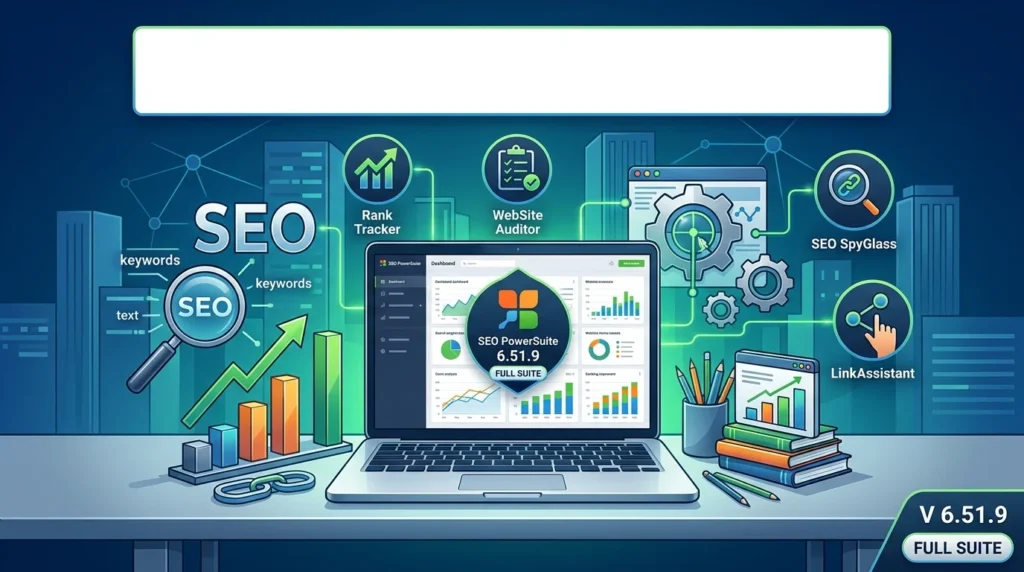
Link-Assistant SEO PowerSuite 6.51.9 Full Suite is a comprehensive desktop-based SEO toolkit developed by Link-Assistant.Com. It bundles four specialized applications—Rank Tracker, WebSite Auditor, SEO SpyGlass, and LinkAssistant—into a single platform. Together, these tools cover the entire SEO workflow, from keyword research and rank monitoring to technical site audits and backlink analysis.
Unlike cloud-based SEO platforms, SEO PowerSuite operates as a downloadable desktop application. This means your project data is stored locally on your machine, giving you full control over your SEO campaigns without recurring cloud storage limitations. The software is available for Windows, macOS, and Linux, making it accessible across all major operating systems.
The 6.51.9 Full Suite release represents a mature version of the platform, offering unlimited keyword tracking, unlimited backlink analysis, and access to a vast database of over 216 million keywords and 6.5 trillion backlinks.
Key Features of SEO PowerSuite 6.51.9
Rank Tracker: Keyword Research and Position Monitoring
Rank Tracker is the keyword research and rank monitoring module of SEO PowerSuite. It supports unlimited desktop and mobile position tracking across more than 597 search engines, including Google, Bing, Yahoo, and regional alternatives. Key capabilities include:
-
Keyword suggestion tools with 20+ research methods to discover new keyword ideas
-
Competition rank tracking and historical SERP data
-
Local rank tracking in over 597 search engines, with Google Maps listing integration
-
Keyword Efficiency Index (KEI) to estimate the profitability potential of each keyword
-
Google Analytics integration for correlating rankings with actual audience trends
-
TF-IDF analysis for content optimization insights
WebSite Auditor: Technical SEO Audit and On-Page Optimization
WebSite Auditor performs 360-degree technical and on-page SEO audits of your website. It crawls your site, identifies issues, and provides an action plan with fix recommendations. Notable features include:
-
Website crawler with customizable depth and advanced settings
-
Core Web Vitals analysis for page experience metrics
-
Content optimization suggestions based on competitor data
-
robots.txt and sitemap generation tools
-
Site structure visualization for understanding internal linking
-
List Mode for auditing specific URL lists without full-site crawling
SEO SpyGlass: Backlink Analysis and Competitive Research
SEO SpyGlass is a powerful backlink checker that leverages the SEO PowerSuite Backlink Index, one of the most comprehensive in the industry. It allows you to:
-
Analyze your backlink profile with detailed metrics including nofollow/dofollow attributes, link type, and anchor text
-
Compare your backlinks with up to 10 competitors to identify their best link sources
-
Assess penalty risk for individual backlinks to detect toxic links
-
Track historical backlink growth with progress graphs spanning 1 month to 3 years
-
View InLink Rank distribution to understand link importance and popularity
LinkAssistant: Link Building and Outreach Management
LinkAssistant automates link-building campaigns and outreach workflows. It helps you find link prospects, manage contacts, and track your backlink acquisitions. Core features include:
-
Multiple link prospect research methods to find relevant websites
-
Built-in email client with outreach templates for managing correspondence
-
Automatic backlink verification to confirm links are live and use correct anchor text
-
Contact scraping to find email addresses and names for personalized outreach
-
Custom link builder reports for tracking campaign performance
Google AI Overviews Tracking
The 6.51.9 release includes tracking for Google AI Overviews, allowing you to monitor how your content appears in AI-generated search summaries.
White-Label Reporting
Enterprise and Max+ plans support white-label SEO reports that can be customized, scheduled, and shared with clients via PDF or HTML. Data can also be exported in CSV, SQL, and HTML formats.
What’s New in SEO PowerSuite 6.51.9
The 6.51.9 Full Suite release brings several enhancements over previous versions:
-
Google AI Overviews tracking integrated into Rank Tracker and reporting modules
-
Improved Link Explorer database with access to 6.5 trillion backlinks and 216 million keywords
-
Enhanced proxy rotation support for multi-region rank tracking
-
Content Editor improvements for creating SEO-friendly metadata directly within WebSite Auditor
-
Dropbox integration for cloud-based project backup and synchronization
System Requirements for SEO PowerSuite 6.51.9
Windows
SEO PowerSuite runs on Windows 7, 8, 10, and 11. The software requires a minimum of 4 GB RAM, though 16 GB is recommended for running multiple modules simultaneously. Approximately 603 MB of disk space is needed for the full installation.
macOS
For Mac users, SEO PowerSuite requires macOS Big Sur (11) or newer. Any Intel processor or Apple M1 chip is supported. Minimum RAM is 4 GB, with 300 MB of hard disk space required.
Linux
Linux support is limited to 64-bit systems including Ubuntu 18.04 or later, Debian 10 or later, Fedora Linux 38 or later, openSUSE 15.5 or later, and RedHat Enterprise Linux 8.9 or later. Minimum RAM is 4 GB, with 120 MB per application (600 MB for the full suite).
Cross-Platform Requirements
| Requirement | Minimum | Recommended |
|---|---|---|
| Processor | Intel/AMD single-core | Intel/AMD dual-core or better |
| CPU clock speed | 1 GHz | 2 GHz or more |
| RAM | 4 GB | 4 GB or more |
| Hard disk space | 120 MB per app | 600 MB (full suite) |
| Internet connection | 56 Kbps dial-up | Broadband |
| Display resolution | 1366 x 768 | 1440 x 900 or higher |
Installation Guide
Step 1: Download the Installer
Visit the official Link-Assistant website and request your download link. Choose the version compatible with your operating system.
Step 2: Run the Installation Wizard
-
Windows: Double-click the downloaded executable and follow the on-screen prompts.
-
macOS: Double-click the DMG file, then double-click the SEO PowerSuite icon to launch the installer.
-
Linux: Extract the Gzip archive to your Desktop, open Terminal, navigate to the folder, and run
sudo ./install.sh.
Step 3: Launch the Applications
After installation completes, launch any of the four tools from the installation directory. On macOS, navigate to /Applications/Link-AssistantCom/ and double-click the tool name.
Step 4: Create Your First Project
Open Rank Tracker, log into your account, and follow the project wizard to enter your website URL and target keywords.
How to Use SEO PowerSuite 6.51.9
Setting Up a Rank Tracking Project
-
Open Rank Tracker and create a new project.
-
Enter your website URL and target keywords.
-
Use the Suggest Keywords button to discover additional keyword ideas.
-
Configure search engine and location settings for local rank monitoring.
-
Schedule automated rank checks to track position changes over time.
Running a Technical SEO Audit
-
Launch WebSite Auditor and log into your cloud account.
-
Enter your website URL and start the crawl.
-
Review the audit report for broken links, duplicate content, and mobile usability issues.
-
Use the action plan to prioritize and implement fixes.
-
Re-crawl after fixes to verify improvements.
Analyzing Backlinks
-
Open SEO SpyGlass and create a project for your website.
-
Add competitors’ sites for comparison (up to 10 in the Professional plan).
-
Review the Summary module for backlink profile statistics.
-
Use the Backlink Comparison module to identify competitor link sources.
-
Flag high-risk links for disavow consideration.
Managing Link Building Campaigns
-
Launch LinkAssistant and create a new link-building project.
-
Use the Look for Partners feature to find prospect websites.
-
Let the tool find contact details for selected websites.
-
Send personalized outreach emails using the built-in email client.
-
Track link verification to confirm acquired links are live.
Best Use Cases for SEO PowerSuite 6.51.9
SEO Agencies and Consultants
Agencies managing multiple client websites benefit from white-label reporting, unlimited projects, and multi-competitor tracking across all modules. The desktop-based architecture also allows agencies to work offline and maintain full data ownership.
In-House SEO Teams
In-house teams can use SEO PowerSuite for continuous rank monitoring, technical site health audits, and competitive backlink research. The integration with Google Analytics and Google Search Console provides a unified view of organic performance.
Freelance SEO Professionals
Freelancers appreciate the free-forever plan that allows working on one project without saving, plus the affordable Professional tier at $349 per year. The suite offers comprehensive functionality at a fraction of the cost of cloud-based alternatives.
Local SEO Specialists
With support for local rank tracking in over 597 search engines and Google Maps listing integration, SEO PowerSuite is particularly well-suited for local SEO campaigns.
Content Marketers
The Content Editor in WebSite Auditor helps content marketers optimize titles, meta descriptions, and on-page content based on competitor analysis and TF-IDF insights.
Advantages and Limitations
Advantages
-
Comprehensive toolkit: Four integrated tools cover keyword research, rank tracking, technical audits, backlink analysis, and link building.
-
Unlimited tracking: No per-keyword or per-backlink limits on paid plans.
-
Data ownership: All project data is stored locally, giving users full control.
-
Cross-platform: Available for Windows, macOS, and Linux.
-
Cost-effective: Annual pricing starts at $349 for the Professional plan, significantly less than many cloud alternatives.
-
Google AI Overviews tracking: Stay ahead with AI search visibility monitoring.
Limitations
-
Desktop-only: No native cloud or mobile app for on-the-go access.
-
Keyword research depth: Compared to Ahrefs and Semrush, keyword research is less comprehensive, and the online community resources are smaller.
-
Ranking truncation: By default, rankings beyond position 30 are ignored, which may limit visibility into lower-ranking keywords.
-
Learning curve: The breadth of features across four separate applications requires time to master.
-
RAM usage: Some users report the software is a memory-intensive application that performs best with 16 GB of RAM.
Alternatives to SEO PowerSuite
| Tool | Starting Price | Best For | Key Difference |
|---|---|---|---|
| Semrush | $139.95/month | All-in-one cloud SEO | Larger keyword database, stronger community resources |
| Ahrefs | $119/month | Backlink analysis | Superior backlink index and keyword research depth |
| SE Ranking | $65/month | Budget-friendly cloud SEO | Cloud-based with strong rank tracking |
| Moz Pro | $99/month | All-purpose organic SEO | Strong domain authority metrics |
| Ubersuggest | $29/month | Beginners and small businesses | Affordable, simplified interface |
SEO PowerSuite’s primary competitive advantage lies in its desktop architecture and unlimited tracking model. While cloud tools like Semrush and Ahrefs offer more comprehensive databases and community support, they charge based on usage limits. SEO PowerSuite appeals to users who prefer one-time annual pricing with no keyword caps and local data storage.
Frequently Asked Questions
Is SEO PowerSuite 6.51.9 free to use?
SEO PowerSuite offers a free-forever plan that allows working on one project without saving, checking rankings, crawling up to 500 URLs, and analyzing 1,100 backlinks. Paid plans start at $349 per year for the Professional tier.
What is the difference between the Professional and Enterprise plans?
The Professional plan ($349/year)** supports unlimited projects, keywords, and backlinks, with 5 competitors per project. The **Enterprise plan ($599/year) adds white-label reporting, report scheduling, data export in multiple formats, and priority support.
Can SEO PowerSuite run on a Mac?
Yes. SEO PowerSuite is compatible with macOS Big Sur (11) or newer, including both Intel and Apple M1 processors.
Does SEO PowerSuite work offline?
Yes. Since SEO PowerSuite is a desktop application, you can work on projects offline. However, an internet connection is required for rank tracking, backlink analysis, and database access.
How does SEO PowerSuite compare to Semrush?
SEO PowerSuite is a desktop toolkit with unlimited tracking and local data storage, while Semrush is a cloud platform with a larger keyword database and more extensive community resources. SEO PowerSuite is more cost-effective for unlimited usage, while Semrush offers deeper research capabilities.
Is SEO PowerSuite safe to download?
Yes. SEO PowerSuite is developed by Link-Assistant.Com, a legitimate software company that has been operating since 2005. Always download the software from the official website to ensure you receive a genuine, virus-free installer.
Can I track local rankings with SEO PowerSuite?
Yes. Rank Tracker supports local rank tracking in over 597 search engines, including Google Maps listings for location-based SEO campaigns.
Does SEO PowerSuite integrate with Google Analytics?
Yes. SEO PowerSuite integrates with Google Analytics and Google Search Console, allowing you to correlate keyword rankings with traffic data and search performance.
Final Thoughts
Link-Assistant SEO PowerSuite 6.51.9 Full Suite remains a compelling option for SEO professionals who value data ownership, unlimited tracking, and cross-platform flexibility. The four-module architecture covers the complete SEO workflow—from keyword discovery and rank monitoring to technical audits and backlink building. While cloud-based alternatives like Semrush and Ahrefs offer deeper databases and larger communities, SEO PowerSuite’s annual pricing model with no usage caps makes it a cost-effective choice for agencies, freelancers, and in-house teams managing multiple projects.
The desktop-based design is both its greatest strength and its primary limitation. Users who prioritize local data storage and offline access will find it ideal, while those who need mobile access and real-time collaboration may prefer cloud solutions. For SEO professionals seeking a comprehensive, no-nonsense toolkit at a predictable annual cost, SEO PowerSuite 6.51.9 delivers exceptional value.
Our Paid Service
“We do not sell or provide any software. We only offer professional support services. If any software on your system is not working properly, or you are facing installation errors, crashes, or any other technical issue — just contact us. We will help you fix the problem quickly and remotely via AnyDesk. No software will be provided from our side — only expert troubleshooting and support.”