
Overview of PHPRunner 11.1
Table of Contents
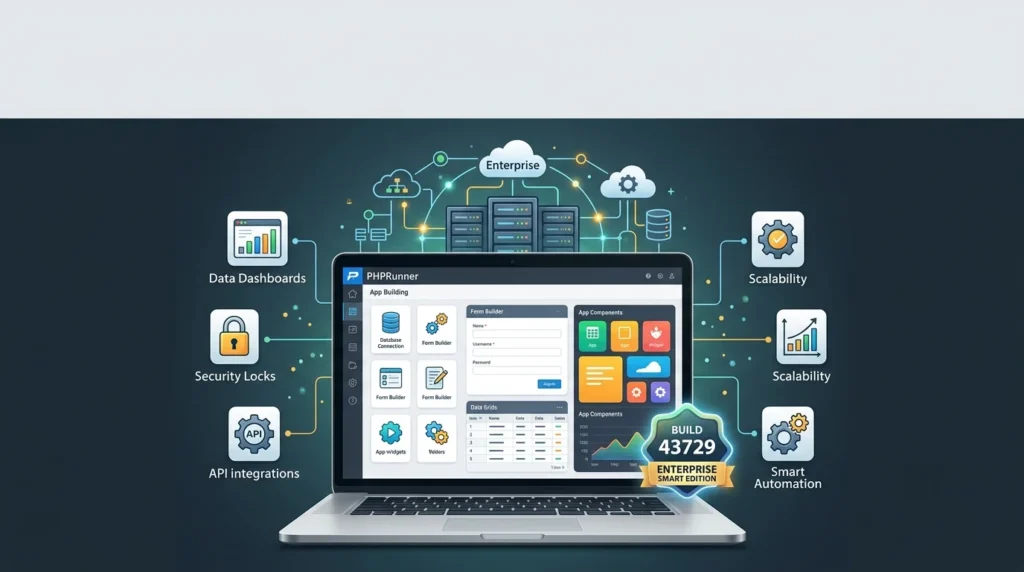
PHPRunner 11.1 Enterprise Smart Edition is a high-productivity, low-code development tool designed for building robust, database-driven web applications. As a leader in the rapid application development (RAD) space, this version focuses on streamlining the creation of secure, feature-rich PHP applications with minimal manual coding. It offers a visual, intuitive interface that allows developers, regardless of their skill level, to generate clean, well-structured PHP code that interacts with various databases.
Unlike traditional frameworks that require extensive coding knowledge, PHPRunner empowers users to create custom business solutions, internal tools, and data management systems rapidly. From creating complex reports to designing user-friendly interfaces, PHPRunner 11.1 Enterprise Smart Edition provides a comprehensive suite of tools to handle the entire web development lifecycle. Its primary goal is to save time while delivering enterprise-grade quality and security.
Key Features of PHPRunner 11.1
PHPRunner 11.1 comes packed with features designed to accelerate development and enhance application functionality. Here are some of the most significant ones:
-
Visual Development Environment: Drag-and-drop interface for building pages, forms, and reports without writing HTML or CSS.
-
Advanced Reporting Tools: Create pivot tables, charts, and detailed reports with the integrated Report Builder.
-
Security and User Management: Robust role-based access control (RBAC) to manage user permissions and data security.
-
Mobile-Responsive Design: Generated applications are automatically optimized for desktop, tablet, and mobile viewing.
-
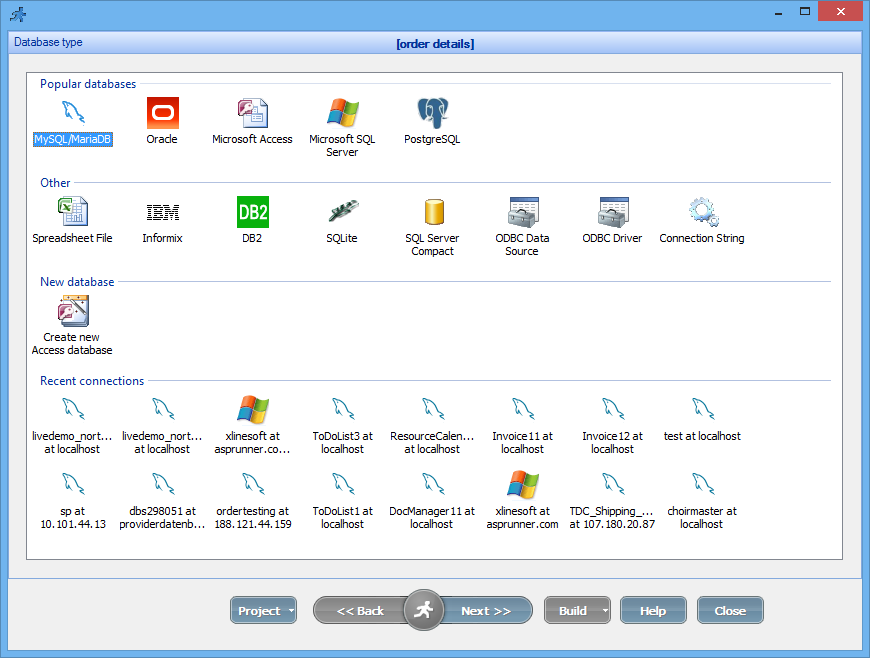
Multi-Database Support: Connects seamlessly with MySQL, PostgreSQL, SQL Server, Oracle, and SQLite.
-
Advanced Search Filters: Build powerful search panels for users to find data quickly based on any criteria.
Built-in JavaScript and PHP Libraries
The software integrates popular libraries to extend its front-end capabilities. This includes jQuery and Bootstrap, which help create interactive and visually appealing user interfaces. On the server side, it generates procedural PHP code that is easy to customize, making it a favorite for developers who prefer to have full control over their codebase.
Event-Driven Programming
PHPRunner allows developers to add custom logic without breaking the core code. Users can attach custom code to various events, such as before adding a record, after updating data, or upon viewing a page. This event-driven model ensures that customizations are neatly separated from the generated code, making future updates and maintenance significantly easier.
What’s New in the Latest Version (Build 43729)
The latest build of PHPRunner 11.1 Enterprise Smart Edition comes with several enhancements to boost productivity and performance. These new features address user feedback and modernize the development experience.
-
Enhanced 3D Design Integration: While primarily an application builder, the latest updates offer improved capabilities for integrating modern UI/UX components, allowing developers to create more dynamic and visually engaging interfaces.
-
Improved AI-Powered Features: The Smart Edition includes an AI assistant integrated into the IDE. This tool can help generate complex SQL queries, suggest code snippets, and optimize application logic, drastically reducing development time.
-
Updated Third-Party Libraries: The build ensures compatibility with the latest versions of PHP and core JavaScript libraries like jQuery and Bootstrap, guaranteeing better performance and security.
-
UI/UX Enhancements: The Dashboard is more intuitive, providing quicker access to common tasks and making project navigation smoother.
-
Bug Fixes and Performance Boosts: Build 43729 resolves multiple minor issues from previous versions, leading to more stable and responsive generated applications.
System Requirements
Before installing PHPRunner 11.1, ensure your system meets the necessary requirements for optimal performance.
Server Requirements
-
Operating System: Windows, Linux, Unix, or macOS.
-
Web Server: Apache, Nginx, or Microsoft IIS.
-
PHP Version: PHP 7.0 or later (PHP 8.0+ recommended).
-
Database: MySQL, PostgreSQL, Microsoft SQL Server, Oracle, or SQLite.
Client Requirements
-
Operating System: Windows 10/11 or later.
-
Browser: Any modern, standards-compliant web browser (Chrome, Firefox, Edge, Safari).
Installation Guide for PHPRunner 11.1
Installing PHPRunner is a straightforward process. The software is designed to get you up and running quickly.
-
Download the Installer: Obtain the installation file for PHPRunner 11.1 Enterprise Smart Edition from the official developer website.
-
Run the Installer: Double-click the downloaded
.exefile. -
Accept the License Agreement: Read and accept the End-User License Agreement (EULA).
-
Choose the Destination Folder: Select the directory where you want to install the software.
-
Select Installation Type: Choose the “Full Installation” for all features.
-
Complete the Installation: Click “Install” and wait for the process to finish. Once complete, launch the program.
-
License Activation: Enter your valid license key for the Enterprise Smart Edition to activate all premium features.
How to Use PHPRunner 11.1
Using PHPRunner is highly intuitive. The process typically follows a standard workflow for creating database applications.
-
Create a New Project: Launch PHPRunner and select “New Project.”
-
Connect to a Database: Choose your database type and enter the connection details (Host, Database Name, Username, and Password).
-
Select Tables: The software will display all tables in your database. Select the tables you want to include in your application.
-
Customize Your Pages: Use the visual editor to design the look and feel of your pages. You can adjust grid layouts, forms, and report settings without touching code.
-
Add Custom Logic (Optional): Use the event editor to inject custom PHP or JavaScript code for specific business rules.
-
Generate the Application: With a single click, PHPRunner generates the full source code of the application.
-
Deploy: Copy the generated files to your web server. The application is now ready for users.
Best Use Cases for PHPRunner
PHPRunner 11.1 is a versatile tool suitable for a wide range of development needs. Its primary strength lies in creating custom business software quickly and effectively.
-
Business Management Systems: Developers can create custom CRM, ERP, and inventory management solutions.
-
Internal Tools: Build employee portals, helpdesk applications, and internal HR systems.
-
Database Administration: Create front-ends for complex databases, allowing non-technical staff to interact with data safely.
-
Reporting Dashboards: Generate comprehensive data dashboards with charts, graphs, and pivot tables.
-
E-Commerce Backends: Manage products, orders, and customers with a custom-built admin panel.
-
Educational Portals: Create student management systems, grade books, and online learning portals.
Advantages and Limitations of PHPRunner 11.1
Like any software solution, PHPRunner 11.1 comes with its own set of strengths and weaknesses.
Advantages
-
Accelerated Development: The visual builder drastically reduces the time needed to create functional web apps. You can build and deploy an application in hours or days, not weeks.
-
Cost-Effective: Reduces the need for extensive developer resources.
-
User-Friendly: Even developers with basic PHP knowledge can build sophisticated applications.
-
Clean Code Generation: Produces well-structured code that is readable and easy to maintain.
-
Excellent Support: Offers strong community forums and official support channels.
-
Powerful Security: Built-in user authentication and authorization features.
Limitations
-
Learning Curve for Advanced Features: While basic apps are easy, utilizing the more advanced custom logic and reporting features may require some learning.
-
Code Overhead: Generated code can sometimes be verbose, though this is common in many RAD tools.
-
Limited Front-End Frameworks: While it supports Bootstrap and jQuery, it might not offer the same level of seamless integration with modern JavaScript frameworks like React or Vue.js as a pure-code solution.
Alternatives to PHPRunner
Depending on your project needs and technical skills, you might consider other tools for web application development. These are some of the most popular and effective options on the market.
-
Xojo: A cross-platform IDE that allows developers to create applications for web, desktop, and mobile using a single object-oriented language.
-
Scriptcase: A comprehensive PHP code generator that focuses on creating web systems, reports, and dashboards with a wide range of features for enterprise development.
-
AppGini: A powerful RAD tool that creates professional web applications from MySQL databases. It is known for generating secure and very clean code.
-
Microsoft Power Apps: A low-code platform by Microsoft for building business apps quickly. It is ideal for organizations already in the Microsoft ecosystem.
-
OutSystems: A leading low-code platform for enterprise-level development, offering deep integration capabilities and scalability for large projects.
Frequently Asked Questions
What is the PHPRunner Enterprise Smart Edition?
The Enterprise Smart Edition is the premium tier of PHPRunner. It includes the “AI Assistant” feature, advanced reporting capabilities, and all other premium tools designed for professional developers and large enterprises. It provides the highest level of support and feature access.
Is PHPRunner suitable for beginners?
Yes, absolutely. PHPRunner’s visual interface allows beginners to create a fully functional web application without writing a single line of code. However, a basic understanding of databases is recommended to get the most out of the tool.
What databases does PHPRunner support?
PHPRunner supports a wide array of databases, including MySQL, PostgreSQL, Oracle, Microsoft SQL Server, and SQLite. This allows developers to work with a variety of existing data systems.
Can I customize the code generated by PHPRunner?
Yes, one of PHPRunner’s greatest strengths is the ability to easily customize generated code. It uses an event-driven architecture, allowing you to add custom PHP and JavaScript logic without losing your modifications when you regenerate the application.
What is the AI Assistant in the Smart Edition?
The AI Assistant is a built-in development tool that leverages artificial intelligence to help developers write complex SQL queries, generate code snippets, and optimize application logic, which accelerates the development workflow.
Does PHPRunner work with PHP 8?
Yes, the latest versions of PHPRunner are fully compatible with PHP 8.0 and newer, ensuring your applications are built on a modern, secure, and high-performance framework.
How does PHPRunner handle user permissions?
PHPRunner features a comprehensive Role-Based Access Control (RBAC) system. You can define user groups (like “Admins,” “Editors,” and “Viewers”) and assign specific read, write, and edit permissions to each group at a table and even field level.
Final Thoughts
PHPRunner 11.1 Enterprise Smart Edition is a formidable force in the world of web application development. It effectively bridges the gap between the need for custom software and the constraints of time and budget. With its intuitive visual builder, powerful reporting engine, and advanced AI capabilities in the Smart Edition, it empowers developers to rapidly deliver high-quality, secure, and scalable applications.
Whether you are an independent developer looking to speed up client work or an enterprise team seeking to streamline internal operations, PHPRunner offers a compelling solution. While it may have a slight learning curve for mastering its most advanced features, its core value—helping you build and deploy production-ready apps in record time—is undeniable. For anyone looking to maximize efficiency in PHP development, PHPRunner remains one of the top choices on the market.
Our Paid Service