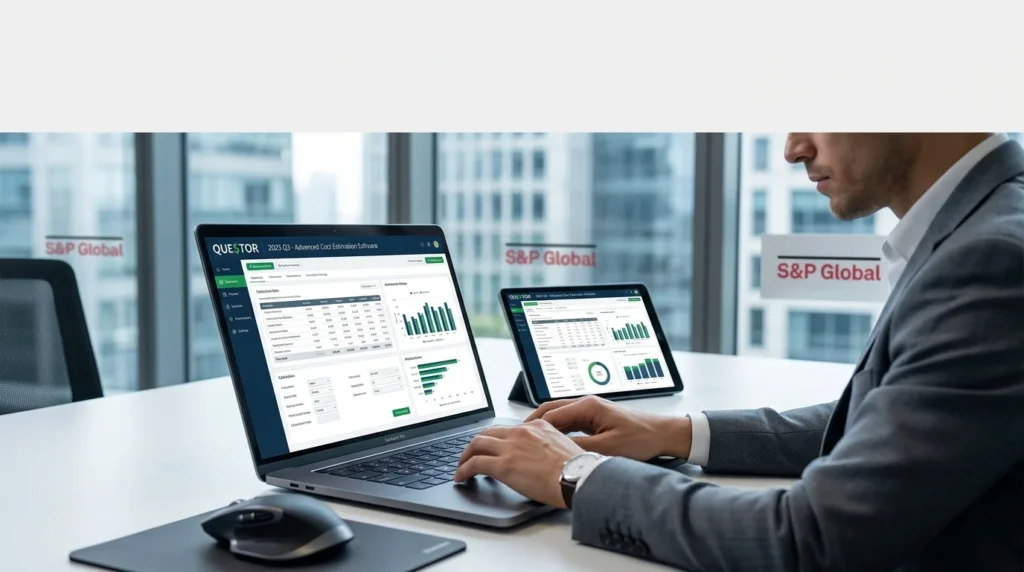


Overview of QUE$TOR Software
Table of Contents
QUE$TOR is a comprehensive cost estimation platform developed by S&P Global Commodity Insights (formerly IHS Markit). The software serves as an indispensable resource for cost engineers, project managers, financial analysts, and mergers and acquisitions teams working in the upstream oil and gas sector .
The application suite includes specialized modules for different project types:
-
QUE$TOR Offshore: For subsea, fixed platform, and floating production systems
-
QUE$TOR Onshore: For land-based oil and gas developments
-
QUE$TOR LNG Regasification: For liquefied natural gas import terminals
QUE$TOR delivers cost estimates based on current market prices without inflation adjustments, typically achieving accuracy within ±25% to ±40%—appropriate for feasibility studies, pre-FEED, and concept selection phases .
Key Features
Comprehensive Cost Database
QUE$TOR maintains a database of over 60,000 cost points covering equipment, materials, labor, and installation services . The database undergoes semi-annual updates to reflect current market conditions. Data sources include:
-
Direct vendor and supplier communications
-
S&P Global industry research and market reports
-
User-submitted benchmarking information
-
Published technical literature
CAPEX and OPEX Estimation
The software provides detailed estimates for both capital and operating expenditures across the full project lifecycle. Users can model:
-
Drilling and completion costs
-
Facility and infrastructure expenses
-
Installation and transportation costs
-
Ongoing operational and maintenance expenses
Greenhouse Gas Emissions Tracking
QUE$TOR includes integrated GHG emissions estimation capabilities . This feature helps operators:
-
Identify major emissions sources at the project and activity level
-
Compare alternative designs for carbon efficiency
-
Estimate emissions from combustion, flaring, venting, and fugitives
-
Support regulatory compliance and sustainability reporting
Flexible Modeling Environment
Users can customize cost models with region-specific parameters, equipment configurations, and operational assumptions to match project requirements.
What’s New in QUE$TOR 2025 Q3
S&P Global released QUE$TOR 2025 Q3 in November 2025 . This update introduces several significant enhancements based on user feedback and technical review .
Enhanced Modeling Flexibility
Editable Cooling Train Configurations
In gas processing modules, users can now edit the number of cooling trains and their design capacities. The system provides default capacities of 400 MMscf/day for shell-and-tube heat exchangers and 300 MMscf/day for fin-fan coolers . This flexibility improves modeling of gas processing facilities.
Updated Offshore Drilling Platform Classification
The platform selection logic has been refined to consider water depth, environmental conditions, reservoir type, and depth. This makes platform selection more aligned with actual engineering practice .
Support Vessel Configuration Updates
Drilling support vessel combinations and operating durations have been updated to align with the new platform classification system.
Technical Estimation Refinements
Improved Spar Platform Installation Costs
Installation costs are now split into mobilization/demobilization and vessel operating time components, providing greater transparency for deepwater project estimates .
Vessel Mobilization Logic Enhancement
Mobilization costs automatically adjust to zero when vessel or transportation activities are not required.
Strengthened OPEX Model for Tariffs
Expanded operational cost modeling for oil, gas, and derivative products across transportation, storage, and processing stages .
User-Defined OPEX Inputs
Users can now add operational cost data for custom onshore components through a dedicated OPEX input form, improving whole-life cost estimation .
Updated Cost Database
The cost database has been updated to reflect Q3 2025 market conditions, including:
-
WTI crude oil approximately $59/bbl and Brent around $61/bbl
-
Henry Hub natural gas at approximately $3/MBtu
-
Current exchange rates for the USD, CAD, EUR, and GBP
System Requirements
Before installing QUE$TOR 2025 Q3, ensure your system meets the following requirements:
Supported Operating Systems
-
Windows 10 (64-bit)
-
Windows 11 (64-bit)
-
Windows Server 2016
-
Windows Server 2019
Required Prerequisites
QUE$TOR requires the following Microsoft components, which the installer automatically checks for and installs if missing :
-
Microsoft .NET Framework 4.8
-
Microsoft Visual C++ Redistributable for Visual Studio 2017
Network Licensing Requirements
-
TCP port 443 (outbound) for license activation and deactivation
-
UDP port 5093 for License Service and client communication
-
Static IP address recommended for network license servers
Installation Guide
Step 1: Download the Installation Files
Download the QUE$TOR 2025 Q3 install files from the S&P Global portal. The files are provided as a compressed archive .
Step 2: Extract the Archive
Unzip the downloaded archive to a location on your machine.
Step 3: Run the Setup Program
Locate and run the setup.exe file in the root folder. Administrator privileges are required for installation .
Step 4: Prerequisite Installation
The setup program automatically detects if .NET Framework 4.8 is installed. If required, follow the on-screen prompts to install any missing prerequisites .
Step 5: Complete Installation
Follow the installation wizard instructions. Upon completion, a QUE$TOR desktop icon is created, and program shortcuts appear in the Start Menu.
How to Use the Software
Activating a Standalone License
For standalone installations, a license activation is required:
-
Ensure you have your Entitlement ID (EID), which is emailed to your company’s primary license contact .
-
Launch QUE$TOR and select a feature.
-
When prompted about missing licenses, click the Find license… button .
-
In the Set QUE$TOR License dialog, click Activate standalone license.
-
Enter your Entitlement ID in the standalone activation tool and click Connect .
-
Select the product(s) to activate and click Activate.
-
Close the activation tool and confirm the license is set.
Configuring a Network License
For network licensing configurations:
-
Launch QUE$TOR and select a feature.
-
Click Find license… when the license error appears .
-
In the Set QUE$TOR License dialog, enter the license server name in the Server name field.
-
Click OK to connect to the license service.
Network licenses support shared use environments and are required for Remote Desktop or Citrix deployments .
Running the Software
Launch QUETORbydouble−clickingthedesktopiconornavigatingthroughtheStartMenu:AllPrograms>IHSMarkit>QUETOR .
Best Use Cases
Concept Screening and Feasibility Studies
QUE$TOR excels at early-stage cost estimation, enabling teams to quickly evaluate project viability and screen alternatives .
Cost Benchmarking
Using the extensive cost database, companies can benchmark their estimates against industry norms and historical data .
Merger and Acquisition Analysis
Reliable cost estimates support due diligence and valuation activities for upstream asset transactions .
GHG Emissions Assessment
The integrated GHG reporting helps companies meet sustainability targets and regulatory requirements .
Pre-FEED and FEED Support
The software is suitable for feasibility and preliminary engineering phases, where cost estimates guide design decisions .
Advantages and Limitations
Advantages
-
Industry Standard: Widely adopted for upstream cost estimation
-
Comprehensive Database: 60,000+ cost points updated semi-annually
-
Flexible Modules: Covers offshore, onshore, and LNG projects
-
GHG Integration: Built-in carbon emissions tracking
-
Regular Updates: Continuous database and feature improvements
Limitations
-
Estimate Accuracy: ±25% to ±40% range is appropriate for early stages only—detailed engineering requires more refined estimates
-
Cost Basis: Estimates reflect current market pricing and exclude inflation
-
Licensing Cost: Enterprise-level pricing may be prohibitive for smaller firms
Alternatives to QUE$TOR
Aspen Capital Cost Estimator (ACCE)
Aspen’s solution supports concept through detailed cost estimation. It integrates with Aspen process simulation tools and is particularly strong for petrochemical and refining projects .
Schlumberger Merak
The Merak suite provides economic evaluation, risk analysis, and portfolio optimization tools widely used in upstream planning .
TRC PHDwin
A comprehensive economics and decline curve analysis software for reserves and economic evaluation .
Aspen Process Economic Analyzer (APEA)
Focuses on early-stage process design cost assessment, analyzing CAPEX and OPEX for concept alternatives .
Frequently Asked Questions
What is QUE$TOR software used for?
QUE$TOR is a cost estimation tool for upstream oil and gas projects. It provides CAPEX and OPEX estimates for concept screening, feasibility studies, and early engineering phases .
What is the latest version of QUE$TOR?
The latest version is QUE$TOR 2025 Q3, released by S&P Global in November 2025 .
What are the system requirements for QUE$TOR 2025 Q3?
The software requires Windows 10 or 11 (64-bit), .NET Framework 4.8, and Visual C++ Redistributable for Visual Studio 2017. Network licensing requires TCP port 443 and UDP port 5093 availability .
How accurate are QUE$TOR cost estimates?
QUE$TOR estimates typically range within ±25% to ±40%, suitable for concept screening and feasibility studies. More detailed estimates require further engineering work .
How do I get a QUE$TOR license?
Licenses are obtained through S&P Global. Your company’s primary license contact receives an Entitlement ID, which you use to activate standalone or network licenses .
Does QUE$TOR support greenhouse gas emissions estimation?
Yes, QUE$TOR includes GHG emissions estimation covering combustion, flaring, venting, and fugitives at project and activity levels .
What are the main modules in QUE$TOR?
QUE$TOR includes Offshore, Onshore, and LNG Regasification modules, each tailored for specific project types .
Final Thoughts
S&P Global QUE$TOR 2025 Q3 remains the benchmark software solution for upstream oil and gas cost estimation. The latest release offers significant enhancements in modeling flexibility, OPEX management, and estimation precision while maintaining the extensive cost database that the industry relies upon.
For cost engineers, project managers, and financial analysts, QUE$TOR provides the analytical power needed to make informed investment decisions through concept selection and feasibility phases. The addition of GHG emissions tracking adds another dimension of value as sustainability becomes increasingly central to project evaluation .
If you encounter technical issues, contact S&P Global support directly—avoid unofficial download sources to ensure you receive legitimate, fully functional software with access to the latest features and updates.
Our Paid Service