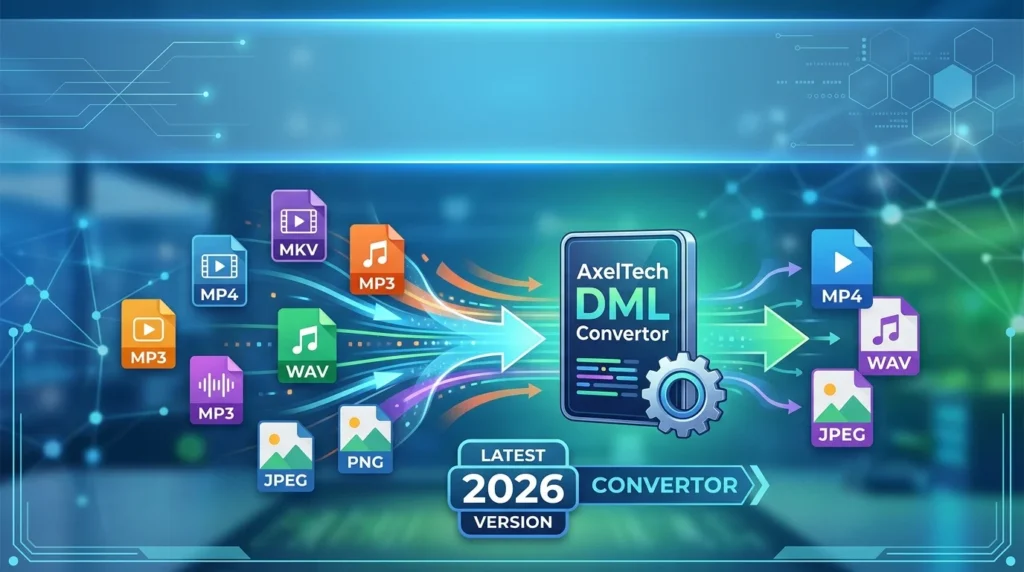

Overview of AxelTech DML Convertor
Table of Contents
AxelTech DML Convertor is a specialized software utility designed to streamline the process of converting and migrating Data Manipulation Language (DML) scripts. In the modern data-driven landscape, database administrators, developers, and data engineers frequently encounter the challenge of moving data between different database management systems. This tool provides a reliable solution for converting SQL-based DML code between various database platforms, such as Oracle, SQL Server, MySQL, and PostgreSQL.
The software parses the input DML code, interprets its syntax based on the source database dialect, and generates accurate, executable code for the target database. This automation significantly reduces manual errors and accelerates project timelines. This review explores the latest version’s capabilities, system requirements, and practical use cases to help you decide if it is the right solution for your workflow.
Key Features of the DML Convertor
Database Platform Support
The software offers broad support for major relational database management systems. Whether you are migrating legacy Oracle PL/SQL to a modern Microsoft SQL Server environment or moving from MySQL to Amazon Aurora (PostgreSQL-compatible), the tool understands the specific SQL nuances of each platform. This includes handling data types, constraints, and functions that are often proprietary.
Intuitive User Interface
The user interface is designed with a focus on usability. A side-by-side view displays the input code and the converted output, allowing for easy visual comparison. This design helps users quickly verify the conversion logic before executing the scripts.
Batch Processing Capabilities
A critical feature for enterprise data migration projects is the ability to handle multiple files at once. The batch processing functionality allows users to load entire directories of DML scripts, apply the conversion rules consistently, and save the output files in a structured format.
Conversion Rule Editor
For advanced users, the software includes a rule editor. This feature allows users to create custom mappings for data types, built-in functions, and system variables. This flexibility ensures that the tool can adapt to specific application requirements and bespoke database configurations.
Error Logging and Reporting
A comprehensive logging system tracks the conversion process. If the tool encounters an unresolvable syntax or function, it generates a detailed report. This report helps users identify and manually address complex areas, ensuring the integrity of the final output.
What’s New in the Latest 2026 Version
The 2026 update of AxelTech DML Convertor introduces several performance and feature enhancements designed to meet the needs of modern data engineering teams.
Enhanced PostgreSQL Compatibility: The latest release includes expanded support for PL/pgSQL, making it easier to migrate older Oracle applications to the popular open-source PostgreSQL platform.
Cloud Integration: Users can now connect directly to Amazon RDS (Relational Database Service) and Microsoft Azure SQL Database. This allows for direct script execution after conversion, streamlining the cloud migration process.
AI-Assisted Mapping: A new artificial intelligence module assists with complex data type mappings. It analyzes the source script’s context to suggest the most appropriate target data type, reducing manual intervention.
Performance Optimization: The conversion engine has been significantly optimized, achieving up to a 50% reduction in processing time for large data migration projects.
System Requirements
To run AxelTech DML Convertor 2026 efficiently, your system must meet the following requirements.
Operating System:
-
Windows 10 (64-bit) and Windows 11
-
macOS Monterey and later versions
-
Linux (Ubuntu 20.04+, RHEL 8+)
Hardware:
-
Processor: Intel Core i5 or AMD Ryzen 5 (or equivalent)
-
RAM: Minimum 8 GB (16 GB recommended for large batch jobs)
-
Storage: 500 MB for installation; additional space for project files
Software Dependencies:
-
Java Runtime Environment (JRE) 11 or later
-
Microsoft .NET Framework 4.8 (for Windows only)
-
ODBC drivers for target databases
Installation Guide
Installing AxelTech DML Convertor is a straightforward process.
Step 1: Download the Installer
Visit the official AxelTech website to download the latest installation package for your operating system. Ensure you select the correct version for your platform.
Step 2: Run the Installer
Execute the downloaded file. On Windows, you may need to grant administrative permissions. The setup wizard will guide you through the necessary steps.
Step 3: Follow the Wizard
Accept the End User License Agreement (EULA) and choose the destination folder for the installation. The default location is recommended for most users.
Step 4: Configure Connections
After the installation completes, launch the application. Navigate to the settings panel to configure your database connection strings for the source and target systems. Enter the hostname, port, database name, and credentials.
Step 5: Activation
Activate the software using the license key you received upon purchase. The tool is licensed per user and includes a 30-day free trial for new users.
How to Use the Software
The user workflow in AxelTech DML Convertor is designed for efficiency. Follow these steps to convert your scripts.
-
Launch the Application: Open AxelTech DML Convertor from your applications menu.
-
Set Up Data Sources: In the
Projectmenu, create a new project. Define your source database (e.g., Oracle) and target database (e.g., PostgreSQL). This sets the dialect for translation. -
Load Input Scripts: Click the
Add Filesbutton to load your DML scripts. You can select individual files or entire directories for batch processing. -
Review Default Rules: The software automatically applies default conversion rules based on the source and target you selected.
-
Customize Mappings: If needed, open the
Mapping Editorto define custom conversions for specific functions or data types likeVARCHAR2toVARCHARorDATEtoTIMESTAMP. -
Execute Conversion: Click the
Convertbutton. The tool will process the scripts and display the converted output in the panel on the right. -
Export the Results: After reviewing the output, click
Exportto save the converted DML files to your local system. -
Run Diagnostics: Use the
Run Validationfeature to check the syntax of the converted scripts against the target database rules.
Best Use Cases for the Tool
Cloud Migration Projects: Organizations modernizing their infrastructure often need to migrate from on-premises legacy databases to cloud-native services like AWS RDS or Google Cloud SQL. This tool automates the code translation, saving thousands of hours of manual rewriting.
Mergers and Acquisitions: When companies with different database systems merge, they need to integrate their data. AxelTech DML Convertor helps unify their SQL codebases.
Data Warehousing ETL: For data engineers building ETL pipelines, the ability to convert a complex PL/SQL procedure to a target database is crucial. This ensures data consistency in the warehouse.
Software Refactoring: As applications evolve, developers may decide to switch database backends for better performance or cost-effectiveness. This tool simplifies the process of adapting existing data logic.
Testing and Development: Development teams can maintain a single SQL standard in development and use this tool to generate test scripts for multiple database environments.
Advantages and Limitations
Advantages
-
Broad Compatibility: The software supports a wide range of database platforms, providing flexibility for teams.
-
Time Savings: Automating the conversion process significantly reduces the time required for data migration.
-
Enhanced Accuracy: By eliminating manual translation errors, the tool helps maintain data integrity.
-
User-Friendly Interface: The modern interface reduces the learning curve for new users.
-
Scalable Architecture: The tool can handle small scripts or large enterprise-level workloads.
Limitations
-
Complex Stored Procedures: While highly advanced, the tool may struggle with extremely complex, dynamic stored procedures that rely on dynamic SQL generation.
-
External Libraries: It cannot convert code that relies on external libraries or custom-built functions not standardized in SQL.
-
Learning Curve for Custom Rules: The mapping editor is powerful, but configuring advanced custom mappings requires in-depth knowledge of both source and target database systems.
Alternatives to the Software
When evaluating AxelTech DML Convertor, it is useful to consider other tools available in the market.
Oracle SQL Developer Migration Workbench: This is a free solution for Oracle users. It is a powerful tool, but its support is primarily focused on moving to and from Oracle databases, which makes it less versatile for other database combinations.
Microsoft SSMA (SQL Server Migration Assistant): Best for migrations to SQL Server or Azure SQL. SSMA is free, but it is limited to moving from Oracle, MySQL, and other sources specifically to Microsoft databases.
AWS Database Migration Service (DMS): A native cloud service for AWS users. It is great for ongoing replication but is less suited for one-time script conversions, and it primarily targets AWS databases.
Swiss SQL Converter: This tool offers a wide range of database conversions. It is a direct competitor to AxelTech, though some users find its interface to be less intuitive.
GQL Convertor: GQL focuses heavily on analytical processing. It is a good choice for data warehousing projects, but it is generally less accessible and more expensive for standard business applications.
Frequently Asked Questions
Q1: What is AxelTech DML Convertor used for?
A: It is a professional software tool designed to convert DML and SQL scripts between different database platforms (e.g., Oracle to PostgreSQL, MySQL to SQL Server). It automates code translation to streamline data migration and modernization projects.
Q2: Is the software compatible with my database?
A: Yes, the software supports a wide range of leading databases including Oracle, SQL Server, MySQL, PostgreSQL, DB2, and Amazon Redshift. You can check the official website for a complete and updated compatibility list.
Q3: Does AxelTech DML Convertor support batch file conversion?
A: Yes, it offers robust batch processing capabilities. You can load entire folders of scripts, convert them all at once, and save the output to a new directory.
Q4: Can I customize the conversion rules?
A: Yes, advanced users can use the built-in mapping editor to define custom rules for data types, functions, and system variables, ensuring the tool meets specific project requirements.
Q5: Is there a free trial available?
A: Yes, AxelTech offers a 30-day free trial on their official website. This allows you to evaluate the software’s capabilities before making a purchase.
Q6: What are the software’s system requirements?
A: It requires Windows 10/11, macOS Monterey+, or a modern Linux distribution. The hardware needs at least an Intel i5 processor, 8 GB of RAM, and 500 MB of free disk space.
Q7: How does the software handle errors during conversion?
A: The tool features a detailed error logging and reporting system. It generates a report outlining any syntax or function it cannot automatically translate, allowing you to manually address these specific sections.
Q8: Is my data safe when using the software?
A: Yes, all processing is performed locally on your machine. No data is transmitted to external servers unless you have specifically configured a direct connection to your own cloud database service.
Final Thoughts
AxelTech DML Convertor 2026 presents itself as a powerful and necessary asset for modern database administration. For any organization planning a database migration, cloud infrastructure overhaul, or system integration, the automation and accuracy this tool provides can deliver a significant return on investment.
While alternatives like Oracle’s Migration Workbench or AWS DMS exist, AxelTech stands out for its vendor-agnostic approach and broad platform support. It effectively bridges the gap between development and operations, ensuring that data logic moves seamlessly across the enterprise stack. Its combination of a robust feature set, an intuitive UI, and continuous updates makes it a leading choice in the database migration category.
Our Paid Service
“We do not sell or provide any software. We only offer professional support services. If any software on your system is not working properly, or you are facing installation errors, crashes, or any other technical issue — just contact us. We will help you fix the problem quickly and remotely via AnyDesk. No software will be provided from our side — only expert troubleshooting and support.”