
Download the Amigofx BroadCaster Pro HD v2023 (Professional Broadcast Playout Software) from this link…

Overview of Amigofx BroadCaster Pro HD
Table of Contents
Amigofx BroadCaster Pro HD is a professional-grade broadcast playout and automation software solution developed by Amigo. Designed for television channels, webcasters, and content creators, this software replaces traditional, expensive hardware-based broadcast systems. It allows users to schedule and play a wide variety of content, including video files, live feeds, and network streams, with commercial breaks, logos, and graphics overlays.
Unlike consumer video players, BroadCaster Pro HD is built for 24/7 stability, ensuring that channels can run continuously without interruption. It acts as a virtual broadcast center on a standard PC, supporting high-definition outputs and integration with professional I/O hardware from manufacturers like Blackmagic Design. This version is optimized for playlist automation, graphic overlays, and multi-platform streaming, making it a versatile tool for anyone looking to run a professional broadcast operation.
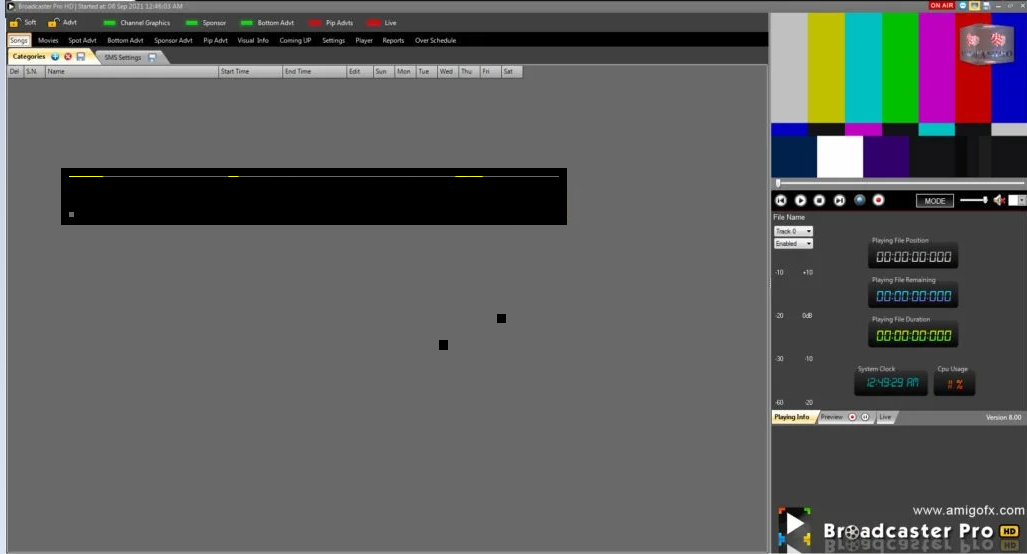
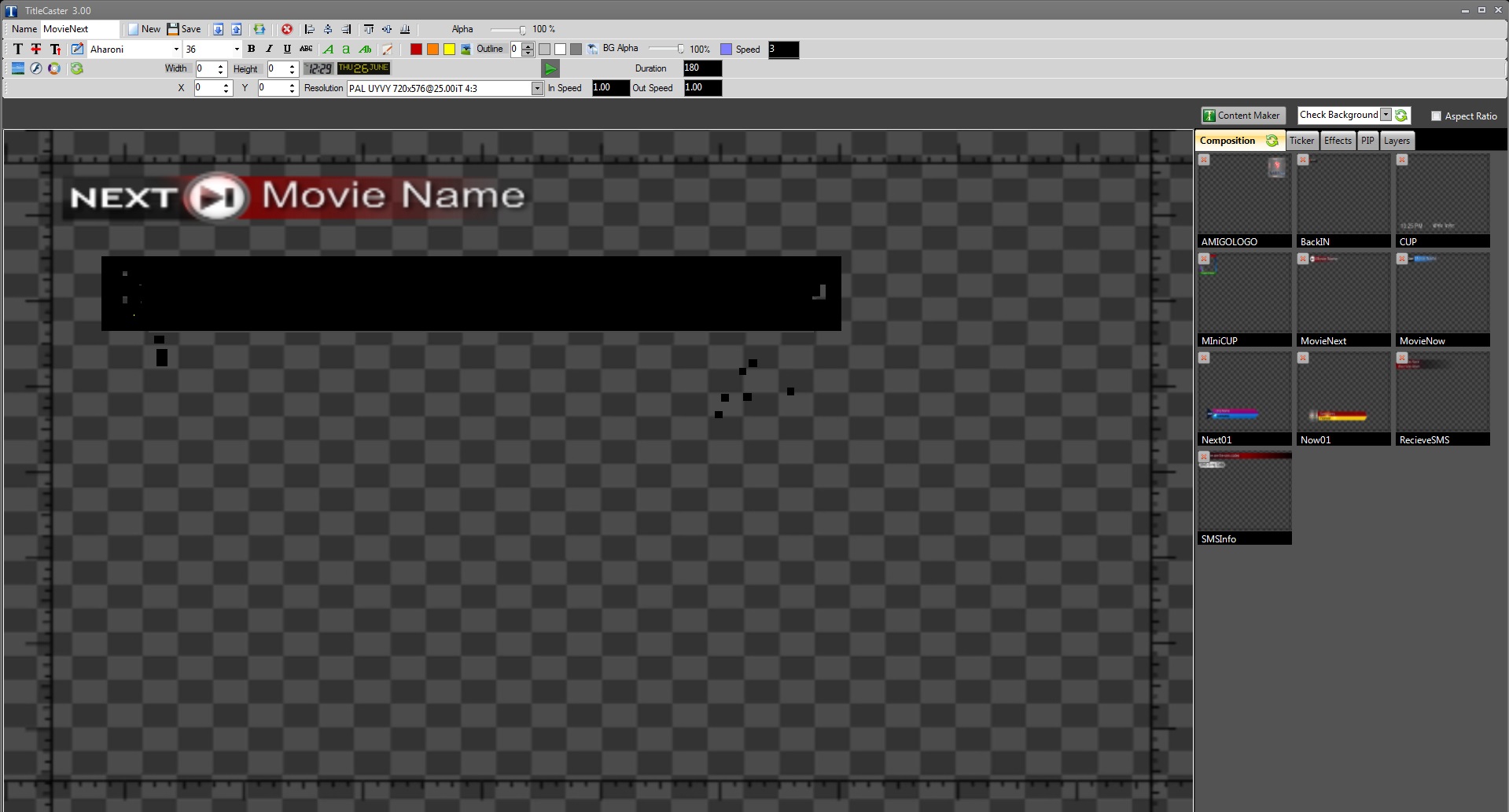
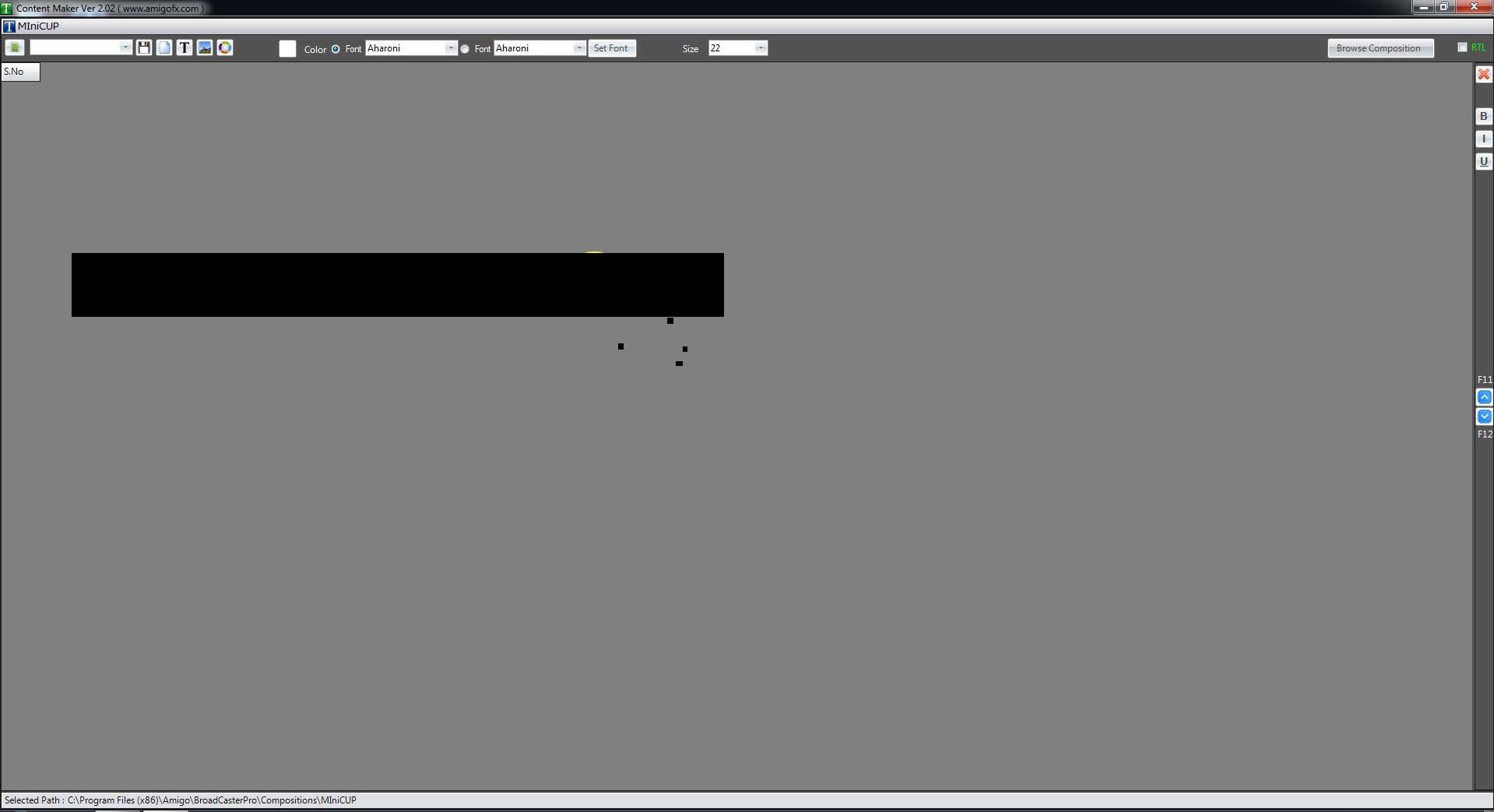
Screenshots :
Key Features of BroadCaster Pro HD
BroadCaster Pro HD offers a comprehensive suite of features designed to handle every aspect of channel playout. Below is a breakdown of its core functionalities.
Advanced Scheduling and Playout
-
Music and Movie Categories: Organize content into categories (e.g., times-based music videos) that play automatically as fillers when no primary schedule exists. You can set playback to list order or random selection.
-
Movie Scheduling: Create a dedicated movie list, assign video files to specific movie titles, and schedule them with a counter to track how many times a movie has been aired.
-
Commercial Break Management: Insert commercial breaks into your playlist. Schedule breaks with specific start and end dates, assign them to groups, and trigger them instantly via an “On Air” switch.
Dynamic Graphics and Branding
-
L-Band Ad Graphics: Run advertisements or graphics in the “L-Band” (corner) area of the screen. The main video output smoothly squeezes to accommodate the ad. These can run over live input as well.
-
Sponsor Logo Management: Create and schedule sponsor logos to appear on-screen. Set precise start and end dates for each logo or logo group to ensure sponsors are aired correctly.
-
TitleCaster CG Integration: The software bundles TitleCaster, a free character generator application. Use it to create unlimited text and graphics compositions for channel branding, screen layouts, and tickers.
Comprehensive Reporting
-
Automated As-Run Logs: The system automatically generates detailed logs of all played content, including music, movies, and advertisements.
-
Client-Specific Reports: Separate reports can be generated for bottom advertisements (tickers), commercial breaks, L-band ads, and sponsor logos. These reports can be exported to Excel for client billing and reconciliation.
Multi-Format and Multi-Destination Streaming
-
Unlimited Streaming Presets: Create and manage multiple streaming profiles simultaneously. Stream your output to various platforms at once, including YouTube, Facebook, Web, UDP, DVB, or specific LAN cards.
-
Simultaneous Resolutions: Stream the same channel output in different resolutions (e.g., SD and HD) at the same time using different presets.
-
Network File Playback: Directly add and play files from network locations, as well as stream from network sources like YouTube, Facebook, RTMP, and UDP.
What’s New in the Latest Version (v2023)
While Amigofx BroadCaster Pro HD is known for its stable core, the latest version focuses on enhancing integration and reliability:
-
Enhanced Streaming Stability: Improved buffering and reconnection protocols for streaming to platforms like YouTube and Facebook Live.
-
Expanded Codec Support: Updated libraries to ensure smooth playback of the latest H.265/HEVC files alongside legacy formats like MPEG-2 and DVCPRO.
-
Improved Virtual Source Output: Enhanced compatibility with third-party encoding software such as OBS Studio, vMix, and Wirecast, allowing for more flexible streaming workflows.
-
Refined User Interface: Subtle updates to the playlist and scheduling interface for a more intuitive drag-and-drop experience.
System Requirements
To ensure stable 24/7 operation, your system should meet or exceed these recommendations. A professional-grade PC is essential for broadcast reliability.
-
Recommended Operating System: Windows 7 Professional 64-bit, Windows 10 Pro 64-bit
-
Processor: Intel Core i7 or higher (Xeon recommended for intensive workloads)
-
RAM: 16 GB minimum (32 GB recommended)
-
Graphics Card: Dedicated GPU compatible with DirectX 11 (NVIDIA Quadro or GeForce series recommended)
-
Storage: Fast SSD for OS and software; large-capacity HDD/RAID array for media storage
-
Output Hardware: Supported I/O cards (e.g., Blackmagic Design DeckLink, UltraStudio; Stream Labs; Deltacast)
-
Network: Stable high-speed internet connection for streaming outputs
Installation Guide
Installing Amigofx BroadCaster Pro HD is a standard process, but proper setup is key for performance.
-
Prepare Your System: Ensure your Windows OS is updated and all hardware drivers (especially for your graphics and I/O cards) are installed and functioning.
-
Run the Installer: Locate the official setup file, right-click it, and select “Run as Administrator.”
-
Follow Prompts: Accept the license agreement and choose your installation directory. The default path is usually recommended.
-
Complete Installation: Allow the installation to finish. Do not interrupt the process.
-
First Launch: Upon launching the software for the first time, you will be prompted to activate your license. Enter the provided credentials.
-
Configure Hardware: Navigate to the settings or output menu to select your specific Blackmagic Design or other supported output card.
How to Use the Software (Basic Workflow)
Getting a channel on air involves a few key steps. Here is a simplified workflow:
Setting Up Your First Channel
-
Configure Output: Go to the output settings. Select your resolution (e.g., 1080p HD) and your physical output device (e.g., Blackmagic DeckLink).
-
Add Media: Use the media library to import your video files, music, and graphics. You can add local files or map network drives for shared storage.
-
Create Categories: Organize your music or filler content into categories like “Morning Music” or “Off-Peak Fillers.”
Building a Schedule
-
Build the Playlist: Drag and drop items from your media library into the main playlist timeline.
-
Insert Breaks: Right-click on the timeline to insert a commercial break. You can then populate this break with ads from your “Commercials” category.
-
Add Logos: Activate sponsor logos by dragging them to the logo track and setting their start/end times.
Going Live and Streaming
-
Preview: Use the internal preview window to check your audio, video, and graphics before going live.
-
Take On Air: Click the “On Air” or “Play” button for your master playlist.
-
Start Streaming: Navigate to the streaming panel. Select a preset (e.g., “YouTube Live”) and click “Start Stream” to broadcast your channel output to the internet.
Best Use Cases
Amigofx BroadCaster Pro HD is tailored for specific professional environments:
-
Community and Local Television: Perfect for running a local access channel with a mix of community programming, local ads, and public service announcements.
-
Internet TV Channels: Ideal for content creators launching a 24/7 internet channel on platforms like YouTube or their own website.
-
Campus Media: Useful for university film departments or campus TV stations to manage student content and broadcasts.
-
Corporate Communication: Large companies can use it to run internal information channels, displaying news, KPIs, and corporate messages in lobbies or break rooms.
-
Religious Broadcasters: Enables houses of worship to broadcast services, mix in hymns (music videos), and display donation or announcement graphics.
Advantages and Limitations
Advantages
-
Cost-Effective: Replaces expensive dedicated hardware broadcast servers with a software-based solution.
-
High Stability: Engineered for reliable 24/7 operation, essential for professional broadcast environments.
-
Comprehensive Feature Set: Combines scheduling, graphics, and streaming in one package, reducing the need for multiple tools.
-
Wide Format Support: Plays a vast range of video codecs and container formats.
-
Bundled CG: Includes TitleCaster, a powerful tool for creating professional on-screen graphics at no extra cost.
Limitations
-
Windows-Only: The software is exclusively designed for the Windows operating system, leaving macOS and Linux users without a native option.
-
Learning Curve: The depth of features can be overwhelming for beginners. Mastering the scheduling and graphics tools takes time and practice.
-
Hardware Dependency: To achieve professional SDI output, you must purchase compatible hardware (e.g., Blackmagic Design cards), which adds to the overall cost.
Alternatives to Amigofx BroadCaster Pro HD
Depending on your budget and platform, several alternatives exist:
-
OBS Studio (Free & Open Source): A powerful tool for live streaming and recording. While it handles graphics and scenes well, it lacks the advanced scheduling and playlist automation for running a 24/7 linear channel.
-
vMix (Paid): A popular Windows-based alternative that offers a wide range of features for live production, streaming, and recording. It has robust virtual set and instant replay features.
-
PlayBox Technology AirBox (Paid): A direct competitor offering similar channel-in-a-box solutions for professional broadcasters with a strong focus on automation and branding.
-
CasparCG (Free & Open Source): A professional-grade playout software used by many broadcasters. It is highly customizable but requires more technical knowledge to set up and configure compared to Amigofx.
Frequently Asked Questions
Q1: What is the primary function of Amigofx BroadCaster Pro HD?
A: Its primary function is broadcast automation. It allows you to schedule video files, live feeds, and graphics to create a 24/7 linear television channel without needing expensive dedicated broadcast hardware.
Q2: Can I stream directly to YouTube and Facebook with this software?
A: Yes. The software has built-in encoders and streaming presets. You can create a preset for YouTube or Facebook Live and stream your channel output directly to these platforms using RTMP.
Q3: What kind of computer do I need to run this software reliably?
A: For 24/7 operation, you need a robust Windows PC (Windows 7/10 Pro, 64-bit) with a powerful Intel Core i7 or better processor, at least 16GB of RAM, and an SSD. For professional SDI output, a compatible Blackmagic Design card is required.
Q4: Does the software create reports of what has been aired?
A: Absolutely. It automatically generates detailed “As-Run” logs. You can create separate reports for commercials, sponsor logos, and other elements, and export them to Excel for client billing or record-keeping.
Q5: Can I add my own logo or advertisements to the screen?
A: Yes. You can use the bundled TitleCaster application to create graphics and logos. You can then schedule these logos to appear on screen with specific start and end dates, and run L-Band advertisements alongside your main video.
Q6: Is it possible to play network files or online streams?
A: Yes. The software supports adding files from network-attached storage (NAS) and can ingest network streams, including YouTube links, Facebook streams, and RTMP/UDP sources, directly into your playlist.
Final Thoughts
Amigofx BroadCaster Pro HD stands out as a robust and feature-rich solution for anyone serious about running a professional broadcast channel. Its strength lies in its all-in-one approach, combining stable playout, dynamic graphics, flexible scheduling, and multi-destination streaming. While it requires a dedicated Windows machine and a willingness to learn its extensive toolset, the level of control and automation it offers makes it a valuable asset for broadcasters.
By focusing on legal licensing and proper hardware setup, users can leverage this software to create a reliable, 24/7 channel that meets the demands of modern television and internet broadcasting. It successfully bridges the gap between expensive hardware systems and consumer-grade video players.
Premium Software Support Service
If you need professional help with software installation, setup, or technical configuration, our team is available to assist you.
Contact & Support
For quick assistance and latest updates, connect with us using the links below:
🔹 Direct Telegram Support
https://t.me/PlayoutKing
🔹 Official Telegram Updates Group
https://t.me/yourgroup
🔹 WhatsApp Community Group
https://chat.whatsapp.com/yourlink
Service Policy
- Remote testing available through AnyDeskbefore confirmation.
• Verify the setup and performance before completing the order.
• Support available for single or multiple systems.
• Step-by-step guidance to ensure smooth installation and working environment.
Our goal is to provide reliable technical assistance so your software runs smoothly without interruptions.