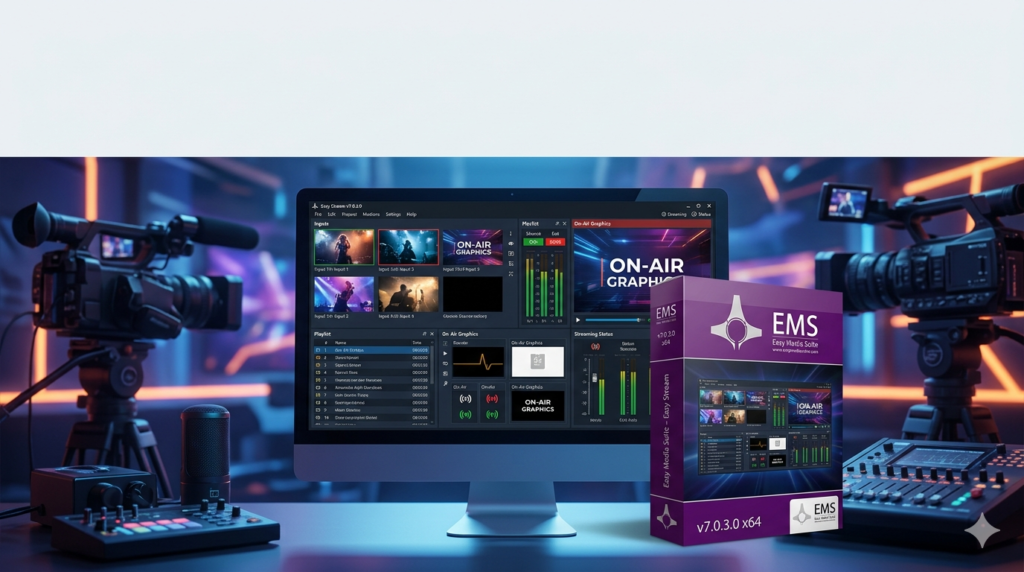

Download the Easy Media Suite – Easy Stream v7.0.3.0 (Professional IP Video Encoder Software) from this link…

Overview of Easy Stream
Table of Contents
Easy Media Suite – Easy Stream v7.0.3.0 is a robust and versatile IP video encoding software solution designed to bridge the gap between various audio/video sources and modern distribution networks. Developed to streamline broadcast workflows, this software acts as a powerful engine that converts input from SDI, HDMI, and analog sources into streaming protocols like HLS, MPEGTS, and NDI. Whether you are setting up a point-to-point contribution link or a multicast to a media server, Easy Stream provides the technical backbone required for high-quality, low-latency video transmission.
In an industry moving rapidly toward IP-based infrastructure, Easy Stream eliminates the need for multiple hardware encoders by offering a software-defined approach. It supports a comprehensive range of video standards from standard definition (SD) all the way to ultra-high-definition (UHD/4K), making it a future-proof investment for broadcasters, AV professionals, and system integrators.
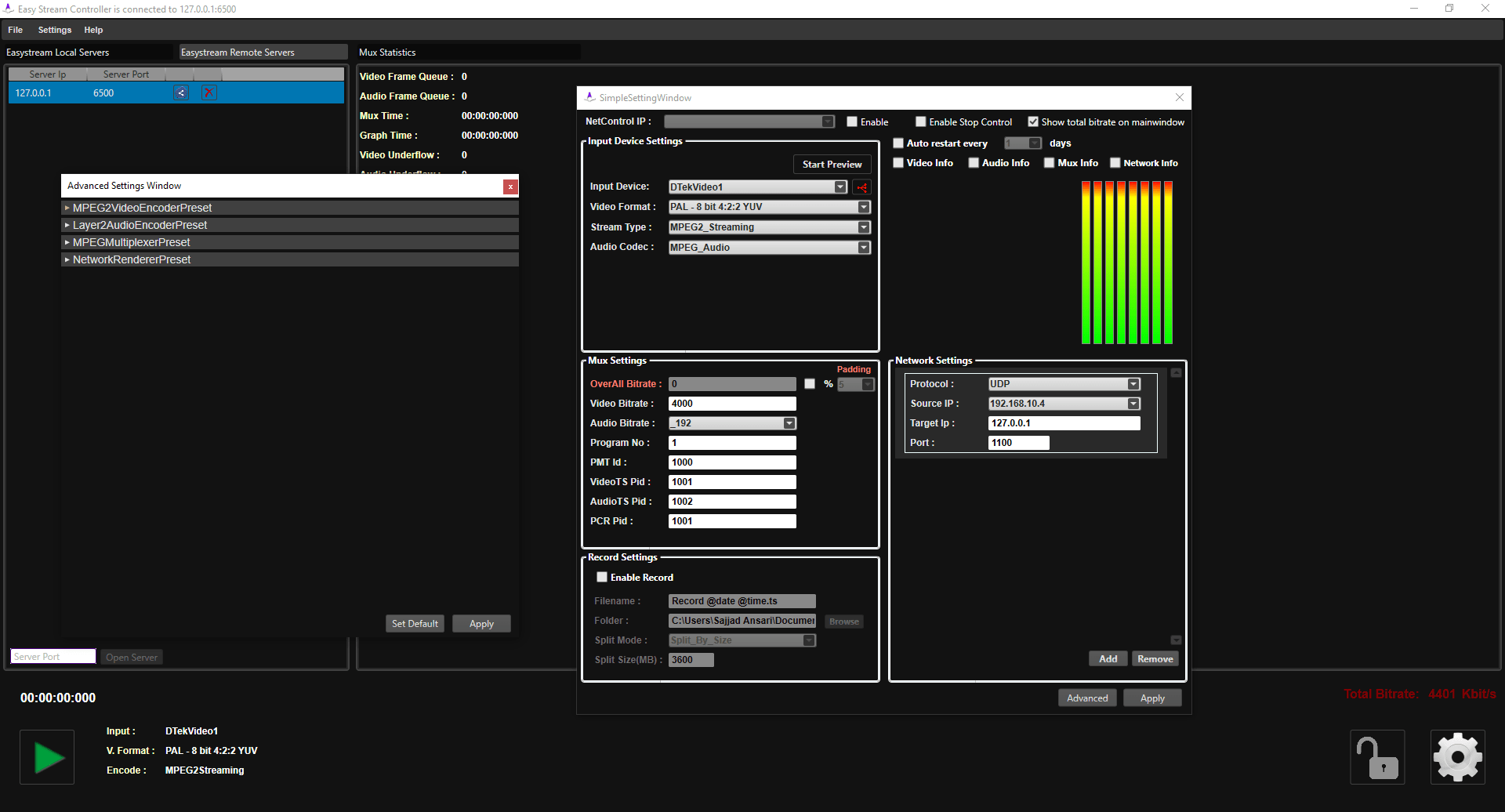
Easy Stream v7.0.3.0 Screenshots :
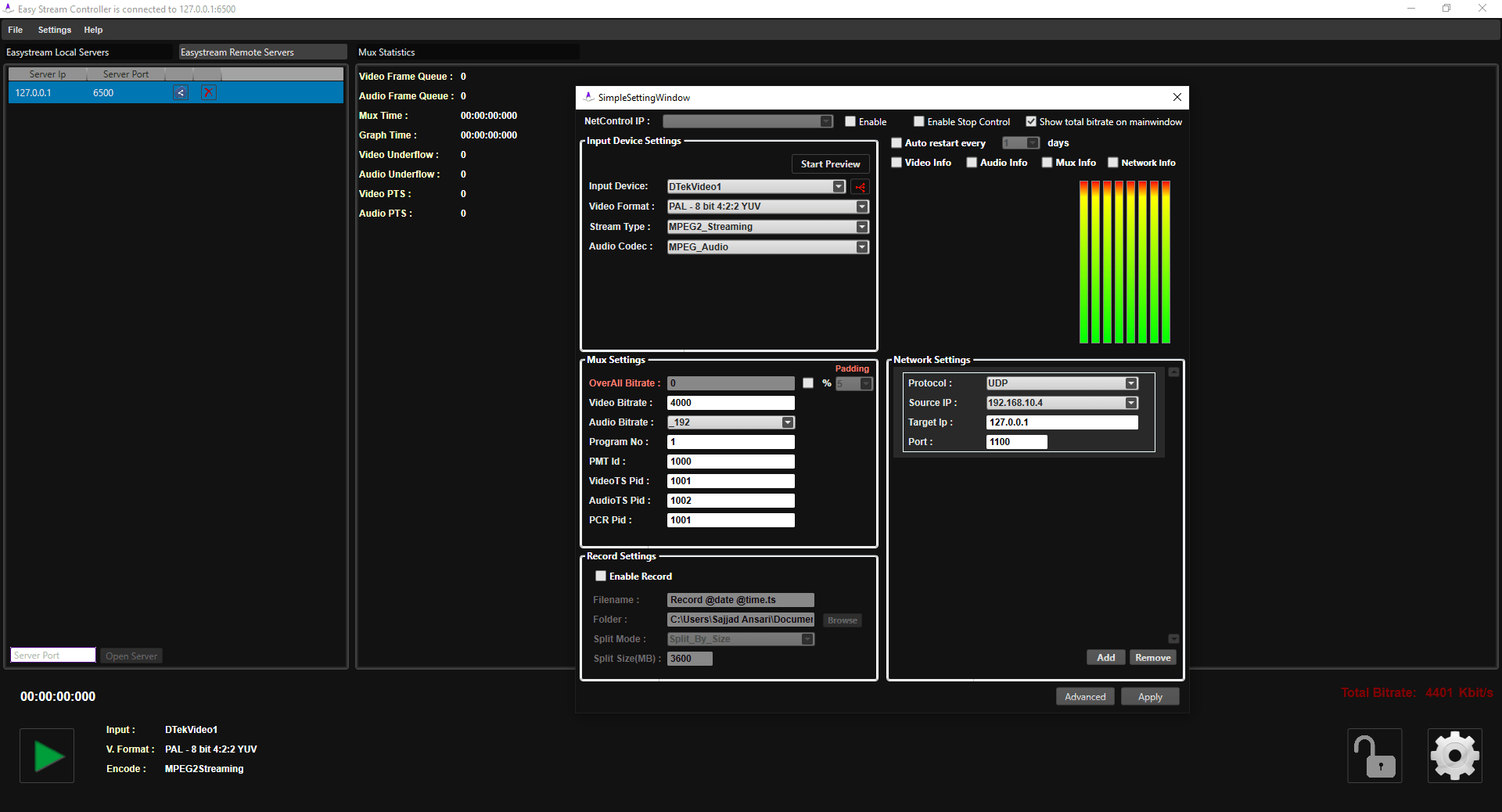
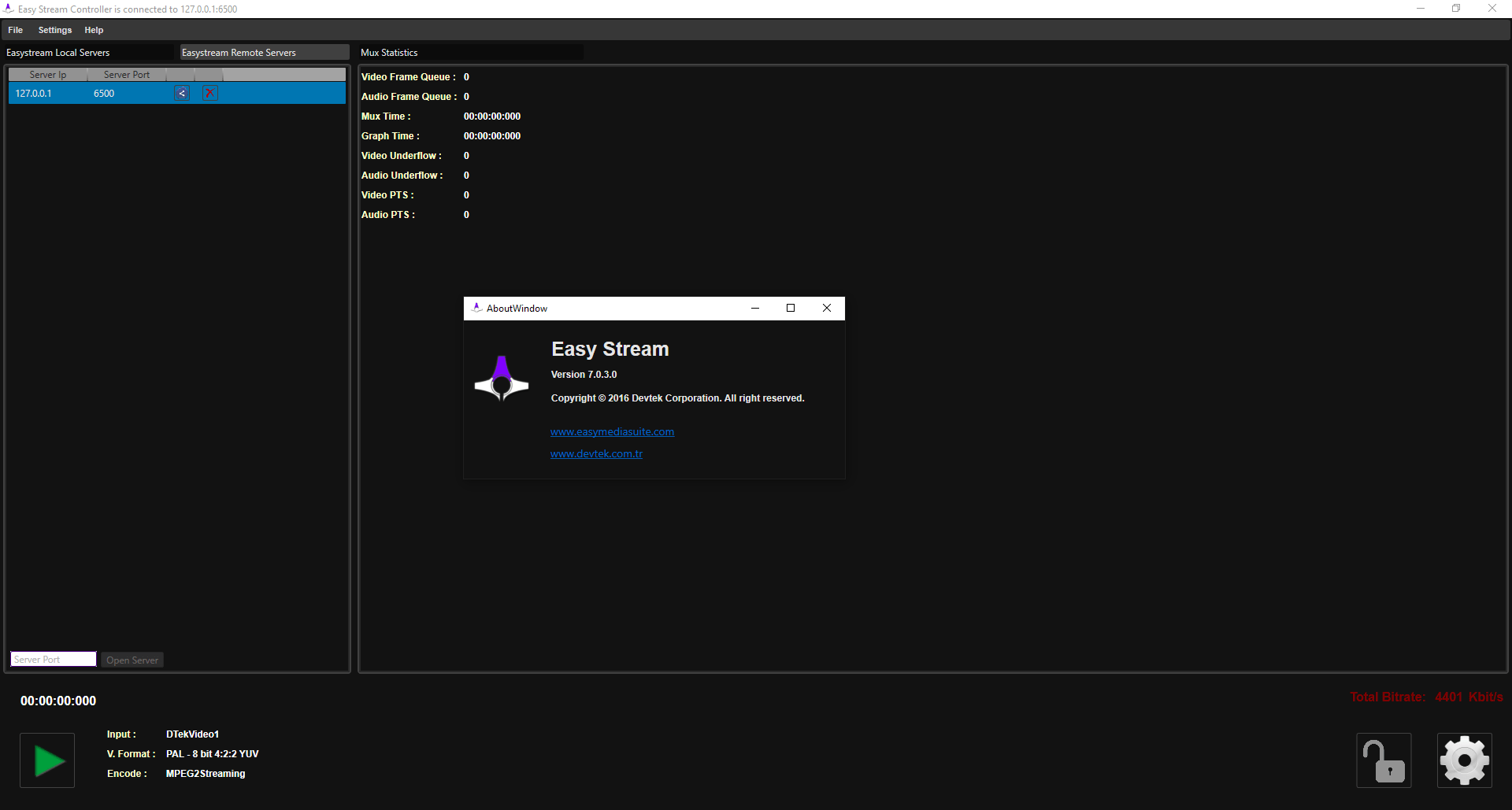
Key Features
Easy Media Suite – Easy Stream is packed with features that cater to the demanding environments of professional broadcasting and streaming. Below is a breakdown of its core capabilities.
Multi-Format Input Support
The software is engineered for compatibility, accepting a wide variety of input types. This flexibility allows it to serve as a central hub in any broadcast environment.
-
Physical Inputs: 4K/HD/SD-SDI, HDMI, and analog sources.
-
IP Inputs: Unicast or Multicast streams over IP, HLS, and DVB MPEGTS (compatible with SCTE-35 for ad insertion cues).
-
NDI Integration: Full support for Network Device Interface (NDI), enabling seamless integration with other NDI-enabled tools over standard Gigabit Ethernet.
High-Resolution Video Scaling
One of the standout technical features is its advanced video up/down scaling engine. The software skillfully manages resolution changes without perceptible loss of visual clarity.
-
Downscaling: Efficiently convert 4K/UHD source material to 1080p or 720p for web distribution or archiving.
-
Upscaling: Enhance lower-resolution content to near-4K quality for large-screen presentations or premium broadcast channels.
Comprehensive Audio Encoding
Audio quality is paramount in professional broadcasting. Easy Stream supports industry-standard audio codecs to ensure pristine sound with efficient bandwidth usage.
-
Supported Codecs: MP2 and AAC (v1 and v2).
-
Audio Routing: The software allows for the management and routing of up to 16 audio channels, providing the flexibility needed for multi-language broadcasts or complex audio mixing workflows.
Stream Recording and Segmentation
Beyond encoding and streaming, the software offers robust recording capabilities. Users can capture the output stream directly to a file. For advanced file management, the recording can be automatically segmented based on either a predefined time duration or a specific file size, simplifying post-production and archiving tasks.
Versatile Output Protocols
To ensure content reaches its intended destination, Easy Stream supports multiple output protocols, making it compatible with a vast array of media servers and playback devices.
What’s New in Version 7.0.3.0
While Easy Media Suite – Easy Stream has always been a leader in software-based encoding, version 7.0.3.0 introduces refinements focused on stability and user experience:
-
Enhanced SCTE-35 Support: Improved handling of ad insertion cues for broadcasters monetizing live streams.
-
Optimized Scaling Algorithms: Updated video processing engine for even cleaner upscaling of 1080p content to 4K.
-
Performance Stability: Under-the-hood optimizations reduce CPU overhead during long-duration encodes, ensuring 24/7 operational reliability.
System Requirements
To run Easy Media Suite – Easy Stream v7.0.3.0 efficiently, particularly when handling 4K content, your system should meet the following specifications:
| Component | Minimum Requirement | Recommended Requirement |
|---|---|---|
| Operating System | Windows 10 (64-bit) | Windows 11 or Windows Server 2019+ (64-bit) |
| Processor (CPU) | Intel Core i7 (7th Gen) or equivalent | Intel Xeon or Core i9 (high clock speed) |
| Memory (RAM) | 8 GB | 16 GB or more for UHD workflows |
| Graphics Card | Integrated graphics | Dedicated GPU (for UI rendering, not encoding) |
| Storage | 100 MB for installation | SSD with high write speed for recording features |
| Network | 1 GbE Port | 10 GbE Port for high-bitrate 4K multicast |
Note: These are generalized requirements. Actual performance depends on the number of concurrent streams and selected encoding parameters.
Installation Guide
Installing Easy Media Suite – Easy Stream is a straightforward process. Follow these steps to get started:
-
Download the Installer: Obtain the official Easy Media Suite – Easy Stream v7.0.3.0 installer package from the developer’s official website or authorized reseller portal.
-
Run the Executable: Right-click the downloaded .exe file and select “Run as administrator” to ensure proper driver and service installation.
-
Follow the Wizard: The installation wizard will guide you through the license agreement and destination folder selection.
-
Network Configuration: After installation, the software may prompt you to configure network interfaces for optimal IP streaming performance. Ensure your firewall allows the software to communicate on the required ports.
-
Activation: Launch the software and enter your valid license key to activate the full feature set.
How to Use the Software
The user interface of Easy Media Suite – Easy Stream is designed to balance technical depth with usability. Here is a basic workflow for creating a stream:
-
Create a New Project: Launch the application and select “New Stream.”
-
Select Input Source: From the input panel, choose your source type (e.g., SDI, HDMI, or NDI). The software will automatically detect connected hardware.
-
Configure Video/Audio:
-
Set the input video standard (e.g., 1080p59.94).
-
Enable the “Scaler” if you need to change the output resolution.
-
Select your audio channels and codec (MP2 or AAC).
-
-
Define Output Destination: Choose your output protocol (e.g., HLS or Multicast). Enter the destination IP address, port, or server URL.
-
Start Encoding: Review your settings and click the “Start” button. The software will begin encoding the input source and streaming it to the defined destination.
Best Use Cases
Easy Stream v7.0.3.0 is not a one-size-fits-all tool but a specialized solution for specific professional scenarios:
-
Live Sports Broadcasting: Downscale 4K camera feeds to 1080p for broadcast trucks while simultaneously creating lower-bitrate streams for online highlights, all from a single server.
-
Corporate AV and Events: Accept HDMI inputs from presenters and encode them as NDI or HLS for distribution to overflow rooms and remote attendees via the corporate network.
-
Cable Headend Operations: Use the SCTE-35 support to ingest MPEGTS streams, insert local ad markers, and re-stream to subscribers.
-
Distance Learning: Encode lecture hall cameras and presentation feeds (SDI/HDMI) into HLS streams for students accessing content on various devices.
Advantages and Limitations
To provide a balanced perspective, here are the pros and cons of using Easy Stream.
Advantages
-
Hardware Agnostic: Reduces reliance on expensive dedicated hardware encoders.
-
Format Versatility: Unmatched support for global video standards (NTSC, PAL, 1080p, 4K, etc.).
-
Scalability: Easily add more channels by upgrading the server hardware rather than purchasing new appliances.
-
SCTE-35 Support: Critical for professional ad insertion workflows.
-
NDI Integration: Simplifies IP video connectivity in modern studios.
Limitations
-
Learning Curve: The depth of settings can be overwhelming for beginners unfamiliar with broadcast engineering.
-
Hardware Dependency: Performance is entirely dependent on the quality of the host PC; a poorly configured system will result in dropped frames.
-
Cost: As a professional-grade tool, the licensing cost is higher than consumer software, reflecting its advanced capabilities.
Alternatives to the Software
While Easy Media Suite – Easy Stream is a powerful contender in the IP encoding space, other software solutions may fit specific workflows:
-
vMix: A popular live production software that also offers encoding and streaming. It is more focused on production mixing (switcher functions) than pure encoding.
-
OBS Studio: A free and open-source alternative. While powerful, it lacks the professional broadcast standard support (like specific SDI inputs and SCTE-35) and enterprise-grade stability of Easy Stream.
-
FFmpeg: A command-line tool for developers. It offers extreme flexibility but requires scripting knowledge and lacks a user interface.
-
Telestream Wirecast: A competitor to vMix, offering live streaming and production tools with a focus on user-friendliness.
Frequently Asked Questions
Q1: What is Easy Media Suite Easy Stream used for?
A: It is a professional IP encoding software used to convert live video sources (SDI, HDMI) into streaming formats (HLS, MPEGTS, NDI) for broadcasting, corporate streaming, and contribution feeds.
Q2: Does Easy Stream v7.0.3.0 support 4K encoding?
A: Yes, the software fully supports Ultra HD video standards, including 2160p at various frame rates (23.98 to 60p). It can also downscale 4K to HD.
Q3: Can I record the stream while broadcasting live?
A: Absolutely. Easy Stream features a built-in recording function that allows you to save the output stream to your local drive. You can also segment the recording by time or file size.
Q4: Is Easy Stream compatible with NDI technology?
A: Yes. Easy Stream supports NDI (Network Device Interface) for both input and output, allowing it to integrate seamlessly into an NDI-based production workflow.
Q5: What audio formats does the software output?
A: The software encodes audio using the MP2 and AAC (v1 & v2) codecs, which are standard in the broadcasting industry for their efficient compression and high quality.
Q6: What are the hardware requirements for smooth 4K encoding?
A: For 4K workflows, a powerful multi-core processor (like an Intel Core i9 or Xeon) and at least 16GB of RAM are recommended. A fast SSD is also beneficial if you are using the recording feature.
Final Thoughts
Easy Media Suite – Easy Stream v7.0.3.0 stands out as a sophisticated and highly capable solution for professionals navigating the complex world of IP video. By consolidating the functions of multiple hardware encoders into a single software package, it offers significant strategic and financial advantages for broadcasters and AV departments.
Its comprehensive support for everything from legacy analog inputs to cutting-edge 4K and NDI ensures that it can adapt to evolving production demands. While it requires a foundational understanding of video encoding principles to leverage its full potential, the resulting workflow efficiency and format flexibility make it an invaluable asset for any serious media operation. For teams looking to modernize their streaming infrastructure with a reliable, software-based approach, Easy Stream is a compelling choice.
Premium Software Support Service
If you need professional help with software installation, setup, or technical configuration, our team is available to assist you.
Contact & Support
For quick assistance and latest updates, connect with us using the links below:
🔹 Direct Telegram Support
https://t.me/PlayoutKing
🔹 Official Telegram Updates Group
https://t.me/yourgroup
🔹 WhatsApp Community Group
https://chat.whatsapp.com/yourlink
Service Policy
- Remote testing available through AnyDesk before confirmation.
• Verify the setup and performance before completing the order.
• Support available for single or multiple systems.
• Step-by-step guidance to ensure smooth installation and working environment.
Our goal is to provide reliable technical assistance so your software runs smoothly without interruptions.