
Overview of NedGraphics 16
Table of Contents
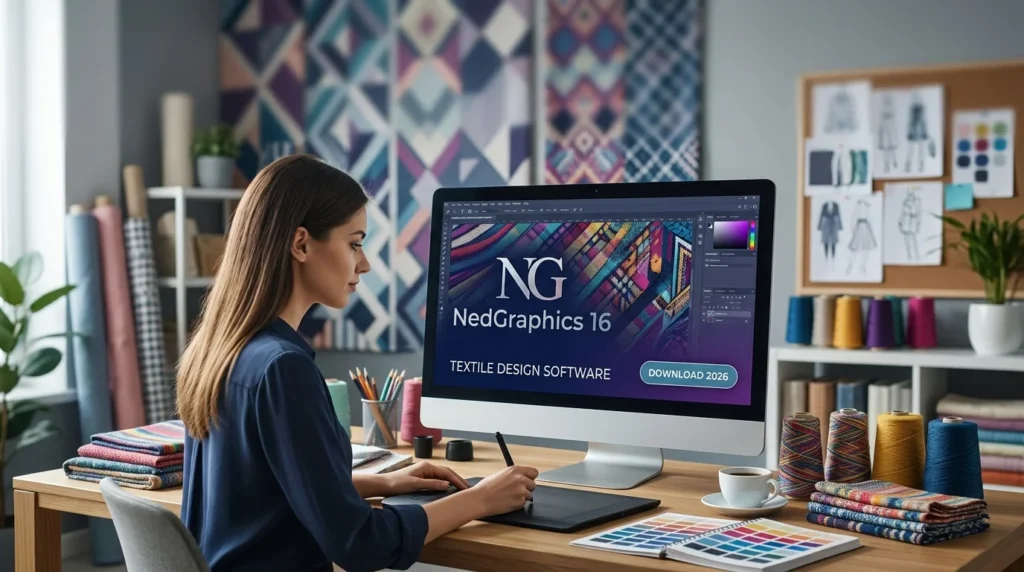
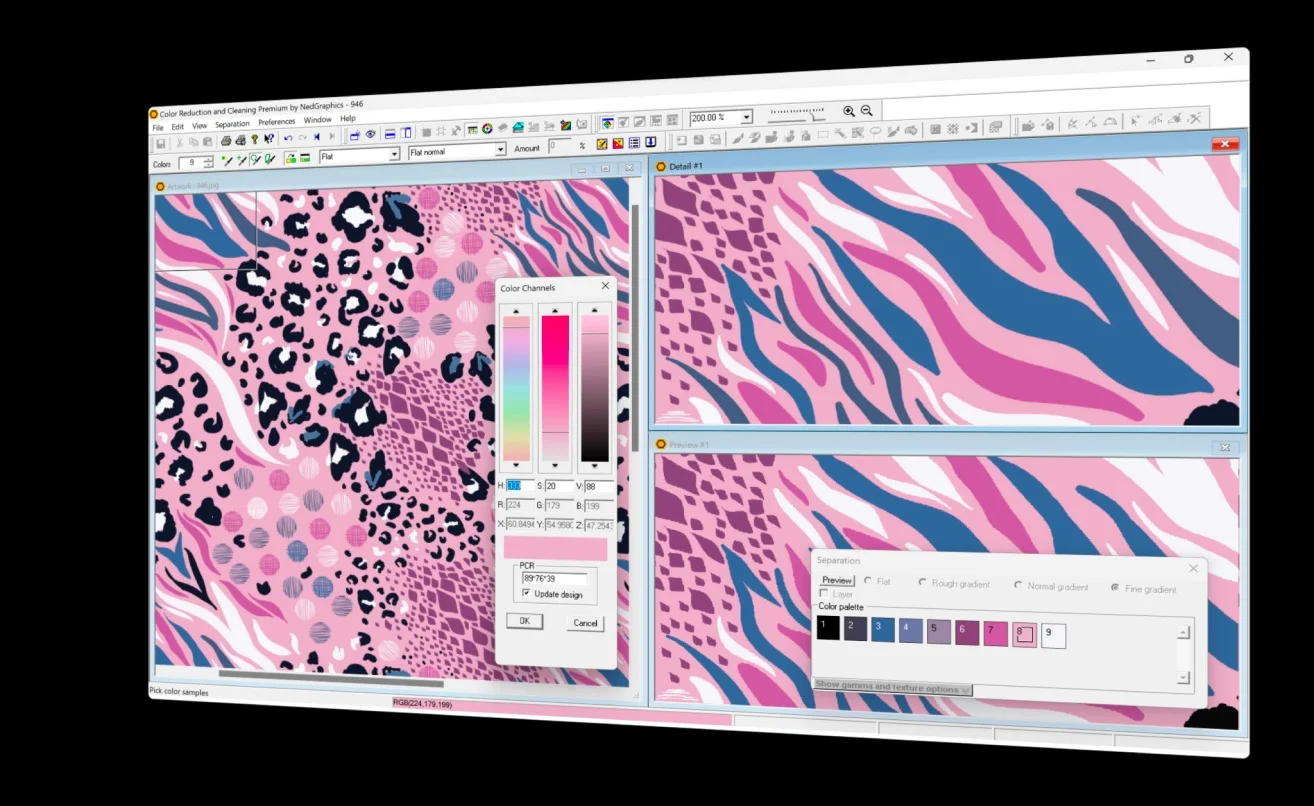
NedGraphics 16 represents a significant leap forward in textile design technology, offering comprehensive CAD (Computer-Aided Design) and CAM (Computer-Aided Manufacturing) capabilities for the modern textile industry. This powerful software solution enables designers, manufacturers, and textile engineers to create intricate patterns, manage complex colorways, and streamline production workflows with unprecedented efficiency.
The latest version of NedGraphics builds upon decades of industry expertise, delivering enhanced tools for woven fabric design, knitted textile development, and printed pattern creation. Whether you’re a seasoned textile professional or new to digital design, NedGraphics 16 provides the robust functionality needed to transform creative concepts into manufacturable products.
NedGraphics has established itself as a cornerstone of the textile design software market, serving major fashion houses, textile mills, and home furnishing manufacturers worldwide. The software’s comprehensive suite of tools supports the entire design-to-production pipeline, making it an indispensable resource for professionals seeking to maintain competitive advantage in the rapidly evolving textile industry.
Key Features of NedGraphics 16
NedGraphics 16 introduces a wealth of powerful features designed to enhance productivity and expand creative possibilities:
Advanced Pattern Design Tools
-
Intuitive drawing interface with precision vector tools for creating complex textile patterns
-
Multi-layer design capabilities allowing simultaneous work on multiple pattern elements
-
Color management system supporting both Pantone and custom color libraries
-
Repeat pattern generation with seamless tiling options for continuous production
Integrated CAM Functionality
-
Direct machine output compatibility with major weaving and knitting machinery
-
Production optimization algorithms to minimize waste and maximize efficiency
-
Automatic pattern conversion between various industry-standard formats
-
Real-time production simulation for accurate cost and timeline estimation
3D Visualization Capabilities
-
Interactive 3D preview of designs on fabric surfaces
-
Drape simulation for realistic visualization of finished textiles
-
Lighting and shadow effects for accurate color representation
-
Texture mapping integration for enhanced visual fidelity
Collaborative Workflow
-
Cloud-based project sharing for distributed team collaboration
-
Version control to track design changes and iterations
-
Multi-user access with customizable permission settings
-
Integrated communication tools for seamless team coordination
File Format Compatibility
-
Support for industry-standard formats: DXF, AAMA, ASTM, and more
-
Import/export capabilities for Adobe Illustrator, Photoshop, and CorelDRAW
-
Database connectivity for streamlined data management
-
API access for custom integration with existing systems
What’s New in NedGraphics 16
The latest version brings substantial improvements that enhance every aspect of the textile design workflow:
Enhanced Performance
-
Optimized rendering engine delivering up to 50% faster processing for complex designs
-
Improved memory management allowing work on larger, more detailed projects
-
Multi-threaded processing for smoother operation during intensive tasks
AI-Powered Tools
-
Intelligent pattern suggestion based on design history and preferences
-
Automated color matching for consistent brand identity across productions
-
Predictive design analytics for trend forecasting and market alignment
Expanded Integration
-
Native compatibility with Windows 11 and latest macOS versions
-
Enhanced cloud services with improved synchronization and backup features
-
Third-party plugin support expanding functionality through partner integrations
User Interface Enhancements
-
Modernized UI design with customizable workspaces for different user roles
-
Improved accessibility features for enhanced user experience
-
Contextual help system providing instant guidance and tutorials
Mobile Connectivity
-
Mobile app companion for on-the-go design review and approvals
-
Push notifications for project updates and collaboration alerts
-
Remote access capabilities for flexible working arrangements
System Requirements for NedGraphics 16
Before installing NedGraphics 16, ensure your system meets the following specifications for optimal performance:
Minimum Requirements
-
Operating System: Windows 10 (64-bit) or Windows 11
-
Processor: Intel Core i5 or equivalent (2.5 GHz or higher)
-
RAM: 8 GB (16 GB recommended for complex projects)
-
Graphics Card: Dedicated GPU with 2 GB VRAM, DirectX 12 compatible
-
Storage: 20 GB available space on SSD
-
Display: 1920 x 1080 resolution minimum
Recommended Specifications
-
Operating System: Windows 11 Professional
-
Processor: Intel Core i7 or Xeon (3.0 GHz or higher)
-
RAM: 32 GB or more
-
Graphics Card: NVIDIA Quadro or equivalent workstation GPU with 4 GB+ VRAM
-
Storage: 500 GB NVMe SSD
-
Display: 4K monitor with accurate color reproduction
Additional Requirements
-
Internet Connection: Required for activation, updates, and cloud features
-
Microsoft Visual C++ Redistributable: Latest version
-
DirectX: Version 12 or higher
-
Security Software: Compatible with standard antivirus solutions
-
Peripheral Support: Compatible plotter/tablet driver support
Mac Compatibility
-
Operating System: macOS 11.0 (Big Sur) or higher
-
Processor: Apple M1/M2 or Intel Core i7
-
RAM: 16 GB minimum
-
Graphics: Metal compatible GPU
-
Storage: 30 GB available space
Installation Guide for NedGraphics 16
Follow this comprehensive guide for a successful installation of NedGraphics 16:
Pre-Installation Preparation
-
Backup existing projects
-
Export critical design files to external storage
-
Document current software configurations
-
-
Update system drivers
-
Ensure graphics drivers are current
-
Verify network drivers for cloud features
-
-
Disable conflicting software
-
Close any antivirus temporarily (if required)
-
Exit all running applications
-
Installation Process
-
Download the installer
-
Obtain the official installation package
-
Verify file integrity using provided checksum
-
-
Run the installation wizard
-
Execute setup.exe or install script
-
Accept license agreement terms
-
Choose installation directory (recommended default path)
-
-
Select components
-
Full installation for complete feature set
-
Custom installation for selective components
-
Add-on components selection
-
-
Configure settings
-
Set language preference
-
Choose default project directories
-
Configure database connection (if applicable)
-
-
Activate the software
-
Enter license key from authorized provider
-
Connect to activation server
-
Complete online verification
-
Post-Installation Setup
-
Restart system to complete driver installations
-
Run update check for latest patches and fixes
-
Configure user preferences according to workflow
-
Import existing color palettes and libraries
-
Set up integration with peripheral devices
Troubleshooting Installation Issues
-
Error codes: Consult official documentation
-
Missing dependencies: Install required frameworks
-
Permissions: Run installer as administrator
-
Internet connectivity: Ensure stable connection for activation
How to Use NedGraphics 16
Mastering NedGraphics 16 requires understanding its comprehensive toolkit. This guide provides a structured approach to leveraging the software’s full potential:
Getting Started with Your First Design
-
Creating a new project
-
Navigate to File > New Project
-
Define project parameters (fabric type, dimensions, pattern repeat)
-
Save your project with descriptive naming
-
-
Setting up your workspace
-
Customize toolbar layouts for specific tasks
-
Configure color palettes for your design needs
-
Set up grid and measurement units
-
-
Importing reference materials
-
Import scanned sketches or photographs
-
Add reference images for color matching
-
Set up existing design libraries
-
Core Design Workflow
Step 1: Conceptualization
-
Sketch initial design concepts using vector tools
-
Apply base colors and pattern elements
-
Validate design dimensions for production requirements
Step 2: Refinement
-
Perfect pattern details using advanced editing tools
-
Experiment with color variations
-
Test different pattern repeats and scales
Step 3: Technical Implementation
-
Add production-specific details and specifications
-
Configure color separation for printing/weaving
-
Set up repeat patterns with precision
Step 4: Quality Assurance
-
Use 3D preview for realistic design assessment
-
Run color and print quality simulations
-
Validate against production standards and requirements
Advanced Features and Functionality
Pattern Libraries
-
Access extensive built-in pattern templates
-
Create and manage custom pattern libraries
-
Share pattern libraries across team members
Color Management
-
Utilize advanced color matching algorithms
-
Implement brand-specific color standards
-
Create custom color libraries for production
Textile Simulation
-
Test designs on different fabric textures
-
Simulate printing effects and dyeing results
-
Preview finished products before production
Production Integration
Export and Output
-
Prepare files for manufacturing output
-
Export to industry-standard formats
-
Generate production reports and specifications
Collaboration Tools
-
Share projects with team members
-
Implement review and approval workflows
-
Track design changes and version history
Best Use Cases for NedGraphics 16
NedGraphics 16 serves diverse applications across the textile industry:
Fashion Design
-
Haute Couture: Create exclusive, high-end fabric designs for luxury fashion houses
-
Ready-to-Wear: Efficiently produce designs for mass-market collections
-
Accessories: Develop patterns for bags, footwear, and accessories
-
Sustainable Fashion: Optimize designs for minimal waste production
Home Furnishings
-
Upholstery: Design patterns for furniture and automotive interiors
-
Wallcoverings: Create intricate patterns for wallpaper and wall decorations
-
Window Treatments: Develop specialized designs for curtains and blinds
-
Bedding and Linens: Produce patterns for luxury and standard bedding products
Technical Textiles
-
Industrial Fabrics: Design for automotive, aerospace, and construction applications
-
Medical Textiles: Create specialized fabrics for healthcare uses
-
Protective Materials: Develop patterns for safety gear and workwear
-
Smart Fabrics: Design for integrated electronics and sensors
Manufacturing Support
-
Production Prototyping: Create prototypes for manufacturing trials
-
Quality Control: Validate designs against production standards
-
Inventory Management: Design for efficient material utilization
-
Process Optimization: Refine designs for production efficiency
Digital Integration
-
E-Commerce: Create digital samples for online retail visualization
-
Virtual Reality: Develop immersive textile showcases for VR platforms
-
Social Media: Generate engaging content for brand marketing
-
Digital Libraries: Build comprehensive textile databases for digital assets
Advantages and Limitations of NedGraphics 16
Key Advantages
Professional Grade Tools
-
Comprehensive feature set covering all design aspects
-
Industry-standard output compatibility
-
Professional-level precision and quality
Time Efficiency
-
Automated design processes reduce development time
-
Pattern repeat generation and optimization capabilities
-
Smooth production transition features
Scalability
-
Suitable for small studios and large manufacturers
-
Flexible pricing and licensing models available
-
Customizable workflows for different production scales
Support Resources
-
Dedicated technical support team
-
Extensive documentation and training materials
-
Active user community for knowledge sharing
Limitations to Consider
System Requirements
-
Relatively high hardware requirements
-
Performance depends on capable graphics hardware
-
Storage requirements for large design files
Learning Curve
-
Comprehensive software requires training time
-
Advanced features may need professional development
-
Updates require learning new features
Cost Considerations
-
Investment necessary for full functionality
-
Additional costs for add-ons and integrations
-
Maintenance and support fees
Technical Constraints
-
Limited functionality on older hardware
-
May require specific technical expertise
-
Compatibility considerations with legacy systems
Investment Decision Factors
-
Business Requirements: Compatibility with existing workflows
-
Team Expertise: In-house training capabilities
-
Return on Investment: Projected productivity gains and cost savings
-
Competitive Advantage: Market positioning and industry standards
Alternatives to NedGraphics 16
Direct Competitors
Lectra Design Concepts
-
Specializes in fashion and apparel design software
-
Strong collaboration features for distributed teams
-
Integration with Lectra’s CAD/CAM ecosystem
Gerber AccuMark
-
Industry-standard solution for pattern making
-
Extensive library of templates and patterns
-
Robust production planning features
Optitex
-
3D visualization capabilities for textile design
-
Real-time fabric simulation and rendering
-
Cloud-based collaboration features
Siemens NX
-
Comprehensive CAD/CAM solution for technical textiles
-
Advanced simulation and analysis features
-
Integration with manufacturing systems
Specialized Solutions
Adobe Illustrator + Plugins
-
Standard creative platform with textile plugins
-
Lower initial cost for entry-level users
-
Wide availability of community resources
Clo3D
-
Focused on 3D garment visualization
-
Real-time design and simulation
-
More accessible for fashion designers
Comparison Considerations
-
Feature Sets: Evaluate specific needs and workflows
-
Cost-Benefit Analysis: Compare total cost of ownership
-
Industry Support: Assess ecosystem and community support
-
Future Compatibility: Consider roadmap and development direction
Making Your Choice
-
Assessment: Evaluate specific business requirements
-
Trial: Request demo versions for hands-on evaluation
-
Consultation: Speak with current users and industry experts
-
Implementation: Plan for training and transition support
Frequently Asked Questions about NedGraphics 16
Q1: Is NedGraphics 16 suitable for small textile studios and independent designers?
Yes, NedGraphics 16 offers flexible licensing options designed to accommodate various business sizes, from independent designers to large manufacturing facilities. The software’s scalable features allow smaller operations to access professional-grade tools while maintaining budget-friendly pricing options through tiered licensing models. Additionally, the software’s intuitive interface and comprehensive tutorials support designers with varying technical backgrounds.
Q2: What kind of training and support is available for new users?
NedGraphics provides extensive training resources including video tutorials, user documentation, and live webinars. Users can access a comprehensive knowledge base, participate in community forums, and schedule personalized training sessions through authorized training partners. Technical support is available through multiple channels, including email, telephone, and live chat, with response times varying based on support plan.
Q3: Can I use NedGraphics 16 for both woven and knitted textile designs?
Yes, NedGraphics 16 includes specialized tools for both woven and knitted textile design. The software automatically adapts its interface and tools based on the type of textile being designed, ensuring appropriate design parameters and production specifications. This dual functionality is particularly valuable for studios working across multiple textile types.
Q4: How does NedGraphics 16 integrate with other design software?
NedGraphics 16 supports seamless integration with major design platforms including Adobe Creative Suite, CorelDRAW, and various CAD/CAM systems. The software provides import/export capabilities for multiple file formats (DXF, AAMA, ASTM), enabling smooth workflow transitions between different tools. Cloud integration also facilitates collaboration across platforms and teams.
Q5: What are the hardware recommendations for optimal performance?
While minimum system requirements are specified, optimal performance is achieved with recommended specifications including Intel Core i7 or equivalent processors, 32 GB RAM or more, dedicated workstation-class graphics, and high-performance NVMe storage. Businesses handling complex designs or multiple users should consider advanced hardware configurations.
Q6: What is the cost structure and available licensing options?
NedGraphics 16 offers various licensing models including perpetual licenses, subscription-based models, and enterprise-level volume agreements. Costs vary depending on features, number of users, and support level. Contact authorized resellers or NedGraphics directly for detailed pricing and flexible payment options.
Q7: How frequently does NedGraphics release updates, and what is included?
The software typically receives major annual updates with significant features and bug fixes, alongside smaller maintenance releases throughout the year. Updates include performance improvements, new features, and security patches. Service packs are released as needed between major versions to address critical issues.
Q8: Can I use this software for 3D textile visualization and product rendering?
Yes, NedGraphics 16 includes robust 3D visualization tools that allow designers to preview designs on virtual fabric surfaces. The software simulates how patterns will appear on finished textiles, supports drape simulation, provides lighting and shadow effects, and enables realistic 3D rendering for marketing and client presentations. These features help design teams validate concepts before production.
Final Thoughts on NedGraphics 16
NedGraphics 16 represents a powerful solution for textile design professionals seeking to enhance their creative capabilities and production efficiency. With comprehensive tools spanning pattern creation, color management, and production integration, this software meets the demands of both artistic expression and industrial manufacturing.
The software’s strength lies in bridging the gap between creative design and production reality. For fashion houses, textile manufacturers, and independent designers, NedGraphics 16 offers a robust platform that supports the entire design lifecycle from concept to finished textile. The implementation of AI-powered tools and enhanced 3D visualization reflects the industry’s movement toward digital-first workflows.
When considering the investment in NedGraphics 16, assess your specific production requirements, team expertise, and growth projections. The comprehensive toolset and industry-recognized quality justify the investment for businesses serious about textile design excellence. The software’s continuous development ensures users maintain competitive advantage in the evolving textile industry.
For those ready to transform their textile design capabilities, NedGraphics 16 provides the comprehensive tools necessary to create market-leading textile designs efficiently and effectively.
Our Paid Service