

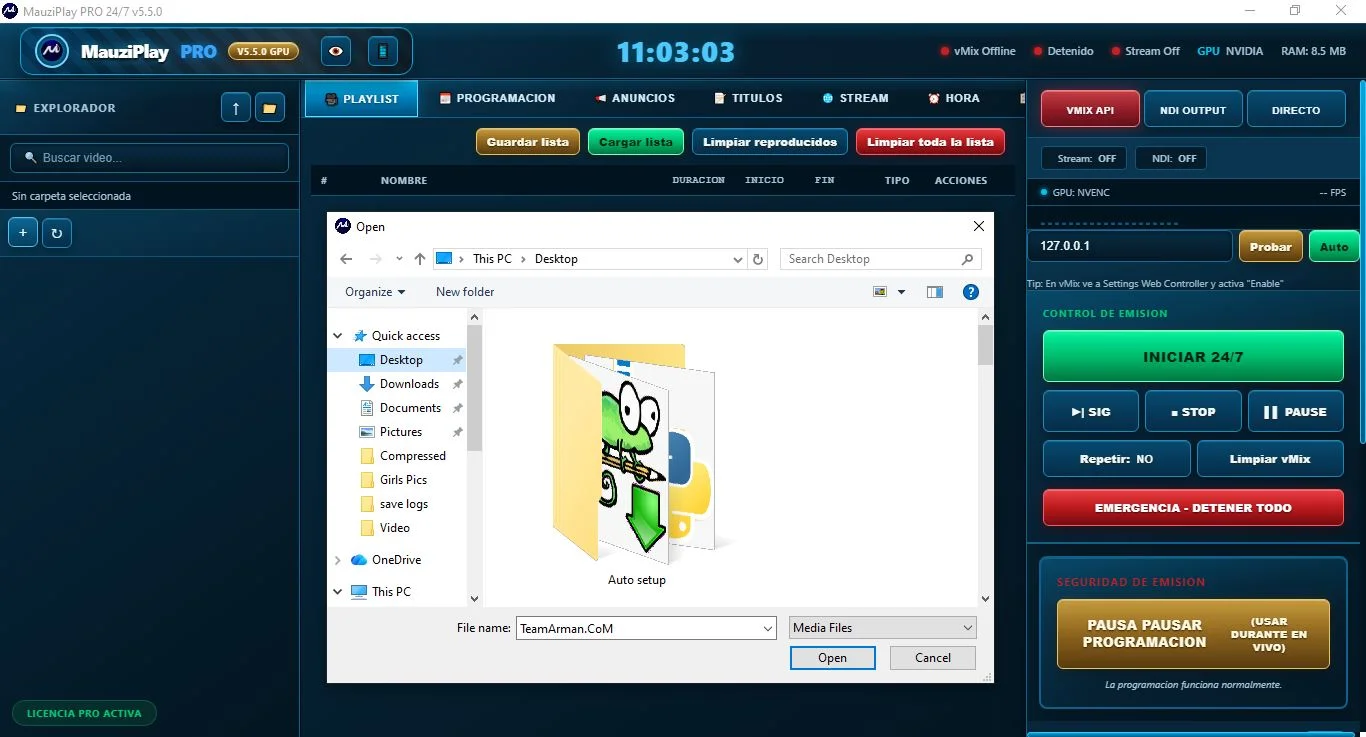
Overview of MauziPlayPRO v5.5.0
Table of Contents
MauziPlayPRO v5.5.0 is a cutting-edge media player and streaming application designed for users who demand high-quality audio and video playback. This software stands out in the crowded media player market by offering a clean, user-friendly interface combined with powerful backend codecs that support a vast array of file formats.
Unlike standard operating system players, MauziPlayPRO v5.5.0 is engineered for performance. It leverages advanced hardware acceleration to ensure smooth playback of high-definition content, including 4K and HDR video, without overburdening your system’s CPU. The latest version, developed by the team at MauziTech, aims to be a one-stop solution for managing local media libraries and accessing online streaming content. Whether you are a movie enthusiast, a music collector, or a professional needing a reliable tool for previewing video files, this software offers a robust and secure platform that prioritizes user experience and system integrity.
Key Features
MauziPlayPRO v5.5.0 is packed with a suite of features that enhance the user experience. These are designed to make media consumption more enjoyable and customizable.
-
Universal Codec Support: The software comes with built-in codecs for virtually every media format. This includes MP4, MKV, AVI, MOV, FLV, MP3, FLAC, AAC, and more. You rarely need to download additional codec packs, making installation quick and hassle-free.
-
High-Definition Playback: The core of the software is its ability to handle 4K Ultra HD and 1080p video streaming with crystal clear output. It supports H.265/HEVC and H.264, ensuring it is compatible with modern video encoding standards.
-
Hardware Acceleration: To optimize performance, MauziPlayPRO v5.5.0 utilizes GPU acceleration (DirectX, OpenGL, and Vulkan). This significantly reduces battery drain on laptops and keeps CPU usage low, allowing for smooth multitasking.
-
Customizable User Interface: Users can choose from a variety of skins and themes. The interface also allows for the creation of custom playlists, media library organization, and adjustable window layouts for a personalized viewing experience.
-
Subtitle Management: The application includes a powerful subtitle engine. It can automatically download subtitles from online databases, allow users to sync subtitles manually, and customize font, size, and color.
-
Audio Enhancements: Featuring a built-in 10-band equalizer and audio normalization, the player ensures consistent volume levels. It also supports surround sound formats, making it an excellent choice for home theater systems.
What’s New in MauziPlayPRO v5.5.0
The v5.5.0 update from MauziTech focuses on performance, security, and new platform integrations. This version addresses previous bugs and introduces several highly requested features.
Performance Upgrades
-
Memory Optimization: The software now uses up to 20% less RAM than the previous version, making it more stable on systems with limited resources.
-
Faster Launch Time: The application load time has been significantly reduced, allowing users to start playing media almost instantly.
New Features and Integrations
-
Network Stream Support: Users can now directly open network streams using popular protocols (HTTP, HTTPS, FTP, and RTMP). This is a major step forward for those who enjoy live streaming or accessing content from network-attached storage (NAS).
-
Enhanced Playback History: A new “Continue Watching” feature has been added. The software remembers your position in a video, allowing you to resume exactly where you left off.
-
Security Patches: The v5.5.0 update includes critical security patches to address potential vulnerabilities, ensuring safe playback of media from external sources.
UI/UX Improvements
-
Dark Mode: A fully implemented dark mode is now available, reducing eye strain during late-night viewing sessions.
-
New Icon Pack: The toolbar and menu icons have been redesigned for better clarity and a modern aesthetic.
System Requirements
To run MauziPlayPRO v5.5.0 efficiently, your system should meet the following requirements.
Minimum System Requirements:
-
Operating System: Windows 7/8/10/11 or macOS 10.13 (High Sierra) or later.
-
Processor: Intel or AMD CPU with support for SSE2 instructions (1.0 GHz or faster recommended).
-
RAM: 512 MB (1 GB or more recommended for 4K playback).
-
Storage: 150 MB of free hard disk space for installation.
-
Graphics: Any graphics card that supports DirectX 9 or later. For 4K/HDR, a dedicated GPU with DirectX 11 support is recommended.
Recommended System Requirements for 4K Playback:
-
Operating System: Windows 11 or macOS 12 (Monterey) or later.
-
Processor: Intel Core i5 or AMD Ryzen 5 (or higher).
-
RAM: 4 GB or more.
-
Storage: SSD recommended for faster media library loading.
-
Graphics: Dedicated graphics card (e.g., NVIDIA GeForce GTX 1050 or higher, AMD Radeon RX 560 or higher).
Installation Guide for MauziPlayPRO v5.5.0
Installing the software is a straightforward process.
-
Download the Installer: Visit the official MauziTech website or trusted software distribution platforms to download the installer.
-
Run the Executable: Locate the downloaded
.exe(Windows) or.dmg(macOS) file and double-click it to begin the installation. -
User Account Control: If prompted by Windows or macOS, allow the application to make changes to your device to proceed with the installation.
-
Select Installation Path: Choose the destination folder where you want the software to be installed. The default path (e.g.,
C:\Program Files\MauziPlayPRO) is recommended. -
Choose Components: You will be presented with an option to select components. We recommend installing all features for the best experience.
-
Agree to License: Read and accept the End-User License Agreement (EULA) to continue.
-
Install: Click the “Install” button. The process will take 1-2 minutes.
-
Launch: Once the installation is complete, check the box to “Launch MauziPlayPRO” and click “Finish.”
How to Use the Software
Once installed, using MauziPlayPRO v5.5.0 is intuitive for both beginners and experienced users.
Playing Media Files
-
Launch the Software: Open the application from your desktop or start menu.
-
Open File: You can open a media file by:
-
Clicking the “Open File” button on the main interface.
-
Using the
Ctrl+Okeyboard shortcut. -
Dragging and dropping the file directly into the player window.
-
-
Control Playback: Use the standard controls (Play/Pause, Stop, Rewind, Fast Forward, Volume) located at the bottom of the interface.
Configuring Preferences
-
Access Settings: Navigate to
Tools > Preferences(orMauziPlayPRO > Preferenceson macOS). -
Video Settings: Adjust the output renderer, screen resolution, and deinterlacing mode.
-
Audio Settings: Configure the audio output device, equalizer settings, and audio filters.
-
Subtitle Settings: Set the preferred language and default font styling for subtitles.
Best Use Cases
MauziPlayPRO v5.5.0 is a versatile tool suitable for a wide range of media consumption scenarios.
-
Home Theater PC (HTPC): Its high-definition support and audio enhancements make it perfect for connecting your computer to a television for movie nights.
-
Professional Video Review: The software’s ability to play multiple file formats and frame-by-frame navigation makes it a useful tool for editors who need to quickly preview raw footage.
-
Music Management: With its support for lossless audio formats (FLAC, WAV) and advanced equalizer, it functions as a high-fidelity music player for audiophiles.
-
Educational Content: Ideal for students who need to view video lectures in various formats.
Advantages and Limitations
Here is a balanced look at what makes MauziPlayPRO v5.5.0 a strong choice and where it could improve.
Advantages
-
Versatility: Plays nearly every media file format without needing external codecs.
-
Free to Use: The software can be downloaded and used without any recurring subscription fees.
-
Lightweight: Requires minimal system resources compared to competitors.
-
Customization: Highly customizable interface to fit different preferences.
-
Stable Performance: Known for its stability and low crash rate.
Limitations
-
Linux Support: The official version does not natively support Linux distributions.
-
4K Streaming: While playback is excellent, the built-in support for online streaming services is not as advanced as dedicated streaming apps.
Alternatives to MauziPlayPRO v5.5.0
While MauziPlayPRO is an excellent player, other strong contenders are worth considering.
| Software | Key Feature | Best For | Platform |
|---|---|---|---|
| VLC Media Player | Open-source, extensive protocol support, highly portable. | Users who need a reliable, free player for all platforms. | Windows, macOS, Linux, Android, iOS. |
| PotPlayer | Advanced customization, superior codec support, low memory usage. | Power users who want deep technical control over playback. | Windows. |
| GOM Player | User-friendly interface, good codec support, and automatic subtitle search. | Beginners looking for a simple and attractive media player. | Windows, macOS, iOS, Android. |
| MPC-HC | Lightweight, classic interface, highly compatible with DirectShow. | Users seeking a nostalgic, resource-light player. | Windows. |
Frequently Asked Questions
Q1: Is MauziPlayPRO v5.5.0 really free to use?
Yes, the software is a freeware application that can be downloaded and used without any cost. There is no trial period or subscription fee associated with its use.
Q2: Why does the software ask for my network permissions?
The software needs network permissions to enable features such as automatic subtitle downloads, streaming network streams (HTTP/RTMP), and to check for updates. This is a secure feature used for enhancing your user experience.
Q3: Can MauziPlayPRO v5.5.0 play Blu-ray files and DVDs?
Yes, the software supports playback for most common DVD and Blu-ray structures and ISO files. However, you may require specific decryption libraries depending on the disc’s regional code and encryption.
Q4: Why isn’t my video playing in 4K smoothly?
Smooth 4K playback requires a powerful system. Ensure your hardware meets the recommended specifications. You should also verify that hardware acceleration is enabled in Preferences > Video > Output. You may need to set the “Output” to “OpenGL” or “Direct3D 11” for better performance.
Q5: How do I sync subtitles if they don’t match the video?
You can easily sync subtitles by going to Subtitles > Track > Synchronization during playback. Here, you can add a delay in milliseconds to fix the timing.
Q6: How do I enable dark mode?
You can enable dark mode by navigating to View > Interface > Skin and selecting one of the darker themes. In version 5.5.0, this is now a standard option in the main settings.
Q7: Where can I safely download MauziPlayPRO v5.5.0?
The safest way is to download the software directly from the official MauziTech developer website. This ensures you get the legitimate version of the software free from malware or unauthorized modifications.
Final Thoughts
MauziPlayPRO v5.5.0 is a robust, reliable, and feature-rich media player that successfully bridges the gap between professional functionality and everyday user-friendliness. The latest update solidifies its position as a top-tier application in the media software niche, offering significant upgrades in performance, security, and usability.
Whether you’re looking to build a sophisticated home theater setup or simply need a reliable tool for watching videos and listening to music, the MauziPlayPRO v5.5.0 media player is a formidable choice. Its comprehensive codec support and low system resource footprint make it an excellent alternative to more bloated players on the market. Download MauziPlayPRO v5.5.0 today to experience high-quality media playback that is both efficient and enjoyable.