
Overview of Separation Studio NXT
Table of Contents
Separation Studio NXT 2024 is professional-grade color separation software developed by Freehand Graphics for the screen printing industry. This powerful tool streamlines the separation process, enabling screen printers and graphic designers to convert artwork into printable separations efficiently and accurately. Whether you are working with raster images or vector PDFs, Separation Studio NXT offers specialized workflows that handle both file types seamlessly, making it an indispensable asset for print shops of all sizes .
The software includes legendary Spot Process® technology that analyzes images and generates precise color separations, along with a Vector PDF engine that automatically converts process colors into optimized spot colors . These capabilities ensure that screen printers can achieve exceptional print quality while saving significant production time.
Key Features of Separation Studio NXT
Advanced Color Separation Technology
Separation Studio NXT provides two powerful separation engines. The Spot Process® engine handles raster files, breaking down images into RGB primary color separations in print order . The Vector PDF engine processes vector-based artwork, detecting and managing files while converting process colors into optimized spot colors .
Comprehensive Color Management
The software includes robust color editing tools that allow users to refine color separations with precision. Designers can adjust color intensity, brightness, contrast, and other attributes to achieve the desired print results . The extensive spot color library simplifies matching Pantone or custom spot colors, reducing the need for manual adjustments .
Separation Management Interface
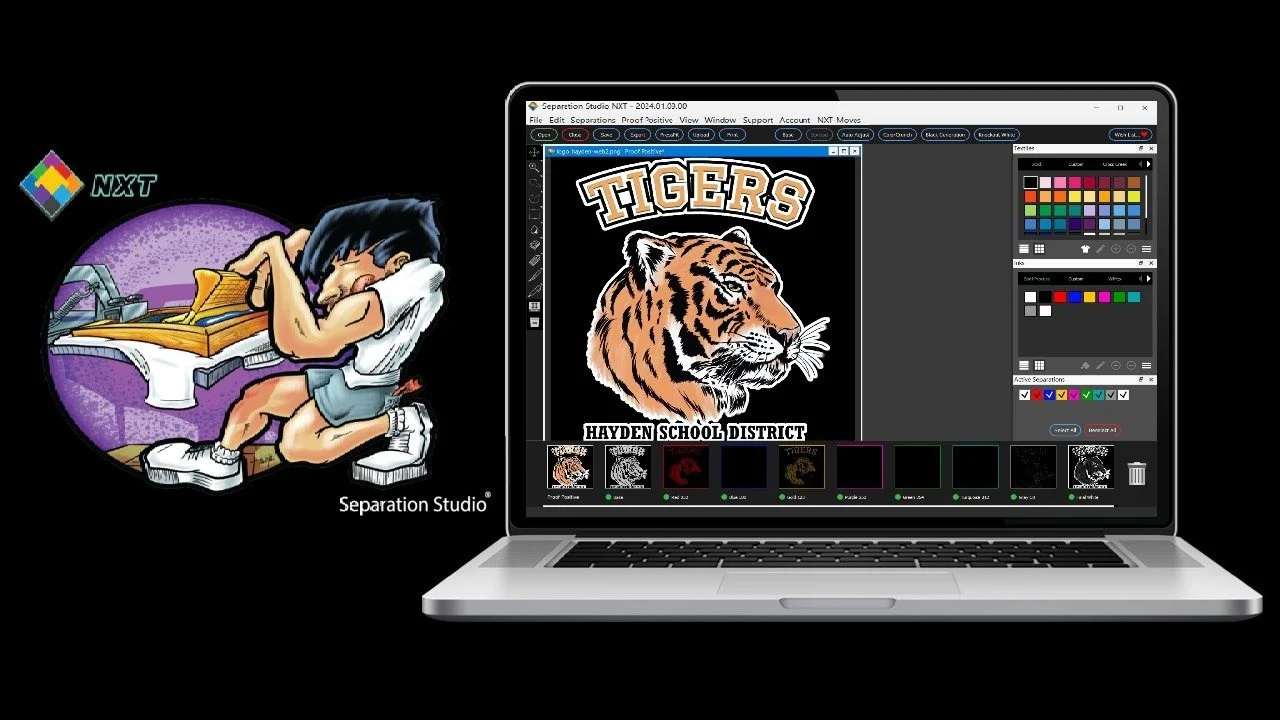
The Separations bar provides complete control over all color separations within a file. Users can organize, adjust, delete, duplicate, color, merge, and view separations from one central location . The Proof Positive® preview displays a full-color composite of separations at any time, helping users assess color accuracy before printing .
Base Separation Creation
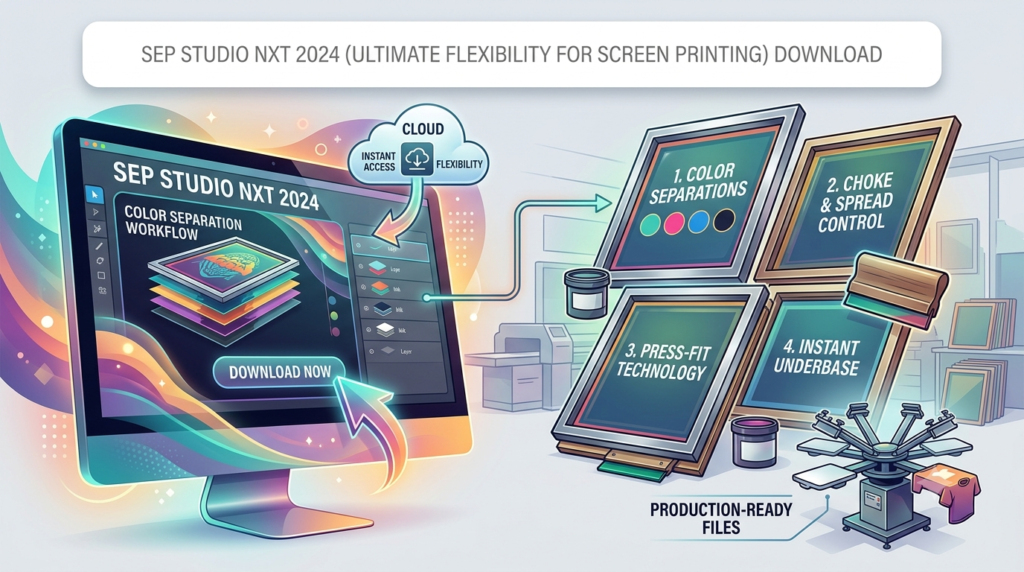
The Base Properties window controls the creation and modification of base separations. Users can choose between Static Base, which remains fixed once created, and Live Base, which automatically adjusts when colors are removed. The software supports choke values up to 2 pt to improve on-press registration .
Custom Textile Libraries
Sep Studio NXT includes stock sets of industry textile manufacturer colors, with the ability to add or remove custom colors and libraries. Users can import and export libraries in .json format for backup and sharing purposes .
Print Window and RIP Integration
The robust Print window includes screen-print-friendly press marks, labels, and layouts. The software integrates directly with AccuRIP® or any other industry RIP software, providing maximum workflow flexibility .
Custom Texture Import
Users can create and import their own repeating patterns and texture overlays as SVG files, enabling unique distressed effects and custom looks that differentiate their print business .
Real-Time Preview and Soft Proofing
Designers can visualize color separations before printing, allowing fine-tuning to achieve the desired results. The software supports soft proofing, enabling users to simulate final print output on their computer screens .
What’s New in Separation Studio NXT 2024
PSD Format Support
One of the most significant advancements is enhanced support for the PSD format. Online files from companies like InkSoft instantly become manageable files for output, streamlining the workflow for users who receive designs in various formats .
Enhanced Color Management Tools
The 2024 version introduces improved separation management for complex gradients and more refined color adjustment capabilities. The saturation tool now offers adjustable diameter and hardness settings, with range options of Low, Medium, or High to affect specific pixel ranges .
Expanded Ink and Textile Libraries
Users can load and edit custom ink sets and textile libraries from their favorite manufacturers, making it easier to work with specific production requirements .
Improved Print Window Features
The Print window includes enhanced nesting capabilities (N-UP) for automatic ganging up of separations, helping maximize film usage and reduce waste .
Black Generation Feature
Legendary artist Dane Clement has demonstrated the powerful Black Generation feature, which helps screen printers achieve large-press quality on smaller equipment .
System Requirements
Minimum Hardware Requirements
-
Processor: Multi-core processor (Intel or AMD)
-
RAM: 8 GB minimum (16 GB recommended)
-
Hard Drive: 2 GB available storage space
-
Graphics Card: NVIDIA GeForce GTX 1050 or AMD Radeon RX 560 or equivalent
-
Display: 1920 x 1080 resolution or higher
Supported Operating Systems
-
Windows: Windows 10 or later
-
macOS: macOS 10.15 (Catalina) or later
File Format Support
Separation Studio NXT supports a wide range of file formats:
-
Raster formats: TIFF, PNG, JPG, and PSD
-
Vector formats: PDF and SVG
-
Output formats: DCS2.eps for printing
Additional Requirements
-
Internet connection for license activation and updates
-
Compatibility with AccuRIP Emerald, Ruby, Black Pearl, or Black Pearl SE for direct printing
-
Integration with popular RIP software for hot folder printing
Installation Guide
Step 1: Download the Software
Visit the official Freehand Graphics website or your account portal to download the Separation Studio NXT installer. Select the version compatible with your operating system (Windows or macOS) .
Step 2: Install on Windows
-
Open the downloaded installer file
-
Click “Next” to proceed through the installation wizard
-
Review and accept the license agreement
-
Choose the installation directory or accept the default location
-
Click “Install” to begin the installation process
-
Wait for the installation to complete and click “Finish”
Step 3: Install on macOS
-
Open the downloaded DMG file
-
Drag the Separation Studio NXT icon to the Applications folder
-
Open the Applications folder and launch Separation Studio NXT from there
Step 4: License Activation
-
Purchase a license from the official Freehand Graphics store
-
Create or log into your Freehand License Manager (FLM) account
-
Click the “REDEEM” button for the software you are activating
-
Enter the software activation code received with your purchase
-
Launch Separation Studio NXT and log in using your account credentials
How to Use Separation Studio NXT
Working with Raster Images (Spot Process Workflow)
-
Open Your Raster File: Launch Separation Studio NXT and open a raster file (TIFF, PNG, JPG, or PSD). The Spot Process engine automatically triggers and analyzes the image
-
Review Spectral Analysis: The engine breaks the image down into unadjusted RGB primary color separations in print order
-
Adjust Colors and Saturation: Use the adjustment tools to fine-tune colors and improve press performance with a single click
-
Refine Separations: Merge or delete unnecessary channels to optimize the print job
-
Apply Textures: Add custom textures or patterns from the Textures feature to enhance designs
-
Preview and Print: Use the Print window to configure press marks, layout, and output settings before printing
Working with Vector PDFs (Vector PDF Workflow)
-
Open Vector PDF: Open a vector-based PDF file to activate the Vector PDF engine
-
Automatic Processing: The engine detects and manages the file, converting process colors into optimized spot colors while retaining intentional separations
-
Adjust Layout: Use PressFit® and Power Merge features to adjust the design for your press size and client budget
-
Create Custom Bases: Generate custom bases from existing separations, adjusting choke and spread settings as needed
Managing Separations
-
View Separations: Access the Separations bar to view all available color separations
-
Merge Separations: Drag one separation preview onto another and choose Multiply or Darken to combine data
-
Adjust Separation Properties: Right-click any separation to rename, change color, or adjust press position
-
Create Base: Use the Base Properties window to create Static or Live bases with custom choke and style settings
Using the Print Window
-
Select RIP: Set your RIP selection in the Preferences Window
-
Configure Separations: Use toggles to control which separations are printed
-
Set Marks and Layout: Choose between User Defined or Template mode to configure pre-press marks, centerlines, labels, and registration marks
-
Preview Media: Select media type and size matching your RIP configuration
-
Enable Nesting: Toggle N-UP for automatic ganging up of separations when using AccuRIP Emerald
-
Print or Save: Click Print to send data directly to your RIP or Save to create a DCS2.eps file
Best Use Cases for Separation Studio NXT
T-Shirt and Apparel Printing
Separation Studio NXT excels in garment printing applications, particularly for t-shirts, hoodies, and other textiles. The software’s textile libraries include manufacturer-specific colors, ensuring accurate color matching for apparel production . The Base creation features are especially valuable for dark garment printing, where underbase creation is critical .
Banner and Signage Production
For large-format printing projects, the software’s ability to handle complex raster and vector files makes it suitable for banner and signage production. The robust print window allows precise layout control and scaling for various media sizes .
Multi-Color Complex Designs
When working with designs containing numerous colors or gradients, Separation Studio NXT’s advanced separation engines help convert complex artwork into manageable print separations. The software can handle both simple 2-D designs and complex raster tonal images with pixel-to-pixel transparency .
Specialty Effects Printing
The custom texture import feature enables screen printers to create unique distressed effects, patterns, and overlays that differentiate their products . This capability is particularly valuable for vintage-style designs or artistic prints requiring texture.
Small to Large-Scale Print Operations
Separation Studio NXT accommodates both small shops and large-scale operations, with workflows scalable to production requirements . The software’s efficiency features help smaller operations compete with larger facilities by reducing setup time and improving print quality.
Advantages and Limitations
Advantages
-
Professional-Grade Color Separation: Legendary Spot Process technology delivers exceptional print quality
-
Dual Workflow Support: Handles both raster and vector files with dedicated engines
-
Extensive Customization: Custom textile libraries, ink sets, and texture imports
-
RIP Integration: Direct compatibility with AccuRIP and other popular RIP software
-
Time-Saving Features: One-click adjustments, Live Base updates, and N-UP nesting
-
Professional Support: Free support with average response times under 20 minutes
-
Real-Time Preview: Proof Positive preview and soft proofing capabilities
Limitations
-
Hardware Requirements: Requires a fairly powerful computer for optimal performance
-
Learning Curve: Professional-grade features may require training for new users
-
Cost: Professional software with premium pricing for commercial use
-
System Compatibility: Requires specific operating system versions
Alternatives to Separation Studio NXT
Adobe Illustrator
While not dedicated color separation software, Adobe Illustrator remains a popular option for screen printers. It offers powerful vector editing capabilities and some separation tools through plugins, though it lacks the specialized separation engines and screen-print-specific features of Separation Studio NXT.
CorelDRAW Graphics Suite
CorelDRAW offers similar vector editing capabilities to Illustrator, with some support for color separation. However, the separation process requires more manual work and additional plugins for professional screen printing.
AccuRIP
AccuRIP is a RIP software that can work alongside design software for color separation. While it handles printing and halftone generation effectively, it doesn’t offer the same comprehensive separation and artwork management features as Separation Studio NXT.
Online Color Separation Services
Several online services offer color separation as a subscription service or per-job basis. These may be suitable for occasional users but often lack the control and customization available in dedicated software.
Frequently Asked Questions
What is Separation Studio NXT used for?
Separation Studio NXT is color separation software designed specifically for screen printers and graphic designers. It converts artwork into precise color separations for screen printing, handling both raster images and vector PDFs with dedicated engines .
What file formats does Separation Studio NXT support?
The software supports raster formats including TIFF, PNG, JPG, and PSD, as well as vector formats like PDF and SVG. It can output as DCS2.eps files for printing .
Can Separation Studio NXT work with my existing RIP software?
Yes, the software integrates with AccuRIP Emerald, Ruby, Black Pearl, and Black Pearl SE, as well as other industry RIP software through hot folder support .
How does the License Manager activation work?
After purchasing a license, users redeem their activation code through the Freehand License Manager (FLM). The software is then launched and authenticated using account credentials .
Is there free support available for Separation Studio NXT?
Yes, Freehand provides fanatical support with live agents available Monday-Friday 9 AM to 6 PM EST. The average response time is under 20 minutes .
What is the difference between Static Base and Live Base?
A Static Base is fixed once created and cannot be changed, while a Live Base can be updated anytime when colors are removed. Live Base is ideal for designs needing frequent adjustments .
What are the minimum system requirements?
The software requires a multi-core processor, 8 GB RAM minimum, 2 GB storage, and an NVIDIA GeForce GTX 1050 or AMD Radeon RX 560 graphics card or equivalent .
Final Thoughts on Separation Studio NXT
Separation Studio NXT 2024 represents a significant advancement in color separation technology for the screen printing industry. Its combination of dual-engine workflows, comprehensive color management, and professional output capabilities makes it an essential tool for serious screen printing operations.
The software’s ability to handle both raster and vector files with dedicated engines streamlines the separation process, saving valuable production time while delivering professional-grade results. The extensive customization options, from textile libraries to custom texture imports, allow screen printers to differentiate their offerings and create unique designs that stand out in the market.
For print shops looking to improve efficiency and print quality, Separation Studio NXT offers a compelling solution. The investment in professional color separation software often pays for itself through reduced setup time, fewer reprints, and the ability to take on more complex printing jobs.
While there is a learning curve associated with professional software, the robust support provided by Freehand’s fanatical support team helps users overcome challenges quickly. Whether you are a small shop or a large-scale operation, Separation Studio NXT can transform your workflow and elevate your print quality to the next level .
To experience the power of Separation Studio NXT firsthand, consider downloading the free trial and exploring how this software can benefit your screen printing business. With its comprehensive feature set and professional-grade capabilities, Separation Studio NXT is an investment in the quality and efficiency of your production workflow.
Our Paid Service
“We do not sell or provide any software. We only offer professional support services. If any software on your system is not working properly, or you are facing installation errors, crashes, or any other technical issue — just contact us. We will help you fix the problem quickly and remotely via AnyDesk. No software will be provided from our side — only expert troubleshooting and support.”