
Overview of Amira-Avizo 3D Software
Table of Contents
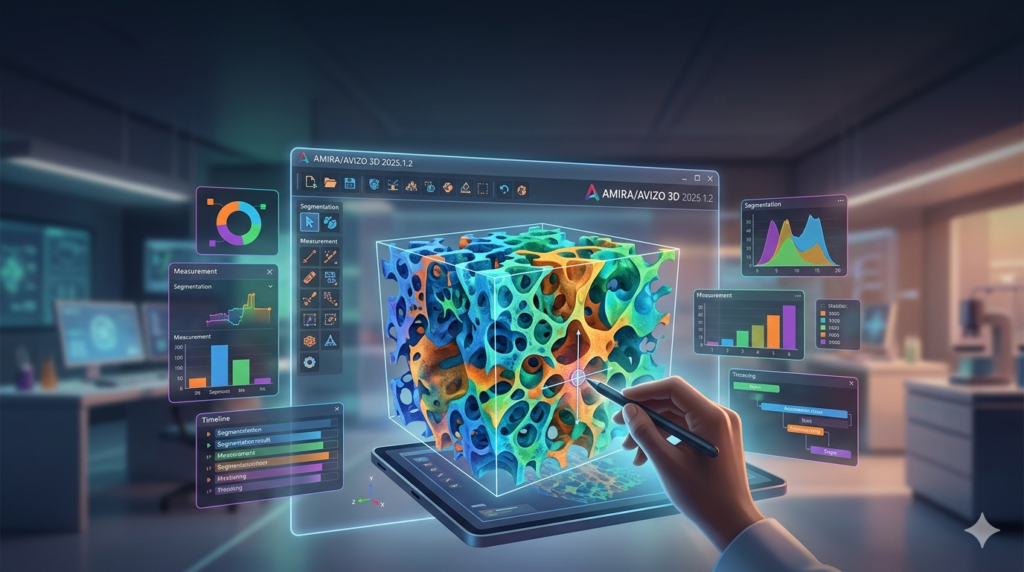
Thermo Scientific Amira-Avizo 3D is a professional 3D visualization and analysis software suite developed by Thermo Fisher Scientific, a global leader in scientific instrumentation and software solutions. The suite combines two specialized tools—Amira 3D for life sciences and biomedical research, and Avizo 3D for materials science and industrial applications.
The software enables researchers to visualize, process, segment, and quantitatively analyze 3D image data from multiple sources, including:
-
Micro-computed tomography (micro-CT)
-
Electron microscopy (SEM, TEM)
-
Magnetic resonance imaging (MRI)
-
Confocal microscopy
-
X-ray tomography (X-ray CT)
With over 20 years of development and collaboration in scientific visualization, Amira-Avizo has become an industry-standard tool for transforming raw imaging data into actionable scientific insights. The software’s ability to handle multi-channel, multi-modal, and time-series data makes it indispensable for modern research workflows.
Key Features of Amira-Avizo 3D
Advanced 3D Visualization
Amira-Avizo provides sophisticated visualization capabilities that transform volumetric data into clear, informative 3D models:
-
Surface Rendering: Rich plotting modes and color configurations generate meaningful, detailed 3D displays for structural analysis
-
Volume Rendering: Physics-based ray-casting technology enables direct visualization of 3D volumetric data with realistic lighting and material appearance
-
Advanced 3D Rendering (2025.1): Overhauled lighting system provides more realistic reflections and material appearance, significantly improving visual quality
AI-Powered Image Segmentation
The 2025.1 release delivers substantial improvements to AI-driven segmentation:
-
85% Faster Training: Dynamic augmentation routines and efficient 2.5D model training dramatically accelerate AI model development
-
Enhanced AI-powered Segmentation: Streamlined workflows for training and applying deep learning models to complex imaging data
-
Segmentation+ Workroom: Redesigned user interface with optimized metadata inspection and workflow management
Data Processing and Analysis
-
Large Data Access Technology: Handles datasets exceeding physical memory through intelligent data streaming and caching
-
Multi-Modal Data Support: Compatible with multi-data, multi-view, multi-channel, and time-series datasets
-
Statistical Analysis: Built-in tools for density, distance, area, and volume calculations with export to spreadsheets
Meshing for FEA/CFD Simulation
The XWind extension provides dedicated meshing capabilities for finite element analysis (FEA) and computational fluid dynamics (CFD):
-
High-quality mesh generation directly from segmented 3D images
-
Preservation of thin structures and topology with smoothed conforming interfaces
-
Export to major solver formats with boundary condition definitions
Matlab Bridge Integration
Seamless integration with MATLAB enables advanced mathematical processing and custom algorithm development.
What’s New in Amira-Avizo 3D 2025.1.2
The 2025.1 release represents a significant advancement in the Amira-Avizo software suite. Key updates include:
1. Advanced 3D Rendering Enhancements
The lighting engine has been completely overhauled to deliver more realistic reflections and material appearance. This improvement is particularly valuable for generating publication-quality images and presentations.
2. AI-Powered Segmentation Improvements
The AI segmentation workflow is now 85% faster due to dynamic augmentation routines and efficient 2.5D model training. Researchers can develop and apply deep learning models to their imaging data with unprecedented speed and efficiency.
3. User Experience Optimization
The Segmentation+ workroom has been redesigned with optimized layouts for metadata inspection, snapshots, and workflow management. These improvements streamline the entire image analysis pipeline.
4. PerGeos Integration
Starting from version 2024.2, the PerGeos digital rock analysis module has been fully integrated into the Avizo 3D Pro suite.
System Requirements for Amira-Avizo 3D 2025.1.2
Supported Operating Systems
-
Microsoft Windows 10/11 (64-bit)
-
Linux x86_64 (64-bit) – Ubuntu 20.04 (64-bit PC desktop image)
GPU Recommendations
The GPU is the single most important component for Amira-Avizo performance. These applications are highly parallelized and benefit significantly from GPU acceleration.
| Recommendation Level | GPU Options | VRAM |
|---|---|---|
| Minimum | OpenGL 2.1+ support | – |
| Recommended Consumer | NVIDIA GeForce RTX 5080/5090 | 16-24GB |
| Professional (Certified) | NVIDIA RTX A5000/A6000 | 24-48GB |
| Advanced Multi-GPU | Multiple NVIDIA GPUs | Scalable |
Tip: For mission-critical medical or industrial environments, certified workstation GPUs (Quadro/RTX A-Series) are strongly recommended for maximum stability.
RAM Requirements
Memory requirements depend heavily on dataset size. Allocate 6-8× the dataset size in RAM for optimal performance.
| Dataset Size | Recommended RAM |
|---|---|
| Small | 32GB |
| Medium | 64GB |
| Large/Complex | 128-256GB+ |
Note: Basic operations typically require 2-3× the data’s memory footprint. Complex workflows may require 6-8× the data size.
CPU Specifications
-
Optimal configuration: 8 high-frequency cores (Intel Core i9, AMD Ryzen 9, or AMD Threadripper Pro)
-
Performance scaling: Up to 8 cores show near-linear scalability; additional cores provide diminishing returns
-
Cache size and clock speed become more important beyond 8 cores
Storage Requirements
| Drive Type | Purpose | Recommended Spec |
|---|---|---|
| Primary Drive | OS and Software | 1TB NVMe SSD |
| Secondary Drive | Active Datasets | 2TB+ NVMe SSD |
| Archival Storage | Long-term retention | High-capacity HDD/SSD array |
Network considerations: Reading data across a network is significantly slower than local disk access. For optimal performance, create local copies of active datasets.
Installation Guide for Amira-Avizo 3D 2025.1.2
Prerequisites
-
Administrator rights on the installation workstation
-
Unique login name (no spaces – e.g., “charlie.brown” instead of “charlie brown”)
-
Valid license from Thermo Fisher Scientific or authorized distributor
-
Latest version of Windows 10/11 or Ubuntu 20.04
Windows Installation Steps
-
Download the installer from Thermo Fisher Scientific’s customer portal
-
Run the installer: Double-click the Amira-Avizo executable file
-
Review and accept the EULA: Read the Software End-User License Agreement and accept to continue
-
Select destination location: Choose installation directory (default path recommended)
-
Choose installation type:
-
Typical: Standard installation for most users
-
Developer: Includes developer files and debugging binaries (requires Pro Edition)
-
Custom: Select specific components
-
-
Select applications to setup: Choose Amira3D, Avizo3D, Avizo for Industrial Inspection, and/or ToGo Viewer
-
Configure file associations: Select which application opens which file types
-
Install Thermo Fisher License Manager
-
Configure license access: Use the License Manager to add your license server or file-based license
Linux Installation Steps
-
Download the installer from the customer portal
-
Open a terminal and navigate to the download directory
-
Add execution rights:
chmod a+x ./Amira-XXX-Linux64-gccYY.bin
-
Run the installer:
sudo ./Amira-XXX-Linux64-gccYY.bin
-
Follow the wizard to select destination folder and components
-
Launch the software:
/usr/local/AmiraAvizo3D/XXX/bin/Amira3D
# or
/usr/local/AmiraAvizo3D/XXX/bin/Avizo3D
Silent Installation (Enterprise Deployments)
Windows:
Amira-XXX-Windows64-VCYY.exe /VERYSILENT /SUPRESSMSGBOXES /NORESTART /NOCANCEL /KEEPEXISTINGPATHPOLICY /DIR=installPath
Linux:
./Amira-XXX-Linux64-gccYY.bin — --silent --eula-ok --dir install_dir
Note: Silent installation does not install the Thermo Fisher License Manager. This must be installed separately.
How to Use Amira-Avizo 3D Software
Basic Workflow
-
Data Import: Load 2D/3D imaging data from CT, microscopy, or other sources. Amira-Avizo supports numerous file formats including TIFF stacks, DICOM, and proprietary formats.
-
Data Visualization: Use surface or volume rendering to view the dataset in 3D. Adjust lighting, color mapping, and transparency for optimal visualization.
-
Image Segmentation: Identify and separate regions of interest using:
-
Manual segmentation tools
-
Semi-automatic thresholding
-
AI-powered segmentation (new in 2025.1)
-
-
Quantitative Analysis: Extract measurements including:
-
Volume and surface area
-
Particle size distribution
-
Pore connectivity
-
Density and porosity
-
-
Meshing (Optional) : Generate FEA/CFD meshes from segmented data for numerical simulation.
-
Export Results: Share findings through:
-
Publication-quality images and animations
-
3D model exports
-
Data exports to spreadsheets or solver formats
-
Expert Tips
-
Use LDA for large datasets: Large Data Access technology enables working with datasets exceeding physical memory
-
Leverage multi-GPU setups: For extremely large datasets, multi-GPU configurations can significantly accelerate processing
-
Optimize segmentation with AI: The enhanced AI segmentation in version 2025.1 reduces training time by 85%
Best Use Cases for Amira-Avizo 3D
Materials Science and Engineering
-
Composite material analysis: Characterization of fiber orientation, porosity, and defects
-
Metal alloys: Microstructure analysis and grain size measurement
-
Digital rock analysis: Pore network characterization for oil and gas applications
-
Industrial metrology: Quality control using CT and CMM data
Life Sciences and Biomedical Research
-
Digital dissection: Non-destructive anatomical studies of soft and hard tissues
-
Micro-CT imaging: Processing of 3D anatomical data for research
-
Vascular analysis: Quantification of vascular networks in tumor angiogenesis research
-
Paleontology: Digital restoration of fossil specimens and 3D reconstruction
Earth Sciences and Geology
-
Digital rock physics: Porosity and permeability analysis from CT scans
-
Sedimentology: 3D visualization of sedimentary structures
Engineering and Simulation
-
FEA/CFD simulation: High-quality mesh generation for numerical simulation
-
Biomechanical modeling: Stress analysis from 3D anatomical models
Advantages and Limitations
Advantages
| Feature | Benefit |
|---|---|
| Comprehensive toolset | End-to-end workflow from visualization to simulation |
| AI-powered efficiency | 85% faster segmentation training in version 2025.1 |
| Industry-standard | Trusted by researchers for over 20 years |
| Large data handling | LDA technology supports datasets beyond physical memory |
| Platform versatility | Available for Windows and Linux |
| Integration ready | MATLAB bridge and FEA/CFD solver compatibility |
Limitations
| Challenge | Consideration |
|---|---|
| Hardware intensive | Requires high-end GPU, significant RAM, and fast storage |
| Learning curve | Advanced functionality may require training to master |
| Licensing cost | Professional-grade software with corresponding pricing |
| Linux support | Limited to Ubuntu 20.04 (CentOS support discontinued) |
Alternatives to Amira-Avizo 3D
Comparison with Leading 3D Visualization Tools
| Software | Primary Applications | Key Differences |
|---|---|---|
| Materialise Mimics | Medical imaging, biomechanics | Stronger medical focus, less suited for materials science |
| Simpleware (Synopsys) | Medical, materials, industrial | Strong FEA/CFD integration, different pricing model |
| ImageJ/Fiji | General scientific imaging | Free, less advanced 3D capabilities, limited large-data support |
| Paraview | General scientific visualization | Open-source, different analysis capabilities |
| Dragonfly | Materials science, life sciences | Newer platform, different user experience |
Why choose Amira-Avizo? For organizations requiring industry-leading AI segmentation and integrated FEA/CFD meshing, while handling large, complex datasets with proven reliability in both materials and life sciences.
Frequently Asked Questions
What is the difference between Amira and Avizo software?
Amira 3D is optimized for life sciences and biomedical applications, while Avizo 3D is tailored for materials science and industrial analysis. Both are included in the combined suite and share core visualization and analysis technology.
What are the system requirements for Amira-Avizo 3D 2025.1.2?
Windows 10/11 or Ubuntu 20.04 (64-bit) with a minimum of 32GB RAM (64GB+ recommended), an NVIDIA GPU with at least 8GB VRAM (16-24GB recommended), and fast NVMe storage.
How does AI segmentation work in version 2025.1?
The AI-powered segmentation in version 2025.1 uses dynamic augmentation routines and efficient 2.5D model training, delivering 85% faster training compared to previous versions.
Can Amira-Avizo handle very large datasets?
Yes. The Large Data Access (LDA) technology allows working with datasets larger than physical memory. Additionally, XImagePAQ provides disk-to-disk processing for extremely large images.
Is Amira-Avizo available for Linux?
Yes. The 2025.1 version supports 64-bit Linux with Ubuntu 20.04. Earlier Linux support for CentOS 7 has been discontinued.
What types of imaging data can I process?
Amira-Avizo supports data from micro-CT, electron microscopy (SEM/TEM), MRI, confocal microscopy, X-ray tomography, and many other 3D imaging modalities.
Does Amira-Avizo support simulation workflows?
Yes. The XWind extension provides dedicated meshing capabilities for FEA and CFD simulations, exporting high-quality meshes to major solver formats with boundary conditions.
Final Thoughts
Thermo Scientific Amira-Avizo 3D 2025.1.2 represents the pinnacle of professional 3D visualization and analysis software for scientific and industrial research. The 2025.1 release’s enhanced AI-powered segmentation and advanced rendering capabilities make it an even more powerful tool for extracting meaningful insights from complex imaging data.
For researchers and engineers requiring comprehensive, reliable, and high-performance 3D analysis, Amira-Avizo remains the industry-standard choice. Its ability to handle large datasets, integrate AI-powered workflows, and support end-to-end analysis—from visualization to simulation—ensures it will continue to be essential for cutting-edge research.
With proper hardware investment and training, Amira-Avizo 3D can transform your imaging data into actionable scientific discoveries, enabling faster time-to-insight and more impactful research outcomes.
Our Paid Service
“We do not sell or provide any software. We only offer professional support services. If any software on your system is not working properly, or you are facing installation errors, crashes, or any other technical issue — just contact us. We will help you fix the problem quickly and remotely via AnyDesk. No software will be provided from our side — only expert troubleshooting and support.”