
Overview of Veeam ONE
Table of Contents
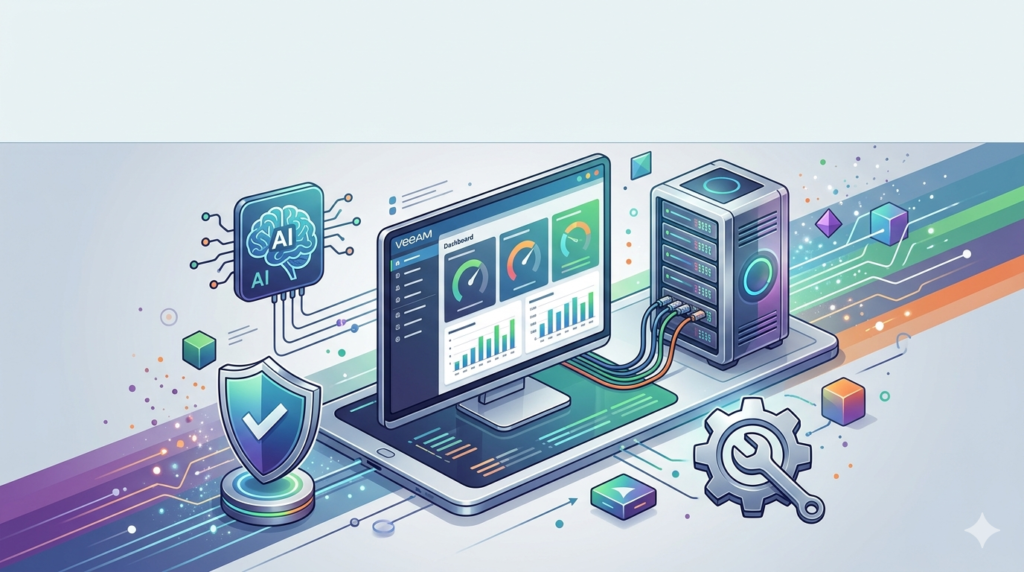
Veeam ONE is a monitoring, reporting, and capacity planning tool designed to give IT administrators complete visibility and control over their data protection and virtual infrastructures. It enables real-time monitoring, intelligent diagnostics, and automated remediation across physical, virtual, and cloud workloads.
The solution integrates seamlessly with the broader Veeam Data Platform, allowing backup operators to access critical dashboards and reports directly from the Veeam Backup & Replication console. Veeam ONE is built to help organizations shift from reactive troubleshooting to proactive resilience by detecting threats early, verifying security controls, and tracking recovery readiness.
Core Components
Veeam ONE incorporates two primary software components:
-
Veeam ONE Client: The main desktop tool for day-to-day monitoring and management. It allows administrators to interact with alarms, analyze performance, troubleshoot issues, and administer monitoring settings.
-
Veeam ONE Web Client: A browser-based interface providing comprehensive dashboards and reports for high-level analysis, capacity planning, change tracking, and compliance reporting.
Key Features of Veeam ONE
Veeam ONE v13.0.2 is packed with features that enhance visibility, automation, and security across IT environments.
AI-Powered Monitoring and Observability
Veeam ONE uses AI-driven insights to proactively manage data protection. It continuously monitors backup infrastructure, identifies potential risks, and accelerates recovery with guided remediation. Features include:
-
AI-Powered Analytics: Real-time backup status, risk signals, and recovery progress are surfaced instantly. Users can use natural language to query the system and receive actionable advice.
-
AI Malware Analysis: Through conversational queries, administrators can assess data integrity, discover anomalies, and identify safe recovery points.
Proactive Alerting and Remediation
The platform excels at identifying and resolving issues before they impact operations. It offers:
-
340+ Preset Alarms: Pre-configured alarms detect anomalies, misconfigurations, and potential malicious activity, including ransomware indicators.
-
Automated Remediation: Eliminate manual intervention by setting policy-based, self-healing fixes for common backup and infrastructure problems.
-
ServiceNow Integration: A bidirectional integration with ServiceNow enables incident lifecycle management, shortening response times.
Advanced Reporting and Compliance
Veeam ONE v13.0.2 introduces a completely overhauled reporting experience. It provides:
-
150+ Pre-built Reports: Comprehensive reports for infrastructure performance, backup compliance, capacity planning, and trend analysis.
-
New HTML5 Reporting Engine: A modern, interactive reporting experience that no longer relies on legacy Microsoft SSRS.
-
Compliance Reporting: Track data location, protection status, and audit trails to meet regulatory requirements.
Backup Object Change Tracking
This feature provides in-depth information on backup infrastructure configuration changes, including the exact time of the change and which user made it. It is vital for security auditing and ensuring compliance.
What’s New in Veeam ONE v13.0.2
Veeam ONE v13.0.2 represents a major milestone, introducing significant architectural and usability enhancements.
Veeam Analytics Service
This new service replaces the previous Veeam ONE Agent, offering a more scalable, reliable, and cross-platform method for monitoring backup infrastructure.
-
Cross-Platform Support: Works seamlessly with both Windows and Linux-based Veeam Backup & Replication installations.
-
Centralized Management: Provides a modern interface for managing all monitored servers and services from a single pane.
-
Simplified Upgrades: A new setup wizard automates deployment, significantly reducing complexity.
New Reporting Engine and PostgreSQL Reporting Database
V13 decouples reporting from the main SQL Server database by introducing a new, dedicated reporting database.
-
PostgreSQL Backend: The new reporting database is built on PostgreSQL, which accelerates large report generation and reduces dependency on Microsoft SQL Server.
-
Performance Gains: Reports are generated faster, and cached versions ensure near-instant previews.
-
Enhanced Report Builder: Users can merge multiple customized reports into consolidated reports suitable for executive reviews or audits.
Enhanced Web Client
The Veeam ONE Web Client has received substantial upgrades to improve user experience.
-
Global Search: Instantly find reports, dashboards, and widgets by searching for names, descriptions, or keywords across the platform.
-
Alarms Overview: A centralized alarm panel with powerful filtering, visual trend charts, and a geo-map for faster incident response.
-
New Catalogs: Redesigned Reports and Dashboards catalogs with visual previews, tags, and favorites to speed up navigation.
System Requirements for Veeam ONE v13.0.2
Before installation, verify that your hardware and software meet the following requirements.
Supported Virtualization Platforms
| Platform | Supported Versions |
|---|---|
| VMware vSphere | vSphere 9.0, 8.0, 7.0 |
| VMware ESXi | ESXi 9.0, 8.0, 7.0 |
| VMware vCenter Server | vCenter 9.0, 8.0, 7.0 |
| VMware Cloud Director | 10.4, 10.5, 10.6 |
| Microsoft Hyper-V | Windows Server 2025, 2022, 2019, 2016; Azure Stack HCI |
Veeam ONE Server
-
CPU: 64-bit x86 processor (minimum 4 cores).
-
RAM: 8 GB minimum, 16 GB recommended.
-
OS: Windows Server 2025/2022/2019/2016, or Windows 11/10 Pro/Enterprise (64-bit).
Database Requirements
-
Monitoring Database: Microsoft SQL Server 2025/2022/2019/2017/2016, Azure SQL Database, or Amazon RDS for SQL Server.
-
Reporting Database: PostgreSQL 14.x, 15.x, 16.x, 17.x, or 18.x.
Installation Guide
Veeam ONE v13.0.2 offers flexible deployment options to suit different environments.
All-in-One Installation
The simplest method for small to medium environments, which installs the Veeam ONE Server, Web Client, and Client on a single machine.
-
Launch the Setup: Run the Veeam ONE installer and select Veeam ONE All-in-One Installation.
-
License Agreement: Accept the license terms.
-
Provide License: Enter your Veeam ONE license file or credentials.
-
Service Account: Specify the service account credentials with the necessary permissions.
-
System Check: The installer checks for prerequisites (e.g., .NET Framework).
-
Select Components: Choose the server components to install.
-
Database Configuration: Configure the connection to your Microsoft SQL Server and PostgreSQL instances.
-
Port Configuration: Specify the ports for Veeam ONE services.
-
Install: Review the summary and begin the installation.
Custom Installation
For large-scale or segmented environments, you can install the Veeam ONE Server, Web Client, and Client separately on different machines.
Upgrading to v13.0.2
The upgrade wizard streamlines the process:
-
Launch the setup on the existing server.
-
The installer detects the current version and prompts to upgrade components.
-
It will guide you through creating the new PostgreSQL reporting database to transition from the legacy SQL Reporting Services.
How to Use Veeam ONE
Once Veeam ONE is installed, administrators typically interact through the Web Client for high-level analysis or the Client for detailed monitoring.
Monitoring Alarms
-
Navigate to the Alarms Overview in the Web Client.
-
View a list of all active alarms, their severity, and affected objects.
-
Use the filter panel to narrow down by status, time, or object type.
-
Click on an alarm to see more details and suggested remediation steps.
Running Reports
-
Go to the Reports Catalog in the Web Client.
-
Browse the catalog of over 150 reports using tags or visual previews.
-
Select the desired report (e.g., “VM Backup Compliance Overview”) and configure filters.
-
Generate the report. The new reporting engine processes it in the background, allowing you to work on other tasks.
-
Download the report in HTML5, CSV, or PDF format for sharing or auditing.
Best Use Cases
Veeam ONE v13.0.2 serves a variety of critical functions across different IT roles.
For Backup Administrators
-
Ransomware Detection: Use AI-driven alarms to detect anomalies and potential malicious activity early.
-
Ensuring SLAs: Monitor backup job success rates, job durations, and compliance with Recovery Point Objectives (RPOs).
-
Infrastructure Health: Proactively identify issues with backup proxies, repositories, or networks before they cause failures.
For Infrastructure and Virtualization Teams
-
Capacity Planning: Use reports to forecast resource usage trends for VMware and Hyper-V environments to avoid resource contention.
-
Optimization: Identify oversized or undersized VMs to optimize resource allocation and reduce costs.
-
Change Tracking: Audit all infrastructure changes to maintain stability and enforce security policies.
For Managed Service Providers (MSPs)
-
Chargeback & Billing: Calculate resource consumption costs per client or department and generate billing reports.
-
Multi-Tenancy Monitoring: Monitor the health and compliance of multiple VMware Cloud Director tenants from a single interface.
Advantages and Limitations
Advantages
-
Deep Integration: Seamless integration with Veeam Backup & Replication provides unique visibility into backup health not found in generic monitoring tools.
-
AI and Automation: AI-driven analytics and automated remediation reduce manual effort and response times.
-
Modernized Reporting: The new HTML5 reporting engine with a PostgreSQL backend is a significant upgrade, offering better performance and flexibility.
-
Proactive Security: Advanced malware detection alarms help organizations combat ransomware and maintain recovery integrity.
Limitations
-
Veeam-Centric: While it monitors vSphere and Hyper-V, its primary value is for organizations using Veeam for data protection. Environments without Veeam might find better-suited alternatives.
-
Complexity: The full feature set, including automated remediation and advanced chargeback, requires a deep understanding of both the tool and the underlying infrastructure.
-
System Requirements: The new architecture requires a separate PostgreSQL database for reporting, which adds complexity to the infrastructure footprint.
Alternatives to Veeam ONE
While Veeam ONE is a powerful solution for Veeam-centric environments, other monitoring and analytics tools may be considered. These are not direct feature-for-feature replacements but serve similar monitoring niches.
Red Hat Virtualization (RHEV)
An open-source platform for virtualizing Linux and Windows workloads. It offers enterprise-grade support and integration with OpenShift but lacks the deep backup analytics of Veeam ONE.
Microsoft System Center
A comprehensive suite for managing and monitoring large Windows-centric environments. It provides robust monitoring and automation but is complex to deploy and lacks Veeam-specific backup analytics.
Dynatrace
An AI-powered observability platform that provides deep insights into application performance and infrastructure. It excels in performance monitoring but lacks Veeam ONE’s data protection and compliance reporting features.
Foglight
A monitoring solution that covers databases, applications, and virtual environments. It offers comprehensive performance monitoring but is not specifically tailored for backup infrastructure.
VMware vSphere
The leading server virtualization platform includes basic monitoring capabilities. However, it does not provide the backup-specific insights, compliance reports, or chargeback functionalities of Veeam ONE.
Frequently Asked Questions (FAQ)
What is Veeam ONE used for?
Veeam ONE is an IT monitoring and analytics solution used to gain visibility into virtual and backup infrastructures. It helps organizations monitor performance, detect threats like ransomware, ensure compliance, and automate remediation across Veeam, VMware, and Hyper-V environments.
What is new in Veeam ONE v13.0.2?
Version 13.0.2 introduces a new Veeam Analytics Service for cross-platform monitoring, a modern HTML5 reporting engine, a dedicated PostgreSQL reporting database for faster performance, and enhanced Web Client features like Global Search.
What are the system requirements for Veeam ONE v13.0.2?
The Veeam ONE Server requires a 64-bit Windows OS (Server 2025-2016 or Windows 11/10 Pro), a 4-core CPU, 8-16 GB of RAM, a Microsoft SQL Server database for monitoring, and a PostgreSQL server for the new reporting database.
How do I upgrade from Veeam ONE v12 to v13.0.2?
Run the Veeam ONE v13.0.2 installer on your existing server. The upgrade wizard will detect your current setup and guide you through the process, which includes setting up the new PostgreSQL reporting database to replace the legacy SSRS reports.
Does Veeam ONE monitor VMware and Hyper-V environments?
Yes, Veeam ONE provides comprehensive monitoring for VMware vSphere and ESXi (versions 7.0, 8.0, 9.0) and Microsoft Hyper-V (versions 2016 to 2025), including integration with vCenter and SCVMM.
Can Veeam ONE detect ransomware?
Yes, Veeam ONE includes specific alarms and AI-driven analytics designed to detect unusual activity that may indicate a ransomware attack. It highlights threats and helps identify safe recovery points.
How does Veeam ONE handle billing and chargeback?
Veeam ONE includes chargeback and billing capabilities. It calculates the cost of compute and storage resource consumption based on metrics collected from the virtual environment, allowing you to bill customers or departments accordingly.
Final Thoughts
Veeam ONE v13.0.2 is a substantial and necessary upgrade for any organization invested in the Veeam ecosystem. It moves beyond simple monitoring to provide a proactive, AI-driven platform for ensuring data resilience and infrastructure compliance. The architectural shift to a modern reporting engine with a dedicated PostgreSQL database and the introduction of the Veeam Analytics Service make it more scalable, performant, and future-proof.
For backup administrators and IT managers concerned about ransomware, operational efficiency, and audit readiness, Veeam ONE v13.0.2 offers a compelling solution that directly addresses these challenges with deep integration and intelligent automation. By providing complete visibility into the data protection environment, Veeam ONE helps organizations maintain control and confidence in their ability to recover from any event.
Our Paid Service
“We do not sell or provide any software. We only offer professional support services. If any software on your system is not working properly, or you are facing installation errors, crashes, or any other technical issue — just contact us. We will help you fix the problem quickly and remotely via AnyDesk. No software will be provided from our side — only expert troubleshooting and support.”