
Download the Aquaveo WMS 11.3.7 (Professional Hydrologic Modeling) Software from this link…

Overview of the Software
Table of Contents
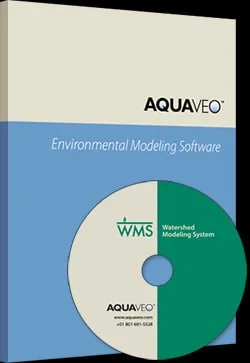
Aquaveo Watershed Modeling System (WMS) 11.3.7 is an advanced, comprehensive software environment for surface water hydrology and hydraulics. Developed by Aquaveo, a recognized authority in water resources engineering, WMS 11.3.7 integrates GIS data processing with industry-standard hydrologic models.
Civil engineers, hydrologists, and environmental consultants use this software to perform automated watershed delineation, rainfall-runoff simulation, and floodplain mapping. Unlike basic GIS tools or standalone computation engines, WMS functions as a complete hydrologic analysis workspace. It transforms raw spatial data—such as digital elevation models (DEMs) and LiDAR point clouds—into actionable watershed models with minimal manual intervention.
By bridging the gap between terrain preprocessing and result visualization, Aquaveo WMS empowers professionals to make defensible decisions for infrastructure projects, regulatory compliance (including FEMA flood studies), and environmental impact assessments.
Key Features
Aquaveo WMS 11.3.7 provides a deep toolkit for professional-grade hydrologic analysis. Its capabilities extend from basic runoff calculation to complex multi-scenario modeling.
Automated Watershed Delineation
Convert raw terrain data (DEMs, TINs, contour data) into accurate watershed boundaries, sub-basins, and stream networks. The software employs advanced flow direction and flow accumulation algorithms to ensure precision, even in flat or complex terrain.
Integrated Hydrologic & Hydraulic Modeling
Run and manage data for numerous industry-standard models within a single interface:
-
HEC-HMS and HEC-1 for rainfall-runoff simulation
-
TR-20, TR-55, and the Rational Method for peak discharge and hydrograph generation
-
HEC-RAS integration for hydraulic profiling and floodplain mapping
GIS-Based Terrain Processing
Go beyond basic delineation. Perform land use and soil overlay analysis to calculate critical parameters directly from spatial data:
-
SCS Curve Numbers (CN)
-
Time of concentration
-
Infiltration rates (Green & Ampt, Horton)
-
Manning’s roughness coefficients
Stormwater Design & Analysis
Model detention pond sizing, culvert hydraulics, and bridge scour. Simulate pre- and post-development conditions to evaluate the impact of land use changes on stormwater runoff and ensure compliance with local drainage regulations.
2D Surface Water Visualization
Move beyond abstract graphs. Visualize flood extents, flow paths, and water surface elevations directly on a 2D map or overlaid on terrain models. This feature improves stakeholder communication and project validation.
Scenario Manager
Efficiently compare multiple design scenarios—different rainfall return periods (10-year, 100-year), land use conditions, or mitigation strategies—to assess their impact and select the optimal solution.
What’s New in Version 11.3.7
Version 11.3.7 builds on the robust foundation of the WMS platform with key refinements that enhance stability and usability for demanding engineering workflows.
-
Enhanced HEC-RAS Integration: Improved tools for importing and exporting geometry and flow data between WMS and the latest HEC-RAS versions, facilitating a smoother transition from watershed runoff to river hydraulics.
-
Refined Terrain Data Tools: Updates to the automated delineation engine for better handling of large, high-resolution LiDAR datasets. Users experience faster processing times and more accurate stream definition in flat or complex terrain.
-
Improved Graphical Performance: Optimizations in the 2D and 3D visualization engine provide smoother panning, zooming, and rendering of large models—even on complex watersheds with high-resolution data.
-
Bug Fixes and Stability Enhancements: As a maintenance release, 11.3.7 resolves minor issues reported by professional users, ensuring a more reliable and predictable modeling experience.
System Requirements
To run Aquaveo WMS 11.3.7 effectively—especially for large-scale projects with high-resolution DEMs or LiDAR data—your workstation should meet or exceed the following specifications.
| Component | Minimum Requirement | Recommended |
|---|---|---|
| Operating System | 64-bit Windows 10 | 64-bit Windows 11 |
| Processor | Multi-core Intel Core i5 | Multi-core Intel Core i7 or Xeon |
| Memory (RAM) | 8 GB | 16 GB or more |
| Graphics Card | 1 GB VRAM, OpenGL 3.0+ | Dedicated GPU with 4 GB+ VRAM |
| Storage | 2 GB free space | SSD with 5 GB+ free space |
| Display | 1440 x 900 resolution | 1920 x 1080 or higher |
Note: For complex multi-scenario models or large LiDAR datasets, 32 GB of RAM is strongly recommended.
Installation Guide
Installing Aquaveo WMS 11.3.7 is a straightforward process. You must obtain the software only from official sources to ensure security, compliance, and access to technical support.
-
Obtain Official Software: Visit the official Aquaveo website or an authorized reseller to purchase a license or download a free trial.
-
Run Installer: Locate the downloaded executable file (e.g.,
WMS_11.3.7_Setup.exe), right-click it, and select “Run as Administrator” to ensure proper installation of all components. -
Follow Prompts: The installation wizard will guide you. Accept the license agreement and choose your installation directory (default:
C:\Program Files\WMS11.3.7). -
Complete Installation: Once files are copied, restart your computer if prompted.
-
License Activation: Upon first launch, enter your license information (serial number) or select the trial option to begin using the software.
How to Use the Software (Basic Workflow)
While WMS is a deep program, its core workflow follows a logical, step-by-step process for watershed analysis.
-
Import Terrain Data: Begin by importing a Digital Elevation Model (DEM) into your project (File → Open). This is the foundation of your model.
-
Delineate the Watershed: Use the Terrain Data module to compute flow directions and accumulations. Define an outlet point on the stream network. WMS automatically generates the upstream watershed boundary and sub-basin delineation.
-
Assign Hydrologic Parameters: Switch to the Map module. Use GIS tools to overlay land use and soil type maps. WMS computes key parameters like the SCS Curve Number for each sub-basin.
-
Build the Hydrologic Model: Go to the WMS module. Select your chosen model (e.g., HEC-HMS). Define rainfall events (e.g., a 100-year, 24-hour storm) using IDF curves or user-specified hyetographs.
-
Run the Simulation: Execute the model to generate runoff hydrographs for each sub-basin and at the main watershed outlet. The software computes peak discharge, runoff volume, and time to peak.
-
Visualize and Export Results: View resulting hydrographs graphically. For hydraulic analysis, export peak flows to HEC-RAS or visualize flood extents directly within WMS.
Best Use Cases
Aquaveo WMS 11.3.7 adapts to specific, high-stakes engineering challenges rather than being a one-size-fits-all tool.
-
Urban Stormwater Master Planning: Model new development impacts, design regional detention facilities, and size culverts under various storm events (10-year, 25-year, 100-year).
-
Floodplain Mapping and Risk Assessment: Use FEMA-approved models (HEC-HMS, HEC-RAS) within WMS to generate accurate flood boundaries for regulatory maps and risk mitigation studies.
-
Transportation Hydrology: Design drainage systems for highways and railways. Calculate peak flows for culverts and bridges at stream crossings to ensure infrastructure resilience.
-
Dam Break Analysis: Simulate dam failure to generate an inflow hydrograph for downstream river modeling, supporting emergency action plans and inundation maps.
-
Environmental Impact Studies: Assess how land use changes (deforestation, agriculture, urbanization) affect watershed hydrology, including water quality and sediment transport potential.
Advantages and Limitations
Understanding the pros and cons helps professionals decide when and how to best deploy WMS in their workflow.
Advantages
-
Unified Environment: Eliminates “swivel-chair” integration of GIS, hydrology, and hydraulics, saving time and reducing data transfer errors.
-
Automation: Automated parameter extraction (Curve Number, time of concentration) from spatial data is a massive time-saver and ensures consistency.
-
Multi-Model Support: Run numerous industry-standard models (HEC-HMS, TR-55, Rational Method) from a single interface—ideal for projects with varying regulatory requirements.
-
Strong Visualization: Graphical outputs and terrain overlays make it easier to validate models and communicate results to non-technical stakeholders.
Limitations
-
Learning Curve: The depth of features requires significant initial training for new users.
-
Licensing Cost: As professional-grade software, the licensing cost can be a barrier for very small firms or individual students (though academic versions are often available at reduced rates).
-
System Resource Intensity: Large, high-resolution models (especially with LiDAR) require a powerful workstation to run efficiently.
Alternatives to the Software
While WMS is a leader in watershed modeling, other tools exist depending on project scope, budget, and specific workflow requirements.
| Software | Best For | Key Difference from WMS |
|---|---|---|
| PCSWMM | Urban drainage networks, water quality, green infrastructure | Stronger for EPA SWMM modeling; less emphasis on natural watershed delineation |
| HEC-HMS (Standalone) | Free, pure rainfall-runoff calculation | No built-in GIS preprocessing; requires separate software for terrain analysis |
| ArcGIS with Spatial Analyst | Organizations deeply invested in Esri ecosystem | Can perform delineation but cannot run integrated models like HEC-HMS |
| TUFLOW | High-resolution 2D flood modeling in complex urban/coastal areas | Often used with WMS (WMS provides the hydrology, TUFLOW does hydraulics) |
Frequently Asked Questions
1. What is the primary difference between Aquaveo WMS and HEC-HMS?
WMS is a comprehensive modeling environment that acts as a pre-processor, interface, and post-processor for models like HEC-HMS. HEC-HMS focuses only on rainfall-runoff calculations; WMS provides the tools to delineate the watershed from a DEM and visualize results—tasks you would need separate GIS software for if using HEC-HMS alone.
2. Is Aquaveo WMS suitable for FEMA flood mapping studies?
Yes. Because WMS seamlessly integrates with FEMA-approved hydraulic and hydrologic models (HEC-HMS and HEC-RAS), it is an excellent tool for developing the core hydrology required for flood insurance studies and map revisions.
3. Can I use LiDAR data directly in Aquaveo WMS 11.3.7?
Absolutely. WMS is designed to work with high-resolution LiDAR data in formats such as LAS and LAZ. Its terrain processing tools are optimized to handle these large datasets for precise watershed delineation and parameter extraction.
4. What file formats does Aquaveo WMS support?
WMS supports a wide range of formats, including:
-
GIS/CAD: Shapefile, GeoPackage, GeoTIFF, DEM, DXF, DWG
-
Hydrologic model files: HEC-HMS (.hms), HEC-1, TR-20, TR-55
-
Images: JPEG, PNG, TIFF
-
Native format:
.wmsproject files
5. Do I need to be a programming expert to use Aquaveo WMS?
No. WMS is a graphical user interface (GUI)-based application. It is designed for engineers and hydrologists who want to apply their expertise through visual tools, not through coding. All model building, simulation, and analysis are done through menus, dialogs, and on-screen interaction.
6. Is technical support available for Aquaveo WMS?
Yes. As a commercial software package, Aquaveo provides technical support to licensed users. They also offer extensive documentation, video tutorials, and paid training courses for beginners and advanced users.
7. Where can I legally download Aquaveo WMS 11.3.7?
To ensure you have a secure, legal, and fully functional version, download the software directly from the official Aquaveo website (aquaveo.com). This guarantees a clean installer, access to updates, and eligibility for technical support. No other distribution channels are authorized.
8. Is there a free trial available for WMS 11.3.7?
Yes. Aquaveo offers a fully functional trial version of WMS for a limited period. Visit the official Aquaveo website to request a trial license. The trial allows you to evaluate all features before making a purchasing decision.
Final Thoughts
Aquaveo Watershed Modeling System (WMS) v11.3.7 remains a cornerstone technology for professionals serious about hydrologic analysis and stormwater management. Its primary strength is not just in performing calculations, but in integrating the entire modeling workflow—from raw terrain data to final regulatory reports—into a single, cohesive, and visual environment.
For civil engineers designing resilient infrastructure, hydrologists assessing flood risk, or environmental consultants evaluating land-use impacts, WMS offers the depth, accuracy, and efficiency required for modern projects. By automating tedious tasks and connecting to established industry models (HEC-HMS, TR-55, Rational Method), it allows you to focus less on data wrangling and more on engineering judgment and sound watershed management.
Acquiring a legitimate license of Aquaveo WMS 11.3.7 is an investment in precision and workflow integrity for any organization dedicated to responsible water resource engineering. Always download from official channels to ensure compliance, security, and full technical support.
Our Paid Service
Looking for full-version software without limitations? You’re in the right place. Instead of wasting time on unreliable or outdated sources, unlock a powerful bundle of 10k+ premium tools covering marketing, SEO, broadcasting, automation, and business productivity — all in one place at an affordable price. This collection is specially curated for freelancers, agencies, and business owners who want fast, real results with professional tools.
Direct contact: Telegram ID:
Join Us For Update Telegram Group :
Join Us For Updated WhatsApp group:
You Can test through AnyDesk before Buying,
And When You Are Satisfied, Then Buy It.
Unlimited PCs/Users.
Join today and upgrade your workflow with premium tools.