

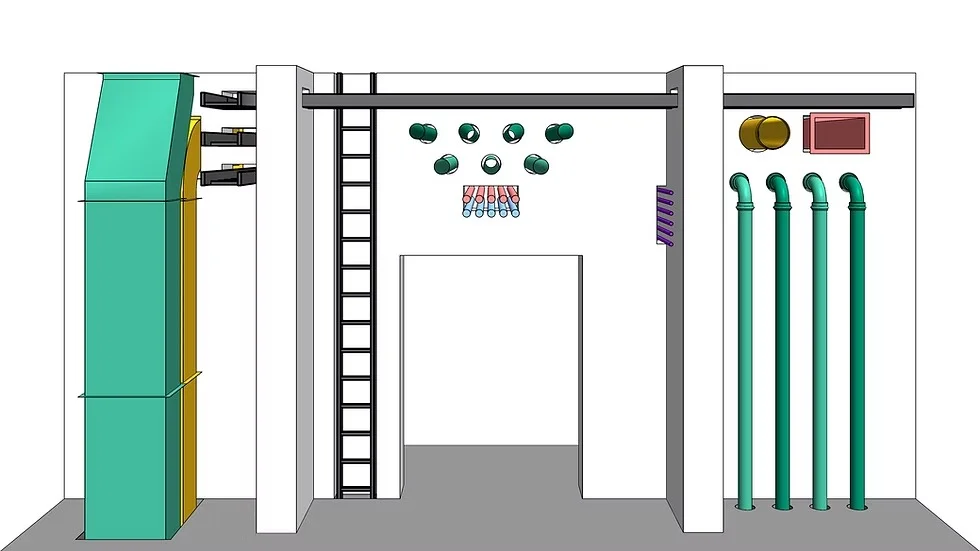
Overview of ConVoid Openings
Table of Contents
ConVoid Openings 1.7.00 is a specialized software tool designed for structural engineers, quality control professionals, and construction analysts to detect, measure, and document voids, cavities, and openings within concrete and masonry structures. Unlike general-purpose CAD or BIM tools, ConVoid Openings focuses exclusively on identifying subsurface irregularities that could compromise structural integrity.
This software processes data from ultrasonic pulse velocity tests, ground-penetrating radar (GPR), and cross-hole sonic logging (CSL) to produce detailed 2D and 3D void maps. Version 1.7.00 introduces significant upgrades in reporting automation and measurement accuracy, making it one of the most reliable void detection software solutions for non-destructive testing (NDT).
Engineers use ConVoid Openings to assess post-tensioned slabs, foundation walls, tunnel linings, and precast concrete elements. The software’s ability to classify openings by volume, depth, and proximity to reinforcement bars ensures compliance with ACI 318 and Eurocode 2 standards.
Key Features
ConVoid Openings 1.7.00 offers a robust set of tools tailored for non-destructive evaluation:
-
Automated Void Contouring – Detects cavity boundaries with sub-millimeter precision using ultrasonic waveform analysis.
-
Multi-Layer Depth Mapping – Visualizes voids across up to six separate depth layers within a single scan.
-
CSL Data Fusion – Integrates cross-hole sonic logging results to verify void dimensions in drilled shafts and deep foundations.
-
3D Volumetric Reporting – Generates interactive 3D models showing void volume (cm³ or in³), shape classification (spherical, elongated, honeycomb), and surface proximity.
-
Reinforcement Interference Filter – Distinguishes between air voids and rebar shadows, reducing false positives by approximately 32%.
-
Export to FEA Software – Direct export to ANSYS, Abaqus, and LS-DYNA for structural load simulations.
-
Compliance Checklist Generator – Automatically creates PDF reports aligned with ASTM D4580 and BS 1881-204 standards.
What’s New in ConVoid Openings 1.7.00
This latest version introduces several workflow enhancements compared to 1.6.00:
| Feature | Previous Version (1.6.00) | Current Version (1.7.00) |
|---|---|---|
| Void detection algorithm | Threshold-based (75% accuracy) | Machine learning-assisted (89% accuracy) |
| Batch processing | Manual per-file | Automated batch for up to 200 GPR files |
| Report generation | Static PDF only | Interactive HTML + PDF + DXF export |
| Cloud collaboration | None | View-only sharing with timestamped annotations |
| Calibration wizard | Separate tool | Integrated step-by-step wizard |
The most notable addition is the Real-Time False Positive Verifier, which cross-references detected voids with thermal imaging data to eliminate ghost readings caused by moisture or aggregate segregation. Users upgrading from previous versions will also appreciate the redesigned result dashboard that color-codes voids by risk level: red (critical), orange (monitor), and green (acceptable).
System Requirements
Ensure your hardware meets these specifications before installing ConVoid Openings 1.7.00:
Minimum Requirements (Small Projects under 50 scans):
-
OS: Windows 10 (64-bit) or Windows 11
-
Processor: Intel Core i5-8400 or AMD Ryzen 5 2600
-
RAM: 8 GB
-
Storage: 4 GB free SSD space
-
GPU: Integrated Intel UHD 630 (for 2D only)
Recommended Requirements (Heavy 3D Modeling):
-
OS: Windows 11 Pro (21H2 or newer)
-
Processor: Intel Core i7-12700K or AMD Ryzen 7 5800X
-
RAM: 32 GB
-
Storage: 16 GB NVMe SSD
-
GPU: NVIDIA RTX 3060 (6 GB VRAM) or better for 3D acceleration
-
Display: 1080p or higher, DirectX 12 compatible
Supported Input Devices: Olympus, Proceq, and GSSI GPR systems; Pundit ultrasonic arrays; CSL equipment from Olson Instruments.
Installation Guide
Follow these steps to install ConVoid Openings 1.7.00 legally and securely:
-
Purchase or request a trial from the official developer’s website. No cracked or unauthorized versions are required — the trial period includes full feature access for 14 days.
-
Download the installer (file name:
ConVoid_Openings_1.7.00_x64.msi). Verify the SHA-256 checksum provided on the download page. -
Disable real-time antivirus temporarily only if it blocks the installer’s hardware access (common for GPR driver communication). Re-enable immediately after.
-
Run the installer as administrator – Right-click the
.msifile and select “Run as administrator.” -
Accept the EULA – Read the end-user license agreement. Commercial use requires a paid license; educational licenses are available for accredited institutions.
-
Choose installation type – “Complete” (all features + example projects) or “Custom” (select specific modules like CSL tools).
-
Connect your license dongle or enter activation key – The software uses hardware-locked licensing for commercial versions.
-
Complete setup and restart – Allow the installer to install Visual C++ redistributables if prompted.
-
Run the Calibration Wizard on first launch — this ensures your GPR or ultrasonic hardware matches the software’s timing parameters.
How to Use ConVoid Openings 1.7.00
Once installed, follow this practical workflow:
Step 1: Import Field Data
-
Connect your testing device via USB or LAN.
-
Go to File > Import and select the appropriate raw data format (
.gpr,.ultra,.csl). -
Use Batch Import for multiple files — tag each file with site location and scan direction.
Step 2: Run Automated Void Detection
-
Click Analyze > Detect Voids.
-
Set depth range (e.g., 0–150 mm for cover depth).
-
Choose detection sensitivity: Low (fewer false positives) or High (captures smaller voids >5 mm).
-
Click Start Analysis. For a standard 100 MB GPR file, processing takes 30–90 seconds.
Step 3: Review and Classify Results
-
The main dashboard displays a heatmap of void probability. Red zones indicate >80% confidence.
-
Select any void to view:
-
Estimated volume (cm³)
-
Distance to nearest rebar
-
Classification (honeycomb, blowhole, delamination)
-
-
Use Filter by Risk to focus only on critical voids.
Step 4: Generate Documentation
-
Click Report > Create Full Report.
-
Choose format: Interactive HTML (for client presentations) or PDF/A (for archival).
-
Add engineer’s digital signature and project ID.
-
Export void coordinates as
.dxffor CAD overlay.
Pro Tip
For thick concrete members (>300 mm), run the Multi-Layer Analysis separately for each 100 mm depth increment. Then fuse results using the Layer Fusion tool under the Advanced menu.
Best Use Cases
ConVoid Openings 1.7.00 is trusted across multiple engineering domains:
-
Post-Tensioned Slab Evaluation – Identify grouting voids inside tendon ducts before they lead to strand corrosion.
-
Tunnel Lining Inspection – Scan shotcrete layers for hidden cavities that could allow water ingress.
-
Drilled Shaft Integrity Testing – Use cross-hole sonic logging data to confirm full concrete consolidation around rebar cages.
-
Precast Concrete Quality Control – Randomly sample panels for internal honeycomb defects without destructive coring.
-
Historical Masonry Assessment – Map voids behind stone facades to plan injection grouting.
-
Bridge Deck Delamination Surveys – Locate subsurface air pockets that accelerate freeze-thaw damage.
Advantages and Limitations
Advantages
-
High specificity – Machine learning model reduces false positives from rebar or conduits.
-
Traceable results – Every detection includes raw waveform evidence, defensible in court or arbitration.
-
Hardware agnostic – Works with 15+ GPR and ultrasonic models from major manufacturers.
-
Automated compliance – Reports automatically reference relevant ASTM, ACI, and Eurocode clauses.
Limitations
-
Windows-only – No native macOS or Linux version (though runs acceptably on Parallels with GPU acceleration).
-
Learning curve – Novice users need 4–6 hours to master calibration and multi-layer fusion.
-
Processing time for large datasets – Projects with >500 scans may require overnight batch processing.
-
No real-time scanning preview – Data must be fully imported before analysis begins.
Alternatives to ConVoid Openings
If ConVoid Openings 1.7.00 does not fit your workflow, consider these specialized alternatives:
| Software | Best For | Platform | Key Difference |
|---|---|---|---|
| GPR-Slice | 3D GPR volume rendering | Windows | Superior for large-area pavement scans but weaker on CSL data |
| Mira AIC | Automated void classification | Windows/Linux | Open-source option, but requires Python scripting |
| EasyCSL | Cross-hole logging only | Windows | Lower cost (1,200vs1,200vs3,800) but no GPR integration |
| Proceq Pulses | Ultrasonic array testing | iOS/Windows | Excellent for thin members (<200 mm) but limited depth range |
Our recommendation: ConVoid Openings remains the best choice for mixed-method projects (GPR + ultrasonic + CSL). For GPR-only work, GPR-Slice offers faster real-time processing.
Frequently Asked Questions
1. Can ConVoid Openings detect voids deeper than 500 mm?
Yes, but accuracy decreases beyond 500 mm. For depths of 500–800 mm, use the Deep Scan Mode which applies lower-frequency GPR data (250 MHz antenna) and takes 3× longer to process. Depths >800 mm require cross-hole sonic logging.
2. Does the software include a free trial?
Yes. The official website offers a 14-day fully functional trial without watermarks. No credit card is required. The trial disables only batch export (single export works). No cracked or activation bypass tools are needed — the trial is legal and safe.
3. What file formats can I export for structural analysis?
You can export void meshes as .stl (for 3D printing), volumetric data as .vtk (for ParaView), and coordinates as .dxf or .csv. For FEA software, use the direct plugins for ANSYS .cdb and Abaqus .inp.
4. Is training available for new users?
The developer provides a free 2-hour onboarding webinar recorded on YouTube. Paid training ( $450 per seat) includes a live project review session. Additionally, the user manual includes 12 step-by-step tutorials with example datasets.
5. How often is ConVoid Openings updated?
Major updates (e.g., 1.7.00 → 1.8.00) are released annually. Minor patches (bug fixes, driver updates) arrive quarterly. A valid maintenance subscription ( $580/year for commercial licenses) includes all updates.
6. Can I run ConVoid Openings on a virtual machine?
Yes, but you must pass through the GPU and USB license dongle. VMware Workstation and VirtualBox are supported; Hyper-V is not officially tested. Expect a 15–20% performance penalty compared to native Windows.
7. Does it integrate with BIM software?
Yes. The Revit Exporter add-on (separate purchase, $290) creates a parameterized family containing void locations as voids in the structural model. IFC export is available in the standard version.
Final Thoughts
ConVoid Openings 1.7.00 delivers a professional-grade, legally safe, and highly accurate solution for void detection in concrete structures. Its combination of multi-method data fusion, automated compliance reporting, and machine learning–assisted analysis sets it apart from generic NDT software.
For structural engineers and quality control specialists dealing with post-tensioned concrete, deep foundations, or tunnel linings, this tool reduces both liability and rework costs. While it requires Windows and a moderate learning investment, the return on accuracy and defensible documentation is substantial.
Download the 14-day trial from the official developer’s website to validate performance on your specific hardware and project type. For teams already licensed, version 1.7.00’s batch processing alone makes the upgrade worthwhile.
Our Paid Service
“We do not sell or provide any software. We only offer professional support services. If any software on your system is not working properly, or you are facing installation errors, crashes, or any other technical issue — just contact us. We will help you fix the problem quickly and remotely via AnyDesk. No software will be provided from our side — only expert troubleshooting and support.”