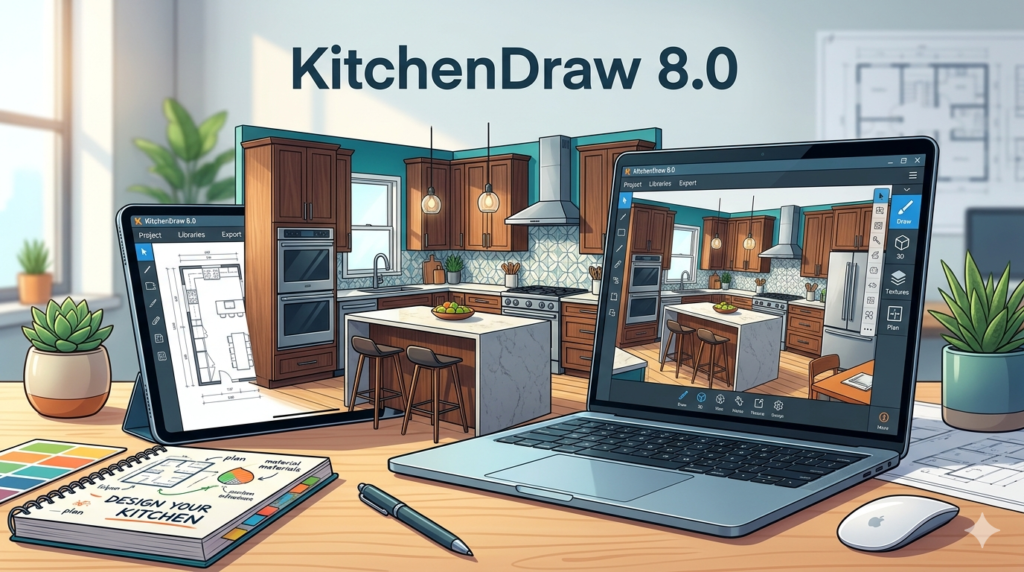

KitchenDraw 8.0 is a specialized CAD software solution developed by Encore Software for professional kitchen designers, interior architects, and carpentry workshops. Unlike generic design tools, version 8.0 focuses exclusively on parametric cabinet design, photorealistic 3D rendering, and precise cutting list generation for the woodworking industry.
Overview of KitchenDraw 8.0
Table of Contents
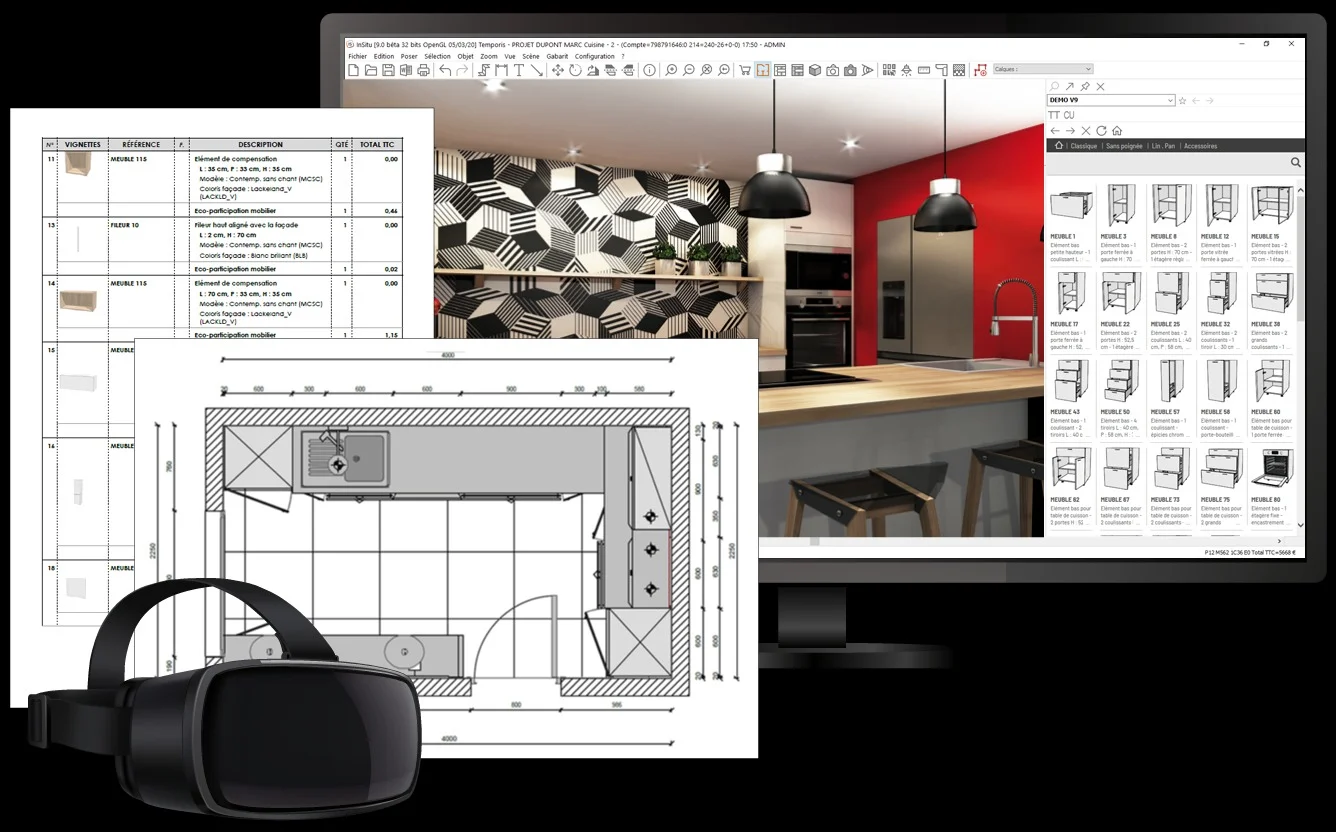
KitchenDraw 8.0 serves as a bridge between a creative design concept and the manufacturing floor. The software allows users to drag-and-drop pre-configured cabinet modules, appliances, and fixtures into a virtual space, automatically generating technical drawings and material reports.
This version is widely adopted by small-to-medium cabinetry shops because it reduces the gap between client approval and CNC (Computer Numerical Control) machine output. While it lacks the architectural scope of AutoCAD or SketchUp, it offers superior automation for kitchen-specific objects like corner carousels, hoods, and sink cutouts.
Key Features
The utility of KitchenDraw 8.0 lies in its industry-specific toolset. Below are the core features that define the software:
-
Parametric Cabinet Library: Access a database of modular base, wall, and tall cabinets that automatically resize while maintaining structural integrity.
-
Photorealistic RayTracing: Generate high-definition renderings with realistic shadows, reflections, and material textures (laminate, wood, marble) to present to clients.
-
Automatic Cutting List: Export a detailed list of panel dimensions, edge banding requirements, and hardware counts directly to CSV or Excel formats.
-
2D & 3D Simultaneous Editing: Modify the floor plan in orthographic 2D while seeing real-time updates in the 3D perspective view.
-
Material Cost Estimator: Link material libraries to local supplier pricing to generate instant budget quotes for clients.
-
CNC Export: Output files to standard formats (DXF, NC) for compatibility with Biesse, Homag, and SCM woodworking routers.
What’s New in Version 8.0
Compared to legacy versions (7.x), KitchenDraw 8.0 introduced significant performance upgrades and cloud integration:
-
64-bit Architecture: Removes the previous 2GB RAM limit, allowing for the design of full-home projects (kitchen, laundry, bathroom) without crashing.
-
Real-Time Tracker: A new rendering engine that provides instant feedback when changing lighting or materials, reducing wait times for previews.
-
Cloud Material Sync: Users can now download new texture packs (stone, metal, glass) directly from the Encore server without reinstalling the software.
-
Enhanced IFC Interoperability: Improved import/export filters for BIM software like Revit and ArchiCAD, allowing kitchen models to be placed into larger building projects.
System Requirements
To operate KitchenDraw 8.0 smoothly, especially for high-resolution rendering, your workstation should meet the following specifications:
| Component | Minimum Requirement | Recommended Requirement |
|---|---|---|
| OS | Windows 10 (64-bit) | Windows 11 Pro (64-bit) |
| CPU | Intel Core i5 (8th Gen) | Intel Core i7 / AMD Ryzen 7 |
| RAM | 8 GB | 16 GB or 32 GB |
| GPU | 2 GB VRAM (OpenGL 4.5) | NVIDIA RTX 3060 (4 GB VRAM) |
| Storage | 10 GB HDD | 20 GB SSD (for asset caching) |
| Display | 1920 x 1080 | 3840 x 2160 (Dual monitors) |
Installation Guide
Installing KitchenDraw 8.0 requires a legitimate license key provided by Encore Software or an authorized distributor. Follow this legal installation path:
Step 1: Download the installer from the official Encore Software customer portal.
Step 2: Disable real-time antivirus temporarily (false positives on CAD file writers occur often).
Step 3: Run KitchenDraw_8.0_Setup.exe as Administrator.
Step 4: Enter your Serial Number and Activation Code found in your purchase email.
Step 5: Select “Full Installation” (includes all texture libraries and CNC post-processors).
Step 6: Launch the software and verify the license via online activation (or offline file generation for workshop PCs without internet).
Note: The software uses a hardware-locked license. If you change your motherboard or CPU, you must deactivate the license from the old machine first.
How to Use the Software
For new users transitioning from 2D drawing boards, here is a standard workflow for a basic kitchen layout:
-
Set the Room Dimensions: Go to Project > Room Settings. Input the length, width, and height of the kitchen. Add windows and doors using the “Opening” tool.
-
Place Plumbing Zones: Use the “Hotspot” tool to mark where the sink and dishwasher will connect to water supply.
-
Build the Base Run: Drag “Base Cabinet – 600mm” from the library to the wall. The software will magnetically snap to the wall. Use the “Duplicate” function to fill the row.
-
Manage Corners: Delete the corner cabinet and replace it with the “Blind Corner” or “Lazy Susan” module from the specialist folder.
-
Apply Finishes: Select all cabinets, right-click, choose Properties > Material. Assign “Matte White Laminate” for the body and “Oak Veneer” for the doors.
-
Generate Output: Click Export > Cutting List. Select “Group by Material” to optimize sheet cutting waste.
Best Use Cases
While marketed as kitchen software, professionals use KitchenDraw 8.0 effectively in several adjacent niches:
-
Residential Cabinetry: Wardrobes, home office built-ins, and media centers.
-
Bathroom Vanities: Designing wet zones with moisture-resistant MDF.
-
Garage Storage Systems: Building heavy-duty shelving and tool cabinets.
-
Retail Displays: Designing modular shelving for clothing or electronics stores.
-
Client Approval Visuals: Creating 4K walkthrough videos for real estate staging.
Advantages and Limitations
Advantages
-
Industry-Specific: Handles edge banding and dowel holes better than general CAD software.
-
Speed: Rendering a standard 15-cabinet kitchen takes under 4 seconds on a modern GPU.
-
Error Reduction: Automatic collision detection prevents drawer fronts from hitting handles.
-
Support for Imperial/Metric: Seamless switching between mm, cm, and inches.
Limitations
-
Steep Learning Curve for Rendering: The lighting engine requires manual placement of virtual light emitters; no “auto-weather” option exists.
-
Outdated UI: The interface looks similar to early 2010s software, lacking dark mode or ribbon menus.
-
No Mac or Linux Support: Strictly Windows only; no cloud version available.
-
Limited Freeform Modeling: You cannot easily create curved or organic shaped cabinets without importing external DXF files.
Alternatives to KitchenDraw 8.0
Depending on your budget and workflow, consider these legitimate alternatives:
| Software | Best For | Platform | Key Difference |
|---|---|---|---|
| SketchUp Pro | Organic shapes & 3D printing | Win/Mac | Requires plugins (e.g., Profile Builder) for cut lists. |
| 2020 Design Live | Large retail showrooms | Win/Cloud | Better for direct POS (Point of Sale) integration. |
| PolyBoard | Nested-based optimization | Win | Superior for reducing plywood waste, weaker rendering. |
| Fusion 360 | Manufacturing & CNC | Win/Mac | Overkill for kitchens but excellent for custom hardware. |
| Blender (Free) | Photorealistic rendering | Win/Mac/Linux | Free but requires manual furniture modeling (no library). |
Frequently Asked Questions
Is KitchenDraw 8.0 compatible with Windows 11?
Yes. The 64-bit version runs natively on Windows 11. However, users have reported that the “Legacy OpenGL” mode must be enabled for older graphics drivers.
Can I import an AutoCAD floor plan into KitchenDraw?
Yes. Use File > Import > DXF/DWG. Ensure the file is saved in AutoCAD 2013 format or earlier to avoid parser errors.
Does KitchenDraw 8.0 include a pricing module for builders?
Yes. The “Estimator” module allows you to assign cost-per-square-foot to materials and hourly labor rates to installation steps. This generates a final quote for the client.
How do I migrate my library from version 7 to version 8?
Navigate to C:\ProgramData\KitchenDraw\V7\Libraries and copy the .kdl files. Paste them into the V8\Imported folder. You must run the “Library Upgrade Wizard” inside V8 to convert the data structure.
Is there a free trial or educational license?
Encore Software offers a 30-day fully functional trial for commercial evaluation. Educational licenses (for accredited design schools) provide a 12-month renewable key, though watermarked renders are applied.
Can I share a project with a client who doesn’t have the software?
Yes. Export the project as an EXE Viewer file. This standalone executable allows the client to orbit, pan, and zoom the 3D model without installing KitchenDraw.
Final Thoughts
KitchenDraw 8.0 remains a stalwart in the professional cabinetry niche because it solves a specific problem: converting a design into a cut list without manual data entry. While it lacks the cloud-slickness of newer SaaS tools, its reliability for CNC output is unmatched for small to medium workshops.
If you are a professional cabinet maker struggling with manual Excel cutting sheets, or a designer needing fast client renders, version 8.0 is a worthy investment. For organic architecture or freeform furniture, pair it with a general CAD tool.
Our Paid Service
“We do not sell or provide any software. We only offer professional support services. If any software on your system is not working properly, or you are facing installation errors, crashes, or any other technical issue — just contact us. We will help you fix the problem quickly and remotely via AnyDesk. No software will be provided from our side — only expert troubleshooting and support.”