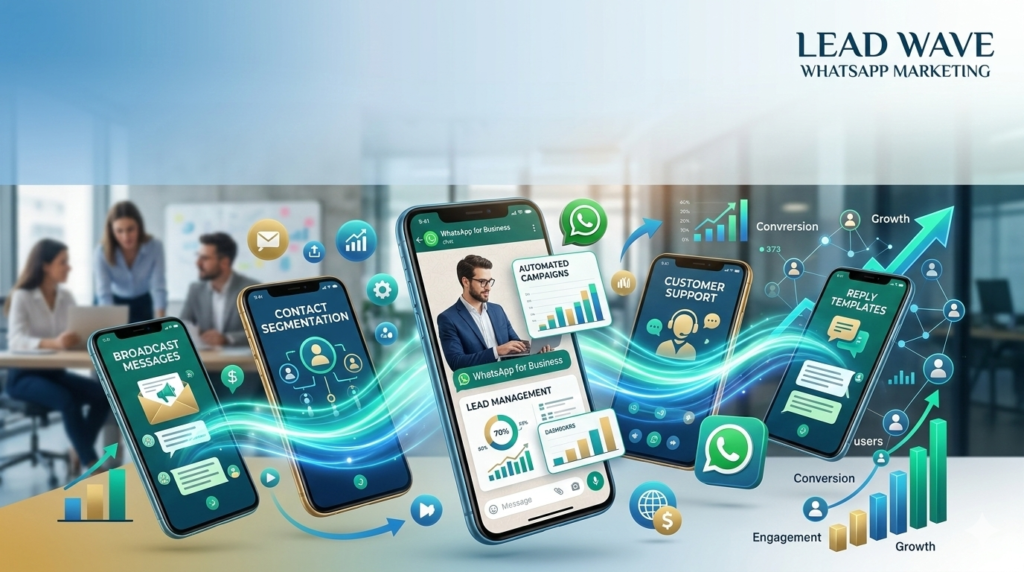


Download the Lead Wave – Whatsapp Marketing – Software for Smart Business Growth 2026 from this link…

Overview of Lead Wave WhatsApp Marketing Software
Table of Contents
In the rapidly evolving landscape of digital communication, WhatsApp has cemented its role as a primary channel for business-to-consumer interaction. Lead Wave is a cloud-based WhatsApp marketing and automation platform designed to help businesses—from small startups to mid-sized enterprises—harness the power of direct messaging for growth. Unlike basic messaging tools, Lead Wave functions as an integrated marketing hub, combining broadcast messaging, structured automation, contact management, and performance analytics into a single, user-friendly dashboard.
The core value proposition of Lead Wave lies in its ability to transform simple WhatsApp chats into scalable, conversational marketing campaigns. By facilitating real-time, two-way communication, the software helps businesses achieve engagement rates that traditional channels like email or SMS often cannot match. It shifts the focus from generic mass communication to personalized, automated conversations that guide leads through a sales funnel, from initial capture to conversion and beyond.
Key Features of Lead Wave
Lead Wave distinguishes itself through a feature set designed for both marketing power and operational simplicity. It moves beyond simple bulk messaging to offer a structured environment for managing complex customer interactions.
-
Visual Automation Flow Builder: Create multi-step, trigger-based messaging sequences using an intuitive drag-and-drop interface. This allows for the design of sophisticated conversational paths without needing to write code.
-
Structured Contact Management: Import, organize, and segment your audience. The platform supports CSV imports, webhook integrations, and form syncs, enabling you to create targeted lists based on user behavior, interests, or campaign source.
-
Keyword-Based Auto-Responders: Set up instant, automated replies triggered by specific keywords from your contacts. This feature is crucial for instant lead qualification, delivering information, and providing 24/7 customer support.
-
Broadcast Messaging with Personalization: Send targeted broadcast messages to segmented lists. Personalization features allow you to dynamically insert contact details into messages, increasing relevance and engagement.
-
Comprehensive Campaign Analytics: Track key performance indicators (KPIs) such as message delivery rates, open rates, click-through rates (CTR), and reply metrics directly from the dashboard. This data is essential for refining campaign strategy and measuring ROI.
-
Template Management for Compliance: Manage and submit WhatsApp message templates for approval within the platform. It provides pre-structured formats for various use cases, ensuring compliance with WhatsApp Business API policies and streamlining the approval process.
-
CRM and Third-Party Integrations: Connect Lead Wave with your existing tech stack. Integrations with CRM systems, e-commerce platforms, payment gateways, and tools like Google Sheets create a seamless flow of data between your marketing channels.
-
Multi-User Access and Role Management: For growing teams, the software allows you to add multiple users with specific permission levels, ensuring secure and organized campaign management.
What’s New in the Latest Version (2026 Update)
The 2026 release of Lead Wave focuses on enhancing automation intelligence and expanding integration capabilities to create a more cohesive marketing ecosystem.
-
Enhanced Chatbot Logic: The drag-and-drop builder now supports conditional logic (if/then branches) and “wait” conditions, allowing for more human-like conversational flows that adapt based on user responses.
-
Advanced Audience Segmentation: New segmentation filters based on user interaction with past campaigns (e.g., “clicked on link in last broadcast,” “did not reply to sequence”) allow for highly targeted re-engagement campaigns.
-
Deeper Ad Channel Integration: Direct routing from Facebook and Google Ads is now more streamlined. Leads generated from ad campaigns can automatically trigger a personalized WhatsApp sequence, drastically reducing response times.
-
Expanded API and Webhook Support: The platform now offers more robust API endpoints and customizable webhook configurations for developers, enabling deeper synchronization with proprietary software and complex business logic.
-
Unified Inbox for Team Collaboration: A new shared team inbox allows multiple agents to view and respond to conversations in real-time, ensuring no customer query is missed and improving support efficiency.
System Requirements for Lead Wave
As a modern SaaS (Software as a Service) platform, Lead Wave is designed for accessibility and minimal local resource usage. All core processing is handled in the cloud, ensuring speed and reliability without taxing your hardware.
-
Supported Operating Systems:
-
Windows (10, 11)
-
macOS (Big Sur and later)
-
Linux-based distributions (via modern browsers)
-
-
Hardware Requirements: A standard computer with at least 4GB of RAM and a dual-core processor is sufficient. No dedicated graphics card or high-end components are needed.
-
Internet Connection: A stable broadband connection (minimum 5 Mbps download/upload) is required for real-time dashboard interaction and media handling.
-
Supported Web Browsers: The platform is optimized for the latest versions of Google Chrome, Mozilla Firefox, and Microsoft Edge.
-
WhatsApp Business API Account: To send messages, you must have access to the official WhatsApp Business API, typically obtained through Lead Wave or an authorized Meta Business Solution Provider. This requires a verified Facebook Business Manager account and a dedicated business phone number.
How to Install and Set Up Lead Wave
Setting up Lead Wave is a straightforward process focused on connecting your WhatsApp API account and configuring your marketing environment.
-
Sign Up for an Account: Visit the official Lead Wave website and choose a subscription plan that fits your business needs. You’ll provide your business details and create your login credentials.
-
Connect Your WhatsApp Business API: This is the most critical step. You will be guided through the process of linking your verified Facebook Business Manager account and connecting your dedicated business phone number to the Lead Wave platform.
-
Configure Account Settings: Set your business profile information, including display name, profile picture, and default language for messages.
-
Import or Add Contacts: Begin populating your audience. You can manually add contacts, upload a CSV file with your existing opt-in list, or integrate a webhook to capture new leads from your website or landing pages automatically. It is crucial to ensure you have obtained explicit consent from all contacts in compliance with anti-spam regulations.
-
Create and Submit Message Templates: For initial outreach or specific notifications, create your message templates within the platform. Submit them for Meta’s approval before you can use them in your campaigns.
-
Build Your First Automation: Use the flow builder to create a simple automation, such as a welcome message for new subscribers or a reply triggered by a specific keyword.
How to Use Lead Wave: A Practical Guide
For a Simple Broadcast Campaign:
-
Segment Your Audience: Go to the “Contacts” section and create a new segment (e.g., “Interested in Product X”).
-
Create Your Message: Navigate to “Broadcasts” and compose your message. Use personalization tags like
{{first_name}}to tailor the content. You can attach images, videos, or PDF documents. -
Schedule or Send: Choose to send the broadcast immediately or schedule it for a future date and time, considering your audience’s time zone.
-
Analyze Performance: After sending, visit the “Analytics” dashboard to view delivery rates, open rates, and click-through rates for any links included in your message.
For an Automated Lead Follow-Up Sequence:
-
Create a New Flow: Open the “Automation” tab and select “New Flow.” Give it a name, such as “New Lead Nurturing.”
-
Set a Trigger: Choose a trigger to start the flow. This could be “New Contact Added,” “Contact Submits a Form,” or “Keyword Received.”
-
Design the Sequence: Drag and drop action blocks onto the canvas. For example:
-
Block 1: Send Message: A personalized welcome message sent immediately.
-
Block 2: Wait Condition: Set a delay of 24 hours.
-
Block 3: Send Message: A follow-up message with a link to a case study or product demo.
-
Block 4: Condition Split: Use conditional logic. If the contact clicked the link, add them to a “Warm Lead” list. If not, add them to a “Re-engagement” list.
-
-
Activate the Flow: Once your sequence is built, click “Activate.” The automation will run in the background, managing leads based on the logic you defined.
Best Use Cases for WhatsApp Marketing Automation
Lead Wave’s versatility makes it applicable across various business functions. Its strength lies in facilitating immediate, personalized communication at scale.
-
E-commerce & Retail: Abandoned cart recovery, order confirmations, shipping updates, and post-purchase follow-ups for reviews or upsells.
-
Real Estate: Automated property alerts based on client preferences, instant replies to listing inquiries, and scheduled reminders for open houses or viewings.
-
Education & Training: Sending course materials, webinar reminders, assignment deadlines, and collecting student feedback through automated surveys.
-
Healthcare & Wellness: Appointment confirmations and reminders, sending pre-consultation forms, and delivering post-appointment care instructions.
-
Event Management: Broadcasting event updates, sending ticket confirmations, answering attendee questions via keyword auto-responders, and post-event engagement.
-
Customer Support: Providing instant answers to FAQs, routing complex queries to human agents, and collecting post-interaction satisfaction ratings.
Advantages and Limitations of Lead Wave
Advantages
-
Superior Engagement: Leverages WhatsApp’s >90% open rate to ensure your marketing messages are seen.
-
Automation at Scale: Replaces manual, repetitive messaging with structured, multi-step sequences that can handle thousands of conversations simultaneously.
-
User-Friendly Interface: Designed for marketers, not just developers, with a visual workflow builder that simplifies complex automation.
-
Cost-Effective Marketing: Reduces reliance on expensive ad spend by maximizing the value of your owned contact database through targeted, low-cost campaigns.
-
Centralized Management: Combines messaging, CRM, analytics, and integrations into one dashboard, eliminating the need to jump between multiple tools.
Limitations
-
API Dependence: Functionality is tied to the official WhatsApp Business API, which requires approval and adherence to Meta’s policies and pricing.
-
Template Approval Time: Message templates, especially promotional ones, can take time to be approved by Meta, which may delay time-sensitive campaigns.
-
Opt-In Requirement: Strict regulations require explicit consent from users to receive marketing messages, which can make database growth slower compared to outbound channels like ads.
-
Feature Set: While robust, it may lack some of the hyper-advanced, enterprise-level AI capabilities found in more expensive, dedicated chatbot platforms.
Top Alternatives to Lead Wave
The Whatsapp Marketing Business API ecosystem is growing. Here are several alternatives businesses might consider based on their specific needs.
-
WATI: A strong competitor also focused on ease of use, offering a shared team inbox, no-code automation, and integrations. It’s a great option for customer support and sales teams.
-
Respond.io: A more versatile platform that unifies messages from WhatsApp, Facebook Messenger, Instagram, and other channels into a single inbox. Ideal for businesses managing multiple messaging apps.
-
Twilio for WhatsApp: A developer-focused platform offering maximum customization and control. Best for companies with in-house development teams that need to build highly specific, integrated solutions.
-
MessageBird: An omnichannel platform that includes WhatsApp, SMS, and voice. It’s suited for businesses looking for a global communication solution with strong API capabilities.
-
ManyChat: While primarily known for Facebook Messenger, ManyChat also offers robust WhatsApp automation with a very popular drag-and-drop builder, making it a good choice for marketers already in its ecosystem.
Frequently Asked Questions
1. Is Lead Wave an official WhatsApp Business Solution Provider?
Lead Wave operates as a platform that integrates with the official WhatsApp Business API. It is typically offered through authorized Meta Business Solution Providers, ensuring full compliance with WhatsApp’s terms of service.
2. Do I need a new phone number to use Lead Wave?
Yes, you will need a dedicated business phone number that is not already registered with WhatsApp on a consumer device. This number will be linked to your WhatsApp Business API account.
3. Can I send bulk marketing messages to any phone number?
No. You can only send messages to contacts who have explicitly opted in to receive communications from your business. Sending unsolicited messages violates WhatsApp’s policies and can lead to account suspension.
4. How long does it take for message templates to be approved?
Approval times can vary. While some templates are approved within a few hours, others can take up to 24-48 hours. Meta reviews templates to ensure they comply with their commerce and business policies. It is best to submit templates well in advance of your campaign.
5. What is the difference between a broadcast and an automation in Lead Wave?
A broadcast is a one-time or scheduled send of a message to a specific audience segment. An automation is a multi-step sequence triggered by a user’s action (e.g., signing up, sending a keyword), allowing for dynamic, interactive conversations over time.
6. Does Lead Wave offer customer support?
Most plans include customer support via email, live chat, or a knowledge base. Premium plans often include dedicated account management and priority support.
7. What kind of analytics does Lead Wave provide?
The platform provides detailed metrics including messages sent, delivered, read, and replied to. It also tracks click-through rates on links and provides data on contact growth and segmentation performance.
8. Can I integrate Lead Wave with my Shopify store?
Yes, Lead Wave offers integrations with major e-commerce platforms like Shopify, WooCommerce, and others. This allows you to automate order confirmations, shipping updates, and abandoned cart recovery sequences directly through WhatsApp.
Final Thoughts on Lead Wave for 2026
Lead Wave positions itself as a practical and powerful solution for businesses ready to move beyond generic marketing and embrace conversational engagement. Its strength lies in its balance of sophisticated automation features and an interface that prioritizes ease of use. For small to mid-sized businesses, this means being able to implement marketing strategies that were once only accessible to enterprises with dedicated technical teams.
By focusing on the official Whatsapp Marketing Business API, Lead Wave ensures its users operate within a compliant, secure, and reliable ecosystem. This is crucial for building long-term, trustworthy relationships with customers. As digital communication becomes increasingly conversational, tools like Lead Wave are no longer just a nice-to-have; they are becoming essential infrastructure for businesses that want to grow by building direct, personal, and scalable connections with their audience. The platform’s 2026 updates reinforce its commitment to this vision, making it a strong contender for any business looking to master WhatsApp marketing.
Premium Software Support Service
If you need professional help with software installation, setup, or technical configuration, our team is available to assist you.
Contact & Support
For quick assistance and latest updates, connect with us using the links below:
🔹 Direct Telegram Support
https://t.me/yourusername
🔹 Official Telegram Updates Group
https://t.me/yourgroup
🔹 WhatsApp Community Group
https://chat.whatsapp.com/yourlink
Service Policy
- Remote testing available through AnyDesk before confirmation.
• Verify the setup and performance before completing the order.
• Support available for single or multiple systems.
• Step-by-step guidance to ensure smooth installation and working environment.
Our goal is to provide reliable technical assistance so your software runs smoothly without interruptions.