
Download the TSplus Remote Access 19.20.3.30 (Secure Remote Desktop & Application Publishing) from this link…

Overview of TSplus Remote Access 19.20.3.30
Table of Contents
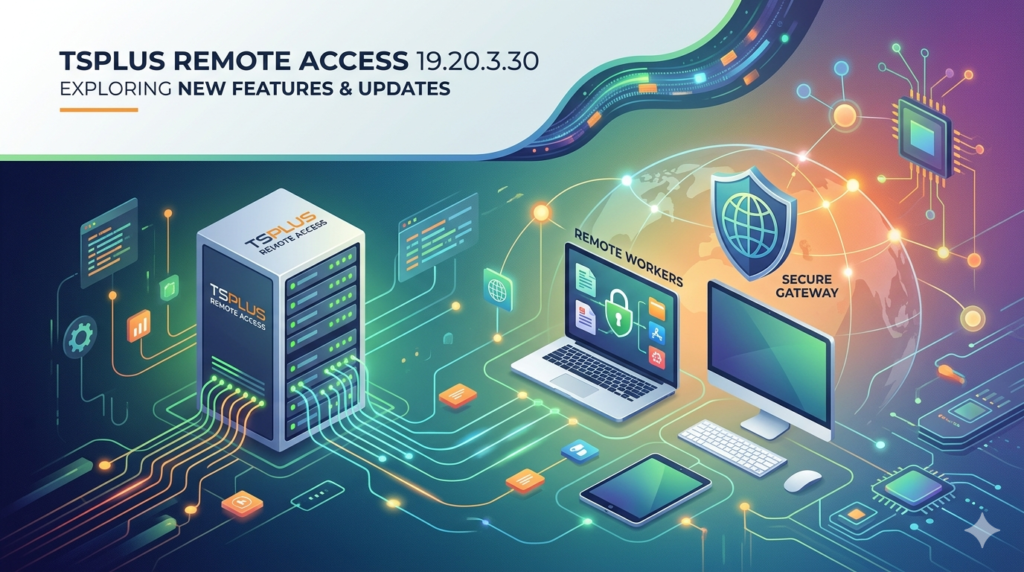
TSplus Remote Access 19.20.3.30 is a robust, cost-effective alternative to traditional Virtual Private Networks (VPNs) and Microsoft Remote Desktop Services (RDS) licensing. This software allows businesses to publish applications and full desktops from a central Windows server to any remote device, including Windows, Mac, Linux, iOS, and Android.
In the modern era of hybrid work, this version focuses on delivering high-performance remote access without the complexity of standard Virtual Desktop Infrastructure (VDI) solutions. Unlike legacy remote desktop tools that require complex firewall configurations, TSplus uses HTML5 web technology to provide instant access via a standard web browser.
Key Features of TSplus Remote Access
TSplus Remote Access 19.20.3.30 is packed with enterprise-grade features designed for small to medium-sized businesses (SMBs) and Managed Service Providers (MSPs).
-
HTML5 Web Portal: Connect to your server from any modern browser (Chrome, Edge, Safari) without installing client software on the endpoint.
-
Remote Application Publishing: Publish specific applications (like QuickBooks, SAP, or custom CRMs) rather than giving access to the entire desktop, enhancing security.
-
Universal Printer & Drive Redirection: Seamlessly map local printers, USB drives, and clipboards to the remote session, ensuring a native user experience.
-
Load Balancing & Clustering: Distribute user sessions across multiple servers to optimize performance and prevent downtime.
-
RDP Security & SSL Encryption: Encrypt all remote connections using standard RDP security layers or custom SSL certificates to meet compliance standards (HIPAA, GDPR).
What’s New in Version 19.20.3.30
This maintenance and feature update focuses on stability and security enhancements.
-
Enhanced Web Gateway: Improved the HTML5 client rendering engine for better support of complex graphics and legacy applications.
-
Performance Optimizations: Reduced memory usage for idle sessions by 15%, allowing more concurrent users per server.
-
Security Patch: Updated OpenSSL dependencies to resolve recent CVEs (Common Vulnerabilities and Exposures), ensuring a secure remote access environment.
-
Windows 11 2024 Update Support: Full compatibility with the latest Windows 11 cumulative updates and Windows Server 2022.
System Requirements for TSplus Remote Access
Before installing version 19.20.3.30, ensure your infrastructure meets these requirements.
Server Side (Host)
-
Operating System: Windows Server 2016, 2019, 2022; Windows 10/11 Pro, Enterprise, or Education.
-
Hardware: 4GB RAM (8GB recommended for 10+ users), Dual-core CPU (Quad-core recommended).
-
Network: Static IP address or Dynamic DNS (DDNS) configured.
Client Side (Access)
-
Web Client: HTML5 browser (Chrome, Firefox, Edge, Safari).
-
Native Client (RDP): Windows Remote Desktop Connection, Mac Microsoft Remote Desktop, or TSplus universal client.
Installation Guide for TSplus Remote Access 19.20.3.30
Follow this step-by-step guide to deploy your remote access server securely.
Step 1: Download the official setup file
Always download version 19.20.3.30 from the official TSplus website to ensure file integrity and legal compliance. Do not use third-party download managers.
Step 2: Run the installer
Right-click the executable and select “Run as Administrator” . Accept the license agreement.
Step 3: Configure the Web Server
During installation, select the default web server port (80 for HTTP, 443 for HTTPS). It is highly recommended to use port 443 with an SSL certificate immediately.
Step 4: Set up Users
Navigate to the TSplus Control Panel > Users & Groups. Select which Active Directory or local Windows users are allowed remote access.
Step 5: Apply your License
Enter your commercial license key. If you are evaluating the software, the 15-day trial starts automatically with full functionality.
How to Use the Software: A Practical Workflow
Once installed, using TSplus is simple for end-users.
-
User connects: The employee opens their browser and navigates to
https://your-server-address:443/tsweb. -
Login: They enter their Windows username and password.
-
Portal view: The HTML5 portal displays icons for the published applications or the remote desktop.
-
Launch: Clicking an icon opens the application within the browser tab, or downloads an RDP file for a native experience.
-
Session management: Users can disconnect without logging off, allowing them to resume work later.
Best Use Cases for TSplus Remote Access
This software excels in specific scenarios where VPNs fail or become too expensive.
-
Legacy Application Modernization: Run an old Windows-only database application on a Chromebook or iPad.
-
Remote Call Centers: Allow home agents to access VoIP softphones and CRM software without full VPN tunnels.
-
Cross-Platform Workflows: Give Linux or macOS users access to Windows-only accounting software seamlessly.
-
Third-Party Vendor Access: Grant temporary, audited access to external vendors without giving them full network access.
Advantages and Limitations
Advantages
-
Cost Efficiency: No need for RDS Client Access Licenses (CALs) or expensive VPN appliances.
-
Ease of Setup: Can be installed and configured in under 15 minutes by an average IT administrator.
-
Accessibility: Works behind strict corporate firewalls that typically block standard RDP port 3389.
Limitations
-
Graphics Intensive: While good for office apps, it is not optimized for heavy 3D rendering or video editing (requires a specialized GPU passthrough setup).
-
Server OS Preferred: While it works on Windows 10/11, for production environments, Windows Server is required for optimal stability and user management.
Alternatives to TSplus Remote Access
Depending on your budget and technical stack, consider these alternatives.
| Feature | TSplus Remote Access | Microsoft RDS | TeamViewer | Apache Guacamole |
|---|---|---|---|---|
| Pricing Model | One-time fee | CAL + Server License | Monthly subscription | Open-source (Free) |
| Best For | SMBs, MSPs | Large Enterprises | Ad-hoc support | Technical DIY teams |
| HTML5 Client | Yes | Yes (with gateway) | Yes | Yes |
| Management | Simple console | Complex (AD required) | Cloud-based | Manual config |
For users needing a zero-configuration solution for external contractors, TeamViewer is easier but more expensive. For large enterprises with dedicated IT staff, Microsoft RDS offers deeper integration.
Frequently Asked Questions (FAQ)
1. Is TSplus Remote Access 19.20.3.30 compatible with Windows 11 Home?
No. Due to Microsoft’s licensing restrictions, Remote Desktop Session Host (RDSH) features require Windows 11 Pro, Enterprise, or Education editions.
2. Can I use TSplus without opening ports on my firewall?
Yes. Version 19.20.3.30 supports the TSplus Relay Server (a paid add-on) which tunnels traffic through a secure gateway, eliminating the need for port forwarding.
3. Does this software require a VPN?
No. TSplus replaces the VPN for application access. It uses HTTPS (port 443) which is already open on most networks, making it more reliable than VPNs on public Wi-Fi.
4. How many concurrent users can this version support?
The software itself has no artificial user limit; however, your Windows Server licensing and hardware (RAM/CPU) dictate the limit. A typical server with 8GB RAM can support 20-30 concurrent users for light office tasks.
5. How do I renew my maintenance plan for version 19.20.3.30?
Software updates are included in the first year of purchase. To renew, log into the official TSplus customer portal and purchase a “Maintenance Renewal” license. Note: Using unauthorized activation methods violates software copyright laws and exposes your network to malware risks.
6. Can I migrate my settings from an older version to 19.20.3.30?
Yes. Use the built-in Backup/Restore tool located in the TSplus Toolbox to export your configuration from the old server and import it into the new installation.
Final Thoughts
TSplus Remote Access 19.20.3.30 represents a mature, secure, and highly accessible solution for businesses seeking to enable remote work without breaking the bank on Microsoft RDS licensing or complex VPN configurations.
For the IT manager juggling legacy systems, or the business owner needing quick access to ERP software from an iPad, TSplus offers the best balance of security (HTTPS/SSL), usability (HTML5), and administrative control. Always ensure you download the software from the official publisher to maintain security compliance and receive legitimate technical support.
Our Paid Service
Looking for full-version software without limitations? You’re in the right place. Instead of wasting time on unreliable or outdated sources, unlock a powerful bundle of 10k+ premium tools covering marketing, SEO, broadcasting, automation, and business productivity — all in one place at an affordable price. This collection is specially curated for freelancers, agencies, and business owners who want fast, real results with professional tools.
Direct contact: Telegram ID :
Join Us For Update Telegram Group :
Join Us For Updated WhatsApp group:
You Can test through AnyDesk before Buying,
And When You Are Satisfied, Then Buy It.
Unlimited PCs/Users.
Join today and upgrade your workflow with premium tools.