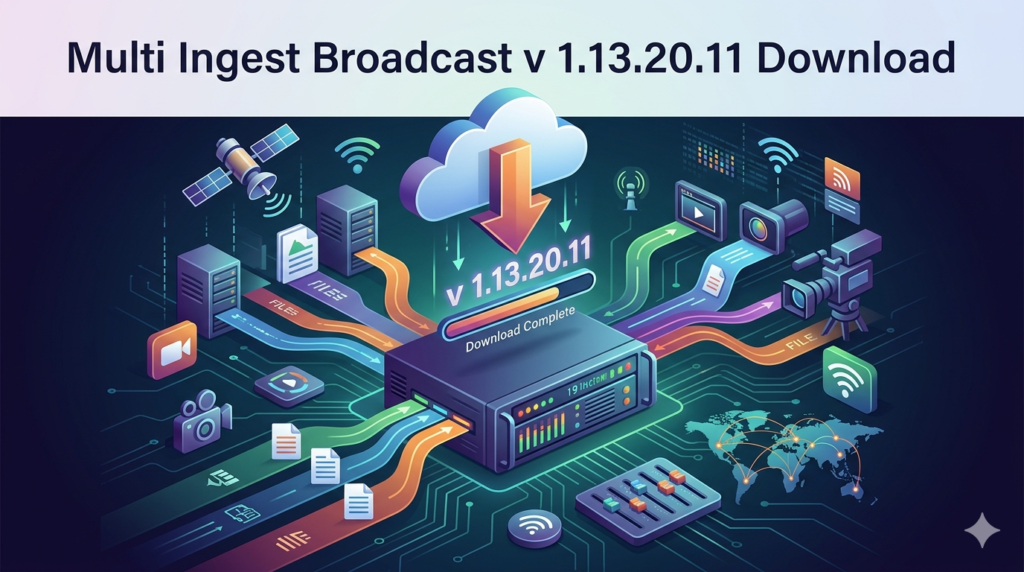


Download the Multi Ingest Broadcast v1.13.20.11 (Centralized Live Streaming & Multi-Platform Distribution) from this link…

Overview of Multi Ingest Broadcast Software
Table of Contents
In the rapidly evolving landscape of digital media production, broadcasters, content creators, and enterprises face a common challenge: delivering high-quality live video to multiple destinations simultaneously without compromising reliability or video fidelity. Multi Ingest Broadcast v1.13.20.11 (MIBS) is a professional-grade software solution designed to solve this challenge by consolidating live video ingest, encoding, and multi-platform distribution into a single, centralized workflow.
Unlike traditional broadcasting setups that require separate encoding hardware or manual stream keys for each platform, MIBS enables users to ingest a single live feed and simultaneously broadcast it to platforms such as YouTube, Facebook Live, Twitch, LinkedIn Live, RTMP-compatible CDNs, and custom streaming servers. This approach saves time, reduces hardware costs, and expands audience reach—making it an essential tool for live event producers, newsrooms, e-learning providers, and corporate communication teams.
This article provides a complete, legally compliant guide to understanding, installing, and optimizing Multi Ingest Broadcast v1.13.20.11 for professional use.
Key Features
Multi Ingest Broadcast v1.13.20.11 includes a robust set of features tailored for reliability and scalability:
-
Multi-Destination Streaming – Push one live input to unlimited RTMP, RTMPS, or SRT destinations simultaneously.
-
Professional Encoding Engine – Hardware-accelerated H.264 and H.265 (HEVC) encoding for optimal bandwidth efficiency.
-
Adaptive Bitrate (ABR) Support – Automatically adjust output quality based on viewer network conditions.
-
Low-Latency Mode – Achieve sub-3-second latency when paired with compatible CDNs or WebRTC outputs.
-
Centralized Dashboard – Monitor all active streams, bitrate usage, frame drops, and audio levels from one interface.
-
Scene Presets & Overlays – Insert logos, lower thirds, countdown timers, and text overlays without external software.
-
Audio Mixing – Independent gain control, noise gating, and multi-track audio routing.
-
Scheduled Broadcasting – Pre-configure start/stop times for recurring live events.
-
Fallback Source Detection – Automatically switch to backup video feed if primary input fails.
What’s New in Version 1.13.20.11
The latest release introduces several enhancements over previous versions:
-
Improved SRT (Secure Reliable Transport) Support – Better packet loss recovery for unstable network environments.
-
Enhanced GPU Utilization – Lower CPU usage on NVIDIA NVENC and AMD VCE hardware.
-
Updated RTMPS Security – Full compliance with updated TLS 1.3 certificates for secure streaming.
-
User Interface Refresh – Dark mode, resizable panels, and a new stream health indicator.
-
Auto-Retry on Disconnect – Automatically reconnects dropped destinations with exponential backoff.
System Requirements
Before installing Multi Ingest Broadcast v1.13.20.11, ensure your system meets the following specifications:
| Component | Minimum Requirement | Recommended |
|---|---|---|
| Operating System | Windows 10 (64-bit) or Ubuntu 20.04 LTS | Windows 11 / macOS 13+ (via compatibility layer) |
| CPU | Intel Core i5 (7th gen) or AMD Ryzen 5 | Intel Core i7 (10th gen+) or AMD Ryzen 7 |
| RAM | 8 GB | 16 GB or higher |
| GPU | DirectX 12 compatible | NVIDIA GTX 1060+ or AMD RX 580+ for encoding |
| Network | 5 Mbps upload per destination | 10+ Mbps upload with bonded connection |
| Storage | 500 MB for installation | SSD with 10 GB for cache/temp recordings |
Installation Guide
Follow these steps to install Multi Ingest Broadcast legally and safely:
-
Download from Official Source
Visit the publisher’s official website or authorized reseller portal. Do not use third-party file sharing sites. -
Verify File Integrity
Compare the downloaded file’s SHA-256 checksum against the value provided on the official download page. -
Run Installer as Administrator (Windows)
Right-click the.exefile and select “Run as administrator” to ensure proper driver installation. -
Accept License Agreement
Read the End User License Agreement (EULA). Accept to proceed. -
Choose Installation Type
-
Typical – Standard install with default encoding presets.
-
Custom – Select components (e.g., virtual audio driver, browser source plugin).
-
-
Complete Activation
Enter your purchased license key. The software will validate online (one-time activation). -
Run First-Time Setup Wizard
Configure default output resolution (e.g., 1920×1080), framerate (30 or 60 fps), and audio bitrate.
How to Use the Software
Adding a Video Source
-
Launch Multi Ingest Broadcast.
-
Click Sources → Add → Video Capture Device.
-
Select your camera or capture card (e.g., Blackmagic DeckLink, Elgato Cam Link).
-
Adjust resolution and framerate to match your source.
Configuring Multiple Destinations
-
Navigate to Output → Stream Destinations.
-
Click Add Destination and select platform type (RTMP, SRT, or HLS).
-
Enter the stream URL and stream key from your platform (YouTube, Twitch, etc.).
-
Repeat for each destination. Each can have independent encoder settings.
Starting a Broadcast
-
Click Start Streaming to begin ingesting and distributing.
-
Monitor the Status Column – green indicators mean healthy streams.
-
Use the Logs Panel to troubleshoot connection errors.
Recording Locally While Streaming
Enable Simultaneous Recording under Output Settings to save a high-bitrate master copy to your local SSD without affecting live streams.
Best Use Cases
Multi Ingest Broadcast excels in scenarios where reach and reliability are critical:
| Use Case | Why MIBS is Ideal |
|---|---|
| Live Sports Events | Send one feed to broadcast TV, OTT platforms, and social media simultaneously. |
| Corporate Town Halls | Stream internally via enterprise CDN and externally to LinkedIn Live. |
| E-Learning Webinars | Distribute to YouTube (public) and a private Moodle instance via RTMP. |
| Church Services | Push to Facebook, YouTube, and a church website with one operator. |
| Esports Tournaments | Low-latency mode combined with Twitch, YouTube Gaming, and custom dashboards. |
Advantages and Limitations
Advantages
-
Time Savings – No manual switching between platform dashboards.
-
Consistent Quality – Same encoder settings for all destinations.
-
Centralized Monitoring – Single view for all active streams.
-
Professional Features – Overlays, scene presets, and audio mixing included.
Limitations
-
Network Dependency – Upload bandwidth must scale with number of destinations.
-
Learning Curve – Advanced features (SRT, ABR) require streaming protocol knowledge.
-
No Built-in CDN – You must provide your own streaming endpoints (free platforms work).
-
Windows-Centric – Official native support only for Windows; macOS/Linux require workarounds.
Alternatives to Multi Ingest Broadcast
If you are evaluating multi-destination streaming software, consider these legal alternatives:
| Software | Best For | Multi-Destination | Price Model |
|---|---|---|---|
| Restream | Simplicity & web-based | Up to 30+ platforms | Freemium + paid |
| OBS Studio | Open-source customization | Via plugin (multi-rtmp) | Free |
| vMix | Production-heavy workflows | Up to 8 destinations | Paid perpetual |
| Wirecast | Professional broadcast studios | Unlimited with tiered licensing | Paid subscription |
| MimoLive | macOS native users | Up to 6 destinations | Paid perpetual |
Multi Ingest Broadcast is best for users who need hardware-accelerated encoding and centralized control without recurring subscription fees.
Frequently Asked Questions
1. Can I stream to YouTube and Facebook simultaneously with MIBS?
Yes. Add each platform as a separate RTMP destination with its respective stream URL and key. The software will push the same ingested feed to both.
2. Does Multi Ingest Broadcast support 4K streaming?
Version 1.13.20.11 supports input up to 4K 60fps. However, most streaming platforms cap at 1080p or 1440p. Output resolution can be downscaled per destination.
3. Is there a free trial available?
Yes, the official website offers a fully functional 14-day trial with a watermark on output. No credit card is required.
4. What is the difference between RTMP and SRT?
RTMP is older but widely supported. SRT (Secure Reliable Transport) handles poor networks better and is more secure. MIBS supports both.
5. Can I use virtual cameras (e.g., from Zoom or OBS Virtual Cam) as input?
Yes. MIBS accepts any DirectShow or NDI source, including virtual camera drivers.
6. Does this software require an internet connection to function?
Activation requires a one-time internet connection. After activation, streaming obviously needs internet, but local recording or NDI output works offline.
7. How do I update to a newer version?
Within the software, go to Help → Check for Updates. Always download updates from the official publisher.
8. Is MIBS compliant with corporate IT security policies?
Yes. The software does not contain telemetry, adware, or unauthorized network calls. It can be fully installed in air-gapped environments after activation.
Final Thoughts
Multi Ingest Broadcast v1.13.20.11 delivers on its promise of simplifying multi-platform live streaming without sacrificing professional control. By centralizing ingest, encoding, and distribution, it reduces operational complexity and allows broadcasters to focus on content quality rather than technical logistics.
For live event producers, media teams, and organizations seeking to maximize audience reach across YouTube, Twitch, Facebook, LinkedIn, and custom RTMP servers, MIBS offers a cost-effective and legally sound solution. Its hardware acceleration, SRT support, and fallback mechanisms make it particularly valuable for mission-critical broadcasts where uptime matters.
Always obtain Multi Ingest Broadcast through official channels and use valid licensing. Unauthorized activation methods not only violate software agreements but also expose users to security risks. When used correctly, MIBS becomes a reliable cornerstone of any modern live streaming workflow.
Our Paid Service
Looking for full-version software without limitations? You’re in the right place. Instead of wasting time on unreliable or outdated sources, unlock a powerful bundle of 10k+ premium tools covering marketing, SEO, broadcasting, automation, and business productivity — all in one place at an affordable price. This collection is specially curated for freelancers, agencies, and business owners who want fast, real results with professional tools.
Direct contact: Telegram ID :
Join Us For Update Telegram Group :
Join Us For Updated WhatsApp group:
You Can test through AnyDesk before Buying,
And When You Are Satisfied, Then Buy It.
Unlimited PCs/Users.
Join today and upgrade your workflow with premium tools.