
Download the SAi Flexi Complete V2025.3 (Professional Sign Making & Production Manager Software) from this link…

Overview of SAi Flexi Complete
Table of Contents
SAi Flexi Complete is purpose-built for the digital printing industry. It combines vector design tools with a robust RIP (Raster Image Processor) and production control center. The software enables users to create artwork for banners, vehicle wraps, labels, signage, and promotional materials, then process those designs directly for print.
The integrated Production Manager handles printer communication, ICC color profiling, job queuing, ink limiting, and output optimization. This single-environment approach reduces compatibility errors and speeds up turnaround times for commercial print shops.
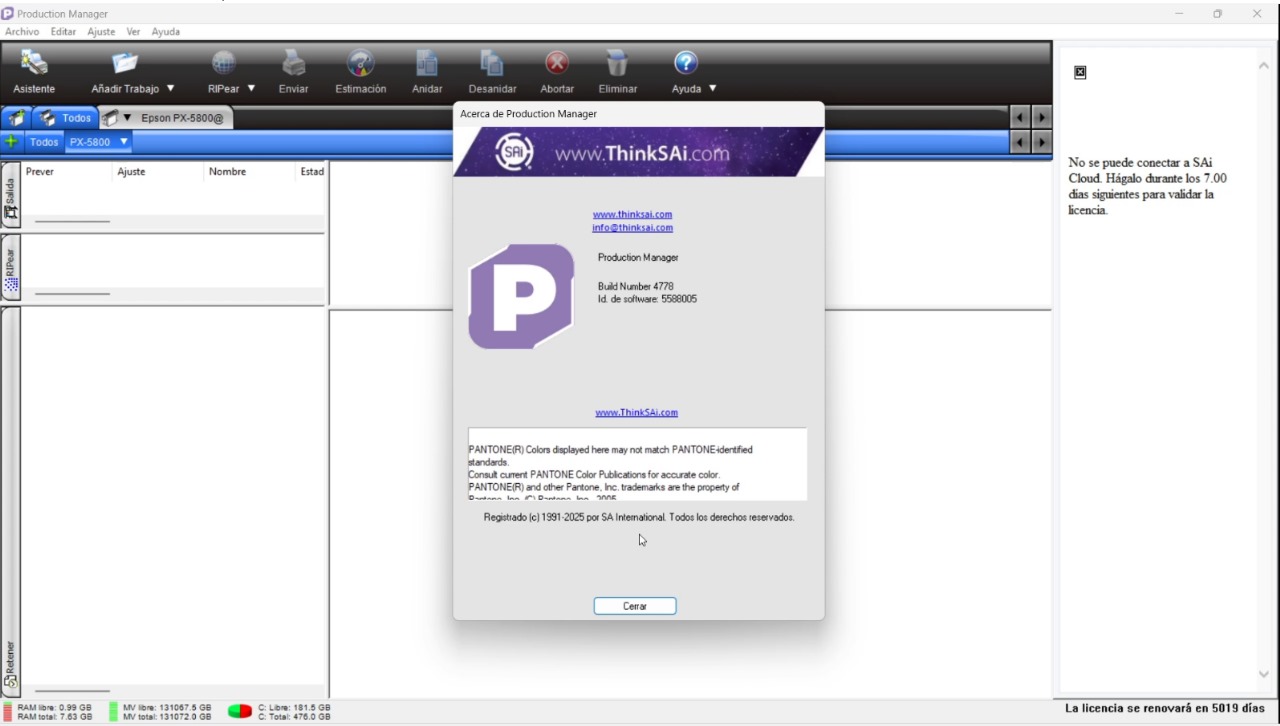
Screenshot
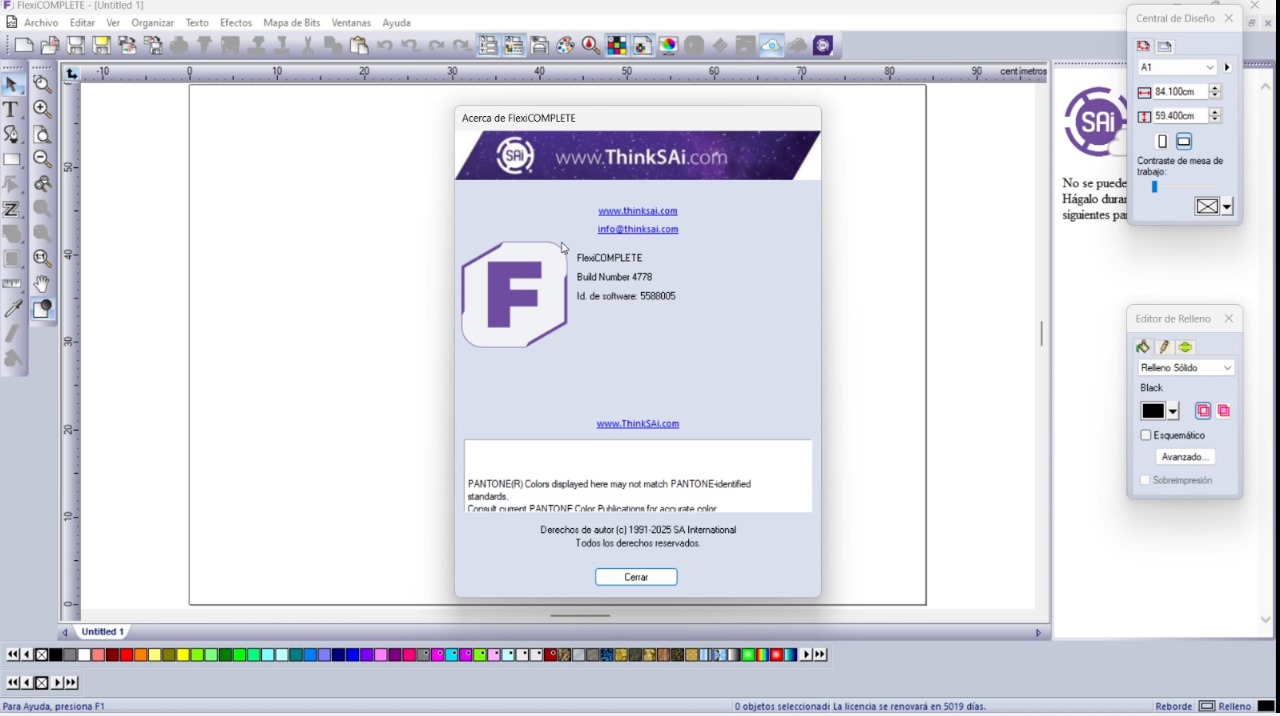
SAi Flexi Complete Production Manager Activation Proof
Key Features of SAi Flexi Complete
-
Integrated Design & RIP Engine: Create or import vector designs and send them directly to print without third-party software.
-
Production Manager: Centralized control for printer queues, nesting, tiling, and real-time job status monitoring.
-
Advanced Color Management: Supports ICC profiles, spot color libraries (Pantone), and ensures brand-accurate color reproduction.
-
Print-and-Cut Workflow: Aligns contour cutting perfectly with printed graphics for stickers, decals, and labels.
-
Nesting & Material Optimization: Automatically arranges shapes to minimize vinyl and media waste.
-
Variable Data Printing (VDP): Personalize multiple copies with unique text, barcodes, or images.
-
Wide Printer Compatibility: Supports drivers for eco-solvent, solvent, UV, latex, dye-sublimation, and flatbed printers.
What’s New in Version V2025.3
The V2025.3 release focuses on workflow speed and hardware compatibility. Key updates include:
-
Faster RIP Processing: Optimized multi-threading reduces file processing time for complex, high-resolution jobs.
-
Enhanced PDF Handling: Improved transparency flattening and layer support for native PDF files.
-
Updated Printer Drivers: Added support for the latest wide-format printer models from Roland, Mimaki, HP, and Epson.
-
Production Manager UI Refresh: Streamlined job queue navigation and better error reporting.
-
Improved Nesting Algorithms: Increased material yield for irregularly shaped cut jobs.
System Requirements
To run SAi Flexi Complete V2025.3 reliably, your system must meet these specifications:
| Component | Minimum | Recommended (Professional Production) |
|---|---|---|
| Operating System | Windows 10 (64-bit) | Windows 11 (64-bit) |
| Processor | Intel Core i3 or equivalent | Intel Core i7 / AMD Ryzen 7 |
| RAM | 8 GB | 16 GB or 32 GB |
| Storage | 20 GB free HDD space | 512 GB NVMe SSD |
| Display | 1920 x 1080 | 4K with high color accuracy |
| Connectivity | USB 2.0 or Ethernet | USB 3.0 / Gigabit Ethernet |
Note: Using an SSD and 16GB+ RAM significantly reduces RIP processing time and improves design tool responsiveness.
Installation Guide
Follow these steps for a clean, stable installation of SAi Flexi Complete:
-
Download the official installer from your SAi account dashboard.
-
Temporarily disable antivirus real-time scanning (re-enable after installation) to prevent driver blocks.
-
Run the setup file as Administrator.
-
Select components: Choose “Full Installation” to include both the Design Suite and Production Manager.
-
Follow the wizard prompts – allow printer driver installations when prompted.
-
Restart your computer to finalize driver and licensing service configuration.
How to Activate Your License (Legally)
SAi Flexi Complete requires a valid subscription or perpetual license key. To activate:
-
Launch the software and open the License Manager.
-
Select Online Activation.
-
Enter your official 25-character license key (provided upon purchase).
-
Ensure your computer has internet access – the software verifies the key with SAi’s activation server.
-
For offline activation, generate a request file from the License Manager, submit it via a web browser on another device, and import the response file.
How to Use the Software: Typical Workflow
A standard production workflow in SAi Flexi Complete follows these steps:
-
Create or Import: Design vector artwork using the built-in tools, or import AI, PDF, EPS, or CDR files.
-
Configure Print Settings: Select your printer, media type, and resolution. Apply ICC profiles for accurate color.
-
Send to Production Manager: Click “Print” – the job appears in the Production Manager queue.
-
Adjust Job Parameters: Set copies, nesting, tiling, or add cut marks.
-
Process & Print: The RIP engine rasterizes the file and streams data to the printer.
-
Contour Cut (if needed): For print-and-cut jobs, load the printed sheet into a vinyl cutter. The software aligns registration marks automatically.
Best Use Cases for SAi Flexi Complete
This software excels in professional production environments:
-
Sign Shops: Produce indoor/outdoor signage, foam board displays, and channel letters.
-
Vehicle Wrap Installers: Design and print seamless, contour-cut vehicle graphics.
-
Sticker & Label Businesses: High-volume print-and-cut with nesting for maximum material yield.
-
Trade Show Graphics: Tiling large banners and backlit displays.
-
Industrial Decoration: Flatbed UV printing on rigid substrates (wood, acrylic, metal).
Advantages and Limitations
Advantages
-
Unified workflow – no switching between design and RIP software.
-
Production Manager provides enterprise-grade job queuing and monitoring.
-
Excellent color consistency across multiple printers and media types.
-
Time-saving nesting reduces material waste by up to 30%.
-
Direct driver support for 3,000+ wide-format printers and cutters.
Limitations
-
Windows-only – no native macOS or Linux version.
-
Steep learning curve for users unfamiliar with RIP workflows.
-
Higher cost compared to entry-level design software (e.g., CorelDRAW or Inkscape).
-
Resource intensive – requires a modern workstation for large-file processing.
Alternatives to SAi Flexi Complete
Depending on your budget and needs, consider these professional alternatives:
| Software | Best For | RIP Included? | Platform |
|---|---|---|---|
| Onyx Thrive | High-volume print shops | Yes | Windows |
| Caldera PrimeCenter | Large-format production | Yes (with RIP option) | Linux, macOS |
| Roland VersaWorks | Roland printer owners only | Yes | Windows |
| Adobe Illustrator + Caldera | Design-first shops | No (separate RIP) | Windows, macOS |
| Inkscape + InkCut | Hobbyists & small budgets | No | Windows, Mac, Linux |
Frequently Asked Questions (FAQ)
1. Is SAi Flexi Complete compatible with non-SAi printers?
Yes. The Production Manager includes native drivers for over 3,000 printers from Roland, Mimaki, HP, Epson, Canon, Mutoh, and others.
2. Can I use SAi Flexi for vinyl cutting only without printing?
Absolutely. You can design cut contours and send jobs directly to a vinyl cutter (e.g., Graphtec, Summa) without RIP processing.
3. What is the difference between SAi Flexi Complete and SAi Flexi Designer?
Flexi Designer includes only design tools. Flexi Complete adds the Production Manager RIP engine and print/cut workflow automation.
4. Does SAi Flexi support Mac computers?
No official native version exists for macOS. Some users run it via Boot Camp or Parallels, but SAi does not guarantee stability on virtualized environments.
5. How often does SAi release updates?
SAi releases major versions annually (e.g., V2025, V2026) and point updates (e.g., V2025.3) every 2–3 months for bug fixes and new printer drivers.
6. Can I transfer my license to another computer?
Yes. Deactivate the license from the original machine via the License Manager, then activate on the new computer. A stable internet connection is required.
7. What file formats can I import?
Supported formats include: AI, PDF, EPS, CDR, SVG, DXF, JPG, PNG, TIFF, and BMP.
8. Does the software include cloud job storage?
Yes, with an active subscription, you can save jobs to SAi Cloud for remote monitoring and team collaboration.
Final Thoughts
SAi Flexi Complete V2025.3 remains a gold-standard solution for professional sign makers and large-format print shops. Its integrated design-and-RIP workflow eliminates file compatibility issues, while the Production Manager provides the reliability needed for high-volume production.
For businesses prioritizing color accuracy, contour cutting precision, and operational efficiency, this software justifies its investment through reduced material waste and faster turnaround times. While the learning curve is steep and the Windows-only limitation exists, no other solution in this price range offers the same depth of printer control and production automation.
Premium Software Support Service
If you need professional help with software installation, setup, or technical configuration, our team is available to assist you.
Contact & Support
For quick assistance and latest updates, connect with us using the links below:
🔹 Direct Telegram Support
https://t.me/PlayoutKing
🔹 Official Telegram Updates Group
https://t.me/yourgroup
Service Policy
- Remote testing available through AnyDesk before confirmation.
• Verify the setup and performance before completing the order.
• Support available for single or multiple systems.
• Step-by-step guidance to ensure smooth installation and working environment.
Our goal is to provide reliable technical assistance so your software runs smoothly without interruptions.