

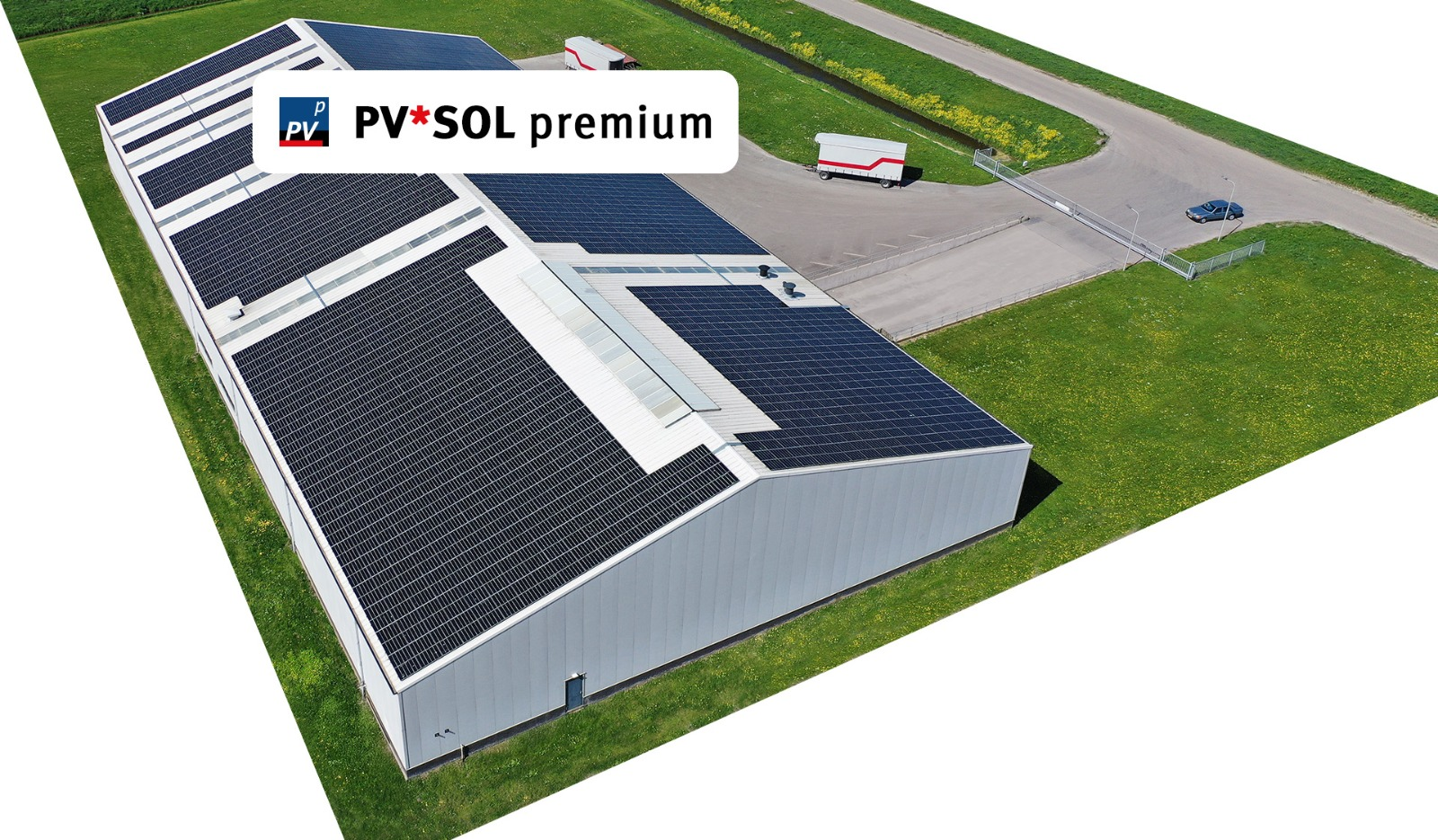
Download the PV*SOL Premium 2025 (3D Photovoltaic System Design & Yield Simulation Software) from this link…

Overview of PV*SOL Premium
Table of Contents
For over 25 years, PV*SOL premium has established itself as the industry standard for professional photovoltaic (PV) system design. Developed by Valentin Software, this advanced software empowers engineers, architects, and solar installers to move beyond simple 2D layouts. It offers a comprehensive platform for the 3D design and simulation of photovoltaic systems, integrating precise shading analysis to ensure bankable yield forecasts.
Unlike basic solar calculators, PV*SOL premium models the real-world interaction between solar panels, buildings, and the environment. It accurately simulates complex system configurations, from residential rooftop systems combined with battery storage to large-scale commercial projects incorporating electric vehicles and heat pumps. The software’s ability to handle both full feed-in and surplus feed-in scenarios makes it an indispensable tool for creating reliable, professional-grade solar proposals.
Key Features of PV*SOL Premium
PV*SOL premium distinguishes itself through a robust set of features designed for accuracy and efficiency. These tools allow professionals to manage every stage of a solar project, from initial shading analysis to final client presentation.
-
3D Photovoltaic System Design & Shading Analysis: The core strength of PV*SOL premium is its realistic 3D environment. Users can import buildings and surrounding objects to create a digital twin of the project site. This allows for precise shading analysis from trees, chimneys, and neighboring structures, ensuring yield calculations account for real-world obstructions.
-
Flexible System Configurations: The software supports an extensive range of system types. You can design roof-integrated, roof-mounted, or ground-mounted systems. It manages complex electrical layouts, including string sizing, module-level power electronics (optimizers), and multi-orientation arrays.
-
Battery Storage & Energy Management: Model modern energy systems with precision. Simulate AC-coupled and DC-coupled battery storage systems, define charging strategies, and analyze self-consumption rates to maximize the economic value of the installation.
-
Electric Vehicle (EV) & Heat Pump Integration: With the rise of sector coupling, PV*SOL premium allows you to model the energy consumption of electric vehicles and heat pumps. Simulate how a PV system can power a home and charge an EV, optimizing for energy independence.
-
Comprehensive Product Database: Access one of the industry’s largest databases, featuring over 30,000 PV modules, 9,000 inverters, and 13,000 battery storage systems. Data is verified and updated directly by manufacturers, ensuring your designs use current, accurate technical specifications.
-
Automated Circuit Diagram Generation: Save hours of manual drafting. The software automatically generates fully customizable circuit diagrams, complete with safety components, providing a clear roadmap for installation teams.
-
Economic Efficiency & Bankable Reports: Calculate profitability with confidence. Input system costs to generate a 20-year financial analysis, including cash flow, return on investment (ROI), and amortization periods. Create high-quality, fully customizable project reports ready for client approval or financing applications.
What’s New in the Latest Version
The latest iteration of PV*SOL premium focuses on enhancing user experience and expanding technical capabilities to meet the demands of modern solar projects.
-
Enhanced 3D Object Library: A significant expansion of the 3D object database, including more detailed roof geometries, shading objects, and architectural elements for more accurate modeling of complex sites.
-
Advanced Multi-Module Mounting Systems: Improved support for complex mounting structures, allowing for easier placement of modules on large industrial halls and open-space projects, with support for up to 7,500 mounted modules or 10,000 roof-parallel modules.
-
Optimized Performance for Large-Scale Projects: Performance enhancements that allow for smoother navigation and faster simulation times on projects with high module counts and complex 3D scenes.
-
Updated Economic Calculators: Integration of current feed-in tariffs and electricity price trends in various regions, allowing for more accurate long-term financial modeling.
System Requirements
To ensure optimal performance, your system should meet the following recommended specifications for running PV*SOL premium.
| Component | Minimum Requirement | Recommended Requirement |
|---|---|---|
| Operating System | Windows 10 (64-bit) | Windows 11 (64-bit) |
| Processor (CPU) | 2.0 GHz Dual-Core | 3.0 GHz Quad-Core or higher |
| Memory (RAM) | 8 GB | 16 GB or more |
| Graphics (GPU) | DirectX 11 compatible, 1 GB VRAM | Dedicated GPU (e.g., NVIDIA GeForce RTX series) with 4+ GB VRAM |
| Storage | 10 GB of free space | SSD with 20 GB of free space |
| Display | 1280 x 1024 resolution | 1920 x 1080 or higher |
| Internet | Required for license activation, updates, and database access | High-speed connection for optimal performance |
Installation Guide
Setting up PV*SOL premium is straightforward. Follow these steps to begin your professional solar design journey.
-
Obtain the Software: Purchase a license from the official Valentin Software website or an authorized distributor. You will receive a license key and a download link.
-
Download the Installer: Download the latest version of the installer from your user account on the Valentin Software portal.
-
Run the Installer: Locate the downloaded
.exefile and run it as an administrator. Follow the on-screen instructions, accepting the license agreement. -
Activate License: Upon first launch, you will be prompted to activate your license. Enter the provided license key. An internet connection is required for this step.
-
Install Database Updates: After activation, the software will often check for the latest product database updates. Allow it to download and install these to ensure you are working with current component data.
How to Use PV*SOL Premium: A Basic Workflow
For new users, mastering PV*SOL premium involves a logical workflow that builds from site creation to financial reporting.
1. Project Setup & 3D Modeling
Begin by creating a new project. Use the 3D editor to define the building or area. You can import site plans, use geographic data, or manually construct the building geometry. Add nearby objects like trees or buildings to enable accurate shading analysis.
2. Define the Photovoltaic System
Select your PV modules and inverter from the integrated database. The software assists in string design, checking for voltage and current compatibility. Use the 3D module placement tool to position arrays on roof surfaces, automatically accounting for orientation and tilt.
3. Add Energy Storage & Consumers
Configure the battery storage system, defining its capacity, charge/discharge cycles, and backup power preferences. Add energy consumers like electric vehicles, specifying charging power and typical usage profiles to simulate energy flow accurately.
4. Simulate & Analyze
Run the hourly simulation. The software calculates the energy yield, self-consumption rate, and grid feed-in. Review results in detailed graphs and tables, analyzing performance ratios, specific yields, and system losses.
5. Generate Reports & Documentation
Navigate to the reporting module. Select from pre-designed templates or create a custom template with your company logo. Generate circuit diagrams, the 3D visualization, and the financial analysis. Export the final report as a PDF for client presentation.
Best Use Cases for PV*SOL Premium
While versatile, PV*SOL premium excels in specific scenarios where accuracy and professionalism are paramount.
-
Residential PV + Storage Systems: Design aesthetically pleasing roof-integrated systems and accurately model self-consumption with battery storage to create compelling ROI cases for homeowners.
-
Commercial & Industrial Rooftops: Handle the complexity of large, flat roofs with multiple orientations, shading from HVAC units, and high-voltage string configurations.
-
Agricultural & Open-Space Projects: Simulate large-scale ground-mounted systems, analyzing the impact of terrain and surrounding landscape on shading and yield.
-
Sector Coupling Projects: Model integrated energy systems for new builds or retrofits that combine solar, battery storage, EV charging, and heat pumps for maximum energy independence.
Advantages and Limitations
Advantages
-
Unmatched Precision: The 3D shading analysis is one of the most accurate in the industry, leading to highly reliable yield forecasts.
-
Comprehensive Database: Access to a vast, manufacturer-updated database of components reduces manual data entry errors.
-
Professional Output: The ability to generate bankable reports and circuit diagrams streamlines the sales and installation process.
-
Holistic Modeling: Simulates complex interactions between PV, storage, EV, and heat pumps for a complete energy system view.
Limitations
-
Learning Curve: The software’s advanced features, particularly the 3D modeling and detailed system configuration, have a steeper learning curve compared to basic solar tools. New users may need to invest time in tutorials.
-
Hardware Requirements: To run complex 3D simulations smoothly, a computer with a dedicated graphics card and sufficient RAM is recommended.
-
Cost: As a professional-grade tool, PV*SOL premium is a premium software product, representing a significant investment for smaller businesses or individual installers.
Alternatives to PV*SOL Premium
Depending on your project scale, budget, and preferred workflow, several alternatives to PV*SOL premium exist.
| Software | Primary Focus | Key Differentiator |
|---|---|---|
| PVSyst | Engineering & Research | Widely considered the gold standard for detailed loss analysis and pre-feasibility studies, though with a less intuitive interface. |
| Helioscope | 3D Layout & Rapid Design | Web-based, focused on fast, high-density commercial rooftop layouts and simplified reporting. |
| SolarEdge Designer | Sales & Proposal Generation | A free, web-based tool optimized for designing systems using SolarEdge components, ideal for quick sales proposals. |
| SketchUp with Sefaira | Architectural Modeling | Integrates PV design into a broader architectural BIM workflow, best for architects integrating solar into building design. |
Frequently Asked Questions
1. What is the primary difference between PVSOL and PVSOL premium?
PVSOL premium includes the advanced 3D design and shading analysis feature, allowing for realistic modeling of complex sites with surrounding objects like trees and buildings. The standard PVSOL version uses a 2D, horizon-based shading model.
2. Can PV*SOL premium model bifacial solar modules?
Yes, the software includes modeling capabilities for bifacial modules, accounting for albedo (ground reflection) to calculate the additional yield gained from the rear side of the panel.
3. Is an internet connection required to run PV*SOL premium?
An internet connection is required for software activation, license validation, and to download updates to the product database. However, the software can be used offline for extended periods once activated.
4. Does the software include tools for designing string inverters and microinverters?
Yes, PV*SOL premium supports a wide range of inverter topologies, including central string inverters, multi-string inverters, and module-level power electronics such as microinverters and DC optimizers.
5. Can I import 3D models from other software?
Yes, PV*SOL premium supports the import of 3D models in common formats like DXF, SketchUp (via plugin), and other standard CAD formats to streamline the modeling process.
6. What languages is the software interface available in?
The PV*SOL premium interface is available in German, English, Spanish, French, Italian, Polish, Czech, Portuguese, and Turkish. Project reports can be generated in 24 languages, making it ideal for international projects.
7. What support options are available for PV*SOL premium users?
Valentin Software provides technical support, comprehensive online help pages, and an active user forum where you can ask questions and exchange knowledge with other experienced users and the support team.
Final Thoughts
For solar professionals demanding precision, flexibility, and a professional output, PV*SOL premium remains an indispensable tool. Its strength lies in bridging the gap between theoretical engineering and real-world application through its advanced 3D environment and comprehensive system modeling. While it requires an investment in time to master and hardware to run, the return is the ability to design high-performance, reliable PV systems that meet complex client requirements. By generating bankable yields and clear documentation, PV*SOL premium not only optimizes the design process but also builds trust and authority with clients, solidifying its position as a cornerstone of modern solar project development.
Premium Software Support Service
If you need professional help with software installation, setup, or technical configuration, our team is available to assist you.
Contact & Support
For quick assistance and latest updates, connect with us using the links below:
🔹 Direct Telegram Support
https://t.me/PlayoutKing
🔹 Official Telegram Updates Group
https://t.me/yourgroup
Service Policy
- Remote testing available through AnyDesk before confirmation.
• Verify the setup and performance before completing the order.
• Support available for single or multiple systems.
• Step-by-step guidance to ensure smooth installation and working environment.
Our goal is to provide reliable technical assistance so your software runs smoothly without interruptions.