

Download JB Playout Professional Plus Playout (Comprehensive Broadcast Automation Software) from this link…

Overview of JB Playout Professional Plus Playout V.21
Table of Contents
In the fast-paced world of media broadcasting, the demand for reliable and efficient playout solutions has never been greater. With the proliferation of digital channels and the need to deliver high-quality content to audiences across the globe, broadcasters require cutting-edge software that can handle complex, multi-faceted tasks with precision. JB Playout Professional Plus Playout V.21 emerges as a top-tier solution in the broadcast automation niche, offering a wide array of professional features designed to streamline operations for TV channels, radio stations, and online streaming platforms.
Developed by Just Broadcast, this software version focuses on enhancing workflow efficiency and expanding output flexibility. It serves as a centralized hub for channel management, combining scheduling, graphics insertion, and multi-view monitoring into a single, powerful interface. This overview will explore the technical capabilities that make V.21 a robust tool for modern broadcast infrastructures, focusing on its legitimate application in professional environments.
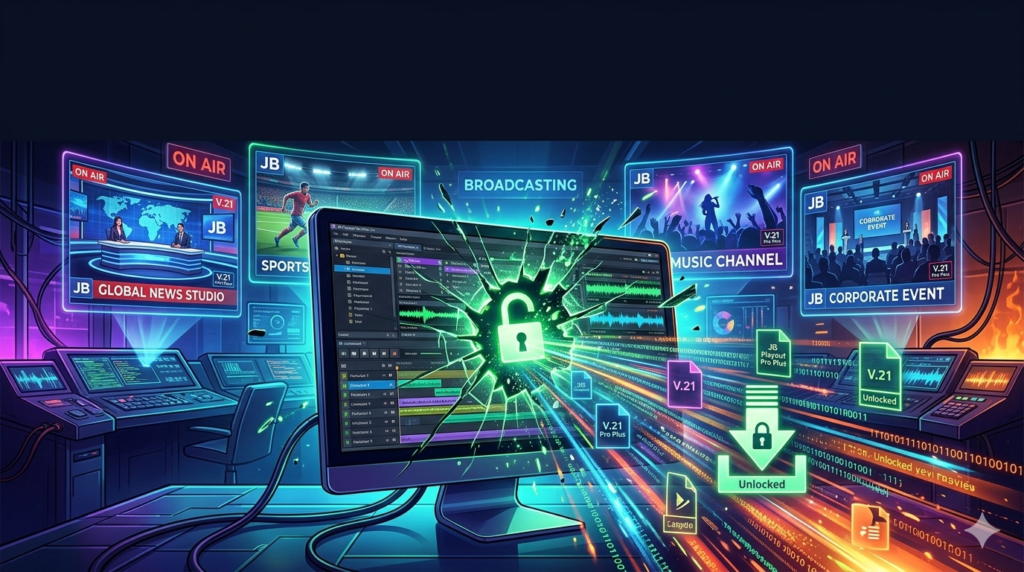
JB Playout Professional Plus Playout (V.21) Screenshots :


Key Features of JB Playout Professional Plus V.21
JB Playout Professional Plus is distinguished by its deep integration of playout, graphics, and scheduling tools. Below is an in-depth look at the core functionalities that define this software.
Advanced Scheduling and Playlist Management
At the heart of the software lies a sophisticated scheduling engine. Operators can manage playlists with granular control, utilizing various slot types:
-
Fileslots: For playing pre-recorded video and audio files.
-
Timeslots: For scheduling events to air at specific times.
-
Blockslots: For repeating common programming blocks.
This system allows for seamless insertion of advertisements, promos, and station IDs, ensuring a flawless on-air experience with frame-accurate precision.
Multi-Channel Playout Capabilities
JB Playout Professional Plus V.21 is engineered to reduce infrastructure complexity. It supports managing multiple channels from a single instance, allowing broadcasters to control various feeds simultaneously. This significantly reduces hardware overhead and simplifies the technical architecture of broadcast centers.
JB Playout CG Editor (Character Generator)
The integrated CG Editor is a powerful tool for creating and inserting on-screen graphics. It enables operators to design lower thirds, tickers, logos, and emergency messages in real-time without needing external graphics workstations. This integration ensures that visual elements are perfectly synchronized with the video playout.
Multi-View Scheduler and CIB Integration
The Multi-View Scheduler provides a visual overview of the entire broadcast timeline across different channels. Combined with the CIB capabilities, it allows operators to preview complex schedules and ensure continuity between programs, commercials, and graphics before they go live.
Flexible Output Options
Version 21 significantly enhances output flexibility to adapt to modern distribution requirements:
-
Simultaneous Outputs: The software can now handle multiple outputs concurrently using different audio and video formats.
-
Format Agnostic: For instance, users can output a Blackmagic 1080 HD signal for traditional broadcast while simultaneously generating a DVB stream (PAL 16:9) for digital distribution.
-
Advanced Streaming Protocols: With the addition of modern protocols like SRT (Secure Reliable Transport) and RPT, the software is fully equipped for reliable and secure IP-based contribution and distribution.
Live Input and Real-Time Streaming
For news channels and live event coverage, the software integrates smoothly with live inputs. It can ingest live feeds, enabling real-time switching and broadcasting of breaking news or sports matches directly through the playout server.
Quality Control and Monitoring
Maintaining signal integrity is critical. V.21 includes enhanced monitoring tools that allow operators to analyze signal quality, detect errors, and receive alerts for any issues during transmission, ensuring high standards of broadcast quality.
What’s New in Version 21
The latest iteration of JB Playout Professional Plus introduces several key upgrades focused on flexibility and automation:
-
Enhanced Multi-Output Architecture: The ability to run two outputs with independent audio/video formats (e.g., HD-SDI and compressed IP stream).
-
Modern Streaming Protocols: Native support for SRT, ensuring low-latency and secure video transport over unpredictable networks.
-
Advanced Automation Playlist Options: Introduction of more granular playlist controls with Fileslots, Timeslots, and Blockslots for complex programming.
-
Matrix Control Integration: Improved compatibility with external router control for managing complex signal flows.
-
Commercial and CG Scheduler Enhancements: Refined tools for scheduling advertisements and on-screen graphics with greater accuracy.
System Requirements
To ensure optimal performance, your system should meet or exceed the following specifications for running JB Playout Professional Plus V.21:
-
Operating System: Windows 10 Pro (64-bit) or Windows 11 Pro.
-
Processor: Intel Core i7 or higher (Xeon recommended for multi-channel setups).
-
RAM: 16 GB minimum (32 GB recommended).
-
Graphics Card: Dedicated GPU supporting DirectX 11 (e.g., NVIDIA Quadro series).
-
Storage: High-speed SSD for OS and software; RAID-configured storage array for media assets.
-
Hardware: Compatible I/O hardware (e.g., Blackmagic Design DeckLink or Intensity cards) for SDI input/output.
-
Network: Gigabit Ethernet for network streaming and remote access.
Installation Guide
Setting up JB Playout Professional Plus requires careful attention to the hardware and software environment.
-
System Preparation: Ensure your Windows installation is fully updated and all hardware drivers (especially for video I/O cards) are correctly installed.
-
Run Installer: Execute the installation file as an Administrator.
-
License Activation: Upon first launch, you will be prompted to activate the software using a valid license key provided by Just Broadcast.
-
Hardware Configuration: Navigate to the settings menu to configure your video and audio output devices. Select your Blackmagic card or streaming output preferences.
-
Database Setup: Configure the media database location, pointing it to your storage array where video clips and assets are housed.
-
Network Configuration: If using SRT streaming or remote control features, configure the network settings accordingly.
How to Use the Software: A Basic Workflow
Navigating the core functions of JB Playout Professional Plus involves a logical sequence of steps:
-
Ingest Media: Import video files, audio tracks, and graphics into the media database.
-
Build a Playlist: Drag and drop clips into the scheduler. Insert “Commercials” or “CG” elements at designated points.
-
Design Graphics: Use the CG Editor to create lower thirds or overlays for specific playlist items.
-
Take to Air: Load the playlist to the player. The software will handle transitions (cuts, fades) automatically. Use the live input option to switch to a live camera or feed when necessary.
-
Monitor Output: Keep an eye on the Multi-View screen to ensure audio levels are correct and video is clean.
Best Use Cases for JB Playout Professional Plus V.21
-
Terrestrial TV Channels: Perfect for local or regional broadcasters needing a reliable server for 24/7 automated transmission.
-
Web TV and Streaming Services: Ideal for internet-based channels requiring multi-format streaming (SRT/RTMP) to CDNs.
-
Corporate Broadcasting: Useful for internal corporate TV networks that need to distribute content to multiple office locations.
-
Live Event Production: Serves as a reliable playback server for sports arenas or concert venues for replay and sponsorship graphics.
-
Religious and Community Broadcasting: Provides an all-in-one solution for houses of worship or community groups to broadcast services with lower-thirds and slides.
Advantages and Limitations
Advantages
-
All-in-One Solution: Combines playout, CG, and scheduling, eliminating the need for multiple software licenses.
-
Output Flexibility: The ability to output HD-SDI and IP streams simultaneously is a major technical advantage.
-
Cost-Effective Multi-Channel: Reduces hardware costs by allowing one server to manage multiple channels.
-
Professional Graphics Integration: Tight integration with the CG editor allows for real-time branding without external hardware.
Limitations
-
Learning Curve: The depth of features can be overwhelming for beginners without broadcast engineering experience.
-
Hardware Dependency: Relies heavily on professional-grade I/O hardware (Blackmagic) for SDI output.
-
Windows-Only: Not available for macOS or Linux environments.
Alternatives to JB Playout Professional Plus
Depending on your specific needs, several other professional broadcast tools are available:
-
OBS Studio: A free and open-source alternative suitable for live streaming and basic recording, but lacking advanced broadcast automation and scheduling.
-
vMix: A popular live production software that offers mixing, replay, and streaming, suitable for webcasts and live events.
-
PlayBox Technology AirBox: A professional, enterprise-grade playout server with extensive automation and channel-in-a-box capabilities.
-
CasparCG: An open-source playout software often used by broadcasters for graphics and playback, but requires more technical expertise to configure.
-
Wirecast: A live streaming production tool that provides virtual sets, multi-camera switching, and encoding for web distribution.
Frequently Asked Questions
Is JB Playout Professional Plus suitable for 24/7 automated broadcasting?
Yes, it is designed for continuous operation. Its advanced scheduler (using Fileslots, Timeslots, and Blockslots) allows for complete automation of programming, commercials, and graphics for days or weeks in advance.
What video formats does JB Playout Professional Plus support?
While the exact codec support can vary, professional broadcast software typically supports industry-standard formats like MOV, MXF (OP-1a), MP4, and AVI, often using codecs such as DNxHD, ProRes, and H.264. It is best to consult the official technical specifications for a full list.
Can I stream live directly from JB Playout Professional Plus to the internet?
Yes. Version 21 includes advanced streaming protocols like SRT and RPT, allowing you to push the playout signal directly to streaming platforms or Content Delivery Networks (CDNs) without requiring separate encoding software.
What is the purpose of the CG Editor?
The CG Editor allows you to create and schedule graphics such as lower thirds (name tags), tickers (scrolling news/text), logos (bugs), and full-screen graphics. These can be triggered manually or scheduled to appear automatically over your video content.
What hardware do I need for SDI output?
To output video via SDI (Serial Digital Interface), you need a compatible video I/O card installed in your computer, such as those manufactured by Blackmagic Design or AJA. The software interfaces with this hardware to send the video signal to your broadcast infrastructure.
Final Thoughts
JB Playout Professional Plus Playout V.21 stands as a reliable and feature-rich broadcasting solution that caters to the diverse needs of modern media platforms. Its comprehensive feature set, highlighted by multi-format output and advanced streaming protocols, makes it an ideal choice for broadcasters seeking to optimize their playout workflows.
By integrating scheduling, graphics, and multi-channel management into one platform, it empowers operators to deliver high-quality content efficiently. In the ever-evolving landscape of media broadcasting, JB Playout Professional Plus V.21 proves to be a powerful ally for professional studios, helping them stay ahead in the race to deliver captivating content to viewers worldwide.
Premium Software Support Service
If you need professional help with software installation, setup, or technical configuration, our team is available to assist you.
Contact & Support
For quick assistance and latest updates, connect with us using the links below:
🔹 Direct Telegram Support
https://t.me/PlayoutKing
🔹 Official Telegram Updates Group
https://t.me/yourgroup
🔹 WhatsApp Community Group
https://chat.whatsapp.com/yourlink
Service Policy
- Remote testing available through AnyDesk before confirmation.
• Verify the setup and performance before completing the order.
• Support available for single or multiple systems.
• Step-by-step guidance to ensure smooth installation and working environment.
Our goal is to provide reliable technical assistance so your software runs smoothly without interruptions.