
Overview of the Software: A Unified Platform for Removable Prosthetics
Table of Contents
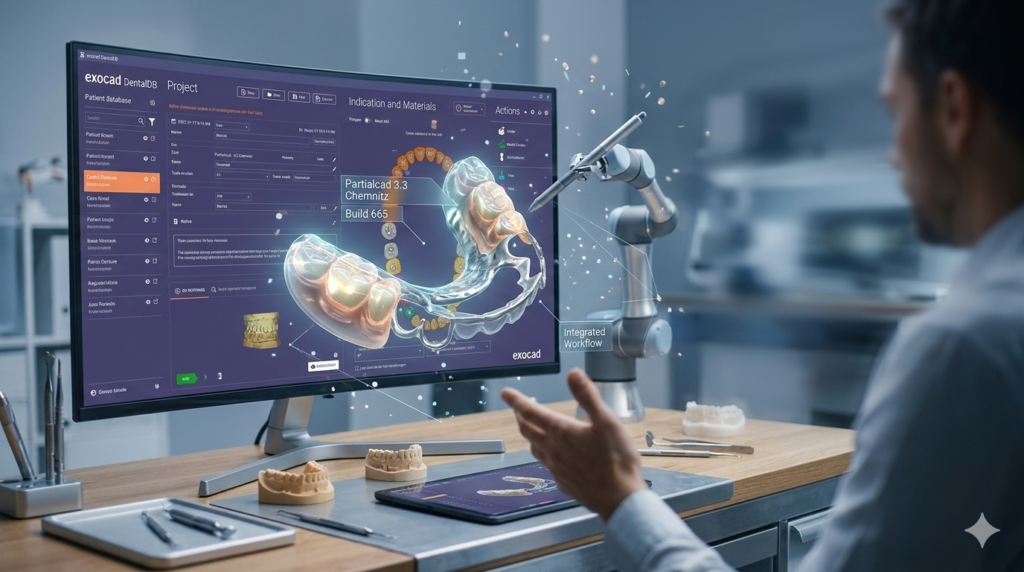
Exocad’s modular software architecture is designed to provide flexibility and depth. DentalDB (Dental Database) serves as the central command center for all case data, while PartialCAD is the specialized module dedicated to designing frameworks for removable partial dentures. Together, they create a seamless digital workflow.
Instead of juggling disparate files and manual processes, laboratories can manage patient information, order details, and 3D scans within a single interface. This integration ensures that when a case is created in DentalDB, it opens directly within PartialCAD with all parameters pre-defined, allowing technicians to focus on the art and science of framework design. This version, 3.3 Chemnitz Build 665, builds on this foundation with enhanced stability and refined tools, solidifying its place as a top-tier solution for modern labs.
Key Features of DentalDB 3.3 and PartialCAD
This software suite is packed with features designed to optimize both administrative and design tasks.
DentalDB: The Case Management Powerhouse
-
Centralized Case Administration: Create and manage detailed cases, including patient demographics, referring dentist information, restoration type, material selection, and shade specifications.
-
Seamless CAD Module Integration: Acts as a launchpad for all Exocad design modules (like PartialCAD, Crown & Bridge, Implant Module), automatically passing case data to the correct design environment.
-
Open STL Architecture: Import scan data from virtually any intraoral scanner (e.g., TRIOS, iTero, Medit) or laboratory scanner without compatibility issues, ensuring a vendor-neutral workflow.
-
Customizable Workflow Automation: Define restoration catalogs, integrate barcode systems for production tracking, and connect directly to milling machines or 3D printers for a streamlined digital production chain.
PartialCAD: Precision Engineering for Removable Dentures
PartialCAD replaces traditional, error-prone manual waxing with a precise, repeatable digital process.
-
Digital Surveying & Undercut Analysis: Replicates traditional surveying methods digitally. Define the optimal insertion path, visualize undercuts with color mapping, and determine precise clasp placement for optimal retention and esthetics.
-
Parametric Framework Libraries: Access a comprehensive library of customizable components, including clasps (Akers, Ring, Back-Action), rests (occlusal, cingulum, incisal), major and minor connectors, and mesh retention areas.
-
Intelligent Framework Design Tools: Automatically generate mesh retention patterns, design anatomically appropriate major connectors for maxillary and mandibular arches, and precisely control relief zones for patient comfort.
-
Virtual Articulation & Occlusal Analysis: Integrate cases within a virtual articulator to analyze dynamic occlusion, ensuring the final framework does not introduce occlusal interferences and fits harmoniously within the patient’s bite.
What’s New in Exocad 3.3 Chemnitz Build 665
The Chemnitz release focuses on enhancing user experience and workflow predictability.
-
Refined User Interface: Smoother navigation and a more intuitive layout for accessing key tools within both DentalDB and PartialCAD.
-
Enhanced Articulator Settings: More precise controls for simulating mandibular movements, leading to more accurate occlusal designs for removable frameworks.
-
Improved Mesh Handling: Faster loading and manipulation of large, high-resolution STL files, crucial for complex full-arch cases.
-
Stability and Performance Optimizations: Under-the-hood improvements ensure the software runs more stably, even when handling complex designs for extended periods.
System Requirements for Exocad DentalDB + PartialCAD
To run Exocad 3.3 smoothly, especially when designing complex RPD frameworks, your hardware must meet specific requirements. These are the recommended specifications for an optimal experience:
-
Operating System: Windows 10 or Windows 11 (64-bit)
-
Processor (CPU): Intel Core i7 or AMD Ryzen 7 (or higher). A high clock speed is beneficial for single-threaded tasks, while multiple cores help with mesh calculations.
-
Memory (RAM): 32 GB is highly recommended for handling large scan datasets and complex framework designs. 16 GB is the minimum.
-
Graphics Card (GPU): A dedicated professional or high-end consumer GPU is critical. NVIDIA Quadro or GeForce RTX series with at least 4-6 GB VRAM is recommended for smooth 3D rendering and real-time manipulation.
-
Storage: Fast SSD (Solid State Drive) for the operating system, software, and active case files to ensure quick loading times.
-
Network: A stable local network is essential for multi-user labs accessing a central database.
How to Use the Software: A Typical RPD Workflow
The transition from physical model to digital design is intuitive and mirrors traditional techniques.
-
Case Creation in DentalDB: Import the intraoral or model scan (STL) into DentalDB. Enter all relevant case information: patient name, restoration type (“Partial Framework”), material (e.g., CoCr), and any specific notes from the dentist.
-
Launch PartialCAD: With the case created, click the PartialCAD icon. The software opens with the scan data and all case parameters pre-loaded.
-
Digital Surveying: Use the digital survey tool to analyze the arch. Rotate the model to find the ideal insertion path, eliminating severe undercuts. The software visually highlights undercut areas, guiding your decision.
-
Framework Design:
-
Blockout & Relief: Automatically or manually block out unwanted undercuts and define relief areas where the framework should not contact the tissue.
-
Place Components: Select and place major connectors, minor connectors, clasps, and rests from the parametric library. Drag and drop them into position, adjusting their shape and thickness as needed.
-
Generate Mesh: Add mesh retention areas where the acrylic denture base will attach.
-
-
Occlusal Analysis: Mount the model in the virtual articulator to check the framework’s relationship with the opposing arch and adjust as necessary to prevent occlusal interference.
-
Export for Production: Once the design is finalized, export the framework as a high-resolution STL file for CAM production, whether through selective laser melting (SLM) , DLMS, or 5-axis milling.
Best Use Cases for Exocad DentalDB + PartialCAD
This software is not just for one type of lab; its versatility makes it valuable across various scenarios.
-
High-Volume Production Labs: Streamlines case intake and automates design steps, enabling technicians to handle a large number of RPD cases efficiently without sacrificing quality.
-
Specialized Removable Prosthetics Labs: Provides the advanced tools needed to design complex, esthetic frameworks with precision undercuts and custom clasp designs.
-
Milling Centers: The open architecture allows seamless integration with various CAM systems, making it an ideal partner for receiving and designing cases from diverse client labs.
-
Educational Institutions: Its intuitive, survey-based workflow makes it an excellent tool for teaching the principles of RPD design in a modern, digital context.
Advantages and Limitations
Understanding the strengths and potential challenges of this software helps set realistic expectations.
Advantages:
-
Unmatched Precision: Digital surveying and design eliminate the guesswork of analog methods, leading to frameworks with better fit and retention.
-
Enhanced Efficiency: Drastically reduces the time spent on waxing, casting, and finishing, accelerating the entire production timeline.
-
Repeatability & Scalability: Designs are stored digitally, allowing for easy duplication or modification for future cases, which is ideal for scaling lab operations.
-
Open Architecture: Unlike proprietary systems, Exocad’s openness allows labs to work with their preferred scanners, materials, and CAM hardware, avoiding vendor lock-in.
-
Reduced Remakes: Digital validation tools and precise control minimize errors, leading to fewer clinical adjustments and refabrications.
Limitations:
-
Hardware Investment: Requires a powerful, high-end computer workstation to run smoothly, representing a significant initial investment.
-
Learning Curve: While intuitive for experienced technicians, mastering all parametric tools and advanced features requires dedicated training and practice.
-
Software Cost: As a professional-grade solution, the licensing and subscription fees are a considerable operational cost for smaller labs.
Alternatives to Exocad DentalDB + PartialCAD
While Exocad is a market leader, other powerful CAD solutions exist for designing removable partial dentures.
-
3Shape Dental System: A major competitor with a robust Partial Framework module. It offers a highly guided workflow but is often considered a more closed, less flexible system compared to Exocad’s open architecture.
-
Dentsply Sirona inLab CAD: A popular choice for chairside and lab use. Its SWISS ED module offers tools for RPD design, though its primary strength remains in crown and bridge workflows.
The best choice depends on your lab’s specific needs, budget, and preference for an open versus a more guided, proprietary workflow.
Frequently Asked Questions
1. Can Exocad DentalDB + PartialCAD import scans from any intraoral scanner?
Yes, a core strength of Exocad is its open architecture. It accepts standard STL files, making it compatible with virtually all intraoral and laboratory scanners on the market.
2. What file formats does PartialCAD export for manufacturing?
The primary export format for framework production is STL. This file can be sent to various CAM devices, including SLM (Selective Laser Melting) printers for metal, milling machines, or 3D printers for creating burnable patterns or try-in resins.
3. Do I need to be an expert in traditional surveying to use PartialCAD?
No, but it certainly helps. The digital survey tools are designed to mimic the analog process, making the transition intuitive for traditional technicians. For beginners, the software provides visual aids and automated tools that guide you through the process, effectively teaching the principles of RPD design.
4. Is 16 GB of RAM enough for designing partial denture frameworks?
While 16 GB is the stated minimum, 32 GB of RAM is highly recommended. Complex RPD frameworks, especially for full-arch cases with high-resolution scans, can consume significant memory. Upgrading to 32 GB ensures a smoother, more responsive experience.
5. Can I design both metal and flexible partial frameworks with this module?
PartialCAD is primarily optimized for designing rigid frameworks like cobalt-chrome (CoCr) and titanium. For flexible, thermoplastic partial dentures (like Valplast), different design strategies and dedicated materials are typically used, though the framework principles can inform the design.
Final Thoughts
Exocad DentalDB + PartialCAD 3.3 Chemnitz Build 665 represents a mature, powerful, and future-proof solution for any dental laboratory serious about digital removable prosthetics. By seamlessly integrating robust case management with precision engineering tools, it empowers technicians to produce higher-quality frameworks with greater efficiency and predictability.
The move from analog waxing to a digital workflow is a significant step, but the benefits—reduced remakes, improved accuracy, and enhanced scalability—are undeniable. For labs looking to stay competitive in an increasingly digital landscape, investing in the Exocad ecosystem is an investment in precision, consistency, and long-term success. Whether you are a high-production facility or a boutique lab specializing in complex cases, this software suite provides the tools you need to excel in the art of digital removable denture design.
Premium Software Support Service
If you need professional help with software installation, setup, or technical configuration, our team is available to assist you.
Contact & Support
For quick assistance and latest updates, connect with us using the links below:
🔹 Direct Telegram Support
https://t.me/yourusername
🔹 Official Telegram Updates Group
https://t.me/yourgroup
🔹 WhatsApp Community Group
https://chat.whatsapp.com/yourlink
Service Policy
- Remote testing available through AnyDesk before confirmation.
• Verify the setup and performance before completing the order.
• Support available for single or multiple systems.
• Step-by-step guidance to ensure smooth installation and working environment.
Our goal is to provide reliable technical assistance so your software runs smoothly without interruptions.