
Overview of Graitec CADKON+ 2027
Table of Contents
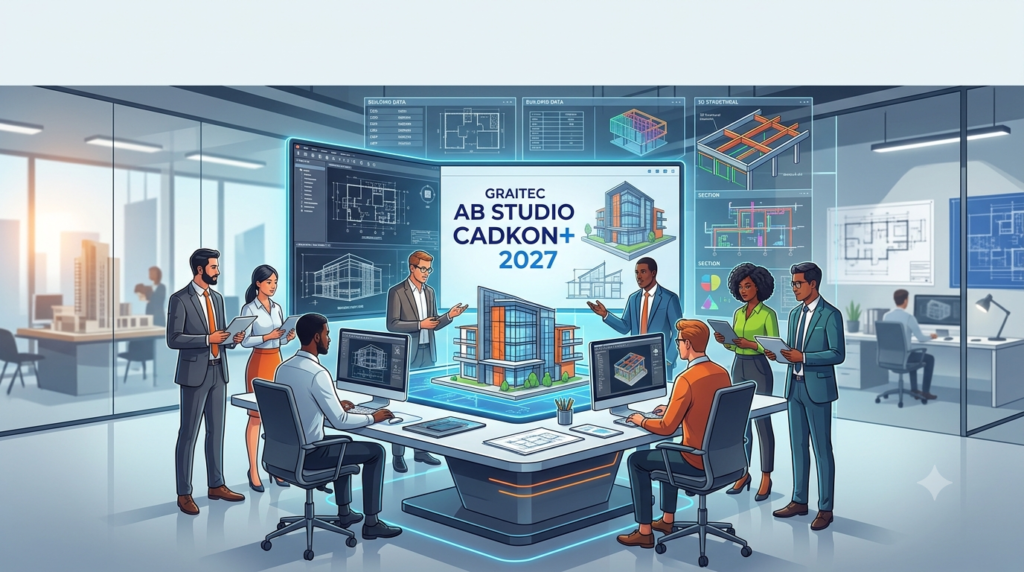
CADKON+ is a professional-grade computer-aided design software that prioritizes simplicity, speed, and reliability for the AEC industry. Unlike many CAD programs that operate as add-ons, CADKON+ functions as an independent application with its own powerful drafting engine. This stand-alone capability eliminates the recurring costs and compatibility constraints associated with third-party CAD platforms, making it an attractive option for small to mid-sized firms and individual designers.
The software is renowned for its intuitive user interface and stability, even when handling complex projects with large files. With a library of over 500,000 manufacturer-verified BIM objects and CAD symbols, CADKON+ 2027 provides designers with the resources needed to accelerate project timelines from concept to documentation. The latest 2027 version builds on this foundation, introducing a suite of targeted enhancements and new features across all modules to further streamline design, calculation, and documentation tasks.
Key Features of Graitec CADKON+ 2027
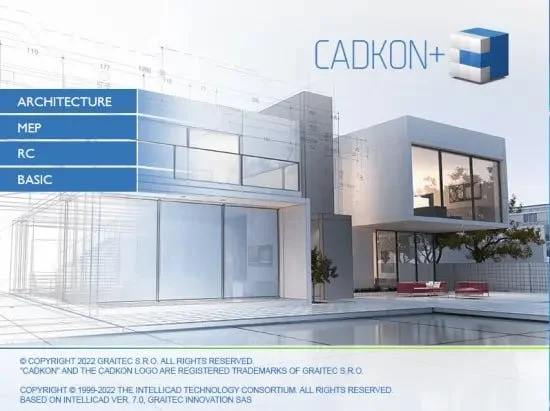
CADKON+ 2027 distinguishes itself through a powerful blend of core drafting capabilities and specialized engineering tools. The software is structured around four key modules, each designed to address specific professional needs.
Core CAD Engine and DWG Compatibility
At its heart, CADKON+ features a standalone CAD engine with native DWG file support. This ensures complete compatibility with other CAD platforms, allowing users to seamlessly open, edit, and save DWG files without data loss or conversion issues. The software provides a full suite of 2D drawing and editing tools, robust layer management, and advanced 3D modeling capabilities for professionals requiring a complete design environment.
CADKON+ Architecture Module
This module offers specialized tools for creating full architectural project documentation. Key features include:
-
Advanced Architectural Objects: Intelligent tools for designing walls, doors, windows, and staircases.
-
Automated Documentation: Streamlined generation of floor plans, elevations, sections, and material takeoffs.
-
Enhanced Window Detailing: The 2027 version introduces a feature allowing users to define the exact number of window frames and their spacing directly within the window opening, with the configuration reflecting in both plan and elevation views.
CADKON+ MEP Module
Designed for mechanical, electrical, and plumbing (MEP) engineers, this module simplifies complex systems design. The 2027 update brings significant enhancements:
-
Gas System Design: A new feature supports rapid pipeline sizing and pressure loss assessment for gas distribution systems, offering an expanded database of components like gas meters, fittings, and terminal devices.
-
Water and Circulation Calculations: The software now automatically draws pipe reduction symbols in the drawing based on calculation results, enhancing clarity and accuracy.
-
Electrical Enhancements: Users can now create comprehensive switchboard documentation, including title pages and lists of documentation. A new isoline tool helps visualize the protective space around lightning protection systems.
-
Updated Component Databases: The manufacturer component libraries have been expanded and revised, including updates from suppliers like Systemair for HVAC and UPONOR Decibel for drainage systems.
CADKON+ RC Module
The reinforced concrete (RC) module is a powerful tool for detailing and scheduling concrete structures. New features in version 2027 offer significant productivity gains:
-
Corner Reinforcement: This key feature allows for the automatic creation of reinforcement bars that perfectly mirror the geometry of slab corners (in foundations or ceilings). The bars follow the corner’s path automatically, eliminating tedious manual adjustments.
-
Reinforcement Comparison Table: The software can now “lock” the state of a reinforcement schedule and generate a comparison table after revisions. This makes it easy to identify exactly what changes occurred during the project review process.
-
Enhanced Profile Library: Users can now select a profile in the library by choosing an existing profile in the drawing, and new profiles can be inserted as compact groups. Detailed information like weight per meter is now displayed in the library.
What’s New in Graitec CADKON+ 2027
The 2027 release introduces over a dozen major enhancements across all modules, focusing on automation, accuracy, and user experience. Key highlights include:
-
Common Enhancements Across All Products: A new VPMAX command allows users to utilize preset viewport layers for more comfortable model work. A Quick PDF Print function streamlines the process of printing selected layouts with a single click.
-
MEP Advancements: Significant updates for MEP engineers include automated pipe reduction rendering in hydraulic calculations, expanded manufacturer databases for water, gas, and drainage, and a new gas network sizing and calculation tool. Electrical tools now feature enhanced switchboard documentation and isoline visualization for lightning protection.
-
Architecture Upgrades: The division of window frames for detailed and accurate window representation in both plan and elevation is a notable new feature, alongside enhancements to the steel construction itemization and profile libraries.
-
RC Module Innovations: The introduction of the automatic corner reinforcement tool and the reinforcement difference table is set to drastically reduce manual work and minimize errors in concrete detailing.
System Requirements for Graitec CADKON+ 2027
To ensure optimal performance, your system should meet the following recommendations.
Minimum System Requirements
-
Operating System: Windows 10 (64-bit) and Windows 11 (64-bit).
-
Processor: Intel Core i5 (5th gen) or AMD Ryzen 3 (1st gen) with at least 4 cores.
-
Memory (RAM): 8 GB.
-
Storage: 3.5 GB to 50 GB of available hard disk space (SSD recommended for better performance).
-
Graphics Card: Windows-compatible graphics adapter with 1 GB video RAM, supporting OpenGL 3.0 and DirectX 12.
-
Display Resolution: 1680 x 1050.
-
Additional Software: Microsoft .NET Framework 4 or newer and Microsoft Visual C++ Redistributable 2012 and 2015.
Recommended System Requirements
-
Operating System: Windows 10 or 11 (64-bit).
-
Processor: Intel Core i5 (last gen) or AMD Ryzen 5 (last gen).
-
Memory (RAM): 16 GB.
-
Storage: Solid-State Drive (SSD) with 50 GB available space.
-
Graphics Card: Windows-compatible graphics adapter with 2 GB video RAM, supporting OpenGL 3.0 and DirectX 12.
-
Connectivity: Internet connection for license activation and updates.
Installation Guide for Graitec CADKON+ 2027
Installing CADKON+ 2027 is a straightforward process. Follow these steps for a successful setup:
-
Acquire the Software: Obtain the official installer for Graitec CADKON+ 2027 from a licensed distributor or the Graitec website. The installation file is approximately 3 GB in size.
-
System Preparation: Ensure your operating system is up to date. Disable any background processes or antivirus software that may interfere with the installation to prevent conflicts.
-
Run the Installer: Navigate to the download folder and double-click the installer executable.
-
Follow the On-Screen Instructions: Accept the terms of the End-User License Agreement (EULA). Choose the destination folder for the installation. The default path is usually
C:\Program Files\Graitec\CADKON+ 2027. -
Complete the Installation: Click “Install” to begin the process. The installer will copy all necessary files to your system. Once complete, click “Finish.”
-
Activation: Upon first launch, you will be prompted to activate your license. CADKON+ uses a floating cloud-based licensing system for flexibility, allowing multiple users to share licenses efficiently. Enter your provided license key or access credentials to complete the activation.
How to Use Graitec CADKON+ 2027
For beginners, the CADKON – Základní školení (Basic Training) is a great starting point. This one-day course is designed for new users to master routine drawing and editing objects effectively. The intuitive interface and command-line features help users quickly become productive.
Here are some tips for getting started:
-
Understanding the Interface: The CADKON+ workspace includes a drawing area, a command line for entering commands, and a comprehensive set of menus and toolbars for accessing functions.
-
Drawing Tools: Use basic drawing commands to create lines, polylines, circles, and arcs. Advanced architectural objects like walls and windows are accessible via specialized palettes.
-
Editing Commands: Employ modify tools like trim, extend, move, copy, and rotate to refine your designs.
-
Layer Management: Organize your drawing by using layers to separate different components (e.g., structural, electrical, plumbing). This improves clarity and control.
Best Use Cases for Graitec CADKON+ 2027
CADKON+ 2027 is a versatile tool used across multiple disciplines in the construction industry. Its specific modules make it suitable for a wide range of applications:
-
Architectural Design: Architects can use the Architecture module for comprehensive project documentation, creating detailed floor plans, sections, elevations, and 3D models. The advanced window and door features are particularly useful for detailed residential and commercial projects.
-
Structural Engineering: The RC module is ideal for structural engineers working on reinforced concrete. From foundation slabs to structural columns, the new corner reinforcement and comparison table features streamline the detailing and revision process.
-
MEP Engineering: The software is essential for mechanical, electrical, and plumbing engineers. The MEP module helps design complex building systems, including advanced gas networks, water circulation, HVAC, and electrical wiring and switchgear.
-
Project Coordination: With native DWG support and compatibility with BIM workflows, CADKON+ facilitates seamless coordination between different project stakeholders, minimizing data loss and improving communication.
Advantages and Limitations of Graitec CADKON+ 2027
Advantages
-
Cost-Effective: As a standalone CAD solution, it eliminates the need for expensive third-party base software licenses.
-
High Compatibility: Native DWG format support ensures flawless file exchange with other CAD software, such as AutoCAD.
-
Specialized Modules: Offers tailored tools for architecture, MEP, and reinforced concrete, making it a comprehensive AEC solution.
-
Efficiency: Features like automated reports, quick calculations, and a rich library of manufacturer components drastically speed up workflows.
-
User-Friendly: It is praised for its intuitive and stable interface, even when handling complex projects.
Limitations
-
Niche Focus: While powerful, CADKON+ is primarily focused on the AEC industry. It is not a general-purpose CAD tool like AutoCAD.
-
Learning Curve: Although intuitive, users new to the software will benefit from initial training to fully leverage its specialized tools, particularly for advanced 3D modeling and RC detailing.
-
Platform Dependency: Being a Windows-based x64 application, it is not natively supported on macOS or Linux systems.
Alternatives to Graitec CADKON+ 2027
While CADKON+ is a strong contender, other software options cater to similar niches. Key alternatives include:
-
Autodesk AutoCAD: The industry standard, offering unparalleled functionality and a vast ecosystem but often at a higher cost and without native AEC-specific modules.
-
BricsCAD: A powerful, cost-effective alternative that runs on Windows, Mac, and Linux, with native DWG support and solid 3D modeling capabilities.
-
ZWCAD: Another direct competitor known for its speed, full DWG compatibility, and a user interface familiar to AutoCAD users.
-
DraftSight: A professional-grade CAD solution available for Windows, Mac, and Linux, offering a cost-effective way to read, write, and share DWG files.
-
GstarCAD: A high-performance CAD software with full DWG format support and a user experience modeled to be comfortable for AutoCAD users.
Frequently Asked Questions
What is Graitec CADKON+?
Graitec CADKON+ is a professional CAD software for architecture, engineering, and construction. It is a standalone application that supports native DWG format and includes specialized modules for architectural design, MEP, and reinforced concrete detailing.
What are the new features in CADKON+ 2027?
The 2027 version brings significant updates, including corner reinforcement for concrete slabs, a difference table for reinforcement revisions, gas network design and calculation tools, automated pipe reduction drawing, and enhanced window detailing for architects.
Is Graitec CADKON+ compatible with AutoCAD?
Yes, CADKON+ is compatible with AutoCAD. It has a native DWG format support, which allows users to directly open, edit, and save AutoCAD files without conversion, ensuring seamless collaboration.
What are the system requirements for Graitec CADKON+ 2027?
The minimum requirements are Windows 10/11 (64-bit), an Intel Core i5 or AMD Ryzen 3 processor, 8 GB of RAM, and a graphics card with 1 GB VRAM supporting OpenGL 3.0. A recommended setup includes 16 GB of RAM and an SSD.
Final Thoughts
Graitec CADKON+ 2027 stands as a mature and highly capable CAD solution tailored for the AEC industry. Its ability to function as a standalone, fully independent platform with native DWG support makes it a financially attractive and technically robust choice for firms seeking to avoid the high costs of base software. The 2027 release pushes the envelope further with significant, user-driven enhancements across its modules. The corner reinforcement tool in the RC module and the new gas calculation features in the MEP module highlight Graitec’s commitment to solving practical engineering challenges.
For professionals looking for a reliable, efficient, and legally compliant design tool that respects industry standards, CADKON+ 2027 offers excellent value and top-tier performance. It is a wise investment for any AEC firm aiming to increase productivity, improve accuracy, and maintain a competitive edge.