
Overview of SpotiFLAC NEXT
Table of Contents
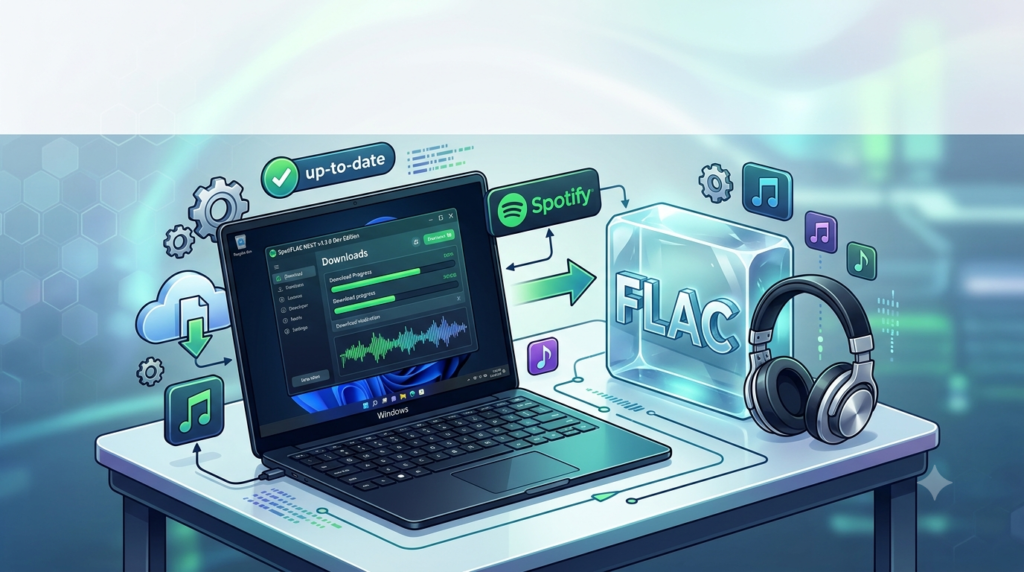
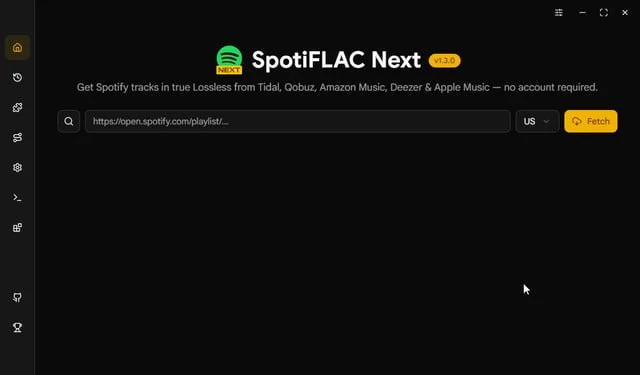
SpotiFLAC NEXT v.1.3.0 Dev Edition is a specialized software tool designed for music enthusiasts and audiophiles who want to download high-quality FLAC files from Spotify. Unlike conventional Spotify downloaders, this application sources true lossless audio from multiple premium streaming services including Tidal, Qobuz, Amazon Music, Deezer, and Apple Music. The software operates without requiring a Spotify account, making it accessible to users who prefer not to link their personal streaming profiles.
The SpotiFLAC NEXT project represents a significant evolution from the original SpotiFLAC, offering enhanced features, more frequent updates, and expanded source compatibility. It is released as a token of appreciation for supporters through platforms like Ko-fi, Patreon, and cryptocurrency contributions.
Key Features
Lossless Audio Quality
The standout feature of SpotiFLAC NEXT is its ability to deliver true lossless FLAC audio. Unlike standard Spotify downloads that typically provide OGG Vorbis format at 320kbps, this tool retrieves CD-quality and even hi-res lossless files from premium streaming services.
Multi-Source Support
SpotiFLAC NEXT distinguishes itself by sourcing music from multiple platforms simultaneously:
-
Tidal
-
Qobuz
-
Amazon Music
-
Deezer
-
Apple Music
This redundancy ensures better availability and often results in higher quality audio files compared to single-source alternatives.
Enhanced Workflow and Extensions
The Dev Edition introduces workflow improvements and extension support that streamline the downloading process. Users can efficiently manage large playlists and albums without manual intervention.
Advanced Metadata and Lyrics
The software includes comprehensive metadata retrieval from multiple providers:
-
Spotify Web and MusicBrainz for standard metadata
-
Tidal, Qobuz, Amazon Music, Deezer, and Apple Music for enhanced metadata
-
Multiple lyrics providers including Spotify Web, Apple Music, Amazon Music, Musixmatch, and LRCLIB
Modern Tagging Engine
Utilizing the TagLib library, SpotiFLAC NEXT ensures accurate and comprehensive tagging of downloaded audio files. This professional-grade tagging ensures compatibility across different media players and devices.
What’s New in SpotiFLAC NEXT v.1.3.0 Dev Edition
Comparison with Original SpotiFLAC
| Feature | SpotiFLAC | SpotiFLAC NEXT |
|---|---|---|
| Extensions | ✗ | ✓ |
| Workflow | ✗ | ✓ |
| Home Feed | ✗ | ✓ |
| Source Availability | Open | Closed |
| Updates | Slower | Frequent |
| Supported Links | Spotify | Spotify, Tidal, Qobuz, Amazon Music, Deezer, Apple Music |
| Metadata Providers | Spotify Web, MusicBrainz | Spotify Web, MusicBrainz, Tidal, Qobuz, Amazon Music, Deezer, Apple Music |
| Lyrics Providers | LRCLIB | Spotify Web, Apple Music, Amazon Music, Musixmatch, LRCLIB |
| Download Sources | Tidal, Qobuz, Amazon Music | Tidal, Qobuz, Amazon Music, Deezer, Apple Music |
| Tagging Engine | Native Go | TagLib |
Enhanced Source Availability
Version 1.3.0 expands support beyond the original SpotiFLAC’s Tidal, Qobuz, and Amazon Music sources to include Deezer and Apple Music. This broader compatibility improves download success rates and audio quality options.
Improved Download Reliability
The Dev Edition features an improved downloading engine that handles failures more gracefully and offers better retry mechanisms. Users can specify loop durations to keep retrying downloads in case of temporary service interruptions.
Command-Line Flexibility
For advanced users, SpotiFLAC NEXT provides comprehensive command-line options for customizing the download experience:
--service tidal qobuz deezer amazon    # Specify download sources in priority order
--filename-format {title_artist,artist_title,title_only}    # Customize output file naming
--use-track-numbers                     # Include track numbers in filenames
--use-artist-subfolders                 # Organize files by artist
--use-album-subfolders                  # Organize files by album
--loop minutes                         # Retry duration for failed downloads[citation:6]
System Requirements
Hardware Requirements
-
Processor: Intel Core i3 or equivalent AMD processor
-
RAM: Minimum 4GB (8GB recommended)
-
Storage: 1GB free space for application, plus adequate space for downloaded music files
-
Network: Stable internet connection
Operating System Compatibility
SpotiFLAC NEXT is designed for cross-platform compatibility:
| Platform | Available Formats |
|---|---|
| Windows | .exe installer and portable version |
| macOS | .dmg package |
| Linux | AppImage (x86_64 and ARM64) |
Linux Dependencies
Linux users need to install webkit2gtk-4.1 before running the AppImage:
Ubuntu/Debian:
sudo apt install libwebkit2gtk-4.1-0
Arch Linux:
sudo pacman -S webkit2gtk-4.1
Fedora:
sudo dnf install webkit2gtk4.1
After installing the dependency, make the AppImage executable:
chmod +x SpotiFLAC-NEXT.AppImage
./SpotiFLAC-NEXT.AppImage[citation:11][citation:12]
Installation Guide
Windows Installation
-
Download the
SpotiFLAC-NEXT.exefile from the official release page -
Run the executable file
-
Follow the on-screen installation prompts
-
Launch the application from the desktop shortcut or start menu
macOS Installation
-
Download the
SpotiFLAC-NEXT.dmgfile -
Double-click the .dmg file to mount it
-
Drag the application to your Applications folder
-
Launch from Applications folder
Linux Installation
-
Download the appropriate AppImage for your architecture:
-
Standard:
SpotiFLAC-NEXT.AppImage -
ARM64:
SpotiFLAC-NEXT-ARM.AppImage
-
-
Make the file executable:
chmod +x SpotiFLAC-NEXT.AppImage -
Run the file:
./SpotiFLAC-NEXT.AppImage
Python Module Installation
For users who prefer programmatic access, SpotiFLAC NEXT can be installed as a Python module:
from SpotiFLAC import SpotiFLAC

SpotiFLAC(
    url="https://open.spotify.com/album/xyz",
    output_dir="/path/to/output_dir",
    services=["tidal", "deezer", "qobuz", "amazon"],
    filename_format="artist_title",
    use_track_numbers=True,
    use_artist_subfolders=True,
    use_album_subfolders=True,
    loop=120
)[citation:6]
How to Use SpotiFLAC NEXT
Basic Usage
-
Launch the application – Open SpotiFLAC NEXT on your system
-
Copy a Spotify link – Navigate to Spotify, find a track, album, or playlist, and copy its URL or URI
-
Paste the link – Enter the Spotify link into the application’s input field
-
Select quality settings – Choose your preferred output format and quality
-
Start downloading – Click the download button to begin retrieving files
Command-Line Usage Examples
Download a single track:
./SpotiFLAC-NEXT https://open.spotify.com/track/4iV5W9uYEdYUVa79Axb7Rh
Download a playlist:
./SpotiFLAC-NEXT https://open.spotify.com/playlist/37i9dQZF1DX0XUsuxWHRQd
Specify download source priority:
./SpotiFLAC-NEXT --service tidal deezer qobuz "https://open.spotify.com/album/xyz"
Best Practices
-
Use Tidal as the primary source for the best FLAC availability
-
Enable track numbers to maintain proper playlist order
-
Use artist subfolders for better library organization
-
Set a loop duration of 120-180 seconds for large playlists to handle temporary failures
Best Use Cases
Building a Lossless Music Archive
SpotiFLAC NEXT is ideal for creating a personal library of lossless music that isn’t dependent on streaming service availability. Audiophiles can build comprehensive collections without subscription costs or device limitations.
Offline Listening
For users in areas with unreliable internet connections or those who prefer local playback, the software provides access to FLAC-quality files for offline enjoyment on any compatible device.
Music Production and DJ Preparation
Producers and DJs can download high-quality reference tracks for:
-
Mixing and mastering – Analyzing commercial releases in lossless quality
-
Set preparation – Building DJ sets with consistent high-quality audio
-
Sampling – Sourcing clean, lossless samples for production work
Backup and Portability
Creating local backups of favorite albums and playlists ensures access even if Spotify removes content or if subscription status changes. The lossless format future-proofs the collection for evolving audio systems.
Audiophile Listening Sessions
With support for high-resolution audio from services like Qobuz and Tidal, SpotiFLAC NEXT enables reference-quality listening sessions on high-end audio equipment without monthly streaming fees.
Advantages and Limitations
Advantages
-
True lossless audio – Retrieves actual FLAC files, not transcoded MP3s
-
No account required – Works without Spotify authentication
-
Multiple source options – Falls back to alternative services if primary source fails
-
Comprehensive metadata – Embedding of tags, lyrics, and cover art
-
Cross-platform support – Works on Windows, macOS, and Linux
-
Active development – Frequent updates with improvements
Limitations
-
Closed source – SpotiFLAC NEXT is proprietary, unlike the open-source original SpotiFLAC
-
Availability – Released privately to supporters through Ko-fi, Patreon, or cryptocurrency contributions
-
Legal considerations – Use may violate terms of service for source platforms
-
Technical requirements – Linux users must install additional dependencies
-
Potential rate limiting – Large downloads may encounter platform restrictions
Alternatives to SpotiFLAC NEXT
Sunnify
Sunnify is a free, open-source desktop application with a GUI interface that downloads Spotify playlists, albums, and tracks to local files including FLAC, MP3, M4A, Opus, and WAV formats. It features parallel downloads, resume capability for large playlists, and accurate audio matching using title, artist, and duration.
SuperSPOTDL
A Python-based downloader that supports both MP3 and FLAC formats, sourcing audio from YouTube Music. It uses the Spotify API for track information and features metadata embedding with album art.
SpotGet
A CLI-based tool that downloads Spotify songs and playlists without requiring an API key. It supports multiple audio formats including FLAC, features concurrent downloads, and offers configurable settings for output directory and file naming.
Comparison Table
| Feature | SpotiFLAC NEXT | Sunnify | SuperSPOTDL | SpotGet |
|---|---|---|---|---|
| Platform | Windows, macOS, Linux | Windows, macOS, Linux | Windows, macOS, Linux | Windows, macOS, Linux |
| Interface | GUI | GUI | CLI | CLI |
| FLAC Support | ✓ | ✓ | ✓ | ✓ |
| Multiple Sources | ✓ | ✗ | ✗ | ✗ |
| Metadata Embedding | ✓ | ✓ | ✓ | ✓ |
| Lyrics Support | ✓ | ✗ | ✗ | ✗ |
| Account Required | No | No | No | No |
| Price | Supporter contribution | Free (Open Source) | Free (Open Source) | Free (Open Source) |
Frequently Asked Questions
Is SpotiFLAC NEXT free to use?
SpotiFLAC NEXT is released as a token of appreciation for supporters through Ko-fi, Patreon, or cryptocurrency contributions. It is not a paid product but is shared privately through supporter-only posts. Unlike the original SpotiFLAC, which is open-source, SpotiFLAC NEXT has closed source availability.
Can using SpotiFLAC NEXT get my Spotify account suspended?
No. SpotiFLAC NEXT has no connection to your Spotify account. Spotify data is obtained through reverse engineering of the Spotify Web Player, not through user authentication. Your personal account remains unaffected.
Does SpotiFLAC NEXT require a premium account?
No. The software works without any account credentials. You do not need a Spotify account, login, or subscription to use the tool. The only requirement is an internet connection.
Why does SpotiFLAC NEXT offer more sources than the original?
SpotiFLAC NEXT represents an evolution of the original project with expanded source availability. While the original SpotiFLAC supports Tidal, Qobuz, and Amazon Music, NEXT adds support for Deezer and Apple Music. This broader compatibility improves download success rates and quality options.
How does SpotiFLAC NEXT compare to other Spotify downloaders?
SpotiFLAC NEXT offers superior audio quality by sourcing from multiple premium streaming services simultaneously. While alternatives like Sunnify or SuperSPOTDL typically rely on YouTube Music for sourcing, SpotiFLAC NEXT can retrieve true lossless audio from dedicated high-fidelity platforms. The multi-source approach ensures better availability and often better quality.
Final Thoughts
SpotiFLAC NEXT v.1.3.0 Dev Edition represents a significant advancement in the landscape of Spotify downloading tools. By intelligently sourcing lossless audio from multiple premium streaming services, it addresses the primary limitation of standard Spotify downloads—compressed audio quality. The enhanced feature set including extensive metadata support, lyrics retrieval, and improved workflow makes it a professional-grade tool for music enthusiasts, producers, and audiophiles.
However, users should be aware of the legal and ethical considerations when using such tools. Streaming service terms of service typically prohibit downloading content for offline archival purposes outside official applications. While SpotiFLAC NEXT offers convenience and quality, users should respect the rights of artists and copyright holders.
For those committed to building a personal lossless music library, the software provides an unparalleled solution that combines accessibility, quality, and flexibility. The active development and private release model ensure sustained improvements and responsiveness to user needs.
Our Paid Service
“We do not sell or provide any software. We only offer professional support services. If any software on your system is not working properly, or you are facing installation errors, crashes, or any other technical issue — just contact us. We will help you fix the problem quickly and remotely via AnyDesk. No software will be provided from our side — only expert troubleshooting and support.”