
Overview of Thopos 2026 Surveying Software
Table of Contents
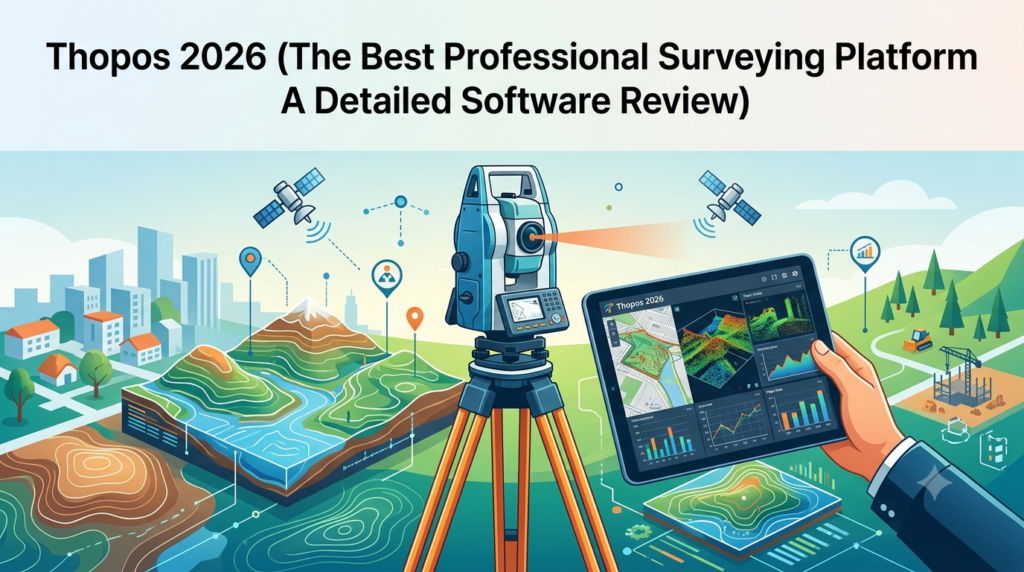
Thopos 2026 represents the latest evolution in professional surveying software, delivering comprehensive land surveying solutions for modern geomatics professionals. As the surveying industry continues to embrace digital transformation, Thopos 2026 stands at the forefront of surveying technology, offering powerful tools for total station data processing, GPS surveying, and advanced geodetic calculations.
Thopos 2026 is developed specifically for surveyors, engineers, and geospatial professionals who demand precision, efficiency, and reliability in their daily fieldwork and office processing tasks. The software has gained significant recognition in the professional surveying community for its intuitive workflow integration and robust computational capabilities.
Whether you are managing construction site surveys, performing cadastral mapping, or conducting topographic surveys, Thopos 2026 provides the professional-grade functionality required for accurate land measurement and data analysis. This survey software solution bridges the gap between traditional surveying methods and modern digital workflows, making it an essential tool for contemporary surveying practices.
The latest surveying software iteration brings enhanced features that streamline the entire survey process – from data collection in the field to final report generation in the office. Thopos 2026 supports multiple data formats and integrates seamlessly with various surveying instruments, ensuring compatibility across different hardware platforms commonly used in professional surveying.
Key Features of Thopos 2026
Thopos 2026 offers an impressive array of professional surveying features designed to meet the demands of modern geomatics workflows. Below are the standout capabilities that make this surveying platform a preferred choice among industry professionals.
Data Import and Processing
Multiple Instrument Compatibility
-
Total station data import from leading manufacturers like Leica, Trimble, Topcon, and Sokkia
-
GPS/GNSS data processing with support for RINEX, RTK, and static survey formats
-
Direct CSV, DXF, and shapefile import capabilities for versatile data integration
-
Raw data translation and adjustment tools for error correction
Coordinate System Management
The software provides extensive surveying datum support including:
-
Global coordinate systems (WGS84, UTM, GDA2020)
-
Local and custom coordinate systems
-
Map projections and transformations
-
Geoid modeling and vertical datum adjustments
Advanced Computational Tools
Thopos 2026’s calculation engine is one of its most powerful features:
-
Traverse adjustment using least squares methods
-
Network adjustment with rigorous statistical analysis
-
Coordinate geometry for computing distances, bearings, and areas
-
Stakeout calculations for construction layout and setout
-
Area and volume computations for earthworks and material quantities
-
3D coordinate transformations between different systems
Data Visualization and Mapping
-
2D plan display with customizable layers
-
3D visualization for terrain modeling
-
Contour generation from point clouds
-
Profile and cross-section views
-
Orthophoto and satellite imagery overlay
-
Interactive zoom, pan, and measurement tools
Reporting and Documentation
Thopos 2026 generates professional surveying deliverables:
-
Coordinate reports with precision statistics
-
Survey plans in DWG, DXF, and PDF formats
-
Point summaries with custom attribute fields
-
Adjustment reports detailing error statistics
-
Export to Google Earth for visualization and sharing
-
Custom report templates for specific project requirements
Data Security and Project Management
-
Project-based file organization
-
Version control and audit trails
-
Database integration for large-scale projects
-
Password protection and data encryption options
-
Cloud synchronization capabilities
What’s New in Thopos 2026
The latest version introduces significant enhancements that elevate the surveying software’s capabilities:
Enhanced GNSS Processing Engine
The 2026 release features an upgraded GNSS processing module with improved ambiguity resolution and faster convergence times. Surveyors can now achieve centimeter-level precision with shorter observation periods, making the software more efficient for RTK and post-processing workflows.
Modernized User Interface
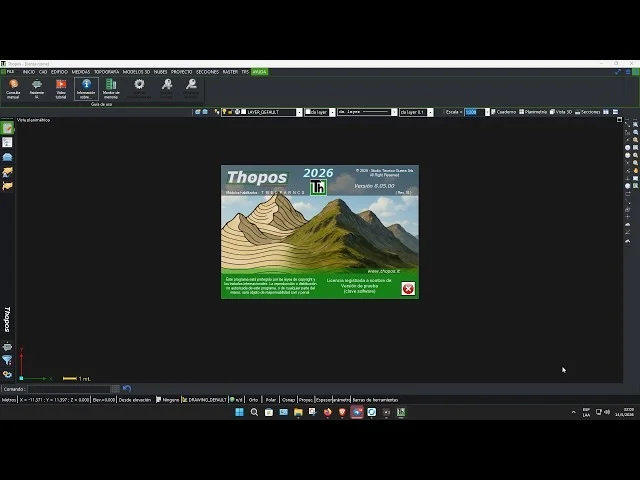
Thopos 2026 presents a redesigned interface with customizable dashboards, dark mode options, and context-sensitive toolbars. The new layout reduces the learning curve for new users while providing experienced surveyors with quicker access to advanced functions.
Cloud Integration
Seamless cloud connectivity allows survey teams to synchronize project data across multiple devices. This feature enables real-time collaboration between field crews and office staff, ensuring everyone works with the most current survey information.
AI-Assisted Features
The 2026 version introduces AI-powered tools including:
-
Automated feature extraction from point clouds
-
Intelligent data cleansing for outlier detection
-
Pattern recognition for quality assurance
-
Predictive analytics for error forecasting
Mobile Field Module
A companion mobile application extends the software’s capabilities to Android and iOS devices. Field surveyors can now collect, review, and verify data directly from their tablets or smartphones, improving efficiency and reducing data entry errors.
Performance Optimizations
Improved computational algorithms deliver up to 40% faster processing for large datasets. The software now supports multi-threading and GPU acceleration, significantly reducing wait times for complex calculations and point cloud processing.
System Requirements
Thopos 2026 is compatible with modern Windows operating systems and is optimized for both desktop and laptop computers. Below are the detailed system specifications:
Minimum Requirements
| Component | Specification |
|---|---|
| Operating System | Windows 10 (64-bit) or Windows 11 |
| Processor | Intel Core i5 or AMD equivalent (2.5 GHz) |
| RAM | 8 GB |
| Storage | 20 GB available space |
| Graphics | DirectX 11 compatible (1 GB VRAM) |
| Display | 1366 x 768 resolution |
| Internet | Required for activation and updates |
Recommended Specifications
| Component | Specification |
|---|---|
| Operating System | Windows 11 Pro (64-bit) |
| Processor | Intel Core i7 or AMD Ryzen 7 (3.0 GHz+) |
| RAM | 16 GB or higher |
| Storage | SSD with 50 GB available space |
| Graphics | Dedicated GPU with 4 GB VRAM |
| Display | 1920 x 1080 or higher |
| Internet | Broadband connection for cloud features |
Optional Hardware
-
Network license server for multi-user deployments
-
Plotter or large-format printer for plan production
-
GPS receiver for field integration
-
Total station data cable or Bluetooth connection
-
Database server for enterprise deployments
Installation Guide
Thopos 2026 is available through official distribution channels only. Below is the standard installation process for the surveying software.
Before Installation
-
System Check: Verify your computer meets the minimum requirements
-
License Prepared: Obtain your valid license key from the official vendor
-
Backup: Create backups of existing project files
-
Administrator Rights: Ensure you have administrative privileges for installation
-
Antivirus Settings: Temporarily disable antivirus software or add exceptions
Installation Steps
Step 1: Download the Official Package
-
Visit the Thopos official website
-
Access your user account or enter your license information
-
Download the full installation package (approximately 3.5 GB)
Step 2: Run Installation
-
Launch the installer as an administrator
-
Accept the license agreement
-
Select installation location (default: C:\Program Files\Thopos 2026)
-
Choose components to install (Full or Custom installation)
Step 3: License Activation
-
Enter your valid license key
-
Select activation method (online recommended)
-
For offline activation, use the provided machine code
-
Complete the activation process
Step 4: Post-Installation
-
Configure default coordinate system settings
-
Set up instrument communication parameters
-
Customize user interface preferences
-
Install available updates (if any)
Step 5: Verification
-
Open Thopos 2026 to verify successful installation
-
Test basic functionality
-
Import a sample dataset to confirm proper operation
Common Installation Issues
| Issue | Solution |
|---|---|
| Installation fails | Verify Windows updates are current |
| License activation errors | Check internet connection |
| Missing DLL files | Install required Visual C++ Redistributable |
| Performance issues | Update graphics drivers |
| Instrument connection problems | Check port settings and drivers |
How to Use Thopos 2026 Surveying Software
This practical guide will help both new and experienced surveyors maximize their efficiency with Thopos 2026 surveying software.
Getting Started with Thopos 2026
Creating a New Project
-
Open Thopos 2026 and select “New Project” from the start screen
-
Enter project name and description
-
Set the coordinate system (select from predefined options)
-
Choose project units (meters, feet, etc.)
-
Save the project to your preferred location
Understanding the Interface
-
Menu Bar: Access all primary functions
-
Toolbar: Quick access to common tools
-
Project Explorer: Manage all project data
-
Map View: Interactive visualization area
-
Properties Panel: View and edit selected elements
-
Output Window: Review calculations and messages
Data Import Methods
Import from Total Station
-
Connect instrument via cable, Bluetooth, or memory card
-
Navigate to File > Import > Total Station Data
-
Select your instrument manufacturer and model
-
Choose the raw data file from the instrument
-
Review imported points and observations
-
Apply any necessary corrections
GPS Data Import
-
Select File > Import > GNSS Data
-
Choose the receiver type and file format
-
Import RINEX or manufacturer-specific files
-
Process base station and rover data
-
Apply differential corrections as needed
Performing Survey Computations
Traverse Adjustment
-
Input your traverse data points and observations
-
Select the adjustment method (least squares recommended)
-
Specify error tolerance and constraints
-
Execute the adjustment
-
Review and apply the results
-
Generate adjustment report
Coordinate Geometry
-
Use the COGO tools for computations
-
Enter known point coordinates
-
Input bearings and distances
-
Compute missing coordinates
-
Verify results with graphical display
Data Presentation and Output
Creating Survey Plans
-
Open your processed project
-
Design the layout using available tools
-
Add title block, scale, and north arrow
-
Include coordinates and reference points
-
Customize point labels and symbols
-
Preview the plan before printing or exporting
Exporting Data
-
Select File > Export
-
Choose output format (DWG, DXF, PDF, CSV, etc.)
-
Select the elements to include
-
Configure coordinate transformation if needed
-
Complete the export process
Pro Tips for Efficient Surveying Workflow
-
Batch Processing: Process multiple files simultaneously
-
Keyboard Shortcuts: Learn shortcuts for frequently used functions
-
Project Templates: Create templates for recurring project types
-
Automation Scripts: Record macros for repetitive tasks
-
Data Validation: Always verify imported data before processing
-
Quality Assurance: Create checkpoints throughout your workflow
Best Use Cases for Thopos 2026
Thopos 2026 professional surveying software excels across various applications in the surveying and engineering industries.
Land Development and Construction
Surveyors use Thopos 2026 for essential development projects:
-
Topographic surveys for development planning
-
Construction layout with precise stakeout coordinates
-
Earthwork calculations for volume estimation
-
Horizontal and vertical alignment for infrastructure projects
-
Asset management surveys for utilities and infrastructure
Cadastral and Boundary Surveys
The software provides comprehensive tools for property boundary work:
-
Cadastral mapping for property identification
-
Boundary determination with coordinate geometry
-
Subdivision design and lot creation
-
Easement mapping and legal documentation
Engineering and Design Projects
Engineers rely on Thopos 2026 for:
-
Road design surveys with alignment creation
-
Bridge surveys with precise control networks
-
Tunnel surveys with specialized calculation methods
-
Mining surveys with volume calculations
-
Hydrographic surveys for marine applications
Geological and Environmental Surveys
Environmental professionals use the software for:
-
Environmental monitoring with GPS technology
-
Landslide mapping with 3D terrain models
-
Geological mapping with integrated GIS capabilities
-
Coastal studies with change detection tools
Advantages and Limitations
Understanding the strengths and limitations of Thopos 2026 helps users make informed decisions and plan effectively.
Advantages of Thopos 2026
Comprehensive Surveying Features
-
All surveying functions integrated in one platform
-
Support for all major instrument manufacturers
-
Complete workflow from field to final deliverables
-
Professional-quality results meeting industry standards
User-Friendly Design
-
Intuitive interface suitable for all skill levels
-
Context-sensitive help and documentation
-
Consistent command structure and workflows
-
Customizable workspace configurations
Performance and Reliability
-
Stable calculations with rigorous validation
-
Accurate results with statistical analysis
-
Efficient processing of large datasets
-
Regular updates and bug fixes
Data Flexibility
-
Support for numerous file formats and standards
-
Seamless integration with GIS and CAD software
-
Cloud connectivity for remote collaboration
-
Mobile field module for extended capabilities
Cost-Effectiveness
-
Competitive pricing for professional-grade software
-
No recurring subscription fees (perpetual license option)
-
Training and implementation support available
-
Scalable licensing for growing businesses
Limitations to Consider
Hardware Requirements
-
Demands moderately powerful hardware
-
Requires Windows operating system only
-
Limited Linux or macOS support
Learning Curve
-
Comprehensive features may require substantial training
-
Advanced functions need experience to master
-
New users should expect a week-long learning period
Specialized Features
-
Certain highly specialized survey calculations may be limited
-
Industry-specific tools may require additional modules
Support Availability
-
Time zone differences for international users
-
Language options may be limited
Alternatives to Thopos 2026
Several competitive surveying software solutions exist in the professional market. Here is how Thopos 2026 compares:
| Software | Key Strengths | Key Differences from Thopos 2026 |
|---|---|---|
| Leica Infinity | Industry-leading GNSS processing, seamless Leica integration | Higher price point; more complex for simple tasks |
| Trimble Business Center | Excellent for highway projects, strong data management | Requires specialized training; focused on Trimble hardware |
| Carlson Survey | Strong CAD integration, affordable pricing | Less sophisticated adjustment engine; different interface |
| MicroSurvey | User-friendly, legal documentation tools | Limited advanced calculation features |
| 12d Model | Powerful for civil engineering projects | Steeper learning curve; different workflow model |
| SitePro | Construction-focused, intuitive interface | Limited for cadastral work |
When to Choose Thopos 2026
Thopos 2026 is the ideal choice when you need:
-
Comprehensive surveying functionality in one platform
-
Professional-grade precision and reliability
-
Competitive pricing without sacrificing features
-
Workflow flexibility across various project types
When to Consider Alternatives
Consider other options when:
-
Infrastructure specialization: For major infrastructure projects, 12d Model may be appropriate
-
Leica Exclusive Environment: Leica Infinity provides seamless integration with Leica instruments
-
Budget Limitations: Carlson Survey offers entry-level pricing for basic functionality
-
Specialized Legal Documentation: MicroSurvey provides specific legal document capabilities
Frequently Asked Questions
General Questions
What is Thopos 2026 used for?
Thopos 2026 is professional surveying software used for data processing, coordinate calculations, and map creation in land surveying, engineering, and construction projects. The software processes data from total stations, GPS/GNSS receivers, and other surveying instruments to produce accurate spatial data and professional deliverables.
Who should use Thopos 2026?
The software is designed for licensed surveyors, civil engineers, geomatics professionals, construction surveyors, and students in related fields. It is suitable for both small-scale property surveys and large-scale infrastructure projects, making it appropriate for independent surveyors, government agencies, and engineering firms.
Is Thopos 2026 compatible with my surveying instruments?
Thopos 2026 supports data import from major surveying instrument manufacturers, including Leica, Trimble, Topcon, Sokkia, and many others. The software supports standard data formats like CSV, DXF, and RINEX, enabling integration with most modern surveying equipment.
Technical Questions
Does Thopos 2026 support mobile workflow?
Yes, Thopos 2026 includes a companion mobile application for Android and iOS devices. The mobile module enables field data collection, verification, and communication with office staff. This integration helps streamline workflows and reduce data transfer delays.
How accurate are the calculations in Thopos 2026?
The software uses industry-standard least squares adjustment methods and rigorous mathematical algorithms for high precision. Accuracy depends on input data quality, but Thopos 2026 provides comprehensive error statistics and confidence intervals for all measurements.
Can Thopos 2026 work with cloud services?
Yes, Thopos 2026 includes cloud integration for data synchronization, team collaboration, and project backup. The software supports major cloud platforms and private cloud implementations, enabling distributed teams to work effectively across locations.
Licensing and Support
How do I obtain Thopos 2026?
The software is available exclusively through the official website and authorized resellers. Purchase options include perpetual licenses, annual subscriptions, and volume licensing for organizations. Contact the Thopos sales team for personalized pricing and recommendations.
What support is available for Thopos 2026 users?
Support includes 24/7 online documentation, video tutorials, email assistance, and live phone support during business hours. Paid support plans offer priority response times, dedicated account managers, and on-site training options.
Is training available for Thopos 2026?
Yes, official training courses range from beginner introduction to advanced application training. Options include online training, in-person courses, and on-site training for organizations. Custom training can be arranged for specific project requirements.
How do I migrate data from other surveying software?
Thopos 2026 includes import tools for major competitor file formats (DWG, DXF, LandXML, and proprietary formats). The software retains original data structure and metadata to simplify the migration process and preserve data integrity.
Can I export Thopos 2026 plans to other software?
The software supports various export formats, including DWG, DXF, LandXML, Shapefile, and GIS formats. This facilitates integration with CAD software, GIS platforms, and other engineering tools commonly used in professional workflows.
Does Thopos 2026 support custom coordinate systems?
Yes, the software allows users to define custom coordinate systems, projections, and datums. This feature is valuable for local government agencies, mining operations, and projects requiring specialized coordinate management.
What are the future development plans for Thopos?
Development focuses on AI integration, advanced machine learning for data analysis, enhanced 3D capabilities, and deeper BIM compatibility. The Thopos roadmap also includes improved mobile functionality and extended automation features.
How do I update Thopos 2026?
Updates are delivered through the software’s built-in update checker or the official download portal. Subscription customers receive automatic updates, while perpetual license holders can download feature updates during their active maintenance period.
Final Thoughts
Thopos 2026 stands as a comprehensive and professional surveying software solution that successfully balances powerful functionality with user-friendly design. The platform’s commitment to professional-grade surveying tools, combined with its modern interface and cloud integration, makes it suitable for a wide range of surveying applications.
Our Paid Service
“We do not sell or provide any software. We only offer professional support services. If any software on your system is not working properly, or you are facing installation errors, crashes, or any other technical issue — just contact us. We will help you fix the problem quickly and remotely via AnyDesk. No software will be provided from our side — only expert troubleshooting and support.”