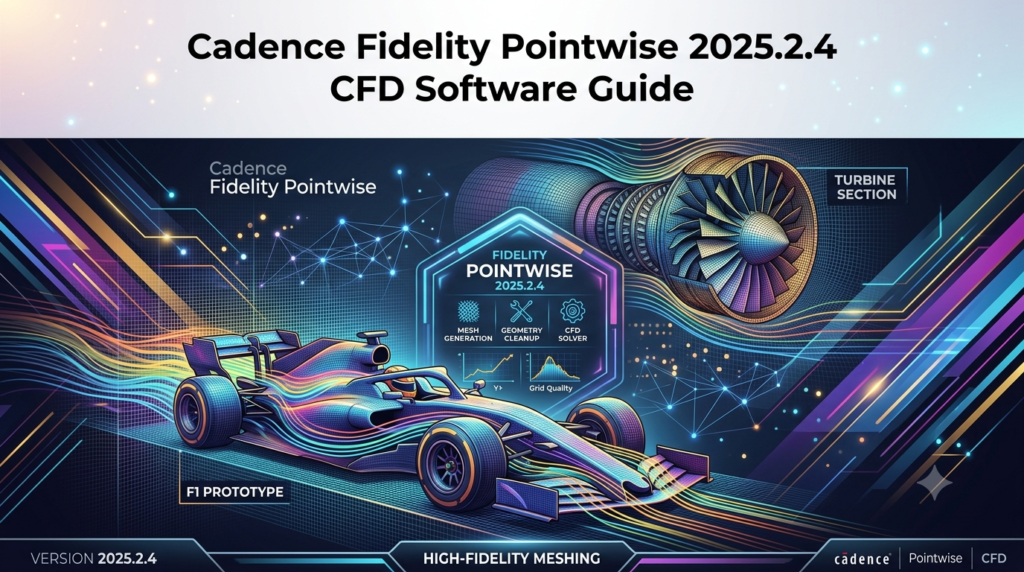

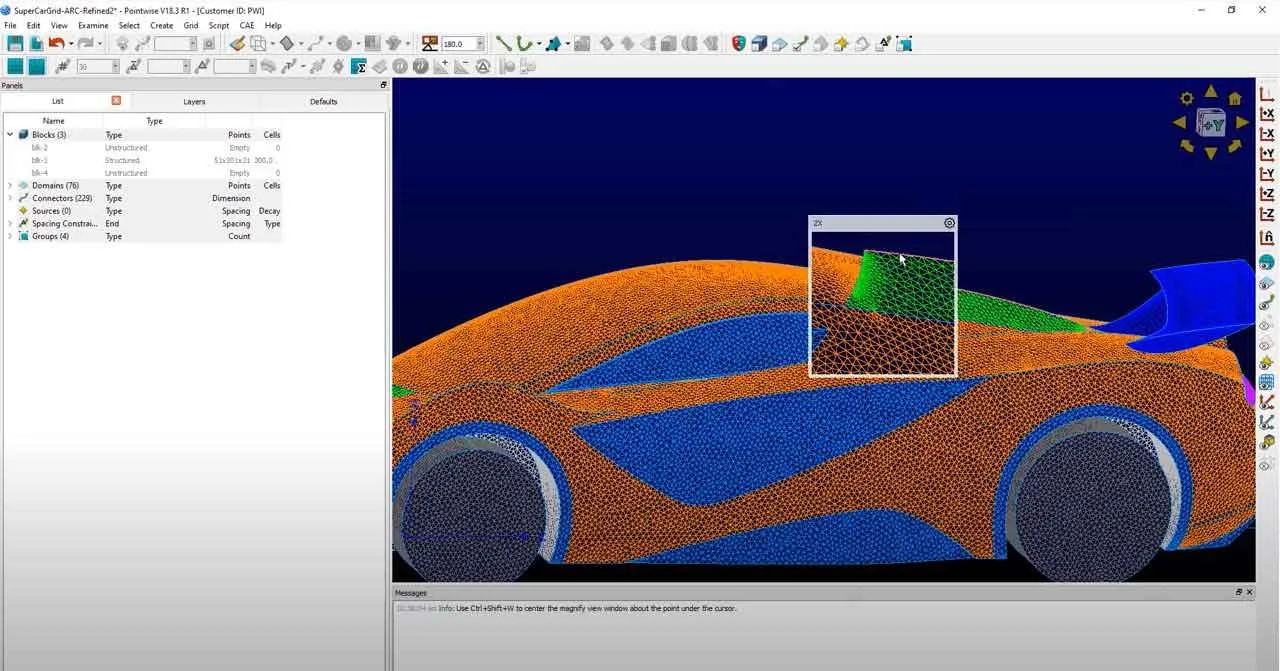
Overview of Cadence Fidelity Pointwise
Table of Contents
Cadence Fidelity Pointwise is a professional computational fluid dynamics (CFD) mesh generation software used by engineers worldwide for high-fidelity fluid domain characterization . As a standalone CFD meshing tool, Fidelity Pointwise provides comprehensive functionality spanning geometry model preparation, advanced mesh generation techniques, and broad compatibility with leading flow solvers .
The software traces its origins to the 1980s, when it was developed by General Dynamics for the F-16 fighter jet program under the name Gridgen . In 1994, the development team established Pointwise, Inc., and released commercial versions. Following Cadence’s acquisition of Pointwise in April 2021, the software was rebranded as Fidelity Pointwise as part of Cadence’s Intelligent System Design strategy to expand its system analysis portfolio .
Fidelity Pointwise serves industries including aerospace, automotive, turbomachinery, and marine engineering . Organizations leverage the software to optimize propulsion systems, aerodynamics, hydrodynamics, and combustion processes while reducing costly physical testing and accelerating time-to-market . The software integrates Cadence’s industry-leading meshing approach with robust solver and post-processing capabilities, enabling superior product quality and performance .
Key Features of Fidelity Pointwise
Comprehensive Mesh Generation Capabilities
Fidelity Pointwise supports an extensive range of mesh types to accommodate diverse CFD requirements. Engineers can generate structured grids, unstructured grids, and hybrid meshes combining multiple element types . The software includes specialized mesh types for specific applications:
-
T-Rex (Anisotropic Tetrahedron Extrusion) Technology: Generates boundary layer-resolving hybrid meshes efficiently, particularly valuable for aerodynamic simulations requiring high-resolution near-wall resolution
-
Hybrid Anisotropic Meshes: Combines tetrahedra, prisms, hexahedra, and voxels for optimal balance between accuracy and computational efficiency
-
Overset Grid Assembly: Creates overlapping grid systems for complex geometries and moving-body simulations
-
High-Order Meshes: Supports high-order solvers requiring curved elements for enhanced simulation accuracy
Advanced Mesh Quality Control
The software employs sophisticated methods to ensure mesh quality and simulation accuracy. Elliptic partial differential equation methods enable smoothing, clustering, and orthogonalization of mesh elements . This approach improves solution convergence and reduces numerical errors in CFD simulations.
Geometry Modeling and Repair
Fidelity Pointwise provides robust geometry preparation tools for working with imperfect CAD models. The software supports B-Rep NURBS from major MCAD systems, as well as digital geometry from design software and 3D scans . Geometry repair capabilities help engineers prepare watertight models suitable for high-quality meshing.
Broad Workflow Integration
A key strength of Fidelity Pointwise is its capacity to integrate into existing CFD workflows . The software includes mesh export and import tools for leading CFD solvers, including ANSYS FLUENT, STAR-CCM+, and OpenFOAM . Engineers can pre-assign boundary conditions (BC) and volume conditions (VC) during mesh generation, ensuring seamless data transfer to downstream solvers .
Scripting and Automation
Fidelity Pointwise includes the Glyph scripting language for parameterized, automated workflows . Engineers can create custom scripts to automate repetitive meshing tasks, standardize processes, and accelerate simulation cycles. The software’s GitHub repository provides an expanding collection of plugins for various CAE solutions .
What’s New in Fidelity Pointwise 2025.2
The 2025.2 release introduces significant workflow enhancements focused on usability and efficiency. Key updates include:
Streamlined User Interface
The updated interface for CAE volume condition setup delivers faster, cleaner, and more consistent workflows . Users can now efficiently configure volume region assignments, multi-region CFD setups, and conjugate heat transfer (CHT) and multiphysics use cases through improved UI controls.
Enhanced 3D Grid View Controls
New keyboard shortcuts enable smoother 3D grid view manipulation . Engineers can use numeric keypad shortcuts, axis rotations, and speed controls to navigate complex meshes more efficiently without interrupting their workflow.
Source Shape Editing
Version 2025.2 introduces simplified source shape editing capabilities . Users can quickly adjust size, position, and resolution parameters without regenerating entire meshes, saving significant time during iterative simulation workflows.
Database Quilt Disassembly
A new feature allows engineers to disassemble database quilts and restore original geometry surfaces . This capability simplifies meshing by providing better access to underlying geometry for complex CAD assemblies.
System Requirements for Fidelity Pointwise
Fidelity Pointwise 2025.2.4 is available for Windows 64-bit (x64) platforms. Detailed system requirements include:
-
Operating System: Windows 10 or Windows 11 (64-bit)
-
Processor: Intel or AMD x64 processor with multiple cores recommended
-
Memory: Minimum 8 GB RAM; 16 GB or higher recommended for large meshes
-
Graphics: OpenGL-compatible graphics card with hardware acceleration
-
Storage: 10 GB available disk space for installation and temporary files
Users should note that performance scales with hardware capabilities, particularly for large-scale mesh generation projects involving hundreds of millions or billions of cells .
Installation Guide for Fidelity Pointwise
Step 1: Obtain a Valid License
Fidelity Pointwise is commercial software requiring a valid license from Cadence Design Systems. Organizations typically purchase licenses through Cadence’s sales channel or authorized distributors. Academic and research institutions may qualify for special licensing arrangements.
Step 2: Download the Installer
Licensed users can download the Fidelity Pointwise 2025.2.4 installer from the Cadence support portal. The installer package is approximately 1-2 GB and includes all necessary components for the software.
Step 3: Run the Installation
-
Launch the installer: Double-click the downloaded executable file
-
Accept license terms: Review and accept the End User License Agreement
-
Select installation directory: Choose the destination folder (default location recommended)
-
Configure license settings: Enter license server information or local license file path
-
Complete installation: Follow on-screen prompts to finalize the installation
Step 4: Configure License Server (Network Licensing)
For network license installations, configure the license server settings during installation or through the licensing utility after installation. Ensure the license server is running and accessible from the workstation.
Step 5: Post-Installation Verification
Launch Fidelity Pointwise after installation to verify successful installation. Check the license status and confirm that all features are accessible. Update graphics drivers if display issues occur.
How to Use Fidelity Pointwise
Basic Workflow Overview
Fidelity Pointwise follows a systematic mesh generation workflow:
-
Import Geometry: Import CAD models in supported formats (IGES, STEP, CATIA, SOLIDWORKS, etc.)
-
Prepare Geometry: Repair and simplify geometry using the database tools
-
Define Meshing Strategy: Select appropriate mesh types for the simulation requirements
-
Generate Surface Mesh: Create initial surface mesh on geometry boundaries
-
Generate Volume Mesh: Extend surface mesh into volume using T-Rex or other techniques
-
Refine and Quality Check: Improve mesh quality using smoothing and optimization tools
-
Export Mesh: Export mesh in appropriate solver format with boundary conditions
Using the 2025.2 Features
Setting Up CAE Volume Conditions
The updated workflow in 2025.2 streamlines volume condition configuration :
-
Navigate to the volume condition panel in the updated UI
-
Select volume regions for assignment
-
Configure multi-region CFD setups for complex assemblies
-
Apply CHT and multiphysics settings as needed
Controlling 3D Grid View
The new keyboard shortcuts in 2025.2 enable efficient navigation :
-
Numeric keypad shortcuts for axis rotations
-
Speed controls for smooth view transitions
-
Quick keyboard commands for common view adjustments
Editing Source Shapes
The improved source shape editing capability allows :
-
Size adjustment without regenerating mesh
-
Position changes for optimal resolution placement
-
Resolution parameter updates with visual feedback
Disassembling Database Quilts
For complex geometry clean-up :
-
Identify quilt assemblies in the database
-
Use the disassemble function to restore individual surfaces
-
Simplify or repair individual surfaces for easier meshing
Best Use Cases for Fidelity Pointwise
Aerospace Engineering
Fidelity Pointwise excels in aerospace applications, reflecting its origins in military aviation development. Engineers generate high-quality meshes for aircraft aerodynamic analysis, including:
-
Full-aircraft configurations: Structured and unstructured meshes for transonic and supersonic analysis
-
High-lift systems: T-Rex meshes for boundary layer resolution on flaps and slats
-
Turbo-machinery: Structured meshes for turbine and compressor blade simulations
-
Hypersonic vehicles: Specialized meshes for high-speed flow characterization
The software has been used in development projects including F-15, F-22, and the Space Shuttle .
Marine Engineering
Naval architects use Fidelity Pointwise for hydrodynamic analysis of ships and underwater vehicles:
-
Hull form analysis: Structured meshes for resistance and propulsion studies
-
Propeller design: Overset grids for rotating propeller simulations
-
Submarine hydrodynamics: Hybrid meshes for maneuverability and noise analysis
Automotive Engineering
Automotive engineers leverage Fidelity Pointwise for vehicle development:
-
External aerodynamics: Hybrid meshes for drag reduction and stability analysis
-
Underhood thermal management: Unstructured meshes for complex under-hood geometries
-
Electric vehicle battery cooling: Volume meshes for thermal management studies
Turbomachinery Design
Engineers in power generation and propulsion use Fidelity Pointwise for:
-
Compressor analysis: Structured meshes for multi-stage analysis
-
Turbine blade cooling: High-resolution meshes for heat transfer studies
-
Pump design: Hybrid meshes for cavitation and performance analysis
Advantages and Limitations of Fidelity Pointwise
Advantages
1. Unparalleled Mesh Quality Control
Fidelity Pointwise provides granular control over mesh generation parameters, enabling engineers to achieve high-quality meshes that balance accuracy and computational efficiency . The elliptic PDE methods ensure smooth, orthogonal mesh elements for improved solution convergence.
2. Broad Solver Compatibility
The software exports mesh files in formats compatible with most leading CFD solvers, including commercial solutions like ANSYS FLUENT and STAR-CCM+, as well as open-source options like OpenFOAM . This flexibility preserves existing workflow investments.
3. Integration with CAD Workflows
Fidelity Pointwise imports geometry from major CAD systems and provides robust geometry repair capabilities . Engineers can work with imperfect models without returning to the CAD environment.
4. Scripting and Automation
The Glyph scripting language enables automation of repetitive tasks and standardization of meshing processes across teams . This capability reduces manual effort and improves consistency.
5. Legacy Expertise
The software benefits from decades of development and industry application, with a strong user community and established best practices . Organizations adopting Fidelity Pointwise access this accumulated knowledge base.
Limitations
1. Learning Curve
New users may find Fidelity Pointwise challenging initially due to its extensive functionality and professional orientation. The software requires understanding of both meshing theory and software operations .
2. Resource Requirements
Large mesh generation projects require substantial computational resources, including high-memory workstations and significant storage capacity . Organizations may need to invest in hardware upgrades.
3. Commercial Licensing Costs
As commercial software, Fidelity Pointwise involves licensing costs that may be significant for small organizations or individual practitioners. Academic pricing may be available for qualifying institutions.
4. CAD Import Limitations
While supporting major CAD formats, Fidelity Pointwise may encounter issues with models containing complex geometry or proprietary formats. Additional geometry cleanup may be required.
Alternatives to Fidelity Pointwise
ANSYS Meshing
ANSYS Meshing is integrated with the ANSYS Workbench environment and provides comprehensive mesh generation capabilities for structural and fluid simulations. Key advantages include tight integration with ANSYS solvers and a broad user base. However, Fidelity Pointwise offers superior control for structured meshing and specialized applications like turbomachinery.
STAR-CCM+ Meshing
STAR-CCM+ includes powerful meshing capabilities integrated with its solver environment. The software excels in automated meshing workflows for industrial applications. Fidelity Pointwise provides better control for users requiring high-quality structured meshes and specialized applications.
OpenFOAM meshing tools
OpenFOAM includes meshing utilities such as blockMesh and snappyHexMesh for structured and automated mesh generation. Being open-source, these tools offer zero-cost access but require significant user expertise and lack Fidelity Pointwise’s comprehensive interface and support.
Pointwise vs. ANSYS Meshing Comparison
| Feature | Fidelity Pointwise | ANSYS Meshing |
|---|---|---|
| Primary Focus | Dedicated mesh generation | Integrated simulation platform |
| Structured Mesh Control | Superior | Limited |
| T-Rex Boundary Layer | Advanced capability | Alternative approaches |
| Solver Compatibility | Broad range (40+) | ANSYS ecosystem optimized |
| Scripting | Glyph language | APDL, Python |
| Learning Curve | Steeper for beginners | Moderate |
When to Choose Fidelity Pointwise
Consider Fidelity Pointwise when your workflow requires:
-
Fine control over structured mesh generation
-
Specialized boundary layer resolution (T-Rex technology)
-
Integration with multiple solver environments
-
High-fidelity meshing for complex geometry
-
Legacy compatibility with established workflows
Frequently Asked Questions about Fidelity Pointwise
What is Fidelity Pointwise used for?
Fidelity Pointwise is a professional computational fluid dynamics (CFD) mesh generation software used to create high-quality meshes for fluid flow simulation. Engineers across aerospace, automotive, marine, and turbomachinery industries use it to convert CAD geometry into computational meshes for CFD analysis .
What is the difference between Pointwise and Fidelity Pointwise?
Fidelity Pointwise is the rebranded name for Pointwise following Cadence’s acquisition of Pointwise, Inc., in April 2021 . The software retains its core mesh generation technology but benefits from integration with Cadence’s broader CFD platform and development resources.
Is Fidelity Pointwise compatible with OpenFOAM?
Yes, Fidelity Pointwise exports mesh files in formats compatible with OpenFOAM . The software includes pre-configured export options for OpenFOAM format, enabling users to generate meshes in Pointwise and solve using OpenFOAM’s solvers.
What mesh types does Fidelity Pointwise support?
Fidelity Pointwise supports structured grids, unstructured grids, hybrid meshes, overset grids, and high-order meshes . Specific element types include tetrahedra, hexahedra, prisms, pyramids, and voxels.
How does T-Rex meshing work in Fidelity Pointwise?
T-Rex (anisotropic tetrahedron extrusion) technology generates boundary layer-resolving hybrid meshes by extruding tetrahedral elements from the surface into the volume . This approach efficiently creates high-aspect-ratio elements near walls for aerodynamic and hydrodynamic simulations.
What CAD file formats does Fidelity Pointwise support?
Fidelity Pointwise supports major CAD formats including IGES, STEP, CATIA, SOLIDWORKS, and various neutral formats . The software also handles geometry from 3D scans and design software through its flexible import capabilities .
Can Fidelity Pointwise automate mesh generation?
Yes, Fidelity Pointwise includes the Glyph scripting language for automating mesh generation workflows . Engineers can create scripts for repetitive tasks, parameter studies, and standardized processes to improve productivity and consistency.
Is Fidelity Pointwise available for Linux?
Fidelity Pointwise is primarily available for Windows 64-bit (x64) platforms. Users should consult Cadence’s official documentation for current platform support information.
Final Thoughts
Cadence Fidelity Pointwise 2025.2.4 represents a mature, industry-proven mesh generation solution with deep roots in CFD engineering. Its evolution from the original Gridgen software used in military aviation to a comprehensive tool serving multiple industries demonstrates its adaptability and reliability .
The latest release builds on this legacy with workflow improvements that address user efficiency without compromising the precise control that has made Pointwise a preferred choice for structured mesh generation and specialized applications. The updated interface for CAE volume conditions, enhanced 3D grid controls, and improved source shape editing demonstrate Cadence’s commitment to evolving the software while maintaining its core strengths.
For organizations requiring high-quality meshes, broad solver compatibility, and scriptable workflows, Fidelity Pointwise offers a compelling solution. Its particular strengths in aerospace, turbomachinery, and applications demanding fine mesh quality control make it an essential tool for engineers in these fields. While the learning curve may challenge new users, the software’s capabilities reward the investment with precise control over mesh quality and simulation accuracy.
As computational fluid dynamics continues to evolve toward larger models, higher-order methods, and multi-physics integration , Fidelity Pointwise appears well-positioned to support these developments while maintaining its established user base. Organizations considering mesh generation solutions should evaluate Fidelity Pointwise alongside integrated alternatives, weighing factors including required mesh quality, solver compatibility, existing workflows, and team expertise.
Our Paid Service
“We do not sell or provide any software. We only offer professional support services. If any software on your system is not working properly, or you are facing installation errors, crashes, or any other technical issue — just contact us. We will help you fix the problem quickly and remotely via AnyDesk. No software will be provided from our side — only expert troubleshooting and support.”