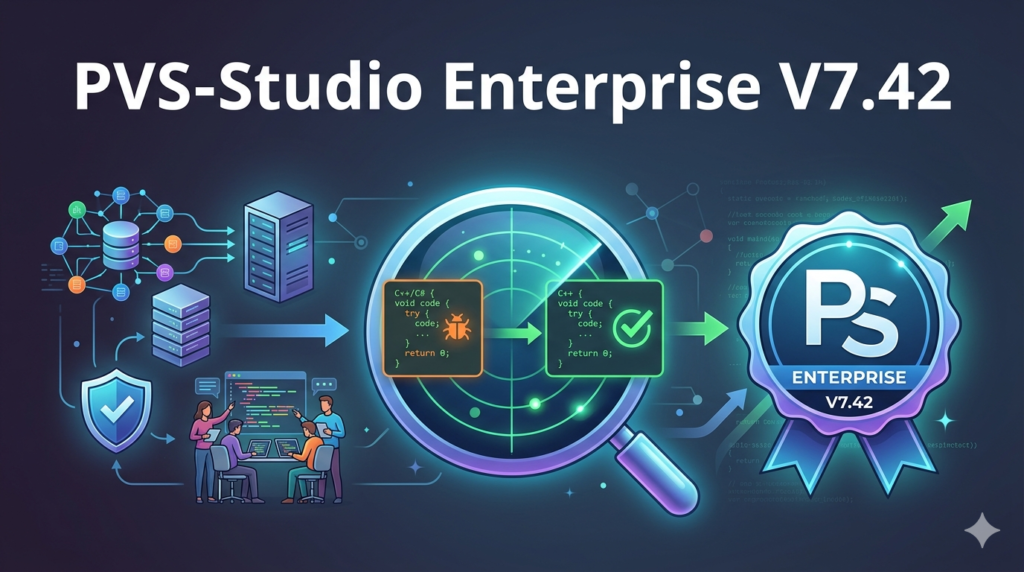

Modern software development demands high code reliability, security, and maintainability. PVS-Studio Enterprise v7.42 is a robust static code analysis tool designed to detect errors, vulnerabilities, and code smells in C#, C++, and Java projects. This version introduces enhanced cross-platform support and deeper integration with CI/CD pipelines, making it an essential solution for enterprise teams focused on code quality.
Overview of the Software
Table of Contents
PVS-Studio Enterprise is a static application security testing (SAST) solution developed by PVS-Studio LLC. Unlike simple linters, this tool performs semantic code analysis to identify logical defects, undefined behavior, and potential security flaws without executing the program.
The v7.42 release focuses on improving analysis accuracy for cross-language projects, especially those migrating legacy C++ codebases to C# or mixing Java with Kotlin. It supports the MSBuild, CMake, QMake, and Gradle ecosystems.
-
Primary use case: Bug detection, security vulnerability scanning, and code review automation.
-
Target audience: Enterprise DevOps teams, QA engineers, and software architects.
-
License type: Commercial enterprise licensing (team-based and floating licenses available).
Key Features of PVS-Studio Enterprise v7.42
PVS-Studio distinguishes itself through deep integration and low false-positive rates. Below are the core features of version 7.42:
Multi-Language Static Analysis
-
C# support: Roslyn-based analysis for .NET Framework, .NET Core, and .NET 5/6/7/8.
-
C++ support: Analysis of GCC, Clang, MSVC compilers, including template-heavy code.
-
Java support: Works with Maven, Gradle, and Android projects (Java 8 to 21).
Enterprise-Focused Capabilities
-
CI/CD integration: Native plugins for Jenkins, GitLab CI, GitHub Actions, and Azure DevOps.
-
Standalone GUI & CLI: Both a visual interface for developers and a command-line tool for automation.
-
IDE plugins: Available for Visual Studio, IntelliJ IDEA, Rider, and VS Code.
-
Cross-platform execution: Runs on Windows, Linux, and macOS.
Advanced Detection Mechanisms
-
Data flow analysis: Tracks variable values through branches and loops.
-
Interprocedural analysis: Detects bugs across function boundaries.
-
Taint analysis (beta): Identifies potential injection vulnerabilities (SQLi, XSS, command injection).
-
Misra compliance: Supports MISRA C/C++ for automotive and embedded systems.
What’s New in PVS-Studio Enterprise v7.42
The v7.42 update focuses on usability and precision improvements:
-
Enhanced Java 21 support: Pattern matching for
switch, record patterns, and virtual threads are now fully analyzed. -
C# 12 features: Support for primary constructors, collection expressions, and inline arrays.
-
C++23 preview: Early support for
std::mdspananddeducing this. -
SARIF 2.1.0 export: Full compliance with the static analysis results interchange format for better interoperability.
-
Performance boost: Up to 30% faster analysis for incremental builds in large monorepos.
-
New diagnostic rules: Added 30+ new rules for security (CWE mapping) and performance optimization.
System Requirements
Before installing PVS-Studio Enterprise v7.42, ensure your environment meets these specifications:
Minimum Requirements
-
Processor: x86_64, 2+ cores
-
RAM: 4 GB (8 GB recommended for large projects)
-
Disk space: 1 GB for the analyzer + temporary files per project
Supported Operating Systems
-
Windows: 10/11, Server 2016/2019/2022
-
Linux: Ubuntu 20.04+, Debian 11+, CentOS 8+, Fedora 38+
-
macOS: 12 (Monterey) or newer
Supported Build Systems and IDEs
-
C++: Visual Studio 2019/2022, CLion, CMake, Qt Creator, GCC/Clang command line
-
C#: Visual Studio, JetBrains Rider,
dotnet buildCLI -
Java: IntelliJ IDEA, Eclipse, Maven, Gradle
Installation Guide for PVS-Studio Enterprise v7.42
Follow these steps to deploy PVS-Studio Enterprise in your environment:
Windows Installation (GUI + Visual Studio)
-
Download the
PVS-Studio_Enterprise_v7.42.exefrom the official customer portal. -
Run the installer with administrator privileges.
-
Select components:
-
Visual Studio plugin
-
Standalone GUI
-
Command-line launcher
-
-
Enter the enterprise license key (provided after purchase).
-
Restart Visual Studio to activate the plugin.
Linux Installation (CLI + CI/CD)
wget https://cdn.pvs-studio.com/pvs-studio-enterprise-7.42.xxx.x86_64.deb
sudo dpkg -i pvs-studio-enterprise-7.42.xxx.x86_64.deb
pvs-studio-analyzer credentials "username" "license-key"
Docker Installation for CI
docker pull pvs-studio/pvs-studio-enterprise:7.42
docker run --rm -v $(pwd):/src pvs-studio-enterprise:7.42 pvs-studio-analyzer trace -- make
How to Use PVS-Studio for Static Code Analysis
Using PVS-Studio effectively requires understanding its analysis workflow. Here is a practical guide:
Basic Analysis Workflow
-
Open your project in Visual Studio, IntelliJ IDEA, or Rider.
-
Right-click the solution → Select “Run PVS-Studio Analysis”.
-
Review the report – Warnings are categorized as:
-
High (error) – Definite bug or security issue.
-
Medium (warning) – Suspicious construct, likely bug.
-
Low (suggestion) – Code smell or optimization opportunity.
-
-
Apply fixes – Click the warning to jump to the offending line.
-
Suppress false positives using
//-V:rule_numberinline comments.
Integrating into CI/CD with GitLab CI
stages:
  - analyze

pvs-studio-analysis:
  stage: analyze
  script:
    - pvs-studio-analyzer trace -- make
    - pvs-studio-analyzer analyze --output-file results.log
    - plog-converter -a GA:1,2 -t tasklist results.log
  artifacts:
    paths:
      - results.log
Analyzing a Mixed C#/C++ Project
Use the cross-language analysis mode:
pvs-studio-analyzer analyze --intermodular --output report.json
This mode correlates calls between managed (C#) and unmanaged (C++) code to detect buffer overflows and memory leaks across the boundary.
Best Use Cases for PVS-Studio Enterprise
PVS-Studio Enterprise v7.42 excels in specific scenarios:
| Use Case | Why PVS-Studio? |
|---|---|
| Legacy code modernization | Identifies silent undefined behavior in C++ that compilers ignore. |
| Security auditing (SAST) | Detects CWE Top 25 vulnerabilities (SQLi, buffer overflow, path traversal). |
| Code review acceleration | Reduces manual review time by 50–70% through automated rule-based checks. |
| Compliance (MISRA, AUTOSAR) | Built-in rule sets for automotive and safety-critical systems. |
| DevOps quality gates | Fails the CI pipeline if critical issues exceed a threshold. |
Advantages and Limitations of PVS-Studio
Advantages
-
Low false-positive rate (10–15%) compared to other SAST tools (typically 20–30%).
-
Supports legacy compilers (MSVC 2013, GCC 4.8, etc.) – ideal for large enterprises.
-
Excellent documentation – Each warning has a linked blog post with real-world bug examples.
-
Team license includes a web-based dashboard for tracking warnings over time.
Limitations
-
No Python/JavaScript/Go support – Only C#, C++, C, and Java.
-
Requires buildable code – Unlike some linters, PVS-Studio needs a successful compilation to run data flow analysis.
-
Commercial pricing – Free for open-source projects, but enterprise licenses can be costly for small teams.
-
Learning curve – Teams need training to interpret advanced heuristics warnings.
Alternatives to PVS-Studio Enterprise
For teams evaluating static analysis tools, here are direct comparisons:
| Tool | Languages | Key Difference |
|---|---|---|
| SonarQube (Community/Enterprise) | 25+ languages | Broader language support but lower depth in C++/C#. |
| Coverity (Synopsys) | C++, Java, C#, C | More expensive, stronger on security but harder to configure. |
| Clang Static Analyzer | C, C++, Objective-C | Free and built into LLVM, but lacks C# and Java support. |
| JetBrains ReSharper / Rider | C#, VB.NET | Ideal for .NET-only shops; no cross-language C++/C# analysis. |
| SpotBugs + FindSecBugs | Java | Free open-source, but less accurate for large enterprise codebases. |
Recommendation: Choose PVS-Studio if you have a mixed C#/C++/Java codebase. Choose SonarQube for polyglot teams needing a free tier.
Frequently Asked Questions (FAQ)
Q1: Is PVS-Studio Enterprise v7.42 free for open-source projects?
Yes. PVS-Studio LLC offers a free license for qualifying non-commercial open-source projects. You must apply via their official website and provide repository details.
Q2: Can PVS-Studio analyze code with missing dependencies?
No. Because it performs deep semantic and data flow analysis, your code must compile successfully. For header-only libraries, provide a dummy main file.
Q3: How does v7.42 handle incremental analysis in large codebases?
It uses a build trace cache and supports --incremental mode. Only changed files and their dependents are re-analyzed, reducing CI runtime significantly.
Q4: Does PVS-Studio detect security vulnerabilities (SAST) or only bugs?
Both. Version 7.42 includes CWE mapping for 120+ security rules, covering injection flaws, memory corruption, race conditions, and cryptographic weaknesses.
Q5: Can I export reports to Jira or Azure Boards?
Yes. The plog-converter tool can output task lists in formats compatible with Jira XML, Azure DevOps CSV, and plain text.
Q6: What is the difference between PVS-Studio Enterprise and the standalone version?
Enterprise includes a floating license server, web dashboard for team metrics, priority support, and permission to use the tool in CI/CD pipelines without per-agent fees.
Q7: Does it support MISRA C:2012 and AUTOSAR C++14?
Yes, both rule sets are available as add-ons. Version 7.42 added partial MISRA C:2023 support (AMD1/AMD2).
Q8: How do I migrate from PVS-Studio v7.20 to v7.42?
Download the new installer, run it over your existing installation. License keys remain compatible. Update your CI scripts to reference the new CLI binary paths.
Final Thoughts
PVS-Studio Enterprise v7.42 is a mature, enterprise-ready static code analyzer that excels in mixed-language environments involving C#, C++, and Java. Its low false-positive rate, deep IDE integration, and robust CI/CD support make it a strong candidate for teams serious about code quality and security.
While it is not a free tool (open-source projects excepted), the ROI comes from catching critical bugs before production and reducing manual code review time. For organizations migrating legacy C++ code to modern C# microservices, the cross-language taint analysis alone can prevent security regressions.
Our Paid Service
“We do not sell or provide any software. We only offer professional support services. If any software on your system is not working properly, or you are facing installation errors, crashes, or any other technical issue — just contact us. We will help you fix the problem quickly and remotely via AnyDesk. No software will be provided from our side — only expert troubleshooting and support.”