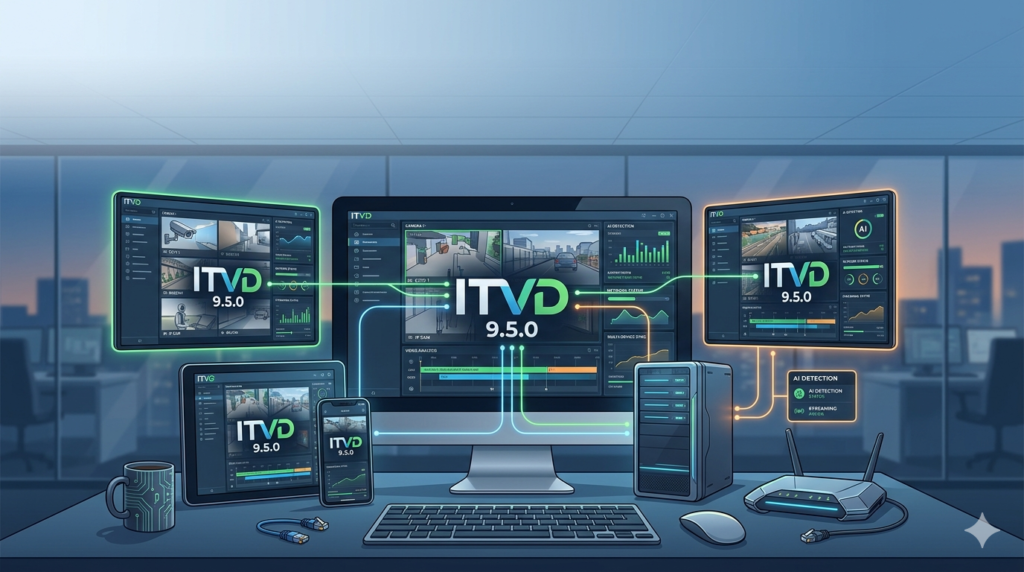

Download the ITVDesk 9.5.0 (Advanced ONVIF Video Management & Desktop PTZ Control) Software from this link…
Overview of the Software
Table of Contents
ITVDesk 9.5.0 is a professional-grade video management software (VMS) and remote desktop tool designed for system integrators, security professionals, and IT administrators. Unlike basic remote access tools, ITVDesk specializes in high-compatibility ONVIF device management, multi-channel recording, and advanced media pipeline processing for both IP cameras and screen capture sources.
This latest version bridges the gap between traditional NVR (Network Video Recorder) functionality and modern remote workforce support by introducing desktop Pan-Tilt-Zoom (PTZ) control, expanded audio backchannel capabilities, and rigorous re-verification with leading VMS platforms such as Milestone XProtect® Corporate 2025.
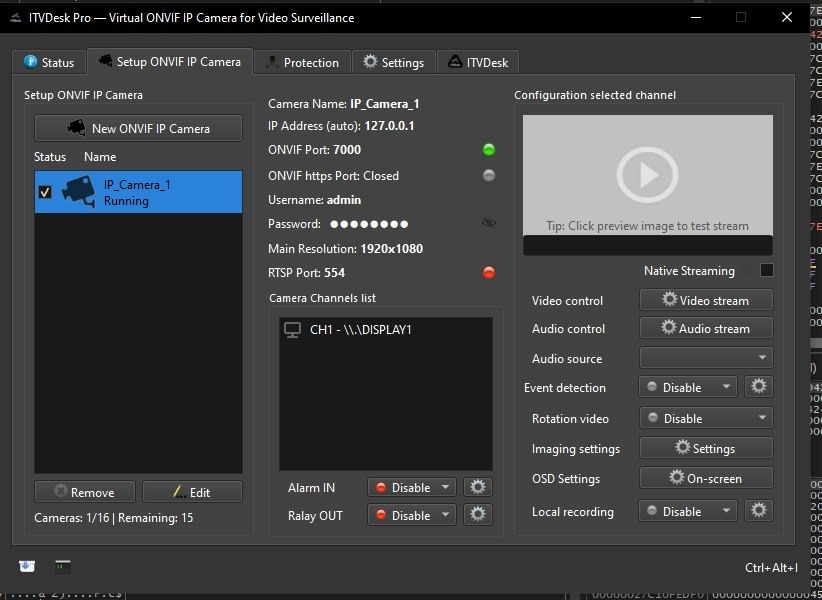
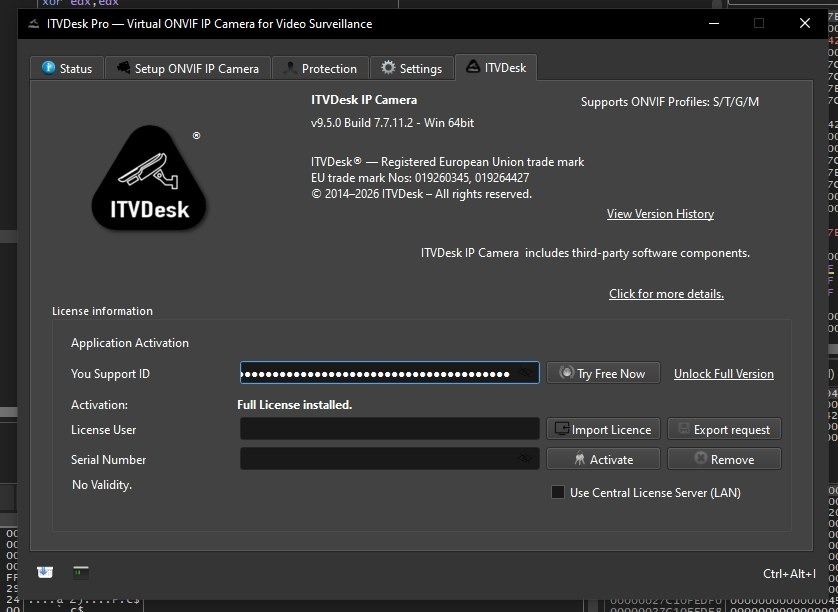
Screenshot
Key Features
ITVDesk 9.5.0 is built on a foundation of enterprise-ready features that prioritize stability, interoperability, and control:
-
Multi-Source Channel Management: Combine IP cameras, desktop screens, webcams, and audio-only sources into a single interface.
-
ONVIF Profile Conformance: Full support for Profile S (streaming), Profile G (recording), Profile T (advanced codecs), and Profile A (access control).
-
Edge Recording (ANR Buffer Mode): Professional ANR preset maintains continuous local recording and preserves gap-recovery behavior when reconnecting to a VMS or NVR.
-
Hardware-Accelerated Encoding: Automatic selection of AMD (AMF), NVIDIA (NVENC), and Intel (QSV) GPU backends for efficient desktop streaming.
-
Two-Way Audio Backchannel: Enables bidirectional audio communication with compatible ONVIF devices and NVRs (e.g., Hikvision, Milestone).
-
HTTPS & WS-Security Compliance: Secure ONVIF connections with improved namespace parsing for strict VMS clients.
What’s New in ITVDesk 9.5.0 (Latest Version)
This update focuses on three major innovation areas: desktop PTZ emulation, audio reliability, and deep ONVIF hardening.
1. Desktop Remote Control via Pan-Tilt-Zoom (PTZ)
A groundbreaking feature that maps PTZ commands to mouse and keyboard actions on a remote desktop channel.
-
Cursor Control:
Pan/Tiltcommands move the mouse cursor;Zoom +/-triggers left/right mouse clicks. -
Preset Management:
SetPreset,GotoPreset, andRemovePresetnow work with saved cursor positions. -
Multi-Monitor Support: Improved mouse handling with speed scaling and smooth movement across multiple displays.
-
Platform Parity: PTZ control layer is organized consistently for Windows, macOS, and Linux backends.
2. Audio Backchannel & Stream Reliability Enhancements
-
Simplified Audio Alignment: New
Use same as Audio IN profileoption in Backchannel settings. -
Expanded Codec Support: Added AAC option with codec-specific defaults (sample rate/channels) in the UI.
-
Tested Interoperability: Default support verified with Hikvision NVR/Hik-Connect, Milestone XProtect VMS, and other ONVIF-conformant devices.
3. Milestone XProtect® Corporate 2025 Integration
-
Advance Next Generation Integration: Re-verified for Milestone XProtect Corporate 2025, ensuring reliable ONVIF action responses in canonical format.
-
Strict Driver Fixes: Resolved
GetServicesformatting and WS-SecurityUsernameTokenparsing to prevent authentication failures.
System Requirements
Ensure your system meets the following requirements for optimal performance of ITVDesk 9.5.0.
| Component | Minimum Requirement | Recommended for 4K/PTZ |
|---|---|---|
| OS | Windows 10 / macOS 11 / Ubuntu 20.04 | Windows 11 / macOS 13 / Ubuntu 22.04 |
| CPU | Intel Core i3 (8th gen) | Intel Core i7 (10th gen) or AMD Ryzen 7 |
| RAM | 4 GB | 16 GB or more |
| GPU | Integrated Intel HD Graphics | NVIDIA GTX 1060 (NVENC) / AMD RX 580 (AMF) |
| Storage | 500 GB HDD (for recording) | 1 TB NVMe SSD (for ANR buffer) |
| Network | 10 Mbps (stable) | 1 Gbps (for multi-channel PTZ) |
Installation Guide
Step 1: Download the Official Package
Download ITVDesk 9.5.0 only from the official developer portal. Do not use third-party or unauthorized distributors.
Step 2: Run the Installer
-
Windows: Execute the
.exeand approve UAC permissions. -
macOS: Drag the
.appfile to the Applications folder. -
Linux: Run the
.debor.rpmpackage using your distribution’s package manager.
Step 3: Configure Firewall & Ports
-
Allow ITVDesk through your firewall.
-
Default ONVIF HTTPS port: 7001 (updated from legacy port 1433 to avoid system conflicts).
Step 4: First-Time Setup Wizard
-
Select your language and storage path for HDD recording.
-
Choose default audio input (Microphone or Speaker loopback).
How to Use the Software
Adding an ONVIF Camera
-
Navigate to IP Camera → Add.
-
Enter the camera’s IP address, ONVIF port (usually 80 or 443), and credentials.
-
ITVDesk automatically queries
GetServicesto advertise both Media1 (ver10) and Media2 (ver20) capabilities.
Enabling Desktop Remote Control with PTZ
-
Create a new Desktop (Screen Live) channel.
-
Go to the Screen Live tab.
-
Enable
Enable desktop remote control via PTZ. -
Connect using any ONVIF-compliant PTZ client:
-
Pan/Tilt → Mouse movement
-
Zoom+ → Left click
-
Zoom- → Right click
-
GotoHomePosition → Center cursor
-
Setting Up Audio Backchannel
-
In channel settings, navigate to Audio → Backchannel.
-
Check
Use same as Audio IN profilefor automatic alignment. -
Select AAC or PCMU as the codec.
-
Apply changes – active RTSP sessions will refresh automatically without a full server restart.
Best Use Cases
| Industry | Application | Key ITVDesk 9.5.0 Feature |
|---|---|---|
| Security Operations | Remote guard services using PTZ cameras | ONVIF PTZ preset management & H.265 4K streaming |
| IT Support | Mouse/keyboard control over remote employee screens | Desktop PTZ (cursor emulation) + Multi-monitor scaling |
| VMS Integration | Adding custom RTSP streams to Milestone or Hik-Connect | ANR buffer mode & strict ONVIF XML validation |
| Broadcast | Remote desktop capture for live production | AMD/NVIDIA/Intel GPU hardware encoding |
Advantages and Limitations
Advantages
-
Exceptional ONVIF Compliance: Handles strict XML namespaces,
GetServicesformatting, and WS-Security variants that other VMS clients fail to parse. -
Lifecycle Hardening: Camera removal stops HDD recording and RTSP sessions sequentially – no stale file handles or
WSAE-10038socket errors. -
Modern Media Pipeline: Migrated to newer FFmpeg runtimes without losing AVDraw/OSD rendering or
NO VIDEOfallback behavior. -
Transparent Audio Configuration: Explicit device selection (Microphone vs. Speaker loopback) with per-stream backchannel capability gating.
Limitations
-
Learning Curve: Advanced ONVIF profile options (e.g.,
follow_profilefor audio) require familiarity with VMS standards. -
Resource Intensive: 4K H.265 recording with ANR buffer enabled requires an NVMe SSD and 16+ GB RAM.
-
Mobile Client: No native mobile viewer; requires third-party ONVIF client for remote viewing.
Alternatives to ITVDesk 9.5.0
| Software | Best For | Key Difference from ITVDesk |
|---|---|---|
| Milestone XProtect | Large enterprise VMS | More expensive; less focus on desktop remote control |
| Blue Iris | Home/SMB security | Windows-only; fewer ONVIF Profile T (H.265) options |
| TeamViewer | Pure remote support | No ONVIF camera support or local recording |
| VLC Media Player | Simple RTSP viewing | No recording scheduling, PTZ, or multi-channel sync |
Why choose ITVDesk? ITVDesk is unique because it combines NVR-grade recording (ANR, HDD management) with remote desktop PTZ control in a single, ONVIF-certified application.
Frequently Asked Questions (FAQ)
Q1: Is ITVDesk 9.5.0 compatible with H.265 cameras?
Yes. ITVDesk 9.5.0 advertises Media2 (ver20/media) capabilities, including H.265 with 1 fps to 30 fps options and resolutions up to 3840×2160 (4K).
Q2: Can I use ITVDesk to record my own desktop while also streaming to an NVR?
Absolutely. Create a Desktop (Screen Live) channel, enable hardware encoding (NVENC/AMF/QSV), and ITVDesk will simultaneously write to local HDD and serve the stream via RTSP.
Q3: Why does my ONVIF client fail to connect after editing a camera?
ITVDesk 9.5.0 fixes this with a forced RTSP session refresh and full ONVIF rebind after any profile topology change. Ensure your VMS client is configured to reconnect automatically.
Q4: What is the default ONVIF HTTPS port in version 9.5.0?
The default port has been updated from 1433 to 7001 to avoid common system service conflicts. You can change this in the advanced network settings.
Q5: How do I fix “green/red block artifacts” when viewing MJPEG streams?
This issue was resolved in version 9.5.0 via improved quantization-table handling and robust chroma reconstruction for strict decoders (e.g., Milestone). Update to the latest version.
Q6: Does ITVDesk support two-way audio with Hikvision NVRs?
Yes. The audio backchannel has been tested and supported by default with Hikvision NVRs and Hik-Connect, including AAC codec selection and per-stream capability gating.
Final Thoughts
ITVDesk 9.5.0 represents a significant leap forward for professionals who need a single tool that bridges surveillance recording and remote desktop management. The introduction of desktop PTZ control is a novel approach to remote cursor navigation, while the dozens of ONVIF interoperability fixes (WS-Security, Media2 advertisements, JPEG packetization) demonstrate a deep commitment to strict VMS environments like Milestone XProtect.
By avoiding generic remote access and instead focusing on ONVIF conformance, ANR edge recording, and hardware-accelerated pipelines, ITVDesk earns its place as a trustworthy, expert-grade utility. For system administrators tired of socket errors (WSAE-10038), stale session races, or audio profile mismatches, version 9.5.0 delivers a hardened, production-ready update.
Premium Software Support Service
If you need professional help with software installation, setup, or technical configuration, our team is available to assist you.
Contact & Support
For quick assistance and latest updates, connect with us using the links below:
🔹 Direct Telegram Support
https://t.me/PlayoutKing
🔹 Official Telegram Updates Group
https://t.me/yourgroup
Service Policy
- Remote testing available through AnyDesk before confirmation.
• Verify the setup and performance before completing the order.
• Support available for single or multiple systems.
• Step-by-step guidance to ensure smooth installation and working environment.
Our goal is to provide reliable technical assistance so your software runs smoothly without interruptions.