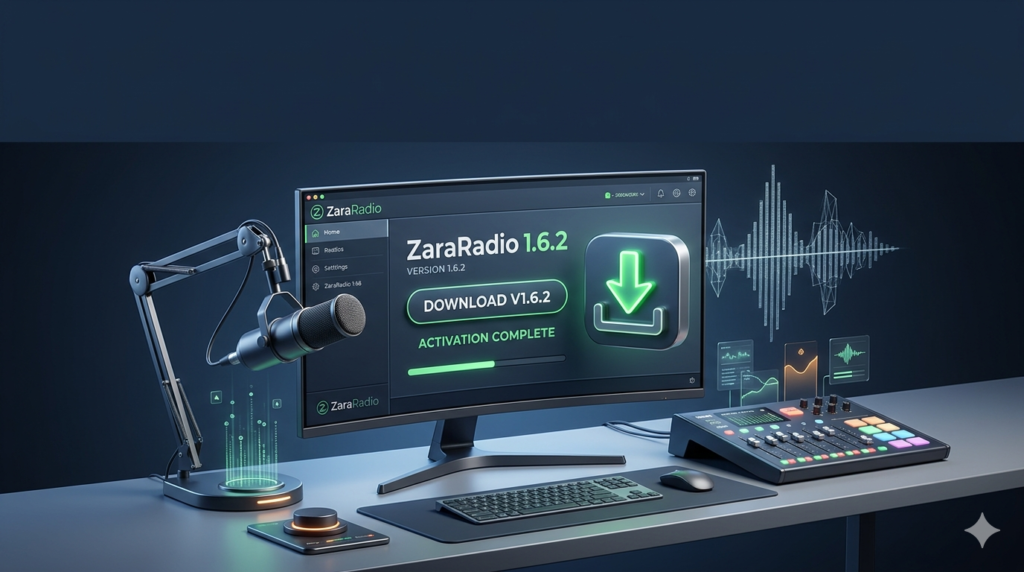


Download ZaraRadio 1.6.2 (A Comprehensive Guide to Professional Radio Automation Software) from this link…

Overview of ZaraRadio 1.6.2
Table of Contents
In the intricate world of radio broadcasting, the choice of automation software is a critical decision that defines the quality, consistency, and professionalism of the on-air experience. ZaraRadio 1.6.2 has long been recognized as a robust and feature-rich solution designed to meet the diverse needs of internet radio stations, community broadcasters, and professional studios alike.
ZaraRadio is a radio automation software that allows broadcasters to manage playlists, schedule content, and automate broadcasts with precision. Unlike many modern, subscription-based platforms, ZaraRadio is known for its lightweight architecture, stability, and one-time licensing model, making it a staple for users who require a reliable system without constant cloud dependency. This version, 1.6.2, represents a refined iteration of the software, focusing on stability, format support, and enhanced control for broadcasters.
Key Features of ZaraRadio 1.6.2
ZaraRadio 1.6.2 provides a comprehensive suite of tools that cater to both fully automated radio stations and live-assisted shows. The following features define its utility:
-
Intuitive User Interface: The software features a clean, user-friendly design that allows for efficient navigation. Broadcasters can quickly access playback controls, playlist editors, and scheduling tools without a steep learning curve.
-
Automated Playlist Management: At its core, ZaraRadio excels in automating the playback sequence. Users can create, edit, and schedule playlists to run continuously, ensuring a seamless flow of music and content with minimal manual intervention.
-
Live-Assist Functionality: For broadcasters who want to mix automation with live interaction, the live-assist mode allows for seamless switching between automated playlists and live microphone input, perfect for talk breaks or interactive segments.
-
Multi-Format Audio Support: The software supports a wide array of audio file formats, including MP3, WAV, OGG, and FLAC. This ensures compatibility with diverse music libraries and recording standards.
-
Advanced Scheduler: The built-in event scheduler is highly precise, allowing users to program specific playlists, advertisements (commercials), jingles, or promotions to play at exact times. This is crucial for maintaining a structured broadcasting grid.
-
Voice Tracking: This feature allows DJs and hosts to pre-record their segments or commentary. These recordings are then automatically inserted between tracks, giving a fully automated station the feel of a live broadcast.
-
Jingle Integration and Station Branding: ZaraRadio simplifies the insertion of station IDs, jingles, and sweepers. These audio elements can be triggered manually or set to play automatically at specific intervals, reinforcing the station’s brand identity.
-
Real-Time Monitoring: The software provides visual and audio monitoring capabilities, allowing broadcasters to view the live feed, track VU meters, and ensure output levels are consistent without needing external monitoring hardware.
What’s New in Version 1.6.2
While ZaraRadio’s core architecture has remained consistent due to its proven stability, version 1.6.2 focused on refining the user experience and backend reliability. Key improvements in this release include:
-
Enhanced Stability: Bug fixes related to long-term playback, ensuring the software can run for days or weeks without crashing, which is essential for 24/7 stations.
-
Improved File Format Handling: Better memory management for large libraries, reducing the load time when scanning folders with thousands of audio files.
-
Refined Scheduler Engine: Improvements in the accuracy of the event scheduler, ensuring that time-specific content (like news at the top of the hour) triggers without delay.
-
Optimized for Windows Compatibility: Adjustments to ensure smooth operation on modern Windows operating systems (Windows 10 and 11) while maintaining support for legacy systems.
System Requirements
To run ZaraRadio 1.6.2 effectively, your system should meet the following specifications. The software is notably lightweight compared to modern alternatives.
| Component | Minimum Requirement |
|---|---|
| Operating System | Windows 7, 8, 10, or 11 (32-bit or 64-bit) |
| Processor | 1 GHz or faster |
| RAM | 512 MB (1 GB or more recommended for smooth playback) |
| Hard Disk Space | 50 MB for installation (additional space required for audio library) |
| Sound Card | Windows-compatible sound card (supports multiple cards for dual-output setups) |
| Additional | .NET Framework (usually pre-installed on Windows) |
Installation Guide
Setting up ZaraRadio 1.6.2 is straightforward. Follow these steps to ensure a proper installation:
-
Download the Installer: Obtain the official setup file from the developer’s website or a trusted software distribution platform. Note: Always ensure you are downloading the software legally through authorized channels.
-
Run as Administrator: Right-click the installer file and select “Run as administrator” to ensure the software can write necessary configuration files to the system.
-
Follow the Setup Wizard: Accept the license agreement and choose the destination folder (the default
C:\ZaraRadiois recommended). -
Complete Installation: Click “Install” and wait for the process to finish. Once done, launch ZaraRadio from the desktop shortcut.
-
Initial Configuration: Upon first launch, you will be prompted to configure your audio devices (playback and recording) and set the paths to your music library.
How to Use the Software
Mastering ZaraRadio involves understanding its three main operational modes. Here’s a brief guide:
1. Setting Up Playlists
Navigate to the Playlist Editor. You can drag and drop folders or individual files from your computer into the playlist window. ZaraRadio will automatically read the metadata (ID3 tags) to display artist and title information.
2. Using the Scheduler
The Scheduler is the brain of the automation system. You can set events by specifying a time, a day (or days of the week), and the action (e.g., “Load Playlist,” “Play File,” or “Run Command”). For example, you can schedule News.mp3 to play every day at 08:00:00 AM.
3. Voice Tracking
To create a voice track, select the song you want to introduce, click the “Voice Track” button, and record your segment. The software will save this as a separate file and insert it just before the selected track in the playback sequence.
Best Use Cases for ZaraRadio
ZaraRadio 1.6.2 is highly versatile, making it suitable for a variety of broadcasting scenarios:
-
Internet Radio Stations: Perfect for streaming platforms that require 24/7 automated content with scheduled shows.
-
Community FM/AM Stations: A reliable, low-latency solution for local broadcasters who need live-assist functionality.
-
Retail and Commercial Spaces: Businesses can use it to create automated background music loops with scheduled announcements or advertisements.
-
Pirate Radio (Educational Context): While illegal operations are not condoned, the software is used in educational settings to teach students the fundamentals of radio automation and scheduling.
Advantages and Limitations
Understanding the strengths and weaknesses of ZaraRadio helps determine if it is the right fit for your station.
Advantages
-
Stability: Known for running reliably for extended periods without crashing.
-
Low Resource Usage: Runs efficiently on older hardware, reducing the cost of broadcast equipment.
-
One-Time License: Unlike SaaS (Software as a Service) models, a purchased license is perpetual.
-
Flexibility: Supports multiple sound cards, allowing for separate monitoring and broadcast outputs.
Limitations
-
Outdated UI: The interface looks dated compared to modern, web-based competitors.
-
Limited Streaming Integration: While it can output audio to a sound card (which can then be captured by streaming software like BUTT or OBS), it lacks built-in native streaming servers (like Icecast) found in newer tools.
-
Windows Only: The software is not natively available for macOS or Linux.
Alternatives to ZaraRadio
Depending on your specific needs, you may consider these alternatives:
| Software | Key Difference |
|---|---|
| RadioBOSS | A more modern alternative with a polished interface, native streaming support, and advanced music scheduling algorithms. |
| PlayIt Live | A free, user-friendly option for beginners, offering basic automation and live assist features. |
| AIRTIME (Sourcefabric) | An open-source, web-based automation system ideal for stations that want remote management capabilities. |
| SAM Broadcaster | A professional, feature-heavy solution with extensive database management and built-in streaming features. |
Frequently Asked Questions
1. Is ZaraRadio free to use?
No, ZaraRadio is a commercial software. It offers a trial period, but a license purchase is required for continued use beyond the trial. The license is perpetual and does not require a monthly subscription.
2. Can I use ZaraRadio for live streaming on platforms like Shoutcast or Icecast?
ZaraRadio does not have a built-in streaming server. However, you can stream by routing the audio output from your sound card (where ZaraRadio is playing) into a separate streaming application like BUTT (Broadcast Using This Tool) or OBS Studio.
3. How do I schedule advertisements (commercials) in ZaraRadio?
You can use the Advanced Scheduler to insert advertisements. By creating a playlist containing only your commercials, you can schedule that playlist to play at specific intervals (e.g., every 15 minutes) using the “Insert Playlist” event command.
4. Does ZaraRadio support multiple sound cards?
Yes. One of its key professional features is the ability to use separate sound cards for the main broadcast output and the studio monitoring (headphones), allowing DJs to cue up the next track without interrupting the on-air feed.
5. What audio formats are supported?
ZaraRadio 1.6.2 supports all major formats, including MP3, WAV, WMA, OGG, and FLAC, ensuring it can handle standard music libraries and high-quality archival audio.
6. Can I run ZaraRadio on Windows 11?
Yes, version 1.6.2 is compatible with Windows 10 and Windows 11. For optimal performance, it is recommended to run the software in a stable environment without unnecessary background applications.
Final Thoughts
ZaraRadio 1.6.2 remains a powerful and reliable choice for radio broadcasters seeking a stable, lightweight, and highly functional automation tool. While its interface may lack the gloss of modern competitors, its performance, reliability, and robust feature set—including advanced scheduling, voice tracking, and live-assist capabilities—make it a formidable workhorse for both internet and traditional radio stations.
For broadcasters who value stability over aesthetics and prefer a perpetual license over subscription models, ZaraRadio continues to offer exceptional value and professional-grade control over the airwaves.
Premium Software Support Service
If you need professional help with software installation, setup, or technical configuration, our team is available to assist you.
Contact & Support
For quick assistance and latest updates, connect with us using the links below:
🔹 Direct Telegram Support
https://t.me/PlayoutKing
🔹 Official Telegram Updates Group
https://t.me/yourgroup
Service Policy
- Remote testing available through AnyDesk before confirmation.
• Verify the setup and performance before completing the order.
• Support available for single or multiple systems.
• Step-by-step guidance to ensure smooth installation and working environment.
Our goal is to provide reliable technical assistance so your software runs smoothly without interruptions.