

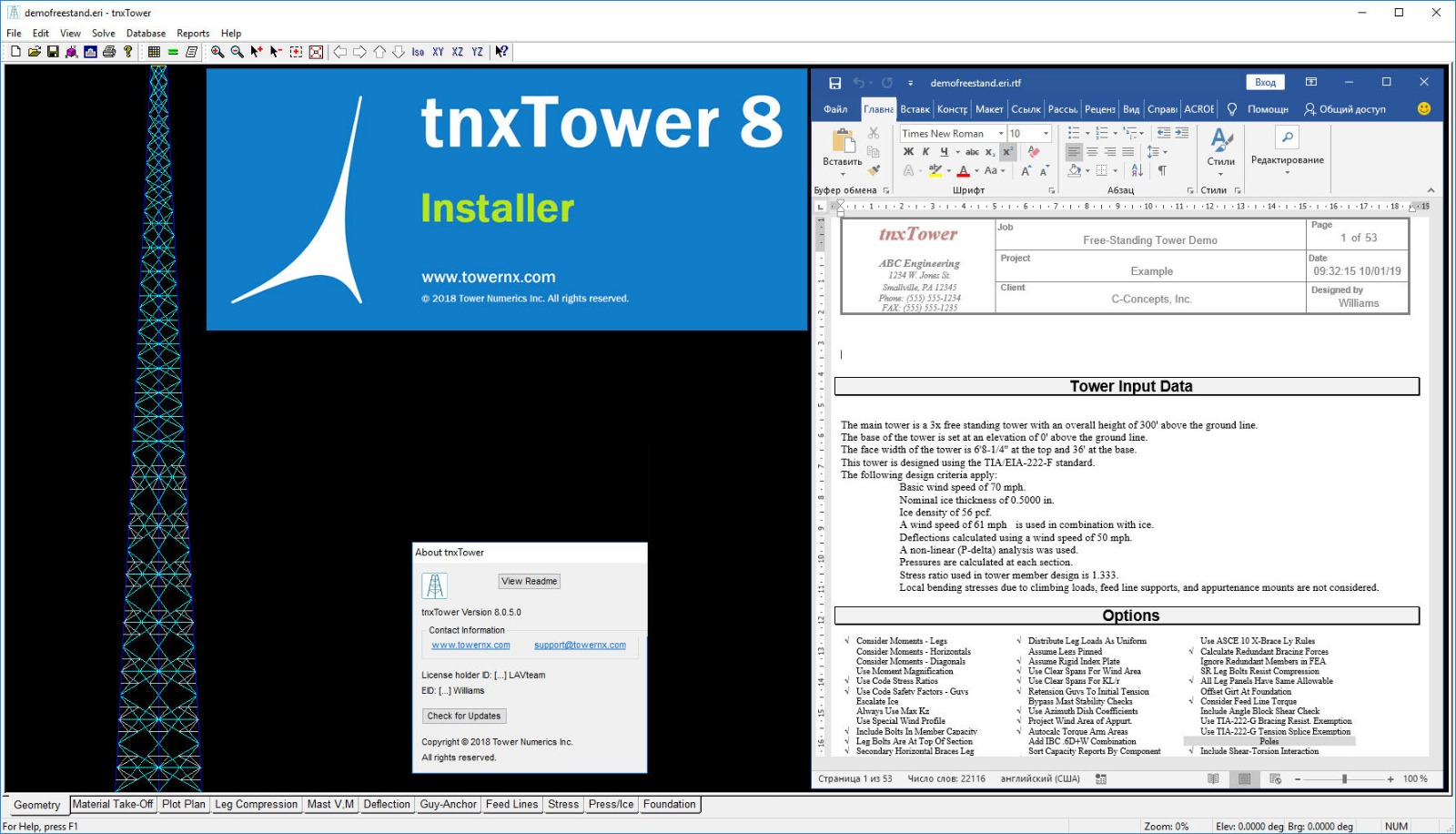
Download the Tower Numerics tnxTower 8.0.5.0(Advanced Communication Tower Analysis & Design Software) from this link…

Overview of tnxTower Software
Table of Contents
tnxTower has established itself as the industry-standard solution for civil and structural engineers specializing in telecommunications infrastructure. Unlike generic CAD or FEA tools, tnxTower is purpose-built for lattice towers, guyed masts, and monopoles.
The software automates the complex process of calculating wind forces and ice loading based on geographical data and selected standards. Version 8.0.5.0 continues this legacy by refining the user interface and expanding code compliance, allowing users to design according to TIA/EIA Standards (dating back to RS-222 1959), AISC ASD 9th Edition, AISC LRFD Specifications, or the Canadian Standard CSA S37-01.
Key Features of tnxTower 8.0.5.0
This software distinguishes itself through a combination of rapid modeling and rigorous analysis engines. Key features include:
-
3D Frame-Truss Models: Quickly construct detailed geometric representations of tower structures.
-
Automatic Load Generation: The software automatically calculates wind force and ice loading per the selected standard (TIA-222-H, CSA S37-01, etc.).
-
True Cable Behavior: Unique algorithms simulate realistic guy wire and feed line dynamics, including slack and tension changes.
-
Hog Rod Take-Up: Specific modeling for rod bracing systems, accounting for installation adjustments.
-
Foundation Stiffness Integration: Allows engineers to model soil-structure interaction rather than assuming rigid bases.
-
Comprehensive Steel Design Checks: Verifies members against TIA/EIA, AISC ASD, or AISC LRFD criteria.
What’s New in tnxTower Version 8.0.5.0
While maintaining core stability, version 8.0.5.0 focuses on performance optimization and standard updates. Key improvements include:
-
Refined Load Calculations: Enhanced precision in wind pressure coefficients per ANSI/TIA-222-H.
-
Expanded Code Libraries: Updated material databases for AISC LRFD specifications.
-
Improved Graphical Rendering: Faster generation of displacement and stress plots for large, complex tower models.
-
Bug Fixes: Resolved legacy issues related to guy anchor plot generation and material take-off reports.
System Requirements for tnxTower 8.0.5.0
Before installation, verify that your workstation meets the following specifications:
-
Architecture: x64 (Primary) or x86 (Legacy support)
-
Disk Space: 115 MB (Typical installation)
-
Operating System: Windows 10 Pro / Windows 11 (64-bit recommended)
-
Memory: 4 GB RAM minimum (8 GB+ for large models)
-
Processor: Intel Core i5 or equivalent (i7 recommended for 3D rendering)
-
Graphics: Dedicated GPU with OpenGL 2.0 support
Installation Guide
Follow these steps to install tnxTower 8.0.5.0 legally and securely:
-
Acquire a Legal License: Obtain the software directly from Tower Numerics or an authorized reseller. Important: Use of cracked, torrented, or keygen-generated versions is illegal, unsafe, and violates software compliance standards.
-
Download Installer: Access the official distribution link (Note: Third-party links require registration to verify authenticity).
-
Run as Administrator: Right-click the installer file (
tnxTower_8.0.5.0_setup.exe) and select “Run as Administrator.” -
Accept License Agreement: Read and accept the End User License Agreement (EULA).
-
Select Components: Choose the typical installation (includes x64 binaries) or custom (select x86 for legacy OS).
-
Complete Activation: Enter your valid product key provided upon purchase. The software does not require “bypass” tools; legitimate licenses activate instantly online.
-
Restart: Reboot your system to finalize environment variables.
How to Use the Software: A Basic Workflow
For new users, tnxTower follows a logical analysis workflow:
-
Project Setup: Select the governing standard (e.g., ANSI/TIA-222-H or CSA S37-01).
-
Geometry Creation: Use the node/beam tools to define tower shape, sections, and bracing patterns.
-
Define Appurtenances: Add antennas, feed lines, ice shields, and mounting hardware.
-
Assign Loads: The system automatically generates wind and ice loads. Manually add dead loads or maintenance live loads as needed.
-
Run Analysis: Execute the 3D frame-truss solver.
-
Review Output: Examine graphical plots (shear-moment, leg compression, twist, displacement) and text reports (material take-off, stress ratios).
-
Optimize: Adjust member sizes or bracing to meet deflection and stress requirements.
Best Use Cases for tnxTower
-
Telecommunications Engineering: Design of cell towers, microwave relay structures, and broadcast masts.
-
Utility Infrastructure: Structural assessment of power transmission towers under ice loading.
-
Regulatory Compliance Verification: Retrofitting existing towers to meet the updated ANSI/TIA-222-H standard.
-
Disaster Preparedness: Analyzing tower resilience against hurricane-force winds and extreme ice events.
Advantages and Limitations
Advantages
-
Industry Standard: Recognized by regulatory bodies for TIA/EIA compliance.
-
Time-Saving Automation: Reduces manual load calculations from hours to seconds.
-
Unique Physics Models: True cable behavior and hog rod take-up are not found in generic FEA packages.
-
Legacy Support: Can analyze towers designed under standards dating back to RS-222 (1959).
Limitations
-
Niche Focus: Not suitable for general building or bridge design.
-
Learning Curve: Requires fundamental understanding of structural engineering (truss analysis, wind loading).
-
Cost: Professional licensing is premium-priced (no free version available).
Alternatives to tnxTower
| Software | Primary Standard | Best For | Key Difference |
|---|---|---|---|
| tnxTower | TIA-222-H, CSA S37-01 | Communication towers | True cable behavior, hog rod take-up |
| PLS-CADD | ASCE 74 | Transmission lines & poles | Focus on conductor sag and terrain |
| RISA-3D | AISC 360, IBC | General structural analysis | More flexible but requires manual wind input |
| SAP2000 | Multiple (User-defined) | Complex geometries | Advanced nonlinear analysis; steeper learning curve |
Frequently Asked Questions (FAQ)
1. What standards does tnxTower 8.0.5.0 support?
It supports ANSI/TIA-222-H, previous TIA/EIA standards (back to RS-222 1959), AISC ASD 9th, AISC LRFD, and CSA S37-01 (Canadian).
2. Is tnxTower compatible with Windows 11?
Yes, the x64 version of tnxTower 8.0.5.0 runs natively on Windows 10 and Windows 11 Pro editions.
3. Can tnxTower model guyed masts?
Yes. The “True Cable behavior” feature specifically models guy wire sag, tension, and slack take-up.
4. Does the software automatically generate wind loads?
Yes. Once you select the geographic location and standard (e.g., TIA-222-H), the software calculates wind force and ice loading automatically based on tower height and exposure.
5. How do I obtain a legitimate license for tnxTower 8.0.5.0?
Purchase directly from Tower Numerics or an authorized engineering software distributor. Registration is required to access the official download link.
6. What is the difference between x64 and x86 versions?
The x64 version is optimized for modern Windows systems, allowing larger memory access for complex models. The x86 version supports legacy 32-bit operating systems.
7. Can I import CAD geometry into tnxTower?
tnxTower is primarily a model-builder environment. While it excels at rapid creation of truss structures, importing complex IGES/STEP files is not a primary feature.
8. What analysis reports can I generate?
You can generate material take-off lists, shear-moment diagrams, leg compression plots, displacement graphs, twist plots, feed line summaries, guy anchor reports, and stress ratio tables.
Final Thoughts
Tower Numerics tnxTower 8.0.5.0 remains the definitive software for communication tower analysis and design. By automating the tedious yet critical tasks of wind and ice load generation, while providing rigorous steel design checks against TIA-222-H and CSA S37-01, it empowers engineers to deliver safer, code-compliant structures efficiently.
While it requires a legitimate license and a foundational knowledge of structural engineering, the investment in tnxTower pays dividends in accuracy, regulatory acceptance, and workflow speed. For any professional dealing with lattice towers or guyed masts, upgrading to version 8.0.5.0 is a strategic necessity.
Premium Software Support Service
If you need professional help with software installation, setup, or technical configuration, our team is available to assist you.
Contact & Support
For quick assistance and latest updates, connect with us using the links below:
🔹 Direct Telegram Support
https://t.me/PlayoutKing
🔹 Official Telegram Updates Group
https://t.me/yourgroup
Service Policy
- Remote testing available through AnyDesk before confirmation.
• Verify the setup and performance before completing the order.
• Support available for single or multiple systems.
• Step-by-step guidance to ensure smooth installation and working environment.
Our goal is to provide reliable technical assistance so your software runs smoothly without interruptions.