
Download the TeeChart 2024 ActiveX (Complete Guide to the Pro Charting Control) from this link…

Overview of the Software
Table of Contents
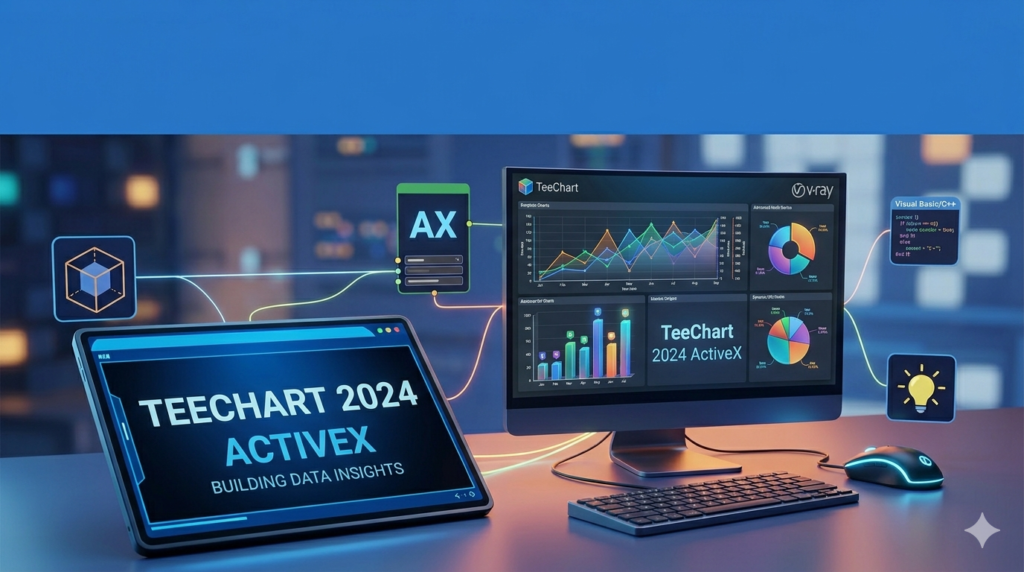
TeeChart 2024 ActiveX is a powerful, 32-bit charting component developed by Steema Software. It is designed for developers working within Windows COM-aware environments, including Visual Studio .NET, Visual Basic 6, Delphi, PowerBuilder, and IIS/ASP.
As a data visualization toolkit, TeeChart Pro ActiveX allows developers to create high-speed, interactive graphs and dashboards without writing complex graphics code from scratch. It bridges the gap between raw database queries and visual business intelligence, supporting everything from real-time financial charts to statistical analysis.
This component is particularly valued for its data-aware architecture, offering direct access to ADO data sources and URL-addressable charts, making it a standard tool for legacy and modern Windows desktop applications.
Key Features
TeeChart 2024 ActiveX distinguishes itself through a rich set of native features that enhance developer productivity and end-user experience.
Data Connectivity & Export Capabilities
-
Direct ADO Access: Bind charts directly to ActiveX Data Objects (ADO) without intermediary code.
-
Multiple Export Formats: Export charts as images (JPEG, PNG, GIF, BMP, PCX, SVG, PDF, EPS, VML, WMF/EMF, Flex/Flash).
-
Data Export: Stream raw data to HTML, XML, Text, CSV, or Excel for reporting.
Development Environment Integration
-
IDE Support: Fully compatible with Visual Studio 6, .NET, VB6, Delphi, and IIS.
-
Scriptable: Supports VBScript and JavaScript under Internet Explorer, plus VBA and ASP for server-side generation.
-
Royalty-Free Redistribution: You can distribute compiled desktop applications without paying per-seat royalties.
Chart Components & Customization
-
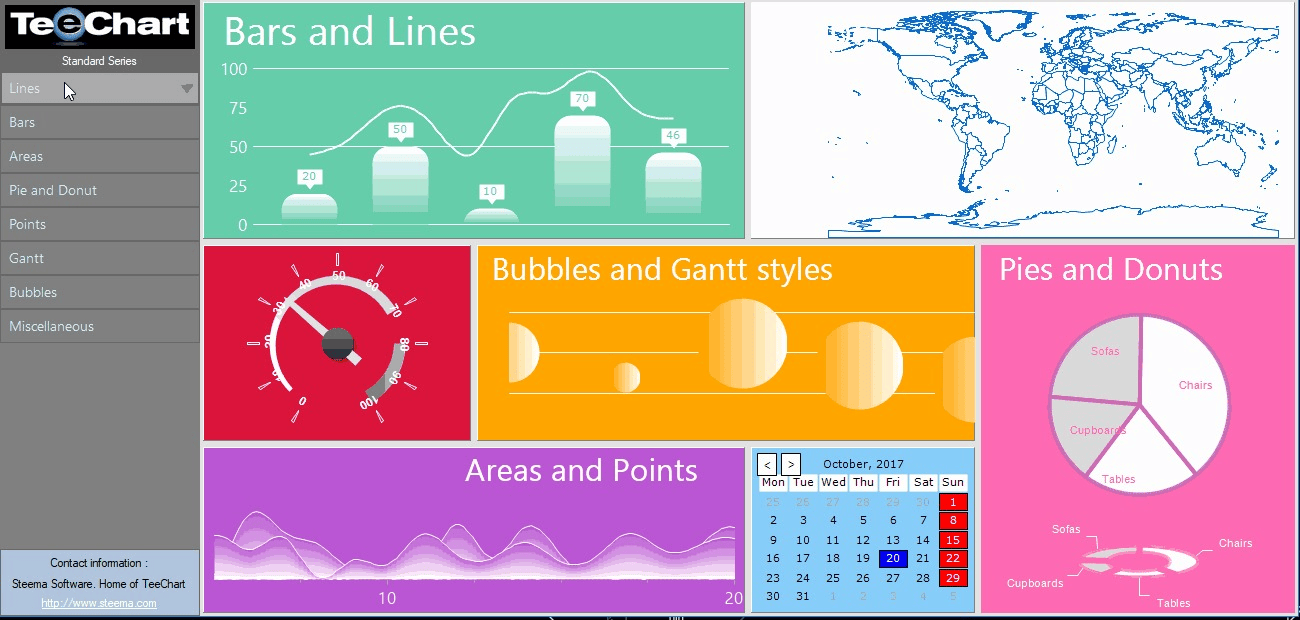
70+ Chart Styles: Includes 2D, 3D, and OpenGL 3D variations (Bar, Line, Pie, Surface, Volume, Gantt, Polar, etc.).
-
48 Chart Tools: Add cursors, annotation objects, manual trend lines, color bands, and dragging capabilities for series marks.
-
14 Palette Components: Includes ChartGrid, Navigators, Web Source, and Control Bar.
Runtime Interactivity
-
End-User Controls: Runtime Chart Editor, Print Previewer, Series List Box, TeeCommander control bar, and Page Navigator.
-
Zoom & Scroll: Full mouse-interactive zooming and scrolling for real-time data inspection.
-
Custom Drawing: Override default painting routines for specialized visual requirements.
What’s New in the Latest Version (2024)
While the legacy version notes (Version 2010) highlight stability, the 2024 ActiveX release focuses on:
-
Performance Improvements: Faster array-based data loading (“Direct high-speed array add”) and reduced memory footprint for large datasets.
-
Enhanced PDF Export: Vector-quality exports with hyperlink support.
-
Bug Fixes: Resolved legacy GDI handle leaks and improved printing fidelity on modern Windows OS (Windows 10/11).
-
OpenGL 3D Enhancements: Smoother real-time rotation for 3D surface and ribbon charts.
-
Security Updates: Removal of deprecated cryptographic functions to meet modern Windows Defender and enterprise security requirements.
Note: If you are using version 2010 or earlier, Steema provides a Project Upgrade utility to migrate previous TeeChart versions.
System Requirements
Before installing TeeChart Pro ActiveX, ensure your development environment meets these specifications:
| Component | Requirement |
|---|---|
| Operating Systems | Windows 11, 10, Windows 8, Windows 7, Windows Vista, Windows XP, Windows Server 2019/2016 |
| Development Environments | Visual Studio .NET (2022, 2019, 2017), Visual Basic 6, Delphi, Visual Studio 6, PowerBuilder |
| Web Platforms | IIS with ASP / ASP.NET support |
| Hardware | 1 GHz processor, 1 GB RAM (4 GB recommended for large datasets), 100 MB free disk space |
| Additional | DirectX 9.0c or later for OpenGL 3D features |
Installation Guide
Follow these steps to install the trial or licensed version of TeeChart 2024 ActiveX:
-
Download the installer from the official Steema Software website (File size approx. 25–30 MB).
-
Close all IDEs (Visual Studio, Delphi, VB6) before running the installer.
-
Run the
.exeas Administrator to register the OCX components correctly in the Windows Registry. -
Select installation type:
-
Full Installation: Includes demos, help files, and design-time components.
-
Runtime Only: For deployment machines (no IDE integration).
-
-
Restart your IDE – The TeeChart icon should appear in your toolbox (e.g., Visual Studio Toolbox or Delphi Component Palette).
-
Verify license (if licensed) or note the trial watermark (evaluation version).
How to Use the Software (Developer Workflow)
Adding a Chart to a Windows Form (VB6 / VS6)
-
From the toolbox, drag the
TChartcomponent onto your Form. -
Right-click the chart → Select Edit to open the Chart Editor.
-
Click Add → Choose a Chart style (e.g., Line or Bar).
-
Go to the Series tab → Data Source → Bind to an ADO Recordset or enter manual values.
-
Write code to refresh:
vbTChart1.Series(0).CheckDatasource TChart1.Refresh
Exporting a Chart to a Web Browser (ASP)
Dim c As New TeeChart.TChart
c.Export.asJPEG.SaveToStream Response
Response.ContentType = "image/jpeg"
This streams a live chart directly to a browser without temporary files.
Real-Time Data Monitoring
Use the AddArray method for high-speed updates:
double[] yValues = GetSensorData();
tChart1.Series[0].AddArray(yValues);
Best Use Cases
| Industry | Use Case | Why TeeChart Pro ActiveX |
|---|---|---|
| Financial Services | Real-time stock tickers, candlestick charts, and volume histograms | 54 mathematical functions (Moving Average, Bollinger Bands, Stochastic) |
| Industrial Automation | SCADA system dashboards (pressure, temperature over time) | Direct COM access to PLC data + real-time zoom |
| Medical Research | Statistical distribution graphs (box plots, error bars) | Extended statistical functions + export to PDF for publications |
| Legacy Application Modernization | Adding interactive charts to VB6 or Delphi 7 apps | Royalty-free redistribution, no need to rewrite entire app |
| Energy Sector | Load forecasting and trend analysis | Direct array binding for millions of data points |
Advantages and Limitations
Advantages
-
Mature Stability: Over 20 years of refinement; extremely low bug count in core rendering.
-
Deep COM Integration: Unmatched support for VB6, legacy ASP, and VBA (Excel/Access).
-
Royalty-Free: One developer license covers unlimited application deployments.
-
Comprehensive Documentation: Includes online WinHelp, CHM tutorials, and 100+ demo projects.
Limitations
-
32-Bit Only: The classic ActiveX control does not support 64-bit native processes (though you can run it in 32-bit emulation on 64-bit Windows).
-
.NET Core Limitation: For modern .NET 6/8/9, you would need TeeChart for .NET (separate product).
-
Trial Watermark: The evaluation version adds a watermark to exported images.
-
Legacy Scripting: VBScript/JavaScript support only functions in Internet Explorer (deprecated).
Alternatives to TeeChart Pro ActiveX
If TeeChart does not fit your stack, consider these COM-compatible charting libraries:
| Alternative | Primary Platform | Key Difference |
|---|---|---|
| ComponentOne Chart (MESCIUS) | WinForms, ActiveX | Better modern ribbon UI integration |
| Nevron Chart for COM | VB6, ASP | Stronger 3D OpenGL effects |
| Microsoft Chart Controls | .NET Framework 3.5+ | Free but requires .NET (not native COM) |
| Kingsoft Chart | Delphi / C++Builder | Lower cost but smaller function set |
| AnyChart | JavaScript/HTML5 | Cross-platform but requires a browser control |
Frequently Asked Questions (FAQ)
Q1: Is TeeChart Pro ActiveX compatible with Windows 11?
Yes. TeeChart 2024 ActiveX runs on Windows 11 under 32-bit compatibility mode. Steema tests all releases on Windows 11 Pro and Enterprise.
Q2: Can I use TeeChart in a web application without a license server?
Yes. The license is design-time only. Compiled ASP.NET or classic ASP applications deployed on a web server do not require a runtime license key.
Q3: Does TeeChart support real-time data streaming?
Yes. Use the AddArray or AddXYZ methods for high-frequency updates (tested up to 500 points per second). The Zoom/Scroll tools work without freezing the UI.
Q4: How do I remove the trial version watermark?
Purchase a commercial developer license from Steema Software. You will receive a serial number to unlock the full version via the License Manager tool.
Q5: What is the difference between TeeChart Pro ActiveX and TeeChart for .NET?
TeeChart Pro ActiveX is a COM/OCX component for VB6, Delphi, and legacy Visual Studio. TeeChart for .NET is a managed library for C#/VB.NET (WinForms, WPF, ASP.NET Core). They share similar APIs but are not binary-compatible.
Q6: Can I export a chart to Excel with editable data?
Yes. TeeChart can export the underlying chart data (not the image) to Excel format (XLSX). Use Chart.Export.Data.ToExcel.
Q7: Is it legal to redistribute the TeeChart OCX with my software?
Yes, provided you have a valid developer license. Steema grants royalty-free redistribution rights for compiled desktop applications. You cannot redistribute the design-time IDE components.
Final Thoughts
TeeChart 2024 ActiveX remains a gold-standard solution for developers maintaining or building Windows COM-based applications that require professional data visualization. Its extensive library of 70+ chart types, 48 tools, and 54 mathematical functions is unmatched in the legacy ActiveX ecosystem.
While modern web stacks have moved toward JavaScript (e.g., D3.js, Chart.js), TeeChart’s deep integration with VB6, Delphi, and VBA—combined with royalty-free distribution—makes it the most cost-effective and legally safe choice for enterprises with large installed bases of legacy software.
Premium Software Support Service
If you need professional help with software installation, setup, or technical configuration, our team is available to assist you.
Contact & Support
For quick assistance and latest updates, connect with us using the links below:
🔹 Direct Telegram Support
https://t.me/PlayoutKing
🔹 Official Telegram Updates Group
https://t.me/yourgroup
Service Policy
- Remote testing available through AnyDesk before confirmation.
• Verify the setup and performance before completing the order.
• Support available for single or multiple systems.
• Step-by-step guidance to ensure smooth installation and working environment.
Our goal is to provide reliable technical assistance so your software runs smoothly without interruptions.