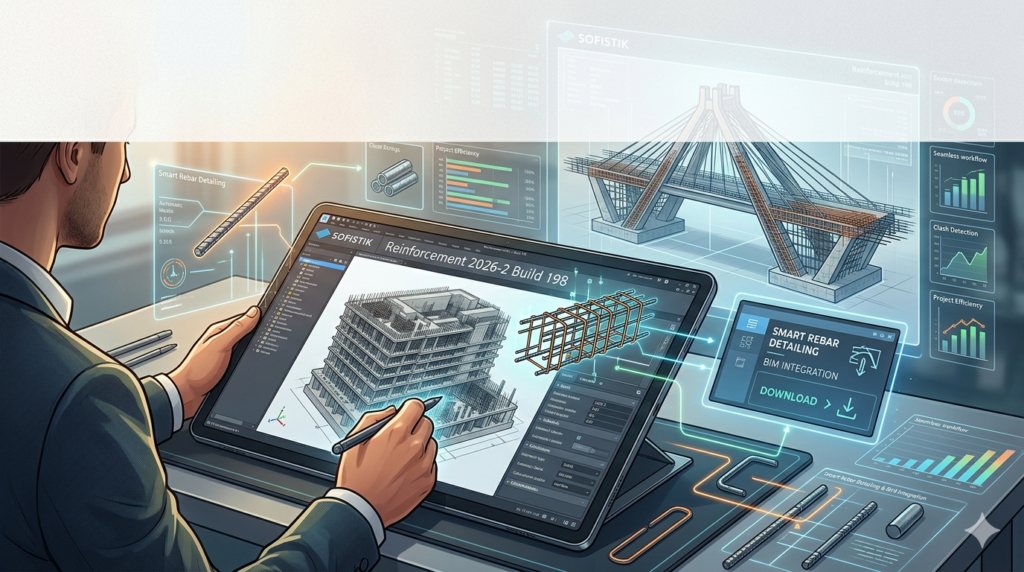


Download the SOFiSTiK Reinforcement 2026-2 Build 198 Software Download from this link…

Overview of SOFiSTiK Reinforcement 2026-2
Table of Contents
SOFiSTiK Reinforcement 2026-2 Build 198 is a professional, BIM-based reinforcement detailing solution developed by SOFiSTiK AG. Unlike standard rebar modeling tools, this software operates natively inside Autodesk Revit, providing engineers and detailers with advanced automation for 3D reinforcement modeling, clash-free placement, parametric detailing, and fabrication-ready documentation.
This tool is essential for infrastructure and building projects—such as bridges, tunnels, high-rises, and industrial structures—where precision in reinforced concrete is critical. It transforms manual drafting workflows into intelligent, data-driven processes that maintain full synchronization between the 3D model, shop drawings, and bar bending schedules (BBS).
Key Features of SOFiSTiK Reinforcement
SOFiSTiK significantly extends Revit’s native reinforcement capabilities. Below are its core functional areas:
-
Intelligent Rebar Placement: Automatically distribute reinforcement along complex geometries, including curved alignments and variable cross-sections.
-
Parametric Detailing: Control bar spacing, length, anchorage, cover, and shape codes using rule-based parameters.
-
Automated Bar Numbering & Scheduling: Generate unique bar numbers and bending schedules that update dynamically with model changes.
-
International Shape Codes: Support for multiple international bending shape standards, ensuring global project compliance.
-
Clash-Free Detailing: Real-time clash detection between rebar, embeds, and other structural elements.
-
Section-Based Reinforcement: Quickly generate reinforcement for beams, columns, slabs, walls, and foundations from predefined sections.
-
Fabrication-Ready Output: Produce shop drawings, bending diagrams, and bar lists directly from the BIM model.
What’s New in Version 2026-2 Build 198
The 2026-2 release focuses on performance and infrastructure-specific workflows:
-
Enhanced Alignment-Based Reinforcement: Improved tools for placing rebar along bridge axes and curved ramps with variable cross-section support.
-
Faster Drawing Generation: Up to 30% faster generation of reinforcement drawings and bending schedules for large models.
-
Updated Revit Compatibility: Fully compatible with Autodesk Revit 2024, 2025, and 2026.
-
Improved Parametric Shape Library: New rebar shape definitions for complex seismic detailing.
-
Better Integration with Structural Analysis: Direct import of reinforcement needs from SOFiSTiK FEA results.
System Requirements
Because SOFiSTiK Reinforcement runs inside Autodesk Revit, system requirements closely follow Revit’s specifications. For optimal performance, especially with large infrastructure models, the following configuration is recommended:
| Component | Minimum | Recommended |
|---|---|---|
| Operating System | Windows 10 (64-bit) | Windows 11 (64-bit) |
| Autodesk Revit | 2024, 2025, or 2026 | 2025 or 2026 |
| RAM | 16 GB | 32 GB or more |
| Processor | Multi-core Intel/AMD (2.5+ GHz) | High-frequency (3.0+ GHz) Intel Core i7/i9 or AMD Ryzen 7/9 |
| Graphics | DirectX 11 capable, 4 GB VRAM | DirectX 12 capable, 8+ GB VRAM (NVIDIA Quadro/GeForce RTX) |
| Storage | 10 GB free (SSD) | NVMe SSD for large project files |
Installation Guide (Official Method Only)
Installing SOFiSTiK Reinforcement requires an existing, licensed copy of Autodesk Revit. Follow these steps for a compliant installation:
-
Verify Prerequisites: Ensure Revit is installed and activated.
-
Download Official Installer: Obtain the SOFiSTiK Reinforcement 2026-2 installer from the official SOFiSTiK AG portal or an authorized reseller.
-
Run as Administrator: Right-click the installer and select Run as administrator.
-
Select Modules: Choose the “Reinforcement” module and any additional tools (e.g., SOFiSTiK Bridge + Infrastructure).
-
Select Revit Versions: Check the box for each Revit version you intend to use.
-
Complete Installation: Follow the prompts and restart your computer if required.
-
Activate License: Open Revit and use the SOFiSTiK License Manager to enter your valid commercial license credentials (network or standalone).
How to Use the Software: A Typical Workflow
Once installed and licensed, a typical reinforcement detailing workflow follows these steps:
-
Prepare the Structural Model: In Revit, create or open a structural model containing beams, columns, slabs, walls, or foundations.
-
Define Reinforcement Parameters: Access the SOFiSTiK tab in the Revit ribbon. Set cover, bar diameter, spacing, hook angles, and shape code rules.
-
Place Reinforcement:
-
Manual: Select individual elements and place rebar using sketch or path-based methods.
-
Automatic: Use SOFiSTiK’s distribution rules to reinforce multiple similar elements at once.
-
-
Generate Drawings & Schedules: Click Create Reinforcement Drawings to automatically produce section views, callouts, bar bending schedules, and shape diagrams.
-
Coordinate & Clash Check: Run Revit’s native clash detection to verify rebar does not conflict with embeds or other services.
-
Export for Fabrication: Export bar lists or bending schedules in industry formats (e.g., BVBS, PXML) for direct use by rebar fabricators.
Best Use Cases for SOFiSTiK Reinforcement
This software excels in scenarios where native Revit tools become time-consuming or insufficient:
-
Bridges & Viaducts: Reinforcement along curved alignments and variable-depth girders.
-
Water & Wastewater Tanks: Circular and irregular tank wall reinforcement with complex lap locations.
-
Industrial Foundations: Heavy, non-standard footings and machine bases requiring precise 3D bar placement.
-
High-Rise Core Walls: Detailed boundary element reinforcement and coupling beam detailing.
-
Precast Concrete Elements: Modeling rebar in precast panels with automated production drawings.
Advantages and Limitations
Advantages
-
High Automation: Reduces manual drafting errors and repetitive tasks.
-
Full BIM Integration: Model, drawings, and schedules remain synchronized.
-
Infrastructure Strength: Unmatched tools for curved and variable-section geometry.
-
Fabrication Ready: Direct output for bending machines and contractors.
Limitations
-
Steep Learning Curve: Requires existing Revit and structural detailing knowledge.
-
Cost: Commercial licenses are expensive, making it less viable for small firms.
-
Revit Dependency: Cannot function as a standalone application.
-
Overkill for Simple Projects: Basic slabs or simple houses do not justify the investment.
Alternatives to SOFiSTiK Reinforcement
Depending on project scale and budget, consider these alternatives:
| Software | Platform | Best For | Key Difference |
|---|---|---|---|
| Autodesk Revit (Native) | Standalone | Basic rebar in simple structures | Included with Revit; limited automation |
| Tekla Structures | Standalone | Large steel & concrete projects | More powerful for total structural modeling |
| RebarCAD (by CADS) | AutoCAD add-on | 2D/3D detailing from drawings | Lower cost, less BIM integration |
| Allplan | Standalone | Integrated architecture + engineering | Strong in precast and civil works |
| Framing & Reinforcement (Dlubal) | Standalone | Integration with RFEM analysis | Tighter FEA workflow |
Frequently Asked Questions (FAQ)
1. Is SOFiSTiK Reinforcement compatible with Revit 2026?
Yes, version 2026-2 Build 198 is fully compatible with Autodesk Revit 2024, 2025, and 2026.
2. Can I use SOFiSTiK Reinforcement without a license?
No. The software requires a valid commercial license from SOFiSTiK AG. There is no free version, trial license, or legal activation bypass.
3. Does this tool generate bar bending schedules automatically?
Yes. It automatically creates bending schedules, bar lists, and shape diagrams that update when the 3D model changes.
4. What is the difference between SOFiSTiK Reinforcement and native Revit rebar?
Native Revit handles basic placement and scheduling. SOFiSTiK adds parametric distribution along curves, automation for large structures, and advanced infrastructure tools.
5. Can I export rebar data to fabrication machines?
Yes. The software supports export formats such as BVBS, PXML, and other industry-standard bending machine interfaces.
6. Is training available for SOFiSTiK Reinforcement?
SOFiSTiK AG provides official training materials, webinars, and documentation. Many authorized resellers also offer instructor-led courses.
7. Does this work for precast concrete detailing?
Yes. It includes specific tools for precast elements, including automated production drawings and embed coordination.
Final Thoughts
SOFiSTiK Reinforcement 2026-2 Build 198 is not a tool for every Revit user—it is a specialized, high-performance solution for structural engineers and BIM detailers working on complex reinforced concrete and infrastructure projects.
If your firm regularly designs bridges, tunnels, heavy industrial foundations, or high-rise buildings, the automation, parametric control, and drawing synchronization will pay for itself in productivity gains and error reduction. However, for small residential or simple commercial projects, native Revit tools or lower-cost alternatives may be more practical.
Premium Software Support Service
If you need professional help with software installation, setup, or technical configuration, our team is available to assist you.
Contact & Support
For quick assistance and latest updates, connect with us using the links below:
🔹 Direct Telegram Support
https://t.me/PlayoutKing
🔹 Official Telegram Updates Group
https://t.me/yourgroup
Service Policy
- Remote testing available through AnyDesk before confirmation.
• Verify the setup and performance before completing the order.
• Support available for single or multiple systems.
• Step-by-step guidance to ensure smooth installation and working environment.
Our goal is to provide reliable technical assistance so your software runs smoothly without interruptions.