

Download the How to Use SOFiSTiK Analysis + Design in Revit from this link…

Overview of the Software
Table of Contents
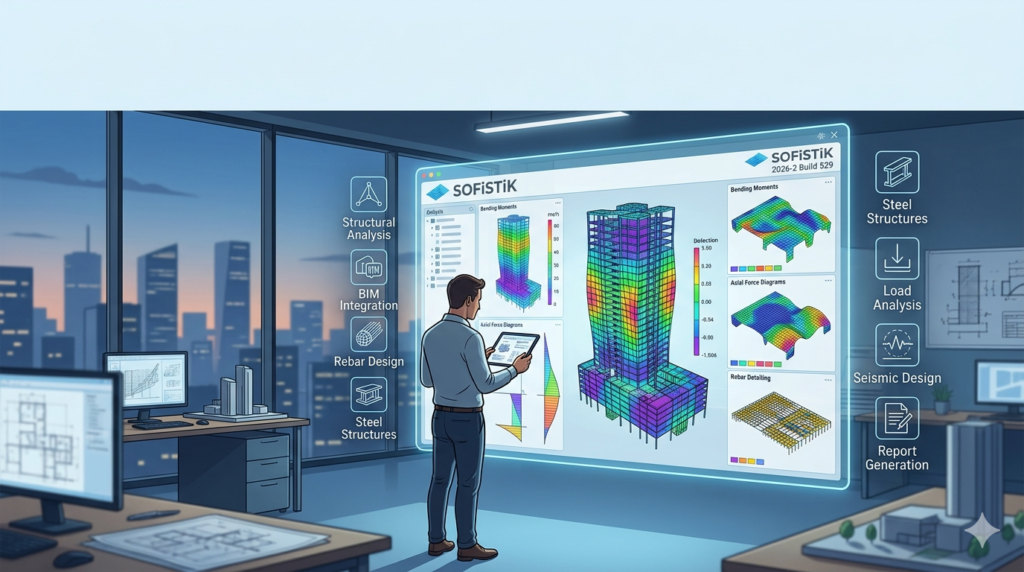
SOFiSTiK Analysis + Design is advanced structural analysis and design software developed by SOFiSTiK AG. Unlike standalone FEA tools, this software is fully embedded within Autodesk Revit, providing a seamless workflow for structural engineers. It is widely adopted for complex infrastructure projects, including high-rise buildings, long-span bridges, tunnels, and specialized concrete structures.
The platform combines nonlinear finite element analysis, reinforced concrete design, prestressed concrete design, steel verification, and composite structure calculations into a single, Revit-integrated interface. This eliminates the traditional gap between architectural modeling and structural verification, significantly reducing data transfer errors.
Key Features
SOFiSTiK Analysis + Design offers a robust set of engineering-focused features:
-
Native Revit Integration: Direct bidirectional link between the BIM model and the calculation kernel. No need for file exports (IFC, DXF, or manual re-meshing).
-
Finite Element Analysis (FEA): Supports plates, walls, slabs, shells, beams, and solid elements with linear and nonlinear material behavior.
-
Automated Reinforcement Design: Automatically generates reinforcement layouts for concrete elements based on internal forces and selected design codes.
-
Multi-Material Design: Handles reinforced concrete, prestressed concrete, structural steel, and composite sections (steel-concrete).
-
Construction Stage Analysis: Simulates sequential construction processes, creep, shrinkage, and time-dependent effects.
-
International Design Code Compliance: Includes Eurocodes (EN 1990-EN 1999), DIN, and other international standards for load combinations and safety checks.
-
Parametric Modeling: Allows engineers to define parametric structural members and load cases that update dynamically with geometry changes.
What’s New in Version 2026-2 Build 529
The latest build introduces several performance and usability enhancements:
-
Improved Solver Speed: Optimized multi-core processing for large finite element meshes, reducing calculation time by up to 25% for complex models.
-
Enhanced Revit 2026 Compatibility: Fully synchronized with the latest Autodesk Revit API for smoother BIM collaboration.
-
Expanded Code Libraries: Updated seismic design parameters for Eurocode 8 and additional national annexes.
-
Nonlinear Support for Shells: Extended nonlinear material models for reinforced concrete shells under high shear forces.
-
Automated Report Formatting: New templates for generating submission-ready calculation reports with customizable cover pages and table of contents.
System Requirements
To run SOFiSTiK Analysis + Design 2026-2 effectively, your workstation should meet or exceed these specifications:
| Component | Minimum Requirement | Recommended for Large Projects |
|---|---|---|
| Operating System | Windows 10 (64-bit) or Windows 11 | Windows 11 Pro (64-bit) |
| Revit Version | Autodesk Revit 2024, 2025, or 2026 | Autodesk Revit 2026 |
| Processor (CPU) | Intel Core i7 or AMD Ryzen 7 (6+ cores) | Intel Xeon / AMD Ryzen 9 (8+ cores) |
| RAM | 16 GB | 32 GB – 64 GB (for large FEA models) |
| Graphics (GPU) | Dedicated GPU with 4 GB VRAM (NVIDIA Quadro/GeForce RTX) | NVIDIA RTX A-series or GeForce RTX 4080+ |
| Storage | 10 GB free SSD space | NVMe SSD (for faster model loading) |
Note: Structural analysis is CPU-intensive. Investing in higher clock speeds and multiple cores directly improves solver performance.
Installation Guide
Installing SOFiSTiK Analysis + Design requires careful version matching with Revit. Follow these steps:
-
Verify Revit Installation: Ensure the target Revit version (2024–2026) is already installed and activated.
-
Close Autodesk Revit: The installer cannot modify Revit add-ins while Revit is running.
-
Run Installer as Administrator: Right-click the official SOFiSTiK setup file and select Run as administrator.
-
Select Revit Version: In the installer wizard, check the box corresponding to your installed Revit version.
-
Complete Installation: Follow the remaining prompts. A system restart is not typically required but recommended.
-
Verify Installation: Open Revit. The “SOFiSTiK” ribbon tab should appear in the main toolbar.
How to Use the Software
The workflow in SOFiSTiK follows standard engineering logic directly inside Revit:
Step 1 – Prepare the BIM Model
Create or import your structural elements (columns, beams, walls, slabs) in Revit. Assign material properties and cross-sections.
Step 2 – Define Loads and Boundary Conditions
Use the SOFiSTiK ribbon to apply:
-
Nodal and surface loads (dead, live, wind, snow)
-
Support conditions (fixed, pinned, roller)
-
Load combinations per design code
Step 3 – Generate the Finite Element Mesh
Run the automatic mesh generator. Adjust element size for critical areas (e.g., openings or high-stress zones).
Step 4 – Execute Structural Analysis
Launch the SOFiSTiK solver. Results (bending moments, shear forces, deflections, stresses) are displayed directly on the Revit model.
Step 5 – Perform Code-Based Design
Select the design module (concrete, steel, composite). The software checks utilization ratios and automatically proposes reinforcement or steel sections.
Step 6 – Generate Reports
Export detailed calculation reports in PDF format, including all input parameters, load cases, verification checks, and reinforcement drawings.
Best Use Cases
SOFiSTiK Analysis + Design excels in professional scenarios where accuracy and BIM coordination are critical:
-
High-Rise Buildings: Wind and seismic analysis with outrigger and core wall systems.
-
Bridges: Prestressed concrete box girders, cable-stayed bridges, and construction stage analysis.
-
Industrial Structures: Crane loads, dynamic analysis, and fatigue checks for steel frames.
-
Infrastructure: Tunnel linings, retaining walls, and foundation slabs with soil-structure interaction.
-
Complex Geometry: Free-form shells, curved ramps, and stadium roofs.
Advantages and Limitations
Advantages
-
BIM Native: No data loss between modeling and analysis.
-
Comprehensive Code Support: Covers Eurocodes, DIN, and international standards.
-
Automated Detailing: Generates reinforcement drawings and bending schedules.
-
Professional Documentation: Court-admissible calculation reports.
Limitations
-
Steep Learning Curve: Requires solid understanding of FEA theory and structural design codes.
-
Revit Dependency: Cannot function as a standalone application.
-
Hardware Intensive: Large models demand high-end workstations (32GB+ RAM, multi-core CPUs).
-
Cost: Professional licensing is significantly higher than basic structural toolkits.
Alternatives to the Software
For engineers evaluating different BIM-integrated analysis tools, consider these alternatives:
| Software | Platform | Best For | Key Difference |
|---|---|---|---|
| RSTAB | Standalone + Revit | Steel and timber frames | Lighter weight, less nonlinear capability |
| SCIA Engineer | Standalone + Revit link | Complex load combinations | Better for modular construction |
| Robot Structural Analysis | Native Autodesk | General FEA within Autodesk ecosystem | Less advanced prestressed concrete design |
| Dlubal RFEM | Standalone + Revit link | Nonlinear FEA and dynamics | More intuitive for steel connections |
Recommendation: SOFiSTiK remains superior for prestressed concrete, bridge engineering, and construction stage analysis.
Frequently Asked Questions
1. Is SOFiSTiK Analysis + Design compatible with Revit 2026?
Yes, version 2026-2 Build 529 is fully compatible with Autodesk Revit 2024, 2025, and 2026.
2. Does SOFiSTiK support Eurocode 2 for concrete design?
Yes. It includes full Eurocode 2 (EN 1992-1-1) with multiple national annexes (Germany, UK, France, etc.).
3. Can I use SOFiSTiK for steel connection design?
The software performs member checks (buckling, yielding, lateral-torsional buckling) but does not replace dedicated connection design tools like IDEA StatiCa.
4. What is the difference between SOFiSTiK and Robot Structural Analysis?
SOFiSTiK offers superior prestressed concrete and construction stage analysis. Robot is better integrated with Autodesk’s own ecosystem but has fewer nonlinear material models.
5. Do I need a separate license for each Revit version?
Typically, a SOFiSTiK license covers one major Revit version. Upgrading to a newer Revit release may require a maintenance renewal.
6. Can students or academics use SOFiSTiK for free?
SOFiSTiK AG provides educational licenses for accredited institutions. Contact your university’s software distribution office for access.
7. Does the software handle seismic design per Eurocode 8?
Yes. Version 2026-2 includes updated seismic parameters, behavior factors, and capacity design rules for ductile structures.
8. What file formats can SOFiSTiK export?
It exports native Revit families, calculation reports (PDF/RTF), and results in CSV format for further processing.
Final Thoughts
SOFiSTiK Analysis + Design 2026-2 Build 529 is a professional structural engineering solution built for real-world projects where accuracy, code compliance, and BIM integration are non-negotiable. From nonlinear finite element analysis to automated reinforcement detailing, it delivers a complete workflow inside Autodesk Revit.
For engineering firms focusing on BIM-driven structural design, bridges, or complex concrete structures, SOFiSTiK provides a reliable, industry-proven alternative to generic FEA software. Ensure your hardware meets the recommended specifications and that you obtain a valid commercial or educational license directly from SOFiSTiK AG or an authorized reseller. This software is a powerful investment in engineering precision and collaborative efficiency.
Premium Software Support Service
If you need professional help with software installation, setup, or technical configuration, our team is available to assist you.
Contact & Support
For quick assistance and latest updates, connect with us using the links below:
🔹 Direct Telegram Support
https://t.me/PlayoutKing
🔹 Official Telegram Updates Group
https://t.me/yourgroup
Service Policy
- Remote testing available through AnyDesk before confirmation.
• Verify the setup and performance before completing the order.
• Support available for single or multiple systems.
• Step-by-step guidance to ensure smooth installation and working environment.
Our goal is to provide reliable technical assistance so your software runs smoothly without interruptions.