
Download the Smart Office Suite v20.71 (Enterprise Time & Attendance Software Review) Software from this link…

Overview of the Software
Table of Contents
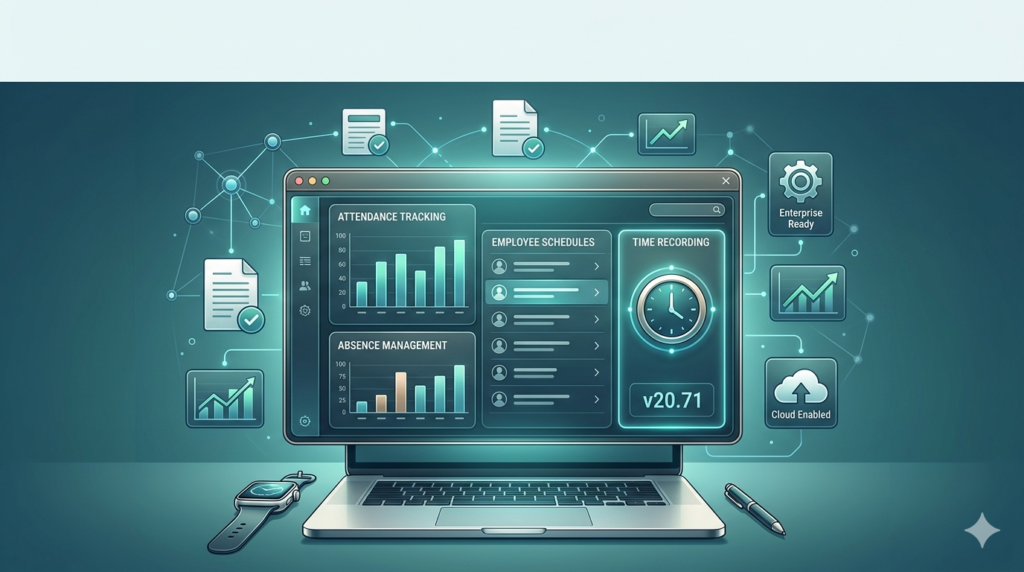
Smart Office Suite is a comprehensive workforce management platform developed for small to medium-sized enterprises (SMEs) and large corporations. Version 20.71 focuses specifically on time and attendance tracking, moving beyond manual spreadsheets to automated clock-in/out systems.
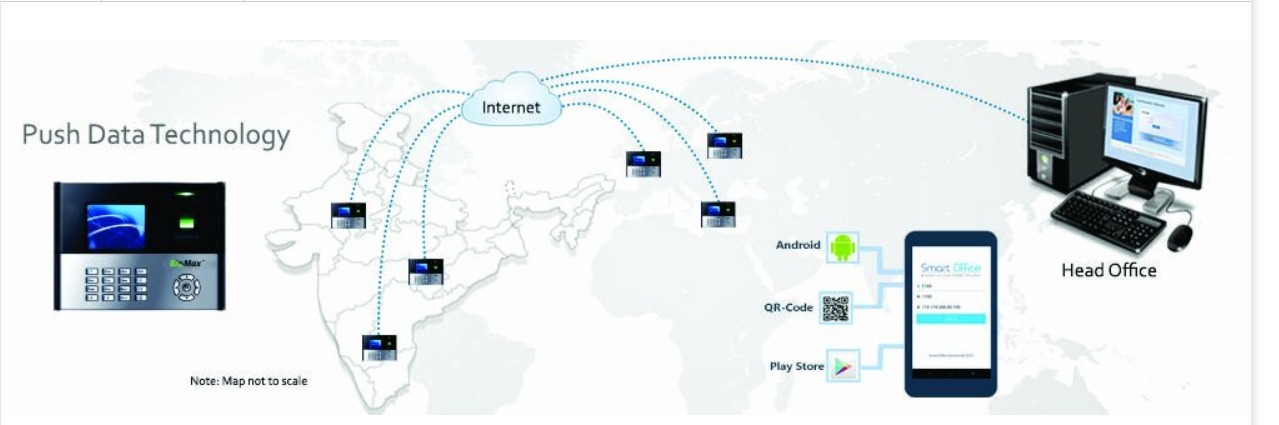
The software functions as a centralized hub where HR managers can monitor employee hours, overtime, absenteeism, and scheduled breaks. It supports multiple validation methods, including RFID cards, mobile geolocation, and fingerprint biometrics. By integrating directly with popular payroll platforms, it reduces administrative workload and improves labor cost tracking accuracy.
Key Features
Smart Office Suite v20.71 includes several enterprise-grade modules. Below are the primary functionalities that enhance employee time tracking:
-
Biometric Authentication: Supports fingerprint and facial recognition to prevent time theft or “buddy punching.”
-
Automated Overtime Calculation: Instantly flags overtime thresholds based on local labor laws or company policy.
-
Geofencing & Mobile Clock-In: Allows remote employees to log hours only when within approved GPS boundaries.
-
Real-Time Dashboards: Provides live visibility into who is clocked in, on break, or absent.
-
Leave Management Integration: Syncs vacation, sick days, and unpaid time off directly with attendance records.
-
Customizable Shift Scheduling: Enables drag-and-drop shift assignments with automated conflict alerts.
-
Audit Trail Logs: Maintains immutable records of all time edits and approvals for compliance audits.
What’s New in Version 20.71
The latest release introduces several performance improvements and security patches. Key updates in Smart Office Suite v20.71 include:
-
Enhanced API Speed: Data sync with third-party HRIS tools is now 40% faster.
-
Offline Mode: Employees can now log hours without an internet connection; data syncs automatically when connectivity returns.
-
Predictive Attendance Alerts: Machine learning algorithms now predict potential no-shows based on historical patterns.
-
GDPR-Compliant Data Masking: Improved privacy controls for employee personally identifiable information (PII).
System Requirements
Before installing this attendance management software, verify your infrastructure meets these specifications:
| Component | Minimum Requirement | Recommended Requirement |
|---|---|---|
| Operating System | Windows 10 / Windows Server 2016 | Windows 11 / Server 2022 |
| Processor | Intel Core i3 (2.4 GHz) | Intel Core i5 (3.0 GHz) |
| RAM | 4 GB | 8 GB |
| Storage | 500 MB HDD | 1 GB SSD |
| Database | SQLite | Microsoft SQL Server 2019+ |
| Network | 10 Mbps | 50 Mbps (for cloud sync) |
Supported integrations: REST API, Zapier, QuickBooks, ADP Workforce Now, and SAP SuccessFactors.
Installation Guide
Installing Smart Office Suite v20.71 requires administrative privileges. Follow this step-by-step guide for a secure deployment:
-
Download the official installer from the verified vendor portal. Do not use third-party mirrors.
-
Run the executable as Administrator (right-click → “Run as administrator”).
-
Accept the EULA and select “Enterprise Installation.”
-
Choose database type: Select SQL Server for multi-user environments or SQLite for single-branch testing.
-
Configure the admin account: Create a master login with strong credentials.
-
Set biometric device drivers: If using fingerprint scanners, install the included OEM drivers.
-
Complete the setup and restart the system.
How to Use the Software
Once installed, follow these workflows to manage employee attendance effectively.
For HR Administrators
-
Create departments under the “Organization” tab.
-
Import employees via CSV (fields: Name, ID, Role, Schedule).
-
Assign clock-in methods (PIN, biometric, or mobile app).
-
Set overtime rules under “Policy Engine” (e.g., 1.5x pay after 40 hours).
For Employees
-
Clock in using the terminal or mobile app.
-
Request time-off via the “Leave” module.
-
Review timesheets weekly to flag discrepancies.
For Payroll Integration
-
Navigate to Reports → Export for Payroll.
-
Select date range and format (CSV, XLSX, or direct API push).
-
Map fields (e.g.,
Regular Hours→ PayrollEarnings Code 100).
Best Use Cases
While general time tracking tools suit freelancers, Smart Office Suite v20.71 excels in structured environments:
-
Manufacturing Plants: Biometric terminals prevent unauthorized overtime on factory floors.
-
Retail Chains: Geofencing ensures staff only clock in while inside the store location.
-
Healthcare Facilities: Tracks rotating 12-hour shifts and mandatory break compliance.
-
Remote-First Companies: Mobile app captures work hours with location verification for tax purposes.
-
Government Contractors: Audit logs provide tamper-proof records for DCAA compliance.
Advantages and Limitations
Every workforce analytics tool has trade-offs. Here is an objective assessment:
Advantages
-
High accuracy: Biometric data eliminates estimation errors common in manual logs.
-
Labor law compliance: Automatically enforces FLSA, EU Working Time Directive, and local break laws.
-
Scalability: Handles 10 to 10,000+ employees without performance degradation.
-
Offline resilience: No lost data due to network outages.
Limitations
-
Learning curve: Advanced policy rules require initial training for HR staff.
-
Biometric hardware cost: Fingerprint scanners add $150–$300 per terminal.
-
Mobile app permissions: Requires always-on location access, which some employees resist.
-
No native accounting module: Still requires separate software for general ledger.
Alternatives to the Software
Depending on your budget and technical needs, consider these attendance management alternatives:
| Software | Best For | Key Difference from Smart Office Suite |
|---|---|---|
| Clockify | Freelancers & small teams | Free tier but no biometric hardware support |
| Deputy | Retail & hospitality | Stronger task assignment but weaker audit trails |
| Homebase | Restaurants & local shops | Includes POS integration; limited for enterprise |
| Replicon | Professional services | Better project costing but higher per-user fee |
| Buddy Punch | Construction crews | Simpler interface but fewer reporting options |
When to stick with Smart Office Suite: You need offline biometrics, predictive analytics, or deep SQL database control.
Frequently Asked Questions
1. Is Smart Office Suite v20.71 compatible with cloud-only environments?
Yes. You can host the database on Azure SQL or AWS RDS while running the application interface on local terminals. The software supports hybrid cloud architectures.
2. Does this time and attendance software track idle time or productivity?
No. Version 20.71 only records clock-in/out events and break durations. It does not monitor keystrokes, screenshots, or application usage, ensuring employee privacy compliance.
3. Can I migrate historical data from Excel or legacy systems?
Yes. The built-in import wizard accepts CSV and XLSX files. You must map old column headers (e.g., “Start Time” → ClockIn) before migration.
4. What happens if an employee forgets to clock out?
The system applies your configured grace rule. Common options include: auto-clockout at scheduled shift end, manager-adjusted times with an audit trail, or a missing-punch form submission.
5. Is technical support included with the license?
Standard licenses include email and ticket support. Premium enterprise licenses add 24/7 phone support and a dedicated account manager.
6. How does the software handle daylight saving time shifts?
The database stores all timestamps in UTC. Local time conversion occurs at the reporting layer, so DST transitions never corrupt attendance records.
7. Can I run this software on Linux or macOS?
Not natively. However, you can deploy it on a Windows VM (VirtualBox or VMware) hosted on Linux. The employee mobile app works on iOS and Android.
8. Does Smart Office Suite comply with biometric privacy laws (e.g., BIPA)?
Yes. Version 20.71 includes written consent logging, data retention auto-deletion, and the option to hash fingerprints irreversibly (cannot be reconstructed).
Final Thoughts
Smart Office Suite v20.71 delivers a mature, legally defensible solution for organizations struggling with payroll inaccuracies or time theft. Its strength lies in offline biometrics and granular audit logging—features missing from many cloud-only alternatives. While the initial hardware investment and training requirements are non-trivial, the reduction in payroll overpayments often recoups costs within six months.
For businesses that require rigorous labor compliance and operate in areas with unreliable internet, this software remains a top-tier choice. Evaluate your need for biometric hardware before purchasing; if your team is fully remote and trusted, a simpler mobile-only tool may suffice.
Premium Software Support Service
If you need professional help with software installation, setup, or technical configuration, our team is available to assist you.
Contact & Support
For quick assistance and latest updates, connect with us using the links below:
🔹 Direct Telegram Support
https://t.me/PlayoutKing
🔹 Official Telegram Updates Group
https://t.me/yourgroup
Service Policy
- Remote testing available through AnyDesk before confirmation.
• Verify the setup and performance before completing the order.
• Support available for single or multiple systems.
• Step-by-step guidance to ensure smooth installation and working environment.
Our goal is to provide reliable technical assistance so your software runs smoothly without interruptions.