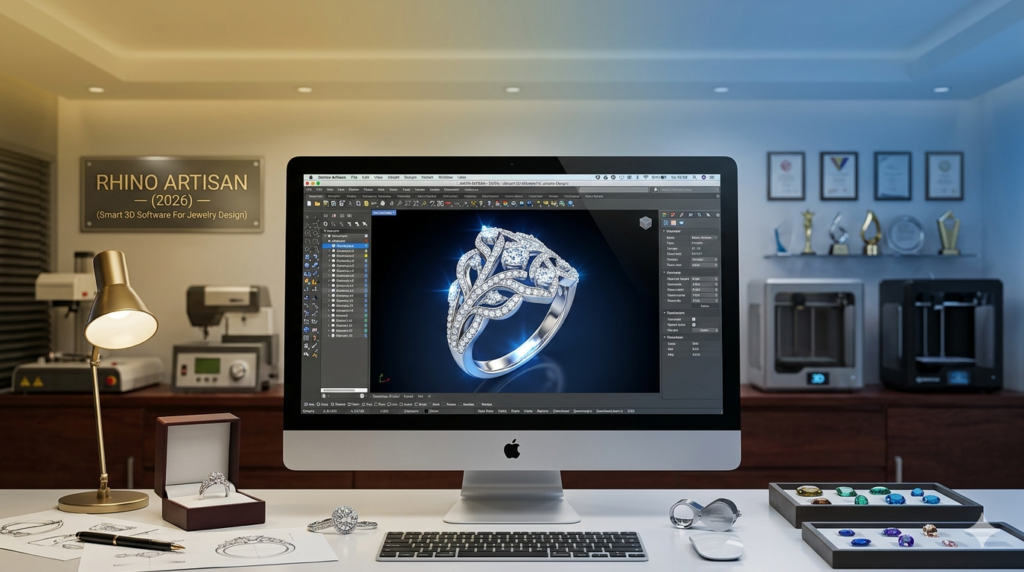


Download the Rhino Artisan V6.7 (The Definitive Jewelry Design Plugin for Rhino 3D (2026)) from this link…

Overview of the Software
Table of Contents
Rhino Artisan is a specialized jewelry design plugin built on the powerful NURBS-based CAD engine of Rhinoceros 3D. While Rhino itself is a versatile 3D modeling tool, Artisan transforms it into a dedicated environment for the jewelry manufacturing workflow. It bridges the critical gap between creative artistry and technical production by integrating industry-specific tools like parametric ring builders, gemstone libraries, and automated setting generators.
For many professional jewelers and CAD technicians, the move to a specialized plugin is essential. General CAD systems often require complex surface manipulation for simple tasks like creating a bezel or pavé setting. Rhino Artisan solves this by embedding jewelry terminology—such as prong settings, gallery rails, and micro-pavé—directly into the interface. This allows designers to focus on creativity and manufacturing feasibility rather than getting bogged down in repetitive Boolean operations.
Key Features
Rhino Artisan distinguishes itself through modules designed exclusively for jewelry creation. Instead of manually constructing every component, users access intelligent generators that accelerate workflow while maintaining sub-millimeter precision.
-
Parametric Ring Builder: Create rings with editable profiles and shank styles. Resizing a ring from US size 6 to 8 automatically adjusts stone placement geometry without breaking the model.
-
Comprehensive Gemstone Setting Tools: Includes specialized wizards for prong, bezel, channel, pavé, and micro-setting. Adjust prong thickness, seat depth, and spacing in real-time.
-
Accurate Metal Weight & Volume Calculation: Estimate gold, platinum, or silver weight instantly, providing critical data for costing and manufacturing.
-
Calibrated Gemstone Library: A built-in library of standard gemstone shapes and dimensions ensures correct seat creation and accurate visualization.
-
Pavé Surface Population: Automatically populate curved surfaces with stones, controlling spacing and orientation for complex halo rings and bridal sets.
-
STL Export Optimization: Prepares files for resin 3D printing and investment casting by ensuring watertight meshes, proper tolerances, and support generation readiness.
-
Production Feasibility Checks: Validate metal thickness, stone clearance, and structural integrity to minimize printing failures and casting defects.
What’s New in the Latest Version (6.7)
The 2026 update (version 6.7) focuses on workflow efficiency and compatibility with modern manufacturing techniques. Key improvements include:
-
Enhanced Micro-Pavé Generator: New algorithms allow for faster population of micro-pavé patterns with tighter spacing controls for high-end jewelry.
-
Live Rendering Preview: Improved integration with rendering engines like V-Ray and KeyShot allows for real-time material previews within the Rhino viewport, speeding up client presentations.
-
Optimized for Rhino 8: Full compatibility with the latest Rhino 8 release, leveraging its new display pipeline and performance enhancements for smoother handling of complex assemblies.
-
Expanded Stone Library: Added support for new fancy-cut gemstones and a more extensive database of calibrated melee sizes.
-
Cloud-Based Material Presets: Access to a shared library of metal and material presets for consistency across design teams.
System Requirements
Performance in jewelry CAD is highly dependent on hardware. To handle complex pavé patterns and high-resolution gemstone arrays smoothly, your system should meet these specifications:
| Component | Minimum Requirement | Recommended Requirement |
|---|---|---|
| Operating System | 64-bit Windows 10 or 11 | 64-bit Windows 11 |
| Processor (CPU) | Intel Core i5 or AMD Ryzen 5 | Intel Core i7/i9 or AMD Ryzen 7/9 |
| Memory (RAM) | 8 GB | 16 GB or 32 GB for complex assemblies |
| Graphics Card (GPU) | Dedicated GPU with 2GB VRAM (OpenGL 4.1) | Dedicated GPU with 4GB+ VRAM (NVIDIA RTX series) |
| Storage | 5 GB free space | SSD for faster project loading and auto-saves |
| Host Application | Rhinoceros 3D (v6, v7, or v8) | Rhinoceros 3D v8 |
Note: Large bridal sets or intricate pavé layouts can significantly increase polygon counts during mesh conversion. Higher RAM and a dedicated GPU are crucial for stability and a responsive viewport.
Installation Guide
Installing Rhino Artisan is a straightforward process for users already running Rhinoceros.
-
Download: Obtain the official installer from the software developer’s website.
-
Run Installer: Close Rhinoceros 3D before running the downloaded executable file.
-
Follow Prompts: The installer will automatically detect your installed versions of Rhino (v6, v7, v8) and add the plugin to them.
-
Launch Rhino: Start Rhino. You will see a new “Artisan” toolbar and menu panel.
-
Initial Configuration: During the first run, configure your default units (millimeters is standard for jewelry design), gemstone libraries, and metal density values. Spending time here ensures consistency across future projects.
How to Use the Software: A Production Workflow
A typical jewelry design project in Rhino Artisan follows a structured path from concept to manufacturing.
-
Build the Ring Shank:
-
Select the Parametric Ring Builder.
-
Define the finger size (e.g., US size 7).
-
Choose a profile shape (e.g., flat, comfort-fit, knife-edge).
-
Set metal thickness and width.
-
-
Add the Setting:
-
Use the Gemstone Setting Tools to insert a head or basket.
-
For a pavé band, use the Pavé Surface Population tool to select the surface of the shank and populate it with stones, controlling spacing and bead creation.
-
-
Place the Main Stone:
-
Import a calibrated gemstone from the library.
-
Use the Prong Tool to create a custom prong setting. Adjust prong thickness, height, and seat depth dynamically.
-
-
Validate for Production:
-
Run Measurement Validation to check for intersections, incorrect stone seat depth, and metal thickness below the threshold for casting.
-
Use Metal Weight Calculation to estimate the gold weight for costing.
-
-
Export for Manufacturing:
-
Once finalized, export the model as an STL file.
-
Use the STL Export Optimization tools to ensure the mesh is watertight and properly oriented for resin 3D printing and investment casting.
-
Best Use Cases
Rhino Artisan is not a one-size-fits-all tool; its strengths shine in specific scenarios.
-
Bridal and Engagement Rings: The parametric controls allow for precise adjustments to halo settings and pavé bands, ensuring stone placement is flawless across multiple sizes.
-
Custom Jewelry Design: For bespoke jewelers, the ability to combine Rhino’s organic modeling with Artisan’s parametric gemsetting allows for unique, client-specific creations without sacrificing manufacturing accuracy.
-
Mass Production & Manufacturing: Studios benefit from the consistency of parametric templates, metal weight calculations for costing, and STL optimization for high-volume resin printing.
-
CAD for 3D Printing: The plugin is specifically optimized for creating models suitable for additive manufacturing (3D printing), a standard in modern jewelry production.
Advantages and Limitations
Advantages
-
Speed: Automates repetitive tasks like pavé and prong creation, drastically reducing design time.
-
Accuracy: Reduces geometric errors common in manual modeling, such as intersecting meshes or incorrect stone seat depth.
-
Production-Ready: Tools are built with manufacturing constraints in mind, ensuring files are ready for casting and CNC.
-
Editable History: Modifications remain editable through feature history, unlike destructive modeling methods.
Limitations
-
Dependency: Requires a licensed copy of Rhinoceros 3D, adding to the overall cost.
-
Learning Curve: While easier than raw Rhino, the jewelry-specific terminology and parametric logic still require dedicated learning for beginners.
-
Hardware Dependent: Performance is tied to computer hardware; complex models can be slow on older systems.
Alternatives to the Software
While Rhino Artisan is a leader in its niche, several alternatives exist depending on workflow preferences:
| Software | Focus | Key Difference |
|---|---|---|
| MatrixGold | Comprehensive CAD/CAM for Jewelry | A standalone solution (also built on Rhino) with integrated rendering and CAM tools for manufacturing. Often considered the industry standard for large studios. |
| ZBrush | Organic Sculpting | Ideal for creating highly detailed, organic wax carvings and artistic textures that are difficult to achieve with NURBS-based CAD. Often used in conjunction with Rhino. |
| Blender (with Jewelry Add-ons) | Open-Source 3D Modeling | A free, powerful alternative. However, jewelry-specific workflows require custom add-ons and lack the integrated, production-focused toolset of Artisan. |
| 3Design | Parametric Jewelry Design | A standalone parametric CAD system strong in rendering and configuration but with a different interface philosophy than Rhino-based tools. |
Frequently Asked Questions (FAQ)
1. Is Rhino Artisan a standalone program or a plugin?
Rhino Artisan is a plugin that works exclusively inside Rhinoceros 3D. You must own a licensed copy of Rhino (versions 6, 7, or 8) to use it.
2. What is the difference between Rhino Artisan and MatrixGold?
Both are built on Rhino, but MatrixGold is a complete, all-in-one solution that includes Rhino, the MatrixGold plugin, and integrated rendering and CAM (Computer-Aided Manufacturing) tools. Rhino Artisan is a focused jewelry design plugin that you add to your existing Rhino license. Artisan is excellent for design, while MatrixGold is geared toward a full production environment.
3. How do I obtain a license for Rhino Artisan?
Licenses are purchased directly from the software developer’s official website. The process involves purchasing a license key, which is then linked to your Rhino installation ID during activation. Professional studios often use floating licenses to manage multiple users.
4. What are the hardware requirements for complex pavé modeling?
For complex pavé patterns or large bridal sets, a system with a multi-core processor (i7 or higher) , 16GB of RAM (or more), and a dedicated GPU is recommended to ensure a stable and responsive viewport, especially during final rendering and STL export.
5. Can Rhino Artisan estimate the cost of metal before production?
Yes. The software includes advanced metal weight and volume calculation tools. By inputting the density of your chosen metal (e.g., 14k gold, platinum), you can get an accurate estimate of the material weight, which is crucial for accurate client costing.
6. What file formats can I export for 3D printing?
The primary export format for 3D printing is STL. The plugin includes specific tools to optimize the STL mesh, ensuring it is watertight, free of errors, and oriented correctly for resin printers used in investment casting.
7. Is there a learning curve if I already know Rhino?
Yes, but it is generally considered manageable. While you will find the Rhino interface familiar, you will need to learn new jewelry-specific workflows, terminology (like gallery rail, bead setting), and parametric generators to fully utilize the plugin’s potential.
Final Thoughts
Rhino Artisan 6.7 represents a significant evolution in digital jewelry design, transforming Rhinoceros 3D into a powerhouse for the jewelry industry. Its strength lies in bridging the gap between artistic freedom and rigorous manufacturing requirements. By automating complex tasks like gemstone setting and metal calculation, it allows designers to focus on creativity while ensuring production feasibility.
For the independent designer, manufacturing studio, or retail brand, the investment in a specialized tool like Rhino Artisan pays dividends in efficiency, accuracy, and the ability to deliver production-ready files. While it requires a dedicated learning investment and a robust hardware setup, the return is a streamlined workflow that can handle everything from a custom engagement ring to a high-volume production line. As the industry continues to embrace 3D printing and digital workflows, Rhino Artisan remains a critical tool for those serious about jewelry design and manufacturing in 2026.
Premium Software Support Service
If you need professional help with software installation, setup, or technical configuration, our team is available to assist you.
Contact & Support
For quick assistance and latest updates, connect with us using the links below:
🔹 Direct Telegram Support
https://t.me/PlayoutKing
🔹 Official Telegram Updates Group
https://t.me/yourgroup
Service Policy
- Remote testing available through AnyDesk before confirmation.
• Verify the setup and performance before completing the order.
• Support available for single or multiple systems.
• Step-by-step guidance to ensure smooth installation and working environment.
Our goal is to provide reliable technical assistance so your software runs smoothly without interruptions.