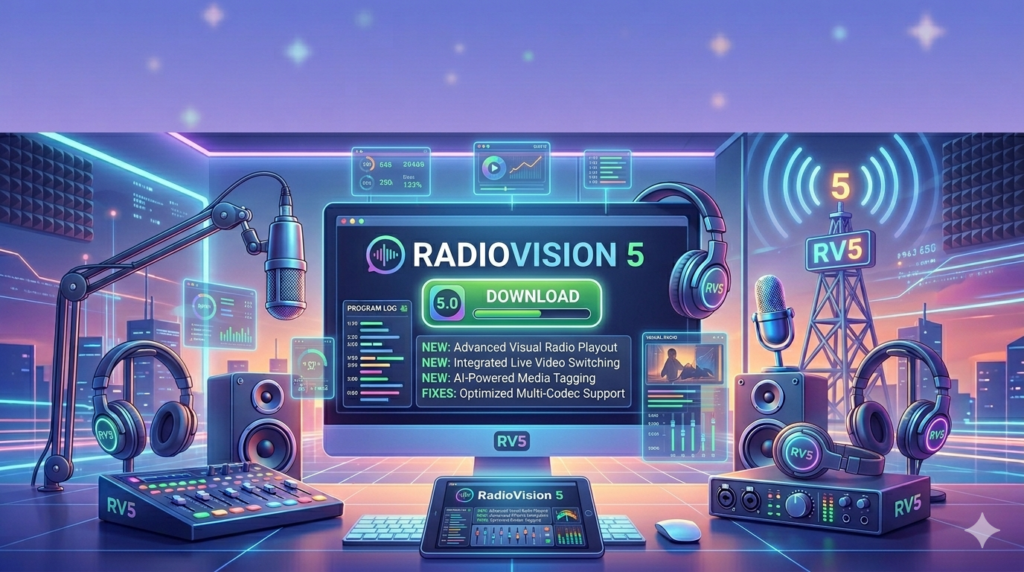


Download RadioVision 5 (Comprehensive Radio Broadcasting Software) for Automation & Live Streaming from this link…

Overview of RadioVision 5
Table of Contents
RadioVision 5 is a complete radio automation system developed to streamline the operations of radio stations, internet radio platforms, and audio streaming services. Unlike basic media players, RadioVision 5 functions as a digital audio workstation (DAW) tailored specifically for broadcasting. It allows users to manage music libraries, schedule automated playlists, integrate voice tracks, and broadcast live shows with low latency.
The software bridges the gap between traditional on-premise broadcasting and modern cloud-based flexibility. Its architecture supports both fully automated 24/7 operations and live-assisted broadcasting, making it suitable for community radio stations, commercial broadcasters, and content creators looking to establish a professional audio presence.
Key Features
RadioVision 5 offers a rich set of features designed to optimize workflow and enhance the listening experience.
Intuitive User Interface
The interface is designed for efficiency. It features a modular layout where operators can dock or undock windows such as the playlist, audio mixer, and media library. This customization reduces clutter and allows broadcasters to create a workspace that matches their specific workflow, whether they are managing a live show or programming a week’s worth of automated content.
Comprehensive Playlist Management and Scheduling
The software employs sophisticated scheduling logic. Users can implement rules-based scheduling to ensure a balanced rotation of music genres, adhere to station formatting, and comply with broadcast regulations.
-
Music Scheduling: Algorithms prevent repetitive spins and can prioritize new music while maintaining a library of classics.
-
Voice Tracking: DJs can record voice segments that seamlessly insert between songs, creating the illusion of a live show even during automated hours.
-
Clock Wheels: Program directors can create standardized hourly formats (clock wheels) to maintain consistency across different dayparts.
Live Broadcasting and Remote Contribution
RadioVision 5 supports low-latency live broadcasting. A critical feature is its support for remote contribution, allowing hosts to connect to the studio via a standard internet connection. This enables:
-
Remote Shows: DJs can broadcast from home or on location without the need for expensive ISDN lines.
-
Guest Interviews: External guests can be patched into the live stream using VoIP technology directly within the software.
Real-time Monitoring and Analytics
The platform includes a suite of analytics tools that provide actionable insights. Broadcasters can monitor:
-
Real-time Meters: Visual feedback on audio levels to prevent clipping and ensure broadcast quality.
-
Listener Counts: Integration with streaming servers to track concurrent listener numbers.
-
Content Performance: Detailed reports on which songs, advertisements, or segments drive the highest engagement, allowing for data-driven programming decisions.
Advanced Ad Insertion and Monetization Opportunities
For commercial stations, monetization is key. RadioVision 5 includes advanced ad insertion capabilities. It supports:
-
Campaign Management: Users can create advertising campaigns with specific start and end dates, frequency caps, and target demographics.
-
Automated Log Generation: Ads are automatically inserted into the broadcast log based on the campaign parameters, ensuring sponsors receive the airtime they purchased without manual intervention.
Social Media Integration
To bridge the gap between radio and digital engagement, RadioVision 5 integrates directly with social media platforms. The software can automatically publish “Now Playing” updates to platforms like X (formerly Twitter) and Facebook, as well as share scheduled programming highlights. This automation helps stations maintain an active online presence without diverting focus from the broadcast itself.
Multi-Platform Compatibility
RadioVision 5 is engineered for versatility. It supports a wide range of audio formats (MP3, AAC, WAV, FLAC) and streaming protocols (Icecast, Shoutcast). This ensures that content can be distributed to traditional FM transmitters, DAB+ digital radio, and online streaming platforms simultaneously.
Customization and Scalability
The software is built on a scalable architecture. It operates effectively for a small internet radio station running on a single computer but can also be deployed in a networked environment for large commercial stations. Features like networked database storage allow multiple users (e.g., a music director and a morning show host) to access and modify the content library simultaneously.
What’s New in the Latest Version
While the core functionality remains robust, the latest iterations of RadioVision 5 have focused on modern broadcasting needs:
-
Enhanced Remote Voice Tracking: Improved web-based remote voice tracking interfaces allow talent to record shows from any browser without installing the full software suite.
-
Improved Streaming Encoder: New encoders support higher bitrate streams (up to 320 kbps) and modern AAC+ codecs for better audio quality at lower bandwidths.
-
Cloud Backup Integration: Native support for syncing database backups to cloud storage services (like Google Drive or Dropbox) ensures data security and disaster recovery.
System Requirements
To run RadioVision 5 efficiently, a system should meet the following minimum specifications:
| Component | Minimum Requirement |
|---|---|
| Operating System | Windows 10 / 11 (64-bit) or Windows Server 2019+ |
| Processor | Intel Core i3 or equivalent (Intel Core i5 or higher recommended for live streaming) |
| RAM | 8 GB (16 GB recommended for large databases) |
| Storage | 50 GB of free space for software and database (additional space for media library) |
| Audio Hardware | Windows-compatible sound card (ASIO driver support recommended for low latency) |
| Internet | Stable broadband connection for streaming and updates |
Installation Guide
A standard installation of RadioVision 5 involves several key steps to ensure optimal performance.
-
Prerequisites: Before installation, ensure the system has the latest Windows updates and any necessary dependencies (like Microsoft Visual C++ Redistributables).
-
Download and Run: Download the official installer from the developer’s website. Run the installer as an administrator.
-
Database Setup: During installation, you will be prompted to set up a database. For single-user setups, the built-in SQLite option is sufficient. For multi-user networks, a MySQL or Microsoft SQL Server setup is recommended.
-
Audio Device Configuration: Upon first launch, configure the audio devices. Set the playback device for the main output and the recording device for live microphones.
-
Import Media: Use the built-in media manager to import your audio library. The software will analyze the audio files to detect BPM (beats per minute) and silence levels for smooth transitions.
How to Use the Software
Mastering RadioVision 5 involves understanding its core operational modes:
-
Automation Mode: In this mode, the software runs autonomously. Users pre-build playlists using the scheduler. The system follows the clock wheel, playing music, jingles, and ads according to the pre-defined schedule.
-
Live Assist Mode: This mode is for live DJs. The operator controls the playback order manually. They can use the “Next” button to trigger the following track, talk over intro music, and use the built-in mixer to control microphone levels and audio effects.
-
Remote Voice Tracking: For off-site programming, a DJ logs into the remote voice tracking portal. They select a timeslot, view the scheduled songs, and record their voice breaks. The system syncs these files back to the main station server to be played at the scheduled time.
Best Use Cases
RadioVision 5 is highly versatile and serves a variety of broadcasting scenarios:
-
FM and AM Radio Stations: Provides full automation, emergency alert system (EAS) integration, and strict compliance logging required for licensed broadcasters.
-
Internet Radio Stations: Offers seamless streaming integration with multiple encoders and metadata updates to display song titles to online listeners.
-
Podcast Networks: Can be used to manage multiple podcasts, schedule releases, and apply standardized intro/outro music to episodes.
-
Retail and Commercial Audio: Businesses use the software to manage in-store music playlists, ensuring they are licensed and looped correctly for business hours.
Advantages and Limitations
Advantages
-
Comprehensive Feature Set: Combines scheduling, automation, live broadcasting, and monetization in one platform.
-
Stability: Known for its ability to run 24/7 without crashes, essential for unattended broadcasting.
-
Scalability: Grows with the station, from a single PC to a networked studio environment.
-
Professional Output: Includes advanced audio processing features to ensure broadcast audio meets industry loudness standards.
Limitations
-
Learning Curve: New users may require training to fully utilize the advanced scheduling and scripting features.
-
Windows Dependency: Currently only available for Windows, which may be a limitation for studios using macOS or Linux-based systems.
-
Cost: As a premium professional tool, the licensing cost may be prohibitive for hobbyists or very small community stations with limited budgets.
Alternatives to the Software
Depending on the specific needs and budget, several alternatives exist in the market.
| Software | Key Focus | Best For |
|---|---|---|
| RadioBOSS | Cost-effectiveness & ease of use | Small stations, internet radio, beginners |
| Airtime Pro | Cloud-based automation & hosting | Stations wanting a remote, browser-based solution |
| PlayIt Live | Simplicity & user-friendly interface | Volunteer-run stations and educational settings |
| SAM Broadcaster | Advanced streaming & DSP effects | Internet radio broadcasters focusing on audio quality |
Frequently Asked Questions
1. Is RadioVision 5 suitable for a non-profit community station?
Yes, RadioVision 5 is well-suited for non-profit stations. Its scalability allows it to handle the volunteer-driven nature of community radio, and many non-commercial stations use it for its robust scheduling and remote contribution features.
2. Can I stream to multiple platforms (like FM and the internet) at the same time?
Absolutely. RadioVision 5 supports multiple encoding profiles simultaneously. You can output a high-bitrate stream for your website, a lower-bitrate stream for mobile listeners, and send a separate audio feed to your FM transmitter hardware.
3. Does the software include royalty-free music?
No, RadioVision 5 is broadcasting software and does not include licensed music. Users must provide their own music library and are responsible for ensuring they have the proper performance rights licenses (e.g., ASCAP, BMI, SOCAN) for broadcast.
4. How does voice tracking work?
Voice tracking allows a DJ to record their announcements in advance. The software plays the recorded voice break at the designated point between songs. This creates a live radio experience without requiring the DJ to be physically present in the studio.
5. What technical support options are available?
Licensed users typically have access to direct technical support from the developer. This includes installation assistance, troubleshooting, and help with complex configuration issues like network setup and database management.
6. Can I use external hardware like a USB mixer with RadioVision 5?
Yes. RadioVision 5 is compatible with any Windows-supported audio interface. Using an ASIO-compatible mixer provides the lowest latency, allowing for live sound effects processing and seamless microphone cueing.
Final Thoughts
RadioVision 5 represents a significant investment in broadcast infrastructure, offering a level of control and stability that is essential for professional radio operations. It successfully combines the critical elements of modern broadcasting: automation for efficiency, live tools for creativity, and analytics for growth.
By providing a unified platform for playlist management, remote broadcasting, and ad monetization, RadioVision 5 empowers broadcasters to focus less on technical logistics and more on creating high-quality, engaging content. Whether managing a local FM station or a global internet radio network, RadioVision 5 provides the reliability and depth required to deliver a seamless listener experience.
Premium Software Support Service
If you need professional help with software installation, setup, or technical configuration, our team is available to assist you.
Contact & Support
For quick assistance and latest updates, connect with us using the links below:
🔹 Direct Telegram Support
https://t.me/PlayoutKing
🔹 Official Telegram Updates Group
https://t.me/yourgroup
Service Policy
- Remote testing available through AnyDesk before confirmation.
• Verify the setup and performance before completing the order.
• Support available for single or multiple systems.
• Step-by-step guidance to ensure smooth installation and working environment.
Our goal is to provide reliable technical assistance so your software runs smoothly without interruptions.