
Download PlayIt Radio Automation Software (A Comprehensive Guide to Features), Use Cases, and Alternatives from this link…

Overview of PlayIt Radio Automation
Table of Contents
PlayIt Radio Automation is a professional-grade software application developed to manage and automate radio broadcasting operations. Unlike basic media players, PlayIt functions as a complete radio playout system, handling everything from playlist scheduling and live assist broadcasting to remote show management and real-time reporting.
The software is designed to replace legacy hardware-based systems with a flexible, software-driven approach. It caters to the unique needs of radio stations by providing tools for content scheduling, voice tracking, and seamless integration with external audio hardware. Its primary value lies in its ability to balance automated operations with the spontaneity of live broadcasting, ensuring stations can maintain a high-quality output 24/7 with minimal manual intervention.
Key Features of PlayIt Radio Automation
PlayIt offers a robust set of features that cater to the technical and creative demands of modern radio broadcasting. Below are the key functionalities that make it a powerful tool.
Intuitive User Interface
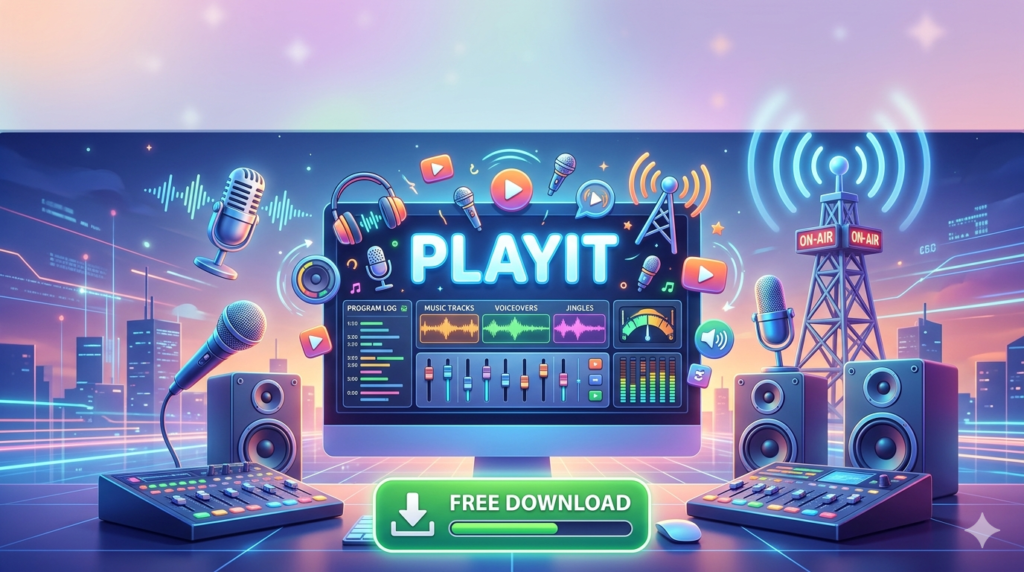
The software boasts a clean, user-friendly interface designed to minimize the learning curve. Its layout is logically organized, giving broadcasters quick access to the playlist, library, and on-air controls. This intuitive design allows both experienced engineers and new volunteers to operate the station effectively with minimal training.
Versatile Playlist Management
PlayIt’s playlist engine is one of its most powerful assets. It allows users to:
-
Create dynamic playlists based on rules like artist separation, tempo, and genre.
-
Implement intelligent scheduling algorithms that automatically rotate content to avoid repetition.
-
Utilize a “Category” system to group content (e.g., Music, Jingles, Commercials) and schedule them based on time-of-day rules, ensuring a balanced and engaging flow of content.
Live Assist and Remote Broadcasting
The Live Assist mode is a critical feature that empowers broadcasters to interrupt automated playlists for live breaks, interviews, or shout-outs. This allows for a fluid transition between live and pre-recorded content.
Furthermore, the software supports remote broadcasting. DJs and presenters can connect to the studio system from any location with an internet connection, enabling them to host live shows without being physically present in the studio.
Advanced Scheduling Capabilities
Efficient scheduling is the backbone of any radio station. PlayIt provides a sophisticated scheduler that allows broadcasters to plan content days, weeks, or even months in advance. Users can:
-
Schedule specific shows or blocks of content.
-
Program automated “clock wheels” for consistent hourly rotations.
-
Integrate and manage commercial breaks with precision, ensuring advertisers get the airtime they purchase.
Seamless Hardware Integration
PlayIt is designed to integrate seamlessly with professional broadcasting hardware. It supports a wide range of external devices, including:
-
USB and professional soundboards for precise audio mixing.
-
Hardware controllers for tactile, hands-on control of the software.
-
Streaming encoders for direct broadcasting to internet radio servers.
Real-Time Monitoring and Reporting
Data-driven decision-making is key to growing a radio station. PlayIt includes comprehensive real-time monitoring and reporting tools. Station managers can track listener behavior, log played songs for royalty reporting, and generate detailed reports on advertisement plays to ensure client satisfaction.
Efficient Content Management with Drag-and-Drop
The software simplifies content organization with a drag-and-drop functionality. Users can quickly move audio files from the media library into playlists, rearrange show segments, or add new songs to the rotation. This reduces administrative overhead and makes content management a quick and intuitive process.
What’s New in the Latest Version
While specific version details evolve, the latest iterations of PlayIt Radio Automation focus on stability, modern OS compatibility, and enhanced user experience. Recent updates typically include:
-
Enhanced Windows 10 and 11 Compatibility: Ensuring smooth operation on modern operating systems.
-
Improved Audio Engine: Upgraded to support higher sample rates and more stable playback.
-
Refined User Interface: Minor UI tweaks for improved workflow and accessibility.
-
Extended Metadata Support: Better handling of ID3 tags for more detailed song and artist information.
-
Bug Fixes and Performance Optimization: General stability improvements to reduce crashes and ensure reliable 24/7 operation.
System Requirements
To ensure optimal performance, your broadcast system should meet the following recommended specifications for running PlayIt Radio Automation.
| Component | Minimum Requirement | Recommended Requirement |
|---|---|---|
| Operating System | Windows 7 (64-bit) | Windows 10 / Windows 11 (64-bit) |
| Processor | Intel Core i3 or equivalent | Intel Core i5 or higher |
| RAM | 4 GB | 8 GB or more |
| Storage | 100 GB available space (for audio library) | 500 GB+ SSD (for faster library access) |
| Sound Card | Windows-compatible sound card | Professional multi-channel sound card or audio interface |
| Display | 1280 x 768 resolution | 1920 x 1080 resolution or higher |
| Internet | Required for updates and streaming | High-speed connection for remote broadcasting and streaming |
Installation Guide
Setting up PlayIt Radio Automation is a straightforward process. Follow these steps for a standard installation:
-
Download the Installer: Obtain the official installation file from the software developer’s website.
-
Run as Administrator: Right-click the installer file and select “Run as administrator” to ensure proper permissions.
-
Accept the License Agreement: Review and accept the End User License Agreement (EULA).
-
Choose Installation Directory: Select the folder where you want the software to be installed. The default location is usually
C:\Program Files\PlayIt. -
Select Components: You may be given the option to install additional components like audio drivers or sample content. Select according to your needs.
-
Complete Installation: Click “Install” and wait for the process to finish. Once complete, launch the software.
-
Initial Configuration: On first launch, you will be prompted to configure your audio devices (input and output) and set up your initial media library folders.
How to Use the Software: A Quick Start Guide
For new users, getting started with PlayIt involves three main steps:
-
Building Your Library: Import your audio files (MP3, WAV, AAC, etc.) into the software’s media database. The system will read and organize ID3 tags, allowing you to search by artist, title, or genre.
-
Creating Playlists: Create your first playlist by dragging and dropping tracks from your library into the playlist window. Use the category system to separate music, commercials, and station IDs.
-
Going Live: Select the “Live Assist” or “Auto” mode. In Auto mode, the system will play your scheduled playlist. In Live Assist, you can manually control playback, fade tracks, and cue up the next song while the playlist runs in the background.
Best Use Cases for PlayIt Radio Automation
PlayIt is a versatile tool suitable for a variety of broadcasting applications:
-
Traditional FM/AM Radio Stations: For full automation during off-hours (overnight or weekends) and as a live assist tool for daytime DJs.
-
Internet Radio Stations: A perfect solution for 24/7 internet radio streams that require reliable, automated content scheduling.
-
Community and Campus Radio: Its intuitive interface is ideal for stations with a high turnover of volunteer staff, allowing for quick training and smooth operation.
-
Corporate and Retail: Used for creating automated music and messaging systems in retail spaces, offices, or corporate environments.
Advantages and Limitations
Advantages
-
Cost-Effective: Compared to complex, hardware-based systems, PlayIt offers a powerful software-only solution at a competitive price point.
-
Reliability: Known for its stability, which is crucial for 24/7 broadcasting.
-
User-Friendly: The intuitive interface reduces the need for extensive technical training.
-
Flexibility: Supports both fully automated and live-assisted broadcasting modes.
Limitations
-
Windows-Only: The software is designed exclusively for the Windows operating system, limiting users on macOS or Linux.
-
Feature Depth: While robust, it may lack some of the more advanced audio processing and networking features found in enterprise-level solutions like WideOrbit or RCS Zetta.
-
Initial Setup Complexity: Configuring the scheduler and category rules requires a thorough understanding of radio programming logic.
Alternatives to PlayIt Radio Automation
For broadcasters exploring their options, several other software packages offer similar functionality. Here is a comparison of notable alternatives.
| Software | Key Features | Best For |
|---|---|---|
| RadioDJ | Free, open-source, extensive plugin support, MySQL database backend. | Budget-conscious stations and hobbyists with technical skills. |
| StationPlaylist | Modular design (Studio and Creator), powerful scripting, efficient for live shows. | Stations that prioritize live-assist broadcasting and voice tracking. |
| RCS Zetta | Enterprise-level, cloud-ready, advanced audio processing, real-time traffic and billing integration. | Large commercial stations and radio networks. |
| WideOrbit | Industry-standard for large broadcast groups, complete business and traffic management suite. | Professional, multi-station media organizations. |
Frequently Asked Questions
Q1: Is PlayIt Radio Automation compatible with macOS?
No, PlayIt is a Windows-based application. To run it on a Mac, you would need to use virtual machine software like Parallels or VMware Fusion to run a Windows environment.
Q2: Can I use my own hardware mixer with the software?
Yes. The software is designed to integrate with external USB and professional audio mixers. You can configure the input and output devices within the software’s audio settings.
Q3: Does the software support streaming to services like Icecast or Shoutcast?
Yes, PlayIt has built-in encoding capabilities that allow it to stream directly to popular streaming servers, making it ideal for internet radio broadcasting.
Q4: Can I record my live show within the software?
Yes, many versions of PlayIt include a recording feature that allows you to capture your live broadcast for archiving, podcasting, or re-broadcasting later.
Q5: What audio file formats are supported?
The software supports standard professional formats including MP3, WAV, AAC, and Ogg Vorbis.
Q6: How does voice tracking work in PlayIt?
Voice tracking allows a DJ to record their announcements for a specific show or timeslot in advance. The software automatically schedules these recordings to play between tracks, creating a live-show feel even when the DJ is off-site.
Final Thoughts
PlayIt Radio Automation software provides a compelling blend of powerful features, user-friendly design, and reliable performance, making it a strong contender in the radio automation market. It successfully bridges the gap between simple media players and complex, enterprise-level broadcasting systems.
For radio stations seeking to streamline their operations, improve their content scheduling, and offer broadcasters the flexibility to work from anywhere, PlayIt offers a scalable and robust solution. By focusing on the core needs of broadcasters—intuitive control, reliable automation, and seamless integration—it empowers stations to focus on what truly matters: creating compelling content that engages and grows their audience.
If you are evaluating software to enhance your broadcasting capabilities, PlayIt Radio Automation is undoubtedly a solution worth considering.
Premium Software Support Service
If you need professional help with software installation, setup, or technical configuration, our team is available to assist you.
Contact & Support
For quick assistance and latest updates, connect with us using the links below:
🔹 Direct Telegram Support
https://t.me/PlayoutKing
🔹 Official Telegram Updates Group
https://t.me/yourgroup
Service Policy
- Remote testing available through AnyDesk before confirmation.
• Verify the setup and performance before completing the order.
• Support available for single or multiple systems.
• Step-by-step guidance to ensure smooth installation and working environment.
Our goal is to provide reliable technical assistance so your software runs smoothly without interruptions.