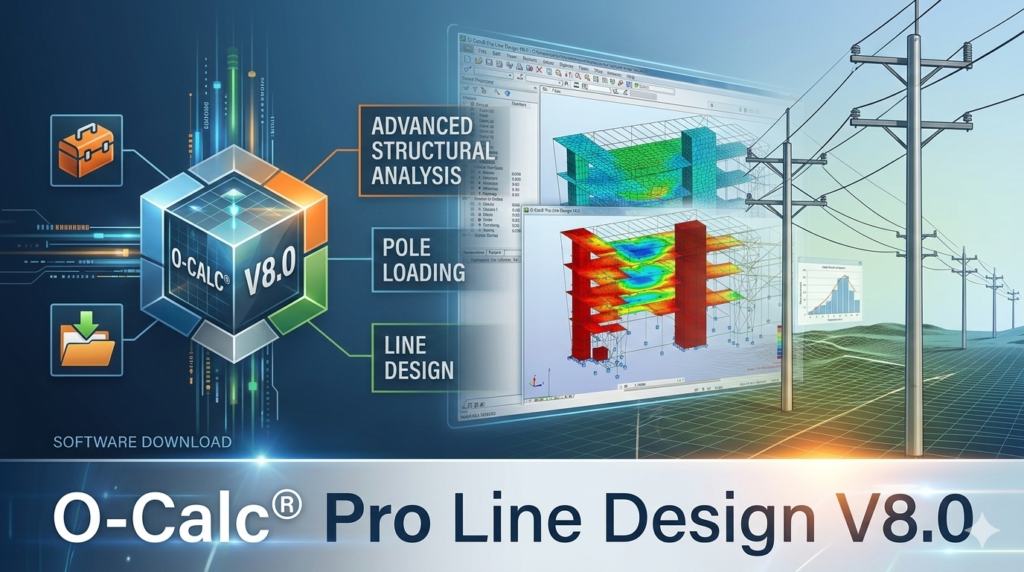


Download the O-Calc® Pro Line Design V8.0 (Advanced Structural Analysis Software) from this link…

Overview of the Software
Table of Contents
O-Calc® Pro Line Design V8.0 is widely regarded as the industry standard for structural analysis in the electric utility, telecommunications, and broadband sectors. This advanced software solution transcends traditional pole loading calculators by offering a comprehensive, full-circuit modeling environment. It empowers structural engineers, utility planners, and network designers to analyze, validate, and optimize entire distribution systems—from a single pole in a backyard to a complex network spanning hundreds of miles.
By integrating geospatial data, weather loading simulations, and dynamic span mechanics, O-Calc® Pro Line Design V8.0 provides an unparalleled level of precision. It enables users to move beyond isolated component checks and understand the interconnected behavior of utility infrastructure under real-world conditions. This holistic approach is critical for ensuring network resilience, regulatory compliance, and long-term operational efficiency.
Key Features of O-Calc® Pro Line Design V8.0
This version is packed with sophisticated tools designed to handle the most demanding engineering challenges.
Full-Circuit 3D GIS Modeling
V8.0 offers robust integration with geospatial information systems (GIS). It supports industry-standard formats like Shapefiles and GeoJSON, allowing users to import real-world terrain data. The software accurately maps pole positions, elevations, and orientations against actual geographic contexts from sources such as Google Maps, OpenStreetMap, or proprietary internal datasets. This creates a precise digital twin of your infrastructure, complete with pole class, height, material, and GPS coordinates.
Dynamic Span Connectivity for Line-Wide Edits
A defining feature of the “Line Design” module is its intelligent span linking. This creates dynamic connections between poles, meaning an engineering change on one element—such as swapping a conductor type, adjusting initial tension, or modifying a down guy—automatically propagates throughout the entire linked circuit. This automated synchronization drastically reduces the risk of human error and eliminates the tedious, repetitive work of manual data entry across multiple structures.
Advanced Multi-Hazard Load & Clearance Analysis
O-Calc® Pro V8.0 is built for rigorous engineering validation. It simulates complex environmental stressors, including:
-
Weather Loading: Dynamic wind and ice loads calculated according to major global codes like the National Electrical Safety Code (NESC), GO95, and CSA standards.
-
Mechanical Behavior: Precise modeling of wire tension, sag, and blow-out under varying temperature and load conditions.
-
Clearance Verification: Automated checks for conductor-to-conductor, conductor-to-pole, and right-of-way (ROW) encroachments, ensuring safety and compliance across the entire line.
Automated Jumper and Phase Roll Logic
Details matter in utility design. V8.0 automates the generation of jumpers between insulators and intelligently models phase roll corrections across long line segments. This automation ensures electrical continuity and structural accuracy, preventing design flaws that can lead to tension imbalances or clearance violations, a process that would otherwise take hours of manual drafting and calculation.
Scalable Batch Processing and Reporting
For large-scale projects, efficiency is paramount. The software features powerful batch processing capabilities, allowing engineers to run loading analyses on hundreds of poles simultaneously. It generates consolidated, customizable reports that compile performance data, NESC compliance results, and loading metrics. This centralized reporting streamlines quality control and provides clear documentation for regulatory bodies and stakeholders.
What’s New in Version 8.0
O-Calc® Pro Line Design V8.0 introduces significant enhancements focused on user experience, data integration, and analytical depth.
-
Enhanced GIS Interoperability: Improved support for LiDAR data integration, allowing for even more accurate digital twins directly from aerial and mobile scans.
-
Streamlined User Interface: A refined dashboard and navigation system reduce the learning curve and speed up common workflows, such as applying bulk edits or running batch reports.
-
Expanded Code Compliance Library: Updates to the latest NESC, GO95, and CSA code rules ensure your designs are always audit-ready.
-
Performance Optimizations for Large Models: Enhanced rendering and processing engines provide smoother navigation and faster calculations when working with circuits containing thousands of structures.
System Requirements
To ensure optimal performance, especially when handling large, GIS-rich circuit models and performing complex batch analyses, your workstation should meet or exceed the following recommended specifications:
-
Operating System: 64-bit Windows 10 or Windows 11 (Professional/Enterprise editions recommended)
-
Processor: Multi-core Intel or AMD processor (e.g., Intel Core i7/Xeon or AMD Ryzen 7/Threadripper)
-
Memory: 16 GB of RAM minimum (32 GB or more recommended for large-scale projects)
-
Graphics: Dedicated graphics card with OpenGL 4.5 support and at least 4 GB of VRAM (e.g., NVIDIA Quadro/RTX series)
-
Storage: Solid State Drive (SSD) with at least 10 GB of free space for installation and project data
-
Display: 1920×1080 resolution or higher
Note: These are general guidelines. Performance will vary based on the complexity and size of your specific circuit models.
Installation Guide
Proper installation is key to a smooth experience. Follow these steps to get started with O-Calc® Pro Line Design V8.0.
-
Obtain a Valid License: Before installation, ensure you have purchased a license from Osmose. You will receive credentials and access to the official download portal.
-
Download the Installer: Download the latest stable version of O-Calc® Pro Line Design V8.0 from the official Osmose customer portal. Verify the file integrity before proceeding.
-
Run the Installer:
-
Right-click the downloaded installer file and select “Run as Administrator” to ensure all necessary components are installed correctly.
-
Follow the on-screen prompts. You may be required to install prerequisites like specific .NET Framework versions or database components if they are not already present.
-
-
Activate Your License:
-
Upon first launch, the software will prompt you for license activation.
-
Enter the license key or token provided by Osmose support. An internet connection is typically required for online activation.
-
-
Configure Initial Settings: After activation, set your default project directories, unit preferences (metric/imperial), and map tile sources for the GIS module.
-
Check for Updates: Use the built-in update checker to ensure you have the latest patches and feature updates.
How to Use the Software: A Basic Workflow
While mastering O-Calc® Pro Line Design requires training, the core workflow follows a logical engineering process.
-
Build Your Circuit: Start by importing pole data from a GIS file (Shapefile, CSV) or manually adding poles to the workspace. Define each pole’s attributes (class, height, material) and precise GPS location.
-
Define Span Connections: Use the “Link Spans” tool to connect poles in series. This establishes the dynamic relationships within your circuit, enabling line-wide edits later.
-
Add Components and Conductors: Populate your poles with hardware (crossarms, insulators) and string conductors between them. Specify conductor types from the library or define custom properties (diameter, weight, rated strength).
-
Apply Loads and Conditions: Define the loading district and weather cases you need to analyze (e.g., NESC Heavy Loading, Extreme Ice with Wind). Set temperature parameters for sag and tension calculations.
-
Run Analysis: Execute the loading and clearance analysis. The software will calculate stresses, tensions, and clearances for every component in the linked circuit.
-
Review and Report: Navigate the 3D model to visually inspect results. Generate comprehensive batch reports to document compliance, identify violations, and summarize the structural integrity of the entire line.
Best Use Cases
O-Calc® Pro Line Design V8.0 is not a one-size-fits-all tool; it excels in specific, high-stakes engineering scenarios.
-
Make-Ready Engineering for Broadband Overbuilds: When attaching new fiber optic cables to existing utility poles, precise engineering is crucial. The software models the added load on each pole and across the entire line, identifying which structures require reinforcement or replacement to safely accommodate the new attachment.
-
Disaster Hardening and Grid Resiliency: Utilities can simulate extreme weather events, such as hurricanes or ice storms, to identify weak points in their distribution network. This allows for targeted hardening projects, like upgrading poles or guys, to prevent widespread outages.
-
Greenfield Distribution Design: For entirely new housing developments or industrial parks, engineers can design a complete power distribution circuit from scratch. They can optimize pole placement, conductor sizing, and guying strategies for cost-effectiveness and long-term reliability before any construction begins.
-
Compliance Auditing for Regulatory Reporting: Quickly audit thousands of structures against current NESC or GO95 standards. The batch reporting tools can generate the necessary documentation to prove regulatory compliance and safety to governing bodies.
Advantages and Limitations
Advantages
-
System-Wide Insight: Moves beyond single-pole analysis to provide a true picture of interconnected infrastructure behavior.
-
Unmatched Efficiency: Features like linked spans and batch processing save countless hours on large-scale projects.
-
High-Fidelity Modeling: Integration with GIS and LiDAR data creates highly accurate digital twins.
-
Code Compliance Confidence: Built-in standards ensure designs meet the latest safety and regulatory requirements.
-
Scalability: Performs equally well on a five-pole tangent and a 500-pole transmission line.
Limitations
-
Steep Learning Curve: The software’s advanced capabilities mean it requires dedicated training and experience to master.
-
Hardware Intensive: Large, complex models demand powerful workstations for a smooth experience.
-
Cost: As a professional, enterprise-grade tool, the licensing cost is significant, positioning it for established companies rather than individual hobbyists.
-
Licensing Complexity: New users may find the license token system and renewal process requires coordination with their IT department and Osmose support.
Alternatives to O-Calc® Pro Line Design
While O-Calc® Pro is a market leader, several alternatives exist depending on project scope and budget.
-
PLS-CADD (Power Line Systems): A direct competitor, PLS-CADD is another highly sophisticated software suite for transmission and distribution line design. It is also very powerful but shares a similar complexity and cost structure. A key difference is often in the user interface and specific workflow preferences.
-
SPIDAcalc: A popular choice specifically for single-pole loading analysis and joint-use attachment surveys. It is excellent for make-ready work on existing infrastructure but may not offer the same level of full-circuit design and optimization capabilities as O-Calc® Pro Line Design.
-
SAP2000 (CSI): A general-purpose structural analysis and design software. While incredibly powerful for any structure, it requires significant manual setup to model utility-specific components and loading conditions, making it less efficient for dedicated pole line engineering.
Frequently Asked Questions
1. What is the difference between O-Calc® Pro and O-Calc® Pro Line Design?
O-Calc® Pro is a powerful tool for analyzing individual poles in detail. O-Calc® Pro Line Design builds on this by adding a full-circuit modeling environment. It allows you to link poles together, perform line-wide edits, and analyze the behavior of an entire connected system, which is essential for understanding how changes on one pole affect its neighbors.
2. Can O-Calc® Pro Line Design V8.0 integrate with our existing GIS database?
Yes. V8.0 is designed for seamless GIS integration. It supports common formats like Shapefiles and GeoJSON, allowing you to import existing pole and conductor data directly into your project, creating a digital twin from your current asset records.
3. Is O-Calc® Pro Line Design compliant with the latest NESC code?
Yes. The software includes regularly updated code libraries. Version 8.0 incorporates the latest NESC, GO95, and CSA standards, ensuring that your loading calculations and clearance checks are performed according to the most current regulations.
4. What kind of hardware do I need to run this software effectively?
For optimal performance, especially with large, GIS-heavy projects, a powerful workstation is recommended. This includes a modern multi-core 64-bit processor, a minimum of 16GB of RAM (32GB+ preferred), and a dedicated professional-grade graphics card (like an NVIDIA Quadro) with strong OpenGL support.
5. Where can I find training resources for new users?
Osmose offers professional training and support services for its software. Additionally, industry forums and user groups can be valuable resources for tips and troubleshooting from experienced engineers. Contacting Osmose support directly is the best first step for official training materials.
6. Can the software model fiber optic cable attachments?
Absolutely. This is one of the most common use cases. O-Calc® Pro Line Design allows you to add fiber optic cables as new attachments, automatically recalculating the loads on the entire pole line to determine if any structures need to be reinforced or replaced for the new attachment (make-ready engineering).
Final Thoughts
O-Calc® Pro Line Design V8.0 stands as a pinnacle of engineering software for the utility and telecommunications industries. Its shift from isolated pole analysis to holistic circuit modeling represents a fundamental advancement in how infrastructure is designed, audited, and managed. For organizations committed to building resilient, compliant, and future-proof networks, this software provides the analytical firepower and strategic insight necessary to make informed, data-driven decisions. While the investment in software and training is substantial, the return in terms of reduced risk, increased efficiency, and enhanced safety is undeniable for any serious utility engineering operation.
Premium Software Support Service
If you need professional help with software installation, setup, or technical configuration, our team is available to assist you.
Contact & Support
For quick assistance and latest updates, connect with us using the links below:
🔹 Direct Telegram Support
https://t.me/yourusername
🔹 Official Telegram Updates Group
https://t.me/yourgroup
🔹 WhatsApp Community Group
https://chat.whatsapp.com/yourlink
Service Policy
- Remote testing available through AnyDesk before confirmation.
• Verify the setup and performance before completing the order.
• Support available for single or multiple systems.
• Step-by-step guidance to ensure smooth installation and working environment.
Our goal is to provide reliable technical assistance so your software runs smoothly without interruptions.