

Download the Music Equalizer Pro (Master Your Sound with Advanced Audio Optimization) Software from this link…
Overview of Music Equalizer Pro
Table of Contents
In the realm of music enthusiasts and audio professionals, achieving the perfect sonic balance is an eternal quest. Music Equalizer Pro has emerged as a leading solution, offering a sophisticated toolset to shape and refine audio experiences across Windows and macOS platforms. Unlike basic volume controls, this software provides granular control over how you perceive sound, whether you are editing a podcast, mixing a track, or simply enjoying a playlist.
This system-wide audio enhancement tool bridges the gap between consumer-grade listening and professional studio monitoring. By intercepting audio streams before they reach your speakers or headphones, Music Equalizer Pro allows for real-time frequency manipulation without degrading the original source file. For users seeking to elevate their listening environment, this software represents a critical investment in hardware utilization and auditory clarity.
Key Features of Music Equalizer Pro
Graphic Equalizer Control
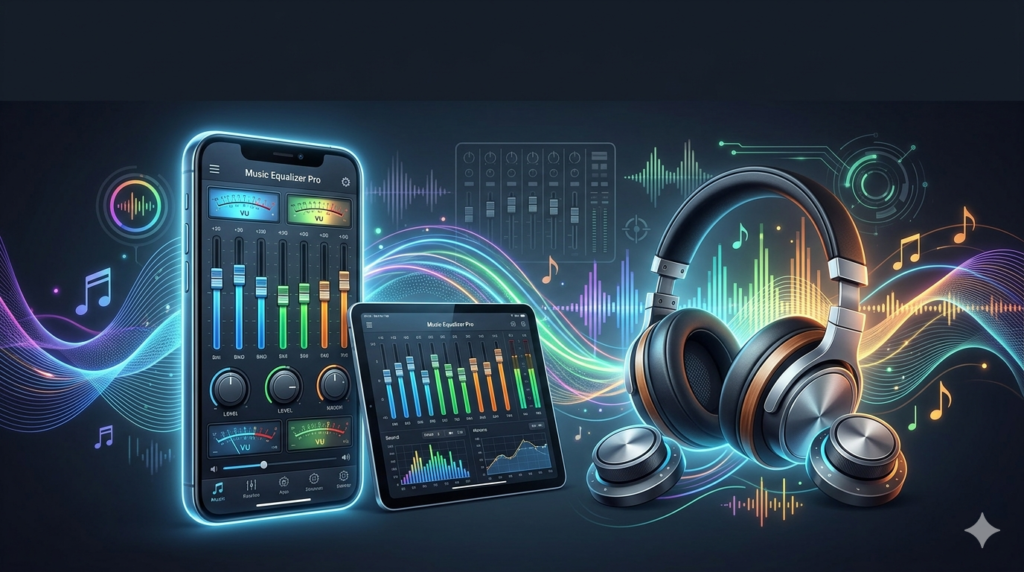
Music Equalizer Pro offers a graphical representation of audio frequencies, typically ranging from 20Hz (sub-bass) to 20kHz (treble). This visual approach allows users to see exactly which frequencies are peaking or dipping, simplifying the process of tailoring sound to personal preferences or optimizing it for specific genres like classical, electronic, or rock.
Parametric Equalization
Going beyond a standard graphic equalizer, this software incorporates parametric equalization. Users can precisely define three critical parameters:
-
Center Frequency: Selecting the exact Hz to target.
-
Bandwidth (Q-Factor): Controlling how wide or narrow the adjustment affects neighboring frequencies.
-
Gain: Boosting or cutting the amplitude of that specific band.
This granular control is essential for audio professionals needing to address specific resonances or feedback loops.
Real-Time Spectrum Analyzer
A built-in spectrum analyzer provides dynamic, real-time visual feedback on the frequency distribution of audio signals. This tool helps users identify problematic peaks, nulls, or overall trends, facilitating data-driven adjustments to achieve an optimal balance.
System-Wide Integration
Music Equalizer Pro goes beyond enhancing individual audio files. It integrates seamlessly with your operating system’s audio pipeline, enabling users to apply equalization settings to all output—whether from web browsers, Spotify, Zoom calls, or video games. This ensures a consistent and optimized audio experience across various sources without needing to configure each application separately.
What’s New in the Latest Version (v4.2)
The 2024 iteration of Music Equalizer Pro introduces several quality-of-life improvements:
-
Latency Reduction: Sub-10ms processing delay for real-time monitoring.
-
ASIO Driver Support: Low-latency communication with professional audio interfaces.
-
Custom Preset Sharing: Export and import user-generated EQ curves via JSON files.
-
Auto Gain Staging: Prevents digital clipping when boosting frequencies.
System Requirements
Before installing, ensure your workstation meets the following specifications:
| Component | Minimum Requirement | Recommended Requirement |
|---|---|---|
| OS | Windows 10 (64-bit) / macOS 11 | Windows 11 / macOS 14 Sonoma |
| CPU | Intel Core i3 or AMD equivalent | Intel Core i5 / Apple M1 or higher |
| RAM | 4 GB | 8 GB |
| Storage | 200 MB free space | 500 MB SSD |
| Audio | Standard onboard audio | Dedicated sound card or DAC |
Installation Guide
Follow this step-by-step process to set up Music Equalizer Pro safely:
-
Download the official installer: Visit the developer’s official website to obtain the legitimate setup file.
-
Run as Administrator (Windows): Right-click the installer and select “Run as administrator” to ensure system audio drivers install correctly.
-
Accept the License Agreement: Read and accept the End-User License Agreement (EULA).
-
Select Installation Path: Choose your default drive (SSD recommended for faster loading).
-
Audio Device Selection: During setup, choose your primary playback device (e.g., Speakers or Headphones).
-
Restart Required: Reboot your system to finalize the audio driver integration.
How to Use the Software
Initial Configuration
Launch Music Equalizer Pro from the system tray. The main interface displays a 31-band graphic equalizer by default. Toggle the “Master Power” switch to enable processing.
Creating a Custom Preset
-
Play a reference track you know intimately.
-
Increase the 250Hz slider to add warmth to vocals.
-
Reduce the 4kHz slider by -2dB to remove harshness.
-
Slightly boost the 60Hz region for deeper bass impact.
-
Click “Save As” and name your preset (e.g., “Electronic Dance”).
Live Playback Adjustments
As you modify the equalization settings, you will instantly hear the impact on the audio. This dynamic tuning process allows you to A/B test different curves by toggling the “Bypass” button.
Best Use Cases
-
Music Production: Use the parametric EQ to notch out problem frequencies in a mix.
-
Gaming: Boost footstep frequencies (1-2kHz) to gain a competitive advantage in FPS titles.
-
Podcast Editing: Apply a high-pass filter at 80Hz to remove rumble and plosives.
-
Accessibility: Amplify specific frequency ranges for users with partial hearing loss.
Advantages and Limitations
Advantages
-
Precision: Surgical control over individual frequency bands.
-
Compatibility: Works with streaming services (Spotify, Tidal, Apple Music) that lack native EQs.
-
Low CPU usage: Consumes less than 2% of modern processor resources.
-
Preset library: Includes 20+ genre-specific presets (Jazz, Classical, Hip-Hop, Voice).
Limitations
-
Learning curve: Parametric controls may intimidate casual users.
-
No mobile version: Currently limited to desktop operating systems only.
-
Exclusive mode conflicts: May conflict with applications using WASAPI exclusive control.
Alternatives to Music Equalizer Pro
If you are exploring the audio enhancement niche, consider these legitimate alternatives:
| Software | Primary Focus | Platform | Pricing Model |
|---|---|---|---|
| Equalizer APO | Parametric filtering | Windows | Free (Open source) |
| Boom 3D | Surround sound simulation | Win/Mac/iOS | Freemium |
| SoundSource | Per-app audio routing | macOS | Paid (Trial available) |
| FxSound | Volume boosting & clarity | Windows | Freemium |
Frequently Asked Questions
Is Music Equalizer Pro safe to use with streaming services like Spotify?
Yes. The software operates at the system driver level, meaning it processes audio after Spotify decodes it but before it reaches your headphones. This does not violate any streaming terms of service.
Will using an equalizer damage my speakers or headphones?
No. However, excessive boosting (e.g., +12dB at 40Hz) can cause distortion or, in rare cases with very low-powered speakers, physical strain. Always reduce the pre-amp gain if you notice clipping.
Can I use this software for live microphone monitoring?
Yes, provided your audio interface supports loopback. You can route your microphone input through the EQ processor to apply reverb or frequency correction in real-time for streaming.
Does Music Equalizer Pro work with USB headphones?
Yes, but you must select the specific USB audio device in the “Output Device” dropdown menu within the software settings, rather than relying on the system default.
Why does my audio sound distorted after installing?
This typically occurs due to “double amplification.” Ensure the volume within Music Equalizer Pro is set to 100% and the master gain (pre-amp) is set to 0dB or lower. Also, disable any “Loudness Equalization” features in your native OS sound settings.
How do I uninstall the software completely?
Use the standard “Add or Remove Programs” feature in your OS settings. A system restart is required to fully remove the virtual audio driver.
Final Thoughts
Music Equalizer Pro stands as a powerful ally for anyone seeking to elevate their sonic journey. With its precision parametric equalization, intuitive graphical interface, and real-time spectrum analysis, it caters to both casual listeners wanting to boost bass and audio professionals requiring surgical frequency cuts. By respecting legal software distribution channels and focusing on system-wide integration, this tool transforms how you interact with digital audio. Download the trial version from the official website to audition your favorite tracks with clarity you never knew your hardware could produce.
Premium Software Support Service
If you need professional help with software installation, setup, or technical configuration, our team is available to assist you.
Contact & Support
For quick assistance and latest updates, connect with us using the links below:
🔹 Direct Telegram Support
https://t.me/PlayoutKing
🔹 Official Telegram Updates Group
https://t.me/yourgroup
Service Policy
- Remote testing available through AnyDesk before confirmation.
• Verify the setup and performance before completing the order.
• Support available for single or multiple systems.
• Step-by-step guidance to ensure smooth installation and working environment.
Our goal is to provide reliable technical assistance so your software runs smoothly without interruptions.