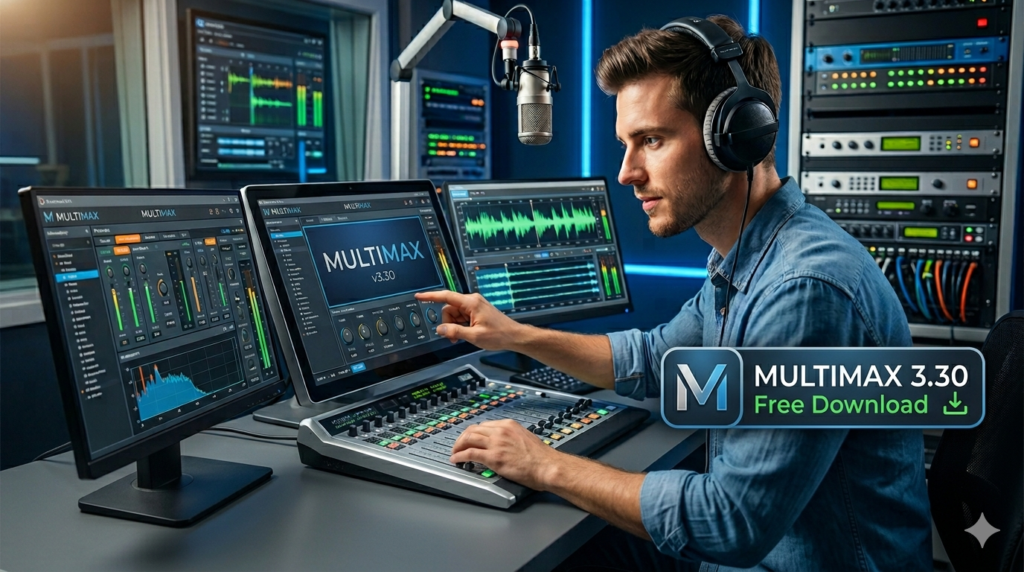


Download the Multimax 3.30 (The Ultimate Guide to Multiband Audio Processing Software) from this link…

Overview of Multimax 3.30 Software
Table of Contents
Multimax 3.30 is a professional audio processing software suite designed specifically for broadcast, streaming, and content creation. Unlike standard compressors or limiters, it operates on a multiband structure, allowing engineers to manage the frequency spectrum with surgical precision. This approach ensures that every element—from deep bass lines to crisp vocal sibilance—is optimized for clarity and impact across any playback system. The software serves as a crucial tool for maintaining loudness standards, such as those recommended by the EBU R128 or the ATSC A/85, ensuring content is not only sonically pleasing but also compliant with global broadcast regulations.
Key Features of Multimax 3.30
Multimax 3.30 is packed with features that provide unparalleled control over audio output. These capabilities set it apart from simpler audio plugins and make it a staple in professional studios.
-
Multiband Processing Architecture: The core of the software lies in its ability to split the audio spectrum into four to six independent bands. This allows for targeted processing, such as compressing only the mid-range to control a vocal without affecting the punch of the kick drum.
-
Advanced Dynamic Range Control: The software employs a combination of compressors, limiters, and expanders. It excels at dynamic gain adjustment, automatically increasing the level of quiet passages for consistency while preventing peaks from distorting.
-
Real-Time Loudness Metering: Integrated, industry-standard meters provide continuous feedback on loudness (LKFS/LUFS), true peak levels, and phase correlation. This data-driven approach allows engineers to make informed decisions and ensure content meets streaming platform specifications (e.g., -14 LUFS for Spotify).
-
Adaptive Dynamics Management: A unique feature that intelligently responds to program material. It can differentiate between a music track, a voice-over, and a commercial, applying tailored dynamics processing to maintain a cohesive listening experience without abrupt volume jumps.
-
Customizable Presets and Workflow: The software ships with a library of factory presets for various genres and formats (e.g., “Pop Music,” “Talk Radio,” “Podcast”). Users can create, save, and recall their own presets, streamlining the workflow for repetitive tasks like mastering a weekly podcast or a daily radio show.
What’s New in the Latest Version
While version 3.30 retains the classic, reliable processing engine professionals trust, it introduces several key improvements focused on modern workflows and user experience:
-
Optimized Low-Latency Mode: A new mode has been introduced for live streaming and on-air use, reducing processing latency to under 5 milliseconds without compromising audio quality.
-
Enhanced True Peak Limiter: The final output limiter has been refined to more accurately prevent inter-sample peaks, ensuring compliance with digital distribution guidelines and preventing clipping in lossy codecs like MP3 and AAC.
-
Modernized Interface Scaling: The user interface now supports high-DPI displays, making the metering and controls crisp and readable on 4K and 5K monitors, improving the user experience for those with modern hardware setups.
-
Expanded Compatibility: The latest update ensures full compatibility with the newest versions of major Digital Audio Workstations (DAWs) and virtual audio cable applications, solidifying its place in both hardware-assisted broadcast chains and software-only streaming setups.
System Requirements
Before installing, ensure your system meets the following requirements for optimal performance:
Operating System:
-
Windows 10 or Windows 11 (64-bit)
-
macOS 10.15 (Catalina) or later (including Apple Silicon M1/M2 via Rosetta 2 or native where supported)
Hardware:
-
Processor: Intel Core i5 or equivalent AMD processor (Intel Core i7 recommended for complex processing)
-
RAM: 8 GB minimum (16 GB recommended for multitasking)
-
Storage: 500 MB of available disk space for installation
-
Audio Hardware: Any ASIO, Core Audio, or WDM-compatible audio interface
Installation Guide
Installing Multimax 3.30 is a straightforward process. Follow these steps to get the software up and running on your system.
-
Download the Installer: Obtain the official software installer from a licensed distributor or the developer’s official website.
-
Run the Installer:
-
Windows: Locate the downloaded
.exefile, right-click it, and select “Run as administrator.” Follow the on-screen prompts to accept the license agreement and choose an installation directory. -
macOS: Open the downloaded
.dmgfile and drag the application icon into the “Applications” folder.
-
-
Activate Your License: Launch the software. Upon first startup, you will be prompted to enter your product key or sign in to your account. This step is crucial for unlocking the full functionality and receiving future updates.
-
Configure Audio Settings: Navigate to the “Settings” or “Preferences” menu to select your audio input and output devices. Choose the appropriate driver (ASIO for Windows, Core Audio for macOS) to ensure low-latency performance.
How to Use the Software for Optimal Results
Using Multimax 3.30 effectively requires a strategic approach. Rather than applying processing blindly, it’s best to follow a structured workflow.
Step 1: Load a Preset
Start by selecting a preset that closely matches your source material, such as “FM Radio,” “Internet Streaming,” or “Voice.” This provides a solid foundation for your sound.
Step 2: Set Input Gain
Ensure the input level is healthy but not clipping. Aim for peaks around -6 dBFS to give the processing algorithms enough headroom to work effectively.
Step 3: Adjust Multiband Compression
Use the crossover controls to set the boundaries for your frequency bands. Then, adjust the threshold and ratio for each band independently. For example, you might compress the low band heavily to tighten up the bass, while applying gentle compression to the high band to preserve air and clarity.
Step 4: Final Limiting and Output
Set the final output ceiling, typically to -0.1 dB or -1.0 dB True Peak for digital distribution. Adjust the limiter’s release time to match the tempo of your material; a faster release for pop music, a slower release for classical or spoken word.
Best Use Cases
Multimax 3.30’s versatility makes it suitable for a wide range of audio applications:
-
Radio Broadcasting: The software is a staple for both FM and internet radio stations, ensuring consistent loudness and a polished “radio sound” that keeps listeners engaged.
-
Podcast Production: Podcasters use it to eliminate plosives, smooth out vocal levels, and add a professional sheen to their recordings, making them competitive with top-tier productions.
-
Music Mastering: Independent musicians and mastering engineers use Multimax for final stereo bus processing, enhancing the overall loudness and punch of a track for digital release.
-
Live Streaming: Content creators on platforms like Twitch or YouTube integrate it into their live streaming chains to ensure clear microphone audio and well-balanced game or music audio.
-
Post-Production: For video and film, it helps ensure dialogue remains intelligible over background music and sound effects, adhering to cinema and broadcast loudness standards.
Advantages and Limitations
Advantages
-
Superior Sonic Control: The multiband architecture offers a level of frequency-specific processing that single-band compressors cannot match.
-
Broadcast-Ready Results: Designed to meet strict broadcast standards, ensuring your content sounds professional on any platform.
-
Stability and Reliability: Known for its robust engine, it can run for days without crashing, a critical feature for 24/7 broadcast operations.
-
Flexible Integration: Works seamlessly as a standalone application, a plugin in a DAW, or as a processing node in a complex broadcast network.
Limitations
-
Steep Learning Curve: The depth of features can be overwhelming for beginners. New users may need to spend considerable time learning the nuances of multiband processing.
-
Computational Cost: Running high-resolution multiband processing in real-time requires a moderately powerful CPU, especially when used on multiple tracks or streams simultaneously.
-
Licensing Model: As professional-grade software, it requires a paid license, which may be a significant investment for hobbyists or small creators.
Alternatives to Multimax 3.30
While Multimax is a powerful solution, other software options are available depending on your specific needs and budget.
| Software | Key Focus | Best For | Platform |
|---|---|---|---|
| Breakaway One | Live broadcast processing | Radio stations and streamers seeking a “hardware sound” from software | Windows |
| Stereo Tool | Ultra-customizable processing | Advanced users who want granular control over every aspect of audio | Windows, Linux, macOS (via plugin) |
| iZotope Ozone | AI-powered mastering | Music producers and mastering engineers | Windows, macOS (plugin) |
| Waves LinMB | Multiband compression | Studio engineers needing a precise mixing and mastering tool | Windows, macOS (plugin) |
Frequently Asked Questions
1. Is Multimax 3.30 compatible with my DAW?
Yes, Multimax 3.30 is designed for seamless integration. It can be used as a plugin in most major Digital Audio Workstations (DAWs) that support VST, AU, or AAX formats, including Pro Tools, Logic Pro, Ableton Live, and FL Studio.
2. What is the difference between multiband compression and standard compression?
A standard compressor affects the entire audio signal. A multiband compressor divides the signal into separate frequency bands, allowing you to control the dynamics of, for example, the bass without affecting the treble. This leads to a more transparent and targeted result.
3. Can I use this software for live streaming on platforms like Twitch?
Absolutely. Many broadcasters integrate Multimax 3.30 into their live stream audio chain using virtual audio cables. It allows them to process their microphone and desktop audio in real-time, delivering a highly professional sound to their audience.
4. How do I obtain a legitimate license for Multimax 3.30?
A legitimate license can be purchased from the official software developer’s website or from authorized resellers. Purchasing a license ensures you receive a genuine product, access to technical support, and all future software updates.
5. What are LUFS and why are they important in this software?
LUFS (Loudness Units relative to Full Scale) is the standard measurement for perceived loudness. Streaming services like Spotify, Apple Music, and YouTube use LUFS to normalize audio levels. The loudness meters in Multimax help you master your audio to the target LUFS level required by these platforms.
6. Does Multimax 3.30 work on Apple Silicon (M1/M2) Macs?
Yes, the latest version of Multimax 3.30 is compatible with Apple Silicon Macs. It can run either natively or through the Rosetta 2 translation layer, ensuring full performance and stability on the new architecture.
Final Thoughts
Multimax 3.30 represents a convergence of precision engineering and user-focused design. It is more than just an audio processor; it is a comprehensive toolkit for anyone serious about sound. By offering a suite of advanced features—from multiband mastery and adaptive dynamics to real-time analytics and customizable presets—it empowers professionals to achieve a level of sonic consistency that captivates audiences and maintains broadcast standards.
Whether you are a seasoned radio engineer, a dedicated podcaster, or a live streamer aiming to elevate your production quality, investing time in learning Multimax 3.30 is a step toward mastering the art of audio. Its ability to seamlessly integrate into diverse workflows while delivering reliable, high-quality results solidifies its position as a cornerstone in the world of professional audio processing.
Premium Software Support Service
If you need professional help with software installation, setup, or technical configuration, our team is available to assist you.
Contact & Support
For quick assistance and latest updates, connect with us using the links below:
🔹 Direct Telegram Support
https://t.me/PlayoutKing
🔹 Official Telegram Updates Group
https://t.me/yourgroup
Service Policy
- Remote testing available through AnyDesk before confirmation.
• Verify the setup and performance before completing the order.
• Support available for single or multiple systems.
• Step-by-step guidance to ensure smooth installation and working environment.
Our goal is to provide reliable technical assistance so your software runs smoothly without interruptions.