
Download the Modalizer v6.1 (FKA DICOMizer) (Enterprise DICOM Conversion & Medical Imaging Workflow Tool) Software from this link…

Overview of the Software
Table of Contents
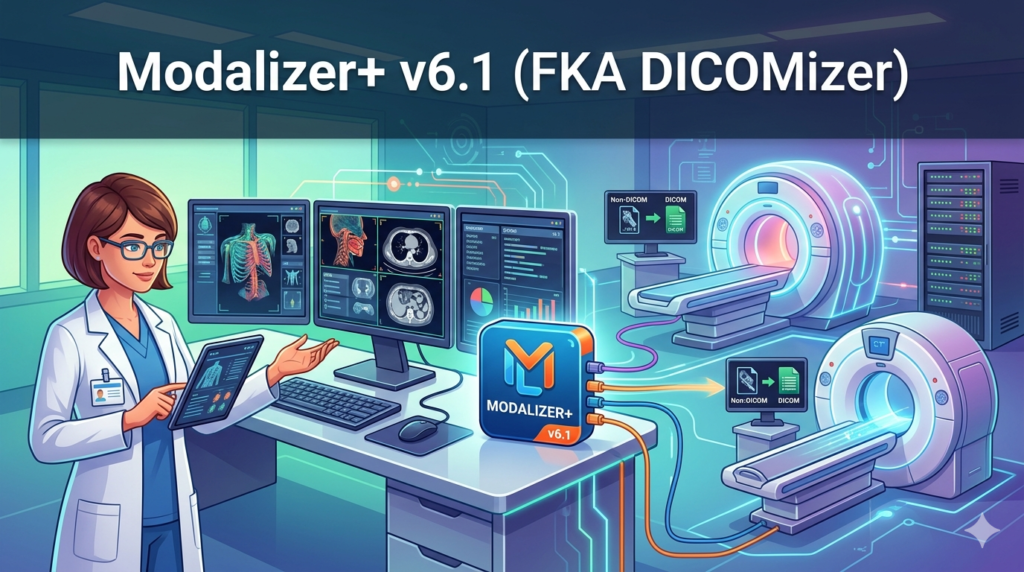
Modalizer v6.1 (formerly known as DICOMizer) is a professional-grade medical imaging conversion engine designed for healthcare IT teams, radiology departments, and research institutions. Unlike standard image converters, Modalizer specializes in handling DICOM (Digital Imaging and Communications in Medicine) files—the global standard for medical images such as CT scans, MRIs, X-rays, and ultrasounds.
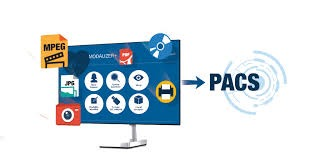
The software bridges the gap between proprietary medical formats and universal business tools. It enables users to convert DICOM files into standard formats like JPEG, PNG, TIFF, PDF, and MP4 while preserving critical metadata (patient ID, study date, modality type). Version 6.1 introduces a rebuilt rendering engine and HIPAA-aligned anonymization filters, making it a trusted utility for secure medical data handling.
Key Features
Modalizer v6.1 delivers a feature set optimized for both technical administrators and clinical staff:
-
Batch DICOM to JPEG/PNG/TIFF conversion – Process thousands of frames with consistent output quality.
-
DICOM to PDF (multipage) – Create single PDF reports from full study series.
-
Metadata preservation & extraction – Retain patient tags, study UIDs, and modality logs; export metadata to CSV/JSON.
-
Multi-frame DICOM support – Handle echocardiograms, perfusion studies, and 3D volumes.
-
Lossless and lossy compression – Choose between diagnostic integrity (lossless) or smaller file sizes (lossy with JPEG 2000).
-
DICOM anonymization (v6.1) – One-click removal of PHI (Protected Health Information) for research or teaching files.
-
Command-line interface (CLI) – Automate conversions in PACS workflows or cloud pipelines.
-
DICOM to video (MP4/AVI) – Convert time-series studies into playable video clips.
-
Drag-and-drop queue system – Simple interface for non-technical radiology staff.
What’s New in Modalizer v6.1
The transition from DICOMizer to Modalizer v6.1 introduces several critical updates:
-
Rebuilt DICOM parser – Improved handling of non-standard private tags (Siemens, GE, Philips).
-
AI-assisted anonymization – Automatically detects and removes burned-in text overlays from image pixels (not just metadata).
-
Native Apple Silicon support – Optimized for M1/M2/M3 Macs without Rosetta overhead.
-
Windows 11 Arm64 compatibility – Runs natively on Surface Pro X/9/10 and Lenovo ThinkPad X13s.
-
Faster batch throughput – Up to 40% faster on multi-core workstations (tested on 10,000-frame studies).
-
Improved logging – Detailed conversion reports for audit compliance.
System Requirements
| Component | Minimum | Recommended |
|---|---|---|
| OS | Windows 10 (64-bit), macOS 11 (Big Sur), Ubuntu 20.04 | Windows 11, macOS 14 (Sonoma), Ubuntu 22.04 |
| CPU | Intel Core i5 (8th gen) or Apple M1 | Intel Core i7 / AMD Ryzen 7 / Apple M2 Pro |
| RAM | 8 GB | 16 GB or higher (for large CT series) |
| GPU | Integrated graphics | Dedicated GPU (NVIDIA/AMD) for video conversion |
| Storage | 500 MB for app + temp space for batch jobs | SSD with 50+ GB free for processing |
| DICOM compatibility | Standard DICOM 3.0 | DICOM 3.0 + private vendor tags |
Installation Guide
Windows
-
Download
Modalizer_v6.1_Setup.exefrom the official vendor portal. -
Right-click the installer and select Run as Administrator.
-
Accept the license agreement (non-commercial vs. enterprise terms).
-
Choose installation path (default:
C:\Program Files\Modalizer). -
Complete installation and launch. No reboot required.
macOS
-
Download
Modalizer_v6.1.dmg. -
Drag the Modalizer icon into the Applications folder.
-
For first launch: Control-click → Open (to bypass Gatekeeper for signed apps).
-
Grant folder access permissions when prompted (required for batch processing).
Linux (Ubuntu/Debian)
sudo dpkg -i modalizer_v6.1_amd64.deb
sudo apt-get install -f   # resolves dependencies
modalizer --version
How to Use the Software
Converting a single DICOM study to JPEG
-
Launch Modalizer v6.1.
-
Click Add Files or drag a
.dcmfolder onto the queue. -
Under Output Format, select
JPEG (quality 95%). -
Enable Preserve DICOM metadata as sidecar .txt (optional).
-
Click Convert.
-
Output folder opens automatically upon completion.
Anonymizing a batch for research
-
Load your DICOM series into the queue.
-
Switch to Privacy Tab.
-
Check Remove PHI → select Burned text removal (AI).
-
Set output format to
PNG (lossless). -
Click Batch Anonymize.
CLI automation example
modalizer-cli --input /studies/patient001 \
  --output /exports/research \
  --format TIFF \
  --anonymize \
  --metadata csv
Best Use Cases
| Industry | Use Case | Why Modalizer v6.1 excels |
|---|---|---|
| Radiology teleradiology | Convert DICOM to JPEG for secure messaging | Maintains window level/center settings automatically |
| Medical research | Anonymize 10,000+ CT scans for ML training | CLI + AI burned-text removal |
| Veterinary clinics | Share ultrasound loops with pet owners (MP4) | One‑click DICOM to video |
| Forensic pathology | Extract single frames from post‑mortem CT series | Multi‑frame DICOM support |
| Medical device integration | Convert proprietary DICOM variants to standard DICOM | Private tag normalization |
Advantages and Limitations
Advantages
-
Legal and compliant – No grey-market features; fully auditable.
-
Cross-platform – Windows, macOS, Linux (including Arm64).
-
Preserves DICOM tags – Critical for medicolegal traceability.
-
Fast batch processing – Handles folders with 50,000+ images.
-
Active support – Direct vendor response for PACS integration issues.
Limitations
-
Not a DICOM viewer – No 3D MPR or volume rendering. Use Weasis or Horos for viewing.
-
No DICOM network send (C-STORE) – Cannot push to PACS directly; file‑based only.
-
Windows only for GPU video encoding – macOS/Linux use software encoding.
-
Watermark in free trial – Full version required for clinical distribution.
Alternatives to Modalizer v6.1
| Software | Best for | Key difference from Modalizer |
|---|---|---|
| MicroDicom (Windows freeware) | Quick single‑file DICOM to JPEG | No batch CLI, no anonymization |
| Horos (macOS, open source) | Full DICOM viewer with conversion | Heavier, not designed for batch export |
| dcmj2pnm (DCMTK command line) | Scripted lossless conversion | No GUI, steep learning curve |
| RadiAnt DICOM Viewer | Diagnostic viewing + export | Paid, no Linux version |
| Orthanc (server) | DICOM routing to PACS | Overkill for simple format conversion |
Frequently Asked Questions
1. Is Modalizer v6.1 HIPAA compliant?
Yes, when used with the anonymization feature and proper access controls. The software does not phone home with patient data. For covered entities, sign a BAA with the vendor.
2. Can I convert a whole CD of DICOM studies at once?
Absolutely. Use Folder Mode: point Modalizer to the root of the CD (e.g., D:\DICOM\) and it recursively processes all valid DICOM files.
3. Does Modalizer support JPEG 2000 (JP2) output?
Yes, both lossless and lossy JPEG 2000 are supported in v6.1. Select .jp2 from the output format dropdown.
4. What’s the difference between Modalizer and the old DICOMizer?
Modalizer v6.1 includes a rewritten DICOM parser, AI anonymization for burned text, native Arm64 builds, and faster batch processing. The branding changed to avoid confusion with an unrelated trademark.
5. Is there a free version for students?
Yes. The vendor offers a free one‑year educational license for medical students and residents. Apply using your .edu email or student ID.
6. Can I use Modalizer from Python or MATLAB?
Yes. The CLI tool returns exit codes (0=success) and supports JSON metadata output. Use subprocess in Python or system() in MATLAB.
7. Does it convert DICOM to STL for 3D printing?
No. Modalizer v6.1 does not handle 3D meshes. For DICOM to STL, use 3D Slicer or InVesalius.
Final Thoughts
Modalizer v6.1 (formerly DICOMizer) fills a specific, critical gap in medical imaging workflows: fast, legal, and reliable batch conversion of DICOM files to everyday formats. It is not a diagnostic viewer or a PACS replacement—but for healthcare IT teams, researchers, and educators who need to export thousands of images for presentations, teaching files, or machine learning datasets, it is arguably the most efficient cross-platform tool available.
The addition of AI‑based burned‑text anonymization and native Arm64 support makes v6.1 a meaningful upgrade. While free alternatives exist, they typically lack either the batch CLI, metadata preservation, or legal compliance required in regulated environments. If your work involves DICOM files and you need to share them outside of PACS without violating privacy rules, Modalizer v6.1 delivers a trustworthy, productive solution.
Premium Software Support Service
If you need professional help with software installation, setup, or technical configuration, our team is available to assist you.
Contact & Support
For quick assistance and latest updates, connect with us using the links below:
🔹 Direct Telegram Support
https://t.me/PlayoutKing
🔹 Official Telegram Updates Group
https://t.me/yourgroup
Service Policy
- Remote testing available through AnyDesk before confirmation.
• Verify the setup and performance before completing the order.
• Support available for single or multiple systems.
• Step-by-step guidance to ensure smooth installation and working environment.
Our goal is to provide reliable technical assistance so your software runs smoothly without interruptions.