

Download Metus INGEST V5.9.1 (Professional Video Capture, Transcoding & Streaming Software) from this link…

Overview of Metus INGEST
Table of Contents
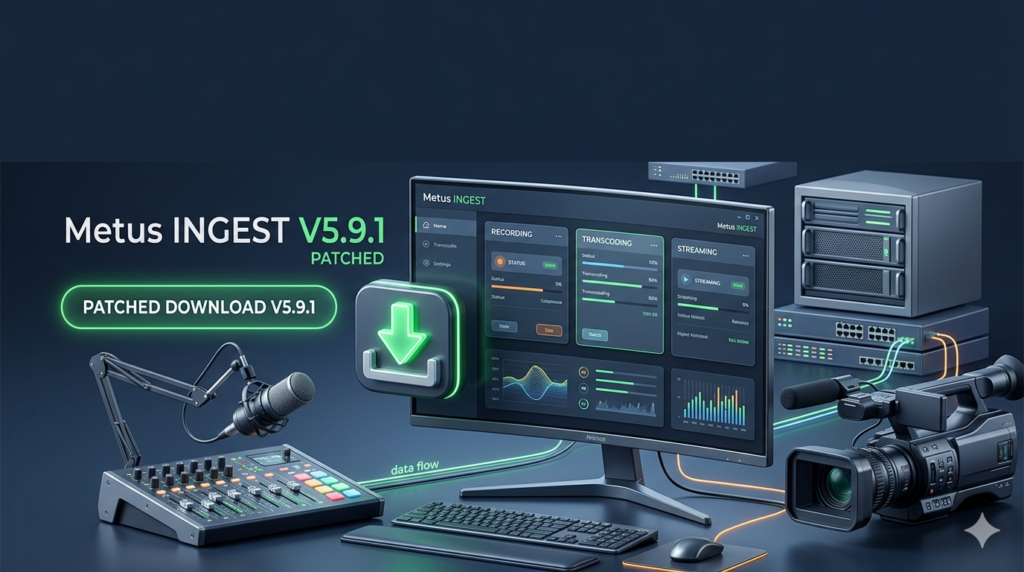
In the demanding world of broadcast, post-production, and mission-critical media operations, efficient content ingestion is the foundation of a successful workflow. Metus INGEST V5.9.1 is a professional-grade desktop software solution designed to simplify and streamline the entire process of multimedia capture, transcoding, and streaming. It serves as a central hub for importing content from a vast array of sources and formats, eliminating the need for multiple, disparate tools.
Unlike consumer-grade software, Metus INGEST is built for reliability and performance in high-stakes environments. Its intuitive interface consolidates all necessary controls and windows onto a single screen, making manual operation remarkably straightforward even for complex tasks. The software is trusted by broadcast studios, control rooms, military test sites, and media monitoring centers globally for its ability to deliver frame-accurate, lossless capture with zero dropped frames.
A key differentiator is its instant start capability. There is no arming period, caching time, or buffering delay. Capture and streaming begin the moment they are initiated, ensuring that critical moments are never missed. This stability is proven even in demanding 24/7 operational environments, making it a cornerstone technology for reliable media acquisition.
Key Features
Metus INGEST V5.9.1 is packed with a comprehensive suite of features tailored for professional media workflows. Below is a breakdown of its core capabilities:
-
Advanced Timecode Support: Leverages LTC (Longitudinal Timecode) from internal or external sound cards and Blackmagic boards, with robust detection of timecode breaks to ensure accurate synchronization.
-
Professional Hardware Integration: Provides native closed captioning support with AJA and Blackmagic hardware. It also supports direct video matrix control for leading routers like Kramer, Blackmagic, Quartz, Jupiter, and Pro-Bel.
-
Real-Time Visual Enhancement: Users can overlay still and animated logos, text, and timecodes directly onto captured files in real-time, adding branding and context without post-processing.
-
Intelligent File Management:
-
Lossless Splitting: Automatically split files during capture based on time, file size, or user-defined triggers without any loss of frames.
-
Rule-Based Management: Create custom rules to automatically delete or move video files after capture, streamlining storage and archiving.
-
-
Network Resilience: Features Safe Network Recording, which transfers captured files to a network location in real-time, safeguarding content against local drive failure.
-
Integrated Editing Workflows: Supports editing while capturing with industry-standard NLEs like Grass Valley EDIUS and Adobe Premiere Pro, as well as Avid Interplay check-in for seamless post-production integration.
-
Rich Metadata Input: Allows for metadata entry during the capture process, ensuring assets are immediately searchable and organized.
-
Interactive Markers: User-definable live action marker buttons (e.g., “Goal,” “Highlight,” “Incident”) allow operators to mark points and regions within the captured file for quick reference during editing.
-
Scalable Control:
-
Multi-Channel Management: Each ingest channel can be individually controlled, while a global control option allows for synchronized management of all channels.
-
Remote Control: An IP-based multi-channel remote control option and a dedicated remote control software let operators monitor and manage all Metus INGEST instances across a network from a single location.
-
-
File-Based Transcoding: Beyond live capture, it functions as a powerful file-based transcoder with a watch folder feature, supporting resolutions up to UHD/4K.
What’s New in Version V5.9.1
While Metus INGEST is renowned for its stability, version V5.9.1 introduces refinements that enhance performance, reliability, and user experience for media professionals. Key updates in this version focus on:
-
Enhanced Stability for 24/7 Operations: Further optimization of the core engine ensures even greater reliability for continuous, uninterrupted capture in mission-critical environments.
-
Improved Hardware Compatibility: Expanded and refined driver support for the latest AJA and Blackmagic I/O devices, ensuring seamless integration with current broadcast hardware.
-
Refined User Interface: Minor UI/UX improvements for the customizable front end, providing clearer feedback for each encoder channel and more intuitive control layouts.
-
Performance Optimizations: Under-the-hood improvements to transcoding speeds and network recording efficiency, maximizing throughput for high-resolution formats like 4K.
System Requirements
To ensure optimal performance with Metus INGEST V5.9.1, your system should meet the following recommended specifications. While the software can run on a range of hardware, these requirements are for a professional production environment.
Operating System:
-
Windows 10 (64-bit) Pro, Enterprise, or Workstation
-
Windows 11 (64-bit) Pro, Enterprise, or Workstation
-
Windows Server 2016 or later (for network/remote server deployments)
Minimum Hardware:
-
Processor: Intel Core i5 or AMD Ryzen 5 (6th generation or newer)
-
RAM: 8 GB (16 GB recommended for multi-channel or 4K workflows)
-
GPU: Dedicated GPU with at least 2GB VRAM (e.g., NVIDIA GeForce or Quadro series) for hardware acceleration.
-
Storage: Fast SSD for OS and software; high-performance RAID or local NVMe drives for capture storage.
-
Capture Hardware: Supported AJA or Blackmagic Design capture and playback devices.
Installation Guide
Installing Metus INGEST V5.9.1 is a straightforward process designed to get you operational quickly.
-
Download the Installer: Obtain the official software installer from the Metus website or your authorized reseller. Ensure it is the correct version for your operating system.
-
Prepare Hardware: Before installation, ensure all compatible capture hardware (AJA/Blackmagic) is physically installed and has the latest official drivers from the manufacturer.
-
Run the Installer: Right-click the downloaded executable file and select “Run as administrator” to ensure all necessary system components are registered correctly.
-
Follow the Wizard: Accept the End-User License Agreement (EULA). Choose the installation directory (the default is recommended for most users).
-
Select Components: The installer may allow you to select specific components or modules. For a full installation, select all features.
-
Complete Installation: Once the installation is complete, you may be prompted to restart your computer. It is highly recommended to do so to finalize driver integrations.
-
Activation: Launch the software and enter your valid software license key. If you are evaluating the software, select the trial option.
How to Use the Software
Metus INGEST is designed to make complex capture tasks simple. Here is a basic workflow to get started:
-
Launch and Configure Channels: Upon opening, you will see a multi-channel interface. Configure each channel by selecting the input source (e.g., SDI, HDMI) from your connected capture device.
-
Set Capture Parameters: For each channel, define the capture format, codec (e.g., ProRes, DNxHD, H.264), resolution (up to 4K/UHD), and file destination.
-
Apply Overlays and Metadata: If needed, activate the logo, text, or timecode overlay. Enter any relevant metadata (e.g., show name, date, reporter) that will be saved with the file.
-
Start Capture: Use the individual channel controls to start recording on a single source, or use the global control panel to initiate capture on all configured channels simultaneously. Recording starts instantly with no delay.
-
Use Live Markers: During a live event, click your pre-configured marker buttons (like “Goal” or “Break”) to create reference points in the recording. These markers are saved with the file for quick navigation in NLEs.
-
Monitor and Control Remotely: For distributed setups, use the remote control software on another machine to view thumbnails, monitor status, and control the ingest process for all connected Metus INGEST instances on your network.
Best Use Cases
Metus INGEST’s robust feature set makes it the ideal solution for a variety of professional scenarios:
-
Broadcast Studios: For reliable, multi-channel recording of live studio feeds, news broadcasts, and syndicated content with integrated metadata and direct Avid or Adobe workflows.
-
Live Sports Production: Capture multiple camera angles simultaneously, using live marker buttons to instantly tag key moments like goals or penalties for highlight reels.
-
Mission-Critical Archive Operations: The combination of safe network recording, lossless capture, and 24/7 stability makes it perfect for ingesting and preserving valuable content for historical archives.
-
Control Rooms & Monitoring Centers: Monitor and record multiple incoming feeds from satellites, security cameras, or news wires with rule-based file management to handle the high volume of content.
-
Research & Military Test Sites: Capture high-precision, frame-accurate data from tests and simulations for later analysis, where no frame loss is non-negotiable.
-
Corporate & Event Production: For live-streaming and recording corporate events, conferences, and webinars, ensuring a clean, branded capture ready for immediate distribution.
Advantages and Limitations
Advantages
-
Unmatched Reliability: Proven stability in 24/7 environments with instant, frame-accurate capture and no dropped frames.
-
Comprehensive Hardware Integration: Deep support for professional hardware from AJA, Blackmagic Design, and leading router manufacturers.
-
Streamlined Workflow: Integrates directly with major NLEs (Adobe, Avid, Grass Valley) and supports metadata and marker insertion, reducing post-production time.
-
Scalability: The multi-channel interface and remote management capabilities allow it to scale from a single workstation to a large, network-wide ingest farm.
-
Flexible I/O: Handles both live capture and file-based transcoding, making it a versatile tool for any media operation.
Limitations
-
Professional Price Point: The software is priced for the professional broadcast and post-production market, which may be a barrier for individual creators or smaller organizations with limited budgets.
-
Hardware Dependency: To utilize its core functionality (e.g., SDI/HDMI capture), you must invest in compatible AJA or Blackmagic hardware, which adds to the total cost of ownership.
-
Windows-Only Platform: Metus INGEST is designed for the Windows operating system, making it inaccessible for teams that are standardized on macOS or Linux environments.
Alternatives to the Software
Depending on your specific needs and budget, several alternatives offer similar functionality:
| Software | Primary Focus | Key Difference |
|---|---|---|
| Softron MovieRecorder | macOS-based capture | The leading alternative for Mac-based broadcast studios, offering similar multi-channel recording and NLE integration. |
| Telestream Wirecast | Live Streaming & Production | A more accessible tool focused on live streaming production, with good capture capabilities but less enterprise-level automation and reliability. |
| OBS Studio | Open-Source Capture & Streaming | A free, open-source option. Highly flexible but lacks professional hardware support, 24/7 stability guarantees, and advanced workflow automation features. |
| vMix | Live Production & Capture | A powerful Windows-based tool that combines capture, switching, and streaming. It’s a strong all-in-one alternative but may not match the dedicated ingest and automation features of Metus. |
| Grass Valley Ingest | Broadcast Ingest | A high-end, enterprise-grade solution for large broadcasters. It offers similar features but is often part of a larger, more expensive ecosystem. |
Frequently Asked Questions
Q1: What is the primary use of Metus INGEST software?
Metus INGEST is professional software designed for reliable, multi-channel video capture, transcoding, and streaming. It is used in broadcast, post-production, and other media-critical environments to ingest content from SDI, HDMI, and other sources with high stability.
Q2: Does Metus INGEST work with Adobe Premiere Pro and Avid Media Composer?
Yes, Metus INGEST is designed for seamless integration with major NLEs. It supports editing while capturing with Adobe Premiere Pro and Grass Valley EDIUS, and offers Avid Interplay check-in functionality for a smooth post-production workflow.
Q3: What capture hardware is compatible with Metus INGEST?
The software is optimized for professional I/O hardware. It provides native closed captioning and timecode support for AJA and Blackmagic Design capture and playback devices. It also supports video matrix control from manufacturers like Kramer, Blackmagic, and Pro-Bel.
Q4: Can I use Metus INGEST for live streaming?
Yes, Metus INGEST includes live streaming ingest capabilities. It allows users to capture live streams directly, making it ideal for integrating live events into broadcast schedules or archiving streaming content for future use.
Q5: What are the key benefits of the “safe network recording” feature?
Safe network recording is a critical feature for reliability. It transfers captured video files to a network location in real-time during the recording process. This ensures that if the local storage drive fails, the content is not lost, providing an extra layer of security for mission-critical recordings.
Q6: Can I control Metus INGEST remotely?
Absolutely. Metus INGEST offers an IP-based, multi-channel remote control option. Additionally, there is a dedicated remote control software that allows you to monitor thumbnails, control recording, and manage all instances of Metus INGEST running on your network from a single interface.
Q7: What video formats and resolutions does it support?
Metus INGEST is highly flexible, supporting a wide array of video and audio formats, from standard definition to UHD/4K. It works with common and specialized codecs, ensuring compatibility with content from various cameras and sources.
Q8: How does the rule-based media management work?
This feature automates file management to save time and storage space. Users can define custom rules (e.g., “delete files older than 30 days” or “move files when capture is complete”) and Metus INGEST will automatically perform those actions, streamlining archiving and storage cleanup.
Final Thoughts
Metus INGEST V5.9.1 is more than just capture software; it is a comprehensive media ingestion platform built for the rigorous demands of professional environments. Its ability to combine robust, frame-accurate capture with deep hardware integration, automated workflows, and seamless NLE connectivity makes it an indispensable tool for broadcasters, post-production houses, and any organization that relies on reliable media acquisition.
While the investment and hardware requirements position it as a solution for professional teams, the return on investment is realized through increased operational efficiency, reduced risk of content loss, and significant time savings in post-production. For teams that prioritize stability, precision, and workflow integration, Metus INGEST remains a top-tier choice in the competitive landscape of media ingest software.
Premium Software Support Service
If you need professional help with software installation, setup, or technical configuration, our team is available to assist you.
Contact & Support
For quick assistance and latest updates, connect with us using the links below:
🔹 Direct Telegram Support
https://t.me/PlayoutKing
🔹 Official Telegram Updates Group
https://t.me/yourgroup
Service Policy
- Remote testing available through AnyDesk before confirmation.
• Verify the setup and performance before completing the order.
• Support available for single or multiple systems.
• Step-by-step guidance to ensure smooth installation and working environment.
Our goal is to provide reliable technical assistance so your software runs smoothly without interruptions.