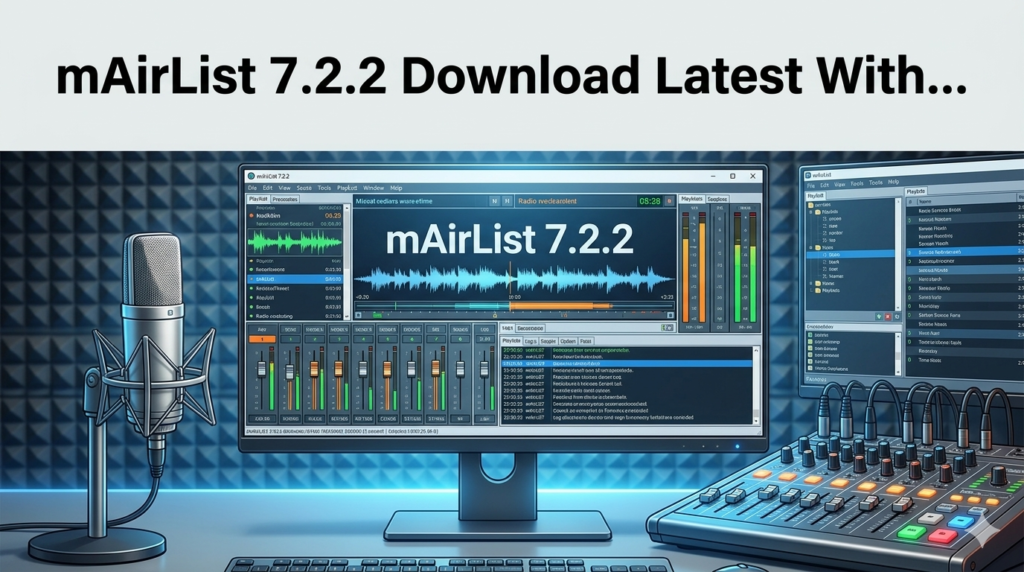


Download the mAirList 7.2.2 (The Comprehensive Broadcast Automation Software for Radio) from this link…

Overview of mAirList 7.2.2
Table of Contents
mAirList 7.2.2 is a professional, feature-rich broadcast automation software designed for radio stations, online streamers, and content creators. This powerful application serves as the central hub for managing and playing out audio content, whether for a live show with a mixing console or a fully automated, unattended broadcast. At its core, mAirList handles a playlist containing all the audio files—from music tracks and jingles to advertisements and news bulletins—that will be aired during your program. These audio items are managed by the software’s main players, offering the flexibility to operate in a live assist mode, where you manually start each element, or a hands-free automation mode. You can seamlessly toggle between these modes at any time to suit the demands of your production. With its robust audio engine, extensive hardware support, and advanced scheduling capabilities, mAirList 7.2.2 provides a scalable solution that grows from a simple player for a small internet radio station to a complete automation system for a professional broadcast environment.
Key Features
mAirList 7.2.2 is packed with tools to streamline radio production and broadcast. Its modular design ensures that whether you are a beginner or a seasoned professional, you have access to the features you need.
-
Flexible Player Configuration: The number of main players is configurable, allowing you to set up a system that mirrors your physical studio equipment. For instance, a typical live studio setup uses at least two players, each assigned to a separate sound card output, connecting to individual fader strips on a mixing console for precise control.
-
Intuitive Cartwall System: The Cartwall is your go-to tool for playing short audio elements like jingles, sweepers, and sound effects. It features an unlimited number of players and slots, customizable pages that can be saved as favorites, and a touchscreen-friendly design. The Design Mode lets you rearrange, resize, and color-code items for instant visual access during a live show.
-
Comprehensive Sound Card Support: mAirList works seamlessly with any DirectSound, WASAPI, or ASIO compatible sound card, including professional-grade hardware like Axia Livewire or virtual solutions like Dante Virtual Soundcard. You can freely route all audio connections, and even use the individual stereo outputs of multichannel sound cards for separate player feeds. The software also supports multi-channel audio playback (4.0, 5.1, and 7.1).
-
Powerful Audio Engine and Format Support: Built on the reliable BASS audio library, mAirList natively supports common formats like MP3, MP2, WAV, and Ogg Vorbis. Support for additional codecs such as AAC, WMA, FLAC, and Opus can be easily added through free BASS add-ons, ensuring compatibility with your existing audio library without the need for file recoding.
-
Graphical Cue and Mix Editor: Fine-tune your audio with precision using the built-in editors. The Graphical Cue Editor allows you to set cue markers (like intro start, fade-out point) based on a visual waveform. For more complex transitions, the Mix Editor provides a multi-channel waveform view to set up perfect segues between tracks, including volume envelopes for voice tracking.
-
Event Scheduler and Automation: The Event Scheduler enables you to automate your broadcast completely. You can schedule arbitrary actions, such as inserting a news bulletin, loading a new hourly playlist, or triggering a voice track, ensuring your station runs 24/7 without manual intervention.
-
Customizable Interface and Workflow: Personalize your workspace with customizable screen objects (date/time, countdowns, command buttons), skinning support, and a Layout Designer. The multi-language GUI currently includes English and an official German translation, with community contributions for others like French.
-
Professional Remote Control Integration: mAirList offers an extensive range of remote control options, from basic hotkeys and MIDI devices to deep integration with professional broadcast consoles from manufacturers like D&R, Lawo, DHD, Axia, and Sonifex. This allows for seamless integration into existing studio environments.
-
Integrated Streaming Encoder: Broadcast your audio directly to any Shoutcast or Icecast streaming server, even without physical audio hardware. You can stream to multiple servers simultaneously and use the Aircheck function to record the streamed output. External VST and Winamp DSP plugins are supported for on-air sound processing.
-
Database and Music Scheduling (mAirListDB): For advanced library management, mAirListDB provides an SQL-based backend. It scans your audio folders to build a searchable library and includes a Mini Scheduler for automated music log generation. This scheduler uses a two-phase approach with separate clocks and music templates, allowing for sophisticated rotation rules. Playlists can be generated just-in-time for fully unattended systems.
What’s New in mAirList 7.2.2
While mAirList 7.2.2 is a mature and stable iteration of the version 7 software, it focuses on refining the powerful features introduced in the 7.x cycle and ensuring system stability. Key highlights of the mAirList 7 series, which are fully realized in this version, include:
-
Enhanced Matrix Mixer: This version offers a refined Matrix Mixer, allowing you to patch any soundcard input to any output across different audio driver systems (DirectSound, WASAPI, ASIO) with a single click.
-
Advanced Recording Facilities: The Aircheck Recorder has been optimized for reliability. It records from a soundcard input and can be triggered by fader start commands, ensuring you only record when microphones are live. The File Recorder, a key addition in version 7, is perfect for timed recordings and rebroadcasting live shows.
-
Improved REST Server Integration: The integrated REST server for remote control via HTTP has seen continued improvements, providing developers and advanced users with a robust API to query information (like playlist contents and player states) and send commands to the running instance.
-
Refined Voice Tracking: The Voice Track Recorder is tightly integrated into the playout GUI, making it easier than ever for presenters to record voice tracks and add them directly to the playlist for later broadcast.
System Requirements
To ensure smooth and reliable operation of mAirList 7.2.2, your system should meet the following minimum and recommended specifications.
| Component | Minimum Requirements | Recommended for Professional Use |
|---|---|---|
| Operating System | Windows 7 or newer | Windows 10 or Windows 11 (64-bit) |
| Processor | 1 GHz | Multi-core processor, 2 GHz or faster |
| RAM | 1 GB | 4 GB or more |
| Hard Disk Space | 100 MB for installation | SSD with ample space for audio library |
| Sound Card | Any DirectSound compatible device | Low-latency ASIO or WASAPI compatible multi-channel sound card |
| Additional | Internet connection (for activation) | Network connectivity for remote control/database |
Installation Guide
Installing mAirList 7.2.2 is a straightforward process. Follow these steps to get the software up and running on your Windows PC.
-
Download the Installer: Visit the official mAirList website and navigate to the download section. Download the latest stable version of the mAirList 7.2.2 installer. Ensure you are downloading from the official source to guarantee the integrity and safety of the software.
-
Run the Installer: Locate the downloaded
.exefile and double-click it to run. If prompted by User Account Control, click “Yes” to allow the installer to make changes to your system. -
Follow the Setup Wizard: The installer will guide you through the process. You will be asked to:
-
Choose a language for the installation process.
-
Accept the End User License Agreement (EULA).
-
Select an installation folder (the default is usually
C:\Program Files\mAirList). -
Choose the components you wish to install. The default selection is recommended for most users.
-
-
Complete Installation: Click “Install” to begin copying files. Once the process is finished, click “Finish” to exit the setup wizard. You may have the option to launch mAirList immediately.
How to Use the Software
Getting started with mAirList involves setting up your audio devices and building your first playlist.
-
Initial Configuration: Upon first launch, the software will guide you through the Audio Device Setup. Here, you can select your primary sound card and assign outputs for your main players. It is crucial to test your audio levels during this step to prevent distortion.
-
Building a Playlist: In the main playout window, you can create a new playlist. Simply drag and drop audio files from your file explorer directly into the playlist grid. You can reorder tracks, set cue points by right-clicking an item and selecting “Edit Cue Markers,” and enable automation mode to have the software play the list sequentially.
-
Using the Cartwall: To add jingles to your broadcast, open the Cartwall tab. You can right-click on an empty slot, select “Load File,” and choose an audio file from your hard drive. Once loaded, simply click the cart button during your show to instantly play the sound.
-
Scheduling an Event: To automate a task, go to the “Scheduler” section. Create a new event, set its time and frequency (e.g., every day at 12:00 PM), and assign an action, such as “Load Playlist” and point it to your pre-made lunchtime show playlist.
Best Use Cases
mAirList 7.2.2 is a versatile tool that adapts to various broadcasting scenarios.
-
Live Radio Studio: In a traditional studio, mAirList acts as the central playout system. The presenter uses the main players for music tracks (each on a separate mixer fader) and the Cartwall for jingles and sound effects, all controlled via a broadcast mixing console.
-
Unattended/24/7 Automation: For internet radio stations or community broadcasters with limited staff, mAirList’s Event Scheduler and Mini Scheduler can run the station entirely on autopilot. It can load different playlists for different times of day, insert news, and even switch to a live feed when a presenter comes on air.
-
Voice Tracking for Syndicated Shows: A presenter can record their show in advance using the Voice Track Recorder. They can speak over songs, create intros and outros, and the Mix Editor ensures smooth transitions. The final mixdown can be saved as a single audio file for distribution or scheduled for later playout.
Advantages and Limitations
Like any professional software, mAirList has its strengths and potential drawbacks.
Advantages:
-
Exceptional Flexibility: Highly configurable to match any workflow, from simple to complex.
-
Comprehensive Hardware Support: Works with a vast array of sound cards, remote controls, and professional broadcast consoles.
-
Powerful Automation: The scheduling and scripting capabilities allow for complete broadcast automation.
-
Scalable: Suitable for small internet stations and large professional networks alike.
-
Active Community and Support: A strong user community contributes to translations and scripts, and the developers provide regular updates.
Limitations:
-
Steeper Learning Curve: The sheer number of features can be overwhelming for new users initially.
-
Interface Aesthetics: While highly functional, the user interface may feel dated compared to some modern, consumer-focused software.
-
Database Complexity: Setting up and optimizing the mAirListDB for large libraries requires a solid understanding of database principles.
Alternatives to mAirList
While mAirList is a powerful contender in the broadcast space, other software options are available depending on your needs and budget.
| Software | Best For | Key Features |
|---|---|---|
| Rivendell | Large-scale, multi-station operations | Open-source, enterprise-level, robust scheduling and automation via MySQL. |
| ZaraRadio | Small stations, churches, schools | Very user-friendly, low cost, simple automation and voice tracking. |
| StationPlaylist Studio | Commercial and public radio stations | Comprehensive suite, stable, intuitive interface, strong support. |
| Mixxx | Live DJs and internet radio hosts | Open-source, designed for live mixing, powerful DJ tools (beatmatching, effects). |
| SAM Broadcaster | Internet radio and clubs | All-in-one solution with automation, streaming, and request handling. |
Frequently Asked Questions
Q1: Is mAirList 7.2.2 free to use?
A: mAirList offers different licensing tiers. There is often a free, unrestricted version for personal use or non-profit organizations, but it may display a “nag screen” or have limited features. For commercial use or access to advanced features like the ASIO driver support and professional remote controls, a paid license is required. Always check the official mAirList website for the most current pricing and licensing details.
Q2: Can I use mAirList for podcasting or just for live radio?
A: Yes, absolutely. You can use mAirList to record and produce podcasts. The Voice Track Recorder and Mix Editor are excellent tools for creating pre-recorded content. You can also use it to record your live internet radio stream for later distribution as a podcast.
Q3: What file formats does mAirList support for playback?
A: Out of the box, mAirList supports MP3, MP2, WAV, and Ogg Vorbis. By downloading and installing free BASS audio library add-ons, you can easily expand this to include other popular formats such as AAC, FLAC, WMA, and Opus.
Q4: How do I connect my professional broadcast mixer to mAirList?
A: mAirList includes specific remote control modules for mixers from major manufacturers like Lawo, D&R, DHD, Axia, and others. The connection is typically made via TCP/IP (network) or a serial port. You would configure the specific module in mAirList’s remote control settings, matching the IP address or COM port settings of your mixing console.
Q5: Can mAirList automatically generate playlists based on music rotation rules?
A: Yes. By using the optional mAirListDB database and its built-in Mini Scheduler, you can create sophisticated music scheduling. You define clocks (hour structures with categories like “Current Hit,” “Gold,” “Jingle”) and link them to music templates, allowing the software to generate randomized, rule-based playlists automatically.
Q6: What is the difference between the “Automation” and “Live Assist” modes?
A: In Automation mode, the main players will start playing items in the playlist automatically, one after the other, based on the defined end action of each item (e.g., “next” or “stop”). In Live Assist mode, the playlist acts as a suggestion list, but you must manually trigger each player to start the next item, giving you full, hands-on control.
Final Thoughts
mAirList 7.2.2 stands as a testament to powerful, flexible, and professional broadcast software. It successfully bridges the gap between simple audio players and complex, enterprise-grade automation systems. While it may require a significant time investment to master its extensive feature set, the control and scalability it offers are unparalleled for its class. For broadcasters, radio enthusiasts, and content creators who demand professional results and are willing to explore its capabilities, mAirList 7.2.2 is a formidable and reliable tool that can power a broadcast facility of virtually any size. Its commitment to supporting a wide range of hardware and its deep automation potential make it a top contender in the world of radio software.
Premium Software Support Service
If you need professional help with software installation, setup, or technical configuration, our team is available to assist you.
Contact & Support
For quick assistance and latest updates, connect with us using the links below:
🔹 Direct Telegram Support
https://t.me/PlayoutKing
🔹 Official Telegram Updates Group
https://t.me/yourgroup
🔹 WhatsApp Community Group
https://chat.whatsapp.com/yourlink
Service Policy
- Remote testing available through AnyDesk before confirmation.
• Verify the setup and performance before completing the order.
• Support available for single or multiple systems.
• Step-by-step guidance to ensure smooth installation and working environment.
Our goal is to provide reliable technical assistance so your software runs smoothly without interruptions.