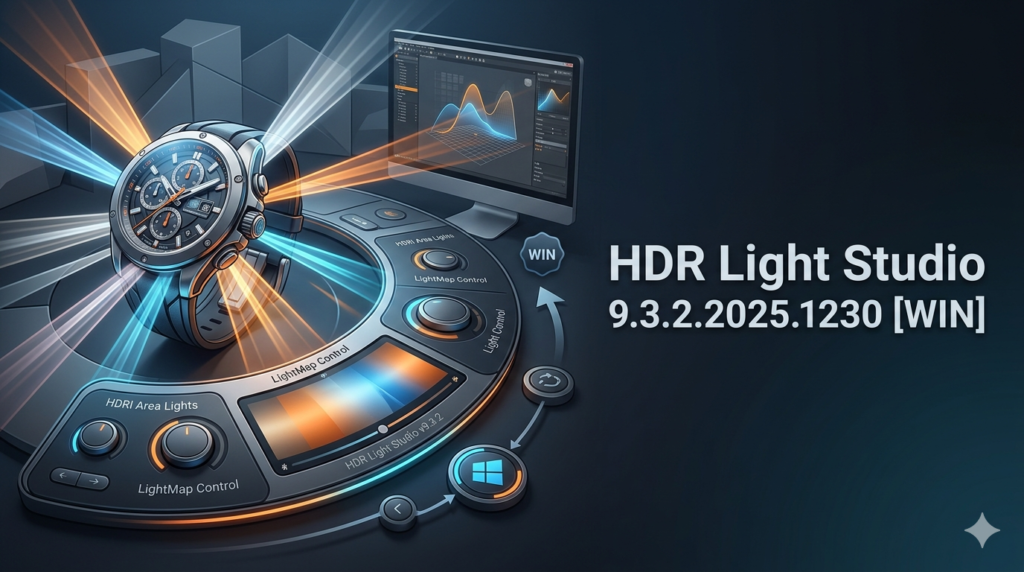

Download Lightmap HDR Light Studio (The Ultimate Studio Lighting Solution for 3D Artists from this link…

Overview of Lightmap HDR Light Studio
Table of Contents
Lightmap HDR Light Studio is a professional lighting tool designed to revolutionize the way 3D artists and visual effects (VFX) professionals create lighting for computer-generated imagery (CGI). Unlike traditional 3D lighting workflows that can be cumbersome and slow, HDR Light Studio streamlines the process by allowing artists to build, control, and refine lighting setups in real time. The software generates high-dynamic-range (HDR) environment maps that dynamically illuminate your scene within your existing 3D application, such as Autodesk Maya, Cinema 4D, or Blender.
The core philosophy of the software is to make lighting an intuitive and interactive experience. Instead of adjusting abstract numerical values for light intensity or position, artists can simply click on the 3D model within the Render View to place a highlight or reflection exactly where they want it. This method, known as LightPaint, dramatically reduces the time required to achieve high-quality studio lighting, particularly for reflective materials like car paint, metal, and glass. By serving as a bridge between the artist’s intent and the final render, HDR Light Studio enhances both productivity and image quality, making it an indispensable tool for product visualization, automotive design, and architectural rendering.
Key Features
HDR Light Studio is packed with features that cater to both beginners and seasoned professionals. Here are its core components:
-
LightPaint Technology: This is the signature feature of HDR Light Studio. It allows you to click directly on a 3D model in the Render View to position a light source. The software automatically calculates the correct angle to place a light in the environment map or positions a 3D area light within your 3D scene to achieve that specific reflection or highlight.
-
Procedural Light Sources: Create a wide variety of studio lighting effects using procedural lights. These are mathematically generated lights (e.g., gradients, ramps, and spots) that offer infinite resolution and are highly customizable, allowing for precise control over falloff, shape, and color.
-
Image-Based Lighting (IBL): Use high-quality HDRI images or your own photographs as light sources. The software supports loading images to create realistic environmental reflections or to match the lighting of a background plate for seamless CGI integration.
-
Real-Time Render View: The integrated Render View provides instant feedback. As you add, move, or adjust a light, the rendered image updates in real-time, allowing you to see exactly how the lighting interacts with the geometry and materials of your 3D scene.
-
3D Area Light Control: Beyond environment maps, HDR Light Studio can create and control native 3D area lights (emitters) directly inside your host 3D software. This allows for a hybrid workflow where you can combine the precision of HDR environment lighting with the physicality of in-scene geometry lights.
-
Handles Huge Scenes: The software is optimized for performance, capable of handling complex 3D scenes with millions of polygons without lag, ensuring a smooth and responsive workflow for high-end production work.
-
Portable Lighting: Lighting setups created in HDR Light Studio are fully portable. You can save a light rig and apply it to different assets or scenes, ensuring consistency across multiple shots or products.
-
Procedural Sky: Generate realistic sky environments with a procedural sky system, offering control over sun position, cloud cover, and atmospheric haze, which is ideal for outdoor architectural visualizations.
What’s New in the Latest Version
While the core functionality remains robust, recent updates to Lightmap HDR Light Studio focus on workflow integration and performance. Newer versions typically include:
-
Enhanced Host Software Integration: Tighter, more stable connections with the latest versions of major 3D software like V-Ray, Redshift, OctaneRender, Arnold, and Unreal Engine. This ensures that light creation in HDR Light Studio is instantly reflected in the native renderer’s viewport.
-
Improved UI/UX: A modernized user interface with customizable workspaces, allowing artists to tailor the layout to their specific preferences and monitor setups.
-
Advanced Material Support: Better support for complex material shaders, ensuring that the real-time preview accurately represents how lights will interact with advanced materials like subsurface scattering or car paint.
-
Performance Optimizations: Continued improvements in memory management and rendering speed, making the software even more efficient when working with 4K and 8K texture maps.
System Requirements
To ensure optimal performance, your system should meet the following requirements:
Minimum Requirements:
-
Operating System: Windows 11, Windows 10, Windows 8.1, Windows 7 (64-bit), or macOS 10.13 (High Sierra) and later.
-
RAM: 2 GB (4 GB recommended for larger scenes)
-
Hard Disk Space: 400 MB of free space for installation.
-
Graphics Card: OpenGL 3.2 compatible graphics card.
Recommended Hardware:
-
RAM: 16 GB or more for complex 3D scenes and high-resolution rendering.
-
Processor: A modern multi-core processor (Intel i7/i9 or AMD Ryzen equivalent).
-
GPU: A dedicated graphics card with 4 GB+ VRAM is recommended for smooth viewport performance when using GPU-based renderers like Redshift or Octane.
Installation Guide
Installing Lightmap HDR Light Studio is a straightforward process designed to get you up and running quickly. The software acts as a standalone application that connects to your host 3D software.
-
Download the Installer: After purchasing a license or downloading a trial from the official Lightmap website, run the installer executable file.
-
Run the Installation: Follow the on-screen prompts. You will be asked to accept the license agreement and choose an installation directory. The default settings are usually suitable for most users.
-
Install Host Plugins: During installation, the installer will detect compatible 3D software (like Maya, 3ds Max, Cinema 4D, etc.) on your system. It will automatically install the necessary plugins to bridge HDR Light Studio with your host application.
-
License Activation: Upon first launch, you will be prompted to activate your license. Enter your provided serial key or log in with your Lightmap account credentials. An internet connection is required for online activation.
-
Launch and Connect: Open your 3D software and find the HDR Light Studio toolbar or menu. Click the “Connect” button to establish a live link between the two applications. The HDR Light Studio interface will open, and your 3D scene will load into its Render View.
How to Use the Software
Using HDR Light Studio transforms the lighting process into a highly interactive experience. Here is a basic workflow:
-
Connect to Your Scene: Launch HDR Light Studio from your 3D software’s plugin menu. The software will open and display your 3D model in its Render View.
-
Add a Light: Click the “New Light” button. You can choose a procedural light (like a gradient or a spot) or an image-based light. The new light will appear in the 2D Light Editor panel, which represents your environment map.
-
Position with LightPaint: This is the key step. In the Render View, click directly on the area of the 3D model where you want a highlight or reflection. HDR Light Studio will automatically move the currently selected light to the precise location in the environment map needed to create that highlight.
-
Adjust Light Properties: In the Light Properties panel, fine-tune the light’s intensity, color, width, and falloff. Changes are rendered instantly in the Render View, providing immediate feedback.
-
Build Complexity: Add multiple lights to build a complete lighting rig. Use a large, soft fill light to illuminate shadows and a series of smaller, intense lights to create crisp reflections and rim lights to separate the subject from the background.
-
Render: Once satisfied with the lighting setup in the preview, you can proceed to render your final image using your host 3D software’s native renderer. The lighting data is transferred seamlessly.
Best Use Cases
HDR Light Studio excels in specific areas of 3D production where lighting quality is paramount.
-
Product Visualization: Creating stunning, photorealistic renders of consumer products like watches, shoes, electronics, and beverages. The ability to precisely control reflections is essential for highlighting product design and material quality.
-
Automotive Design: Lighting cars and vehicles to showcase the curves and reflections of the paintwork. The software’s LightPaint feature is exceptionally useful for artists to control the “light run” along a car’s body panels.
-
VFX and Compositing: Matching CGI elements to live-action footage. If an HDRI of the original set wasn’t captured, artists can quickly build a lighting environment from scratch in HDR Light Studio to ensure the CG object has the correct reflections and shadows to sit believably in the plate.
-
Architectural Visualization: Creating realistic studio lighting for furniture and product shots, or using the Procedural Sky feature to create accurate daylight scenarios for architectural exteriors.
Advantages and Limitations
Advantages
-
Speed and Efficiency: Dramatically reduces the time spent on lighting setups compared to traditional 3D software workflows.
-
Intuitive Workflow: The LightPaint system is accessible to beginners and a significant speed boost for professionals.
-
Real-Time Feedback: Instant visual feedback eliminates the guesswork of lighting, allowing for faster creative decision-making.
-
Versatility: Works as a bridge for all major 3D software and renderers, providing a consistent lighting interface across different platforms.
-
High-Quality Results: Specializes in creating the high-contrast, specular lighting that is difficult to achieve with standard in-software lights.
Limitations
-
Niche Application: It is a specialized tool for lighting. Users who only need basic lighting for simple models may not utilize its full potential.
-
Learning Curve for Advanced Features: While LightPaint is simple, mastering advanced features like complex light rigs and 3D area light manipulation requires dedicated practice.
-
Licensing Cost: As a professional-grade tool, it represents a significant investment compared to free lighting solutions, though it is cost-effective for studios where time is money.
Alternatives to the Software
While HDR Light Studio is a leader in its category, several alternatives offer similar functionality depending on your host software and budget.
| Alternative | Key Features | Best For |
|---|---|---|
| Marmoset Toolbag | Real-time rendering, robust material editor, animation tools. | Game artists and product visualizers looking for an all-in-one real-time rendering and lighting solution. |
| Adobe Substance 3D Stager | Intuitive scene-building, integration with Substance materials, ray-tracing. | Designers within the Adobe ecosystem who need a streamlined tool for product mockups and lighting. |
| Native 3D Software Tools | Built-in HDRI and area light tools (e.g., Blender’s HDRI environment, Cinema 4D’s light types). | Beginners or hobbyists who cannot justify an additional purchase and want to learn the fundamentals of lighting. |
| HDRI Haven / Poly Haven | Free, high-quality, downloadable HDRI environment maps. | Artists who need realistic environmental lighting quickly without the need to build a custom studio lighting setup. |
Frequently Asked Questions
1. What is HDR Light Studio used for?
HDR Light Studio is a professional lighting tool used by 3D artists to create high-quality studio lighting for CGI. It is primarily used in product visualization, automotive design, and VFX to create realistic reflections and highlights efficiently.
2. Which 3D software is compatible with Lightmap HDR Light Studio?
The software offers plugins for a wide range of host applications, including Autodesk Maya, 3ds Max, Cinema 4D, Blender, Modo, Houdini, and SketchUp. It also supports major renderers like V-Ray, Redshift, OctaneRender, Arnold, and Keyshot.
3. Is there a free trial available for HDR Light Studio?
Yes, Lightmap provides a fully functional 30-day trial version on their official website. This allows you to test the software’s compatibility with your workflow and hardware before making a purchase.
4. How does the LightPaint feature work?
LightPaint allows you to click on your 3D model in the software’s Render View. HDR Light Studio then automatically positions a light source (either in the HDRI map or as a 3D area light) to create a reflection or highlight exactly at the point you clicked, making light placement intuitive and precise.
5. Can HDR Light Studio be used for outdoor lighting?
Absolutely. While it is renowned for studio lighting, the software includes a Procedural Sky feature that allows you to create and control realistic outdoor environments. You can adjust the sun’s position, cloud coverage, and atmospheric conditions to match a specific outdoor scenario.
6. What is the difference between HDR Light Studio and a standard 3D light?
Standard 3D lights are placed within your 3D scene and often require adjusting multiple parameters to get the right effect. HDR Light Studio creates a dynamic HDRI environment map that lights your scene globally, offering more realistic reflections and a much faster, more interactive workflow.
7. Does HDR Light Studio work with GPU renderers?
Yes, HDR Light Studio works seamlessly with popular GPU renderers such as Redshift, OctaneRender, and V-Ray GPU, providing real-time feedback and full integration.
Final Thoughts
Lightmap HDR Light Studio stands out as an essential tool for any 3D artist who demands precision, speed, and superior quality in their lighting. Its innovative LightPaint technology and real-time feedback loop transform what is often the most tedious part of 3D rendering into an intuitive and enjoyable creative process. While it is a specialized tool with a premium price tag, the time savings and elevated image quality it provides make it a worthwhile investment for professionals in product visualization, automotive design, and visual effects.
By bridging the gap between artistic intent and technical execution, HDR Light Studio empowers artists to focus on creating compelling imagery rather than wrestling with complex lighting parameters. For those serious about elevating the quality of their CGI work, it remains a gold standard in the industry.
Premium Software Support Service
If you need professional help with software installation, setup, or technical configuration, our team is available to assist you.
Contact & Support
For quick assistance and latest updates, connect with us using the links below:
🔹 Direct Telegram Support
https://t.me/PlayoutKing
🔹 Official Telegram Updates Group
https://t.me/yourgroup
Service Policy
- Remote testing available through AnyDesk before confirmation.
• Verify the setup and performance before completing the order.
• Support available for single or multiple systems.
• Step-by-step guidance to ensure smooth installation and working environment.
Our goal is to provide reliable technical assistance so your software runs smoothly without interruptions.