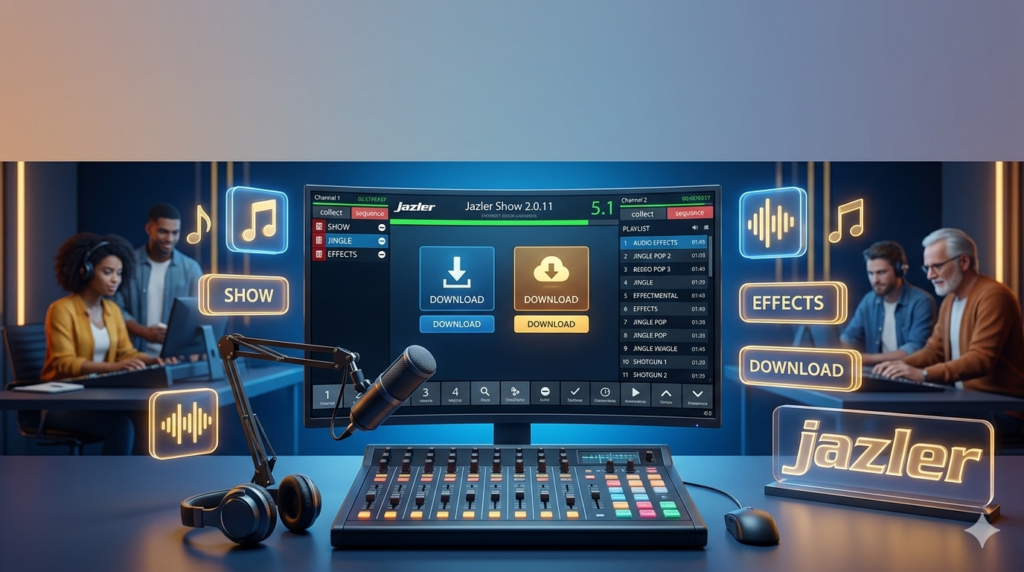


Download Jazler Show 2.0.11 (Comprehensive Guide to Professional Radio Automation Software) from this link…

Overview of Jazler Show
Table of Contents
Jazler Show is a professional-grade radio broadcasting software designed to automate and streamline the operations of radio stations. Developed by Jazler, this audio playout system serves as a complete studio automation solution, enabling broadcasters to manage music libraries, schedule programs, and execute live shows with precision. Whether you are operating a small internet radio station or a large FM broadcasting network, Jazler Show provides the tools necessary for 24/7 automated broadcasting. This guide focuses on version 2.0.11, exploring its features, installation process, and how it stands against industry alternatives.
Key Features
Jazler Show distinguishes itself in the competitive landscape of broadcast automation through a robust set of functionalities designed for both technical operators and on-air talent.
Adaptive User Interface for Efficient Workflow
The software features a highly customizable interface. Operators can arrange windows, players, and schedulers to match their specific workflow, reducing clutter and allowing for quick access to essential controls during live broadcasts.
Advanced Broadcast Automation Engine
At its core, Jazler Show excels in unattended broadcasting. The scheduler allows for complex programming, including weekly rotations, special event overrides, and intelligent track rotation based on music genre or BPM, ensuring playlists remain fresh and compliant with broadcasting regulations.
Seamless Live-Assist Mode
For stations that blend automated content with live DJs, the Live Assist mode is critical. It allows presenters to take manual control instantly, queue songs, trigger jingles, and manage microphone channels without interrupting the underlying automation sequence. This creates a smooth transition between automated segments and live interaction.
Smart Voice Tracking for Pre-Recorded Shows
The Voice Tracking feature allows DJs to pre-record spoken segments (commentary, interviews, weather reports) and insert them between tracks. The software automatically adjusts the audio levels and timing, creating the illusion of a live show even when the broadcaster is not physically present.
Precision Control with Visual Track Markers
Editors and DJs can utilize Visual Track Markers to set precise cue points. This is essential for skipping artist introductions, marking the exact start of a song after a fade-in, or setting hard outs to fit strict time slots, ensuring a professional and polished broadcast.
Studio-Grade Audio Processing
Jazler Show supports high-resolution audio formats and integrates with external sound processors. It ensures consistent volume levels across different tracks and sources (mic, phone, digital files), providing a seamless listening experience that meets studio-quality output standards.
Comprehensive Reporting and Analytics
Understanding your audience is key. The software logs every playout, generating detailed broadcast analytics. These reports are vital for royalty reporting (PROs like ASCAP, BMI), creating playlists for regulatory bodies, and analyzing listener trends to refine programming strategies.
What’s New in Version 2.0.11
While Jazler Show is a mature platform, version 2.0.11 focuses on stability, performance, and compatibility improvements based on user feedback and evolving operating system standards.
-
Enhanced Windows 11 Compatibility: Full optimization for the latest Windows updates, ensuring the software runs smoothly on modern studio hardware without driver conflicts.
-
Database Performance Optimization: Improved handling of large music libraries, resulting in faster search queries and playlist loading times, especially for stations with databases exceeding 50,000 tracks.
-
Refined Audio Engine Stability: Fixed minor audio dropouts reported in previous versions when using specific ASIO drivers, ensuring gapless playback during critical broadcast moments.
-
Updated Codec Support: Expanded native support for modern audio codecs and metadata tags, ensuring smooth playback of recently downloaded or produced audio files.
System Requirements
To ensure optimal performance and stability of Jazler Show 2.0.11, your broadcasting system should meet the following specifications:
-
Operating System: Microsoft Windows 11, Windows 10 (64-bit recommended), or Windows Server 2016/2019.
-
Processor: Intel Core i5 or equivalent (Intel Core i7 recommended for stations running heavy processing or multiple audio streams).
-
RAM: 4 GB minimum (8 GB or more recommended for large databases and multitasking).
-
Storage: 500 MB for installation (SSD highly recommended for faster database access and music loading).
-
Sound Card: Any Windows-compatible sound card (Professional multi-channel ASIO sound card recommended for live broadcasting).
-
Internet Connection: Required for activation, updates, and streaming server integration.
Installation Guide
Installing Jazler Show 2.0.11 is a straightforward process. Follow these steps for a successful setup.
-
Obtain the Installer: Download the official setup file from the Jazler official website or your authorized software provider. Ensure you have a valid license key ready.
-
Run the Installer: Right-click the downloaded .exe file and select “Run as Administrator” to ensure the software has the necessary permissions to install drivers and configure system settings.
-
Follow the Setup Wizard:
-
Accept the End User License Agreement (EULA).
-
Choose the installation directory (the default C:\Program Files\Jazler is recommended).
-
Select the components you wish to install (Main Program, Database Engine, Codecs).
-
-
Configure Audio Hardware: Upon first launch, the Audio Configuration Wizard will appear. Select your sound card and map the output channels (e.g., Program Out, Headphone Out, Cue).
-
Activate the Software: Enter your license key when prompted. The software will validate the key online, unlocking the full suite of professional features.
How to Use the Software: A Beginner’s Guide
Navigating a professional automation system can seem daunting. Here is a basic workflow to get started with Jazler Show.
1. Setting Up Your Music Library
Before going live, you must import your audio assets. Use the Media Library panel to drag and drop folders of music, jingles, and advertisements. The software will automatically scan the files and populate the database with metadata like Artist, Title, and Duration.
2. Creating a Basic Playlist
Navigate to the Scheduler module. Create a new playlist by dragging tracks from your library into the timeline. You can easily reorder songs using drag-and-drop. For automated rotations, use the “Wall Clock” scheduler to assign specific categories (e.g., “80s Rock”) to specific time slots.
3. Going Live with Live Assist
To switch to manual control, click the “On Air” or “Live Assist” button in the main player. This activates the mixer panel. You can now load a track into the player, cue it up in your headphones, and fade it in manually using the on-screen faders or your connected mixing console.
4. Recording a Voice Track
If you are recording a show for later broadcast:
-
Schedule the time slot in the scheduler.
-
Activate the Voice Tracking mode.
-
As the playlist plays in your headphones, click the microphone icon to record your voice over the intro or between tracks.
-
The software saves this as a complete, mixed show ready for automated playout.
Best Use Cases
Jazler Show is versatile enough to handle various broadcasting scenarios.
-
Internet Radio Stations: Perfect for streamers needing a reliable internet radio automation tool that can directly stream to services like Icecast or Shoutcast.
-
Community and Campus FM: Ideal for stations with a mix of volunteer DJs (who need simple live-assist tools) and automated overnight programming.
-
Corporate Background Music: Businesses can use Jazler Show to schedule and play licensed background music in retail stores, offices, or waiting rooms with specific dayparting.
-
Emergency Alert Systems: The software can be configured to interrupt regular programming for emergency announcements, a critical feature for public broadcasters.
Advantages and Limitations
Advantages
-
High Reliability: Designed for 24/7 mission-critical broadcast environments with minimal downtime.
-
Deep Customization: Highly adaptable interface and scripting options for power users.
-
Professional Audio Routing: Superior support for multi-channel ASIO sound cards, essential for professional studios.
-
Cost-Effective Licensing: Compared to enterprise-level competitors, Jazler offers a flexible pricing model suitable for small to medium broadcasters.
Limitations
-
Learning Curve: The sheer depth of features can be overwhelming for beginners without a radio engineering background.
-
Visual Design: The interface, while functional, may feel dated compared to modern, cloud-based SaaS platforms, as it prioritizes stability and speed over aesthetic trends.
-
Limited Native Cloud Features: While it can stream to servers, its core database is designed for local network use, which may require third-party tools for remote team collaboration.
Alternatives to Jazler Show
The broadcast automation market offers several alternatives. Here’s how Jazler Show compares to them.
-
Rivendell: An open-source, enterprise-grade system. It is very powerful but requires significant Linux expertise to set up and maintain. Jazler Show offers a more user-friendly Windows-based out-of-the-box experience.
-
StationPlaylist Studio: A popular Windows-based alternative, particularly in the US. It is known for its ease of use and strong scheduling features. Jazler Show often provides more advanced voice tracking and audio routing capabilities.
-
mAirList: A modern and flexible software popular in Europe. It offers strong scripting and is cost-effective. The choice between mAirList and Jazler often comes down to personal preference regarding interface and specific workflow requirements.
-
Radiologik DJ: An industry standard for Mac users. For PC-based studios, Jazler Show is the more appropriate and feature-rich equivalent.
Frequently Asked Questions
1. Is Jazler Show suitable for a completely automated, unattended radio station?
Yes. Jazler Show is built for unattended broadcasting. Its advanced scheduler allows you to program content for days or weeks in advance, and it will run automatically without manual intervention.
2. Can I use Jazler Show to stream my broadcast online?
Absolutely. Jazler Show includes native encoders that allow you to stream directly to streaming servers (Shoutcast, Icecast) in various formats (MP3, AAC+), enabling you to reach a global internet audience.
3. What audio file formats does Jazler Show support?
It supports a wide range of formats, including MP3, WAV, FLAC, AAC, and Ogg Vorbis. This flexibility allows you to manage a diverse music library without constant file conversion.
4. Does the software support external hardware like mixing consoles?
Yes. Jazler Show is designed to integrate seamlessly with professional studio hardware. It supports various sound cards and can send and receive logic commands (GPIO) to trigger events on external mixing consoles.
5. How often does Jazler release updates?
Jazler periodically releases updates to ensure compatibility with new Windows versions, fix bugs, and introduce new features. It is recommended to check their official website or user portal for the latest version information.
6. Can multiple users access Jazler Show from different computers?
Jazler Show is typically installed on a studio computer. For networked environments, Jazler offers client/server solutions where the database resides on a server, and multiple client workstations (Production, Admin, On-Air) can access it simultaneously.
Final Thoughts
Jazler Show 2.0.11 remains a formidable player in the radio broadcasting software arena. It successfully bridges the gap between complex, expensive enterprise systems and simplistic hobbyist tools. Its strength lies in its unwavering reliability and the professional depth of its features, from smart voice tracking to robust broadcast analytics.
While it presents a learning curve for newcomers, mastering Jazler Show provides broadcasters with a powerful toolset to produce high-quality, consistent, and professional radio content. By focusing on stability and core broadcast functionality, Jazler Show ensures that your station remains on the air, sounding great, 24/7.
Premium Software Support Service
If you need professional help with software installation, setup, or technical configuration, our team is available to assist you.
Contact & Support
For quick assistance and latest updates, connect with us using the links below:
🔹 Direct Telegram Support
https://t.me/PlayoutKing
🔹 Official Telegram Updates Group
https://t.me/yourgroup
Service Policy
- Remote testing available through AnyDesk before confirmation.
• Verify the setup and performance before completing the order.
• Support available for single or multiple systems.
• Step-by-step guidance to ensure smooth installation and working environment.
Our goal is to provide reliable technical assistance so your software runs smoothly without interruptions.