
Download GeoticLog v.8.2.22 (The Premier Geological Survey Data Management Software) from this link…

Overview of GeoticLog
Table of Contents
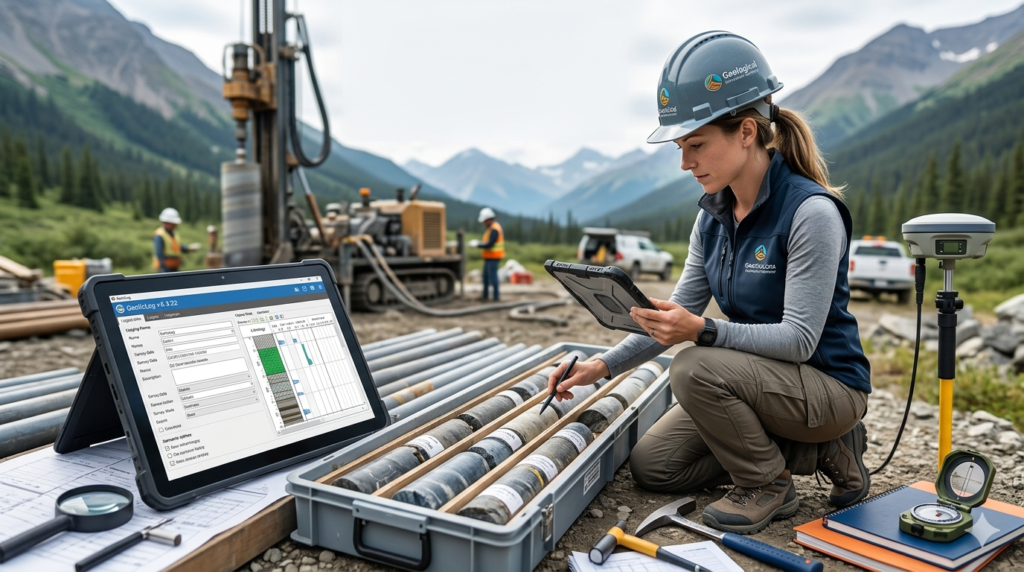
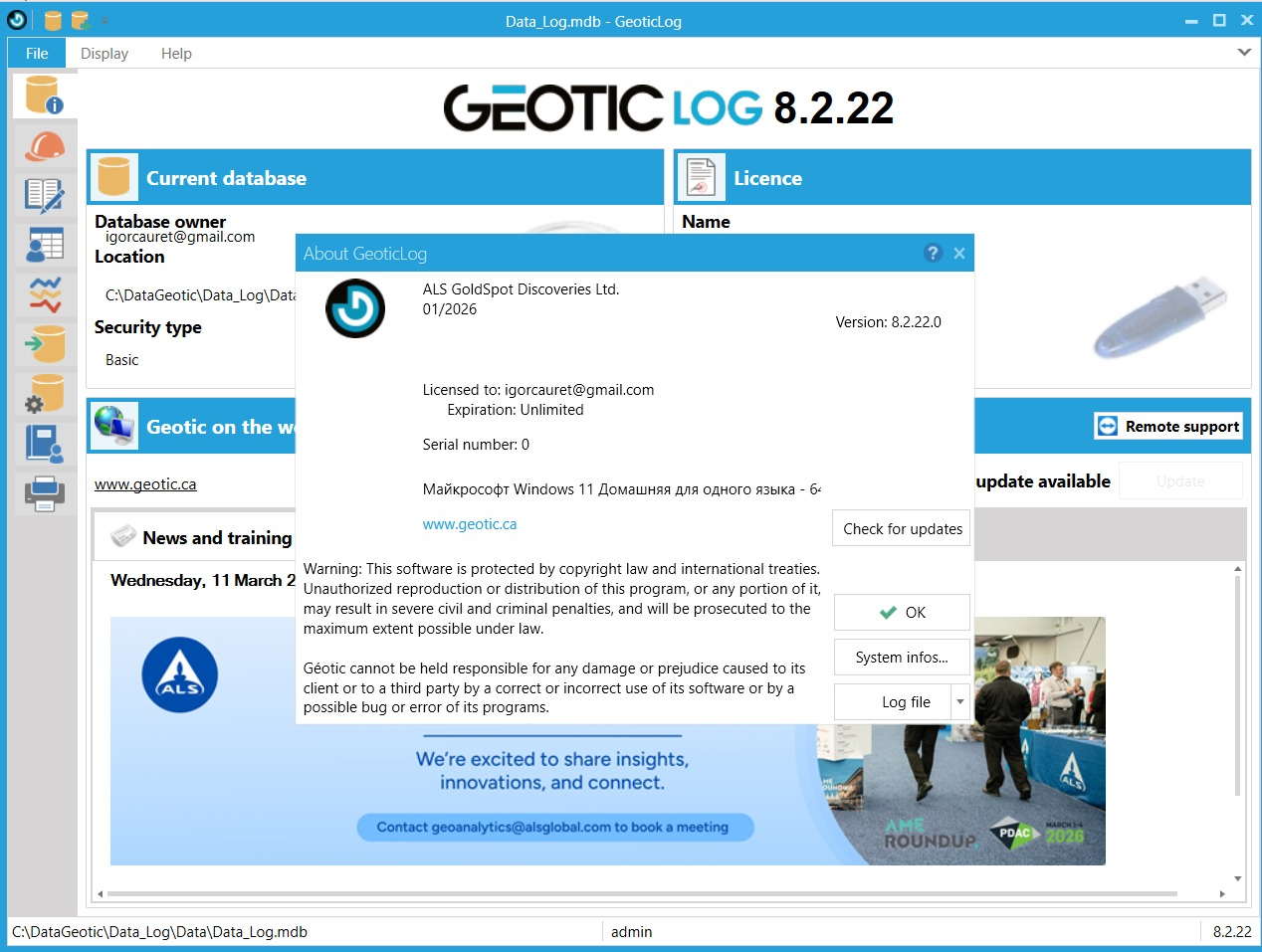
GeoticLog v.8.2.22 is a specialized geological survey software designed to streamline the process of capturing, validating, and managing subsurface data. Developed by Geotic Inc. (now part of ALS Global), this application serves as the foundational data management layer for geologists, engineering geologists, and mining professionals . By replacing manual, error-prone data entry methods with a structured, dictionary-driven system, GeoticLog ensures high-quality data integrity from the moment it is logged. The software’s intuitive interface accelerates the input of survey information, including titles, summaries, and detailed geological descriptions, making it an indispensable tool for modern exploration and mining projects .
Screenshot
Key Features
GeoticLog is packed with functionality that extends far beyond simple data entry. Its core strength lies in its ability to enforce data standards while providing the flexibility required for complex geological environments.
-
Dictionary-Driven Data Validation: Users can create and edit custom dictionaries for lithology, structure, mineralogy, and other descriptive fields. This forces validation at the point of entry, drastically reducing typos and inconsistencies .
-
Comprehensive Logging Capabilities: The software supports descriptions for six geological levels, Rock Quality Designation (RQD), magnetism, assaying, geochemistry, and geophysics, all within a single, unified interface .
-
Advanced Database Management: Data is stored securely in either Microsoft Access or SQL Server formats. This relational structure allows for complex queries, easy data retrieval, and robust security through an integrated user rights management system .
-
Automated Reporting and Log Creation: Generate high-quality, personalized strip logs and detailed reports with just a few clicks. The printing engine is optimized to produce publication-ready documentation directly from your database .
-
Seamless Ecosystem Integration: GeoticLog is not an island. It features a direct, two-way link with GeoticMine for 3D modeling and a direct connection to the GeoticSection creation wizard, ensuring a smooth workflow from logging to interpretation .
-
QAQC and Photo Management: Integrated modules allow for the management of assay certificates, tracing of Quality Assurance/Quality Control (QAQC) graphs, and the linearization and integration of drilling core photos directly with the logged data .
What’s New in Version 8.2.22
Building on the robust foundation of the GeoticLog series, version 8.2.22 focuses on enhancing data processing capabilities and interoperability. This update ensures that GeoticLog remains at the forefront of geological data management technology.
-
Enhanced Composite Calculation Engine: The module for calculating zone-weighted averages and composites has been optimized for larger datasets, providing faster processing times for complex mineralized intervals .
-
Refined Adjusted Structures Tool: Updates to the “Integration and calculation of adjusted structures” feature offer greater accuracy when modeling complex geological folding and faulting directly from drill hole data .
-
Expanded Data Export Compatibility: In addition to existing formats, this version improves the reliability of exports to industry-standard mining software such as GEMS, ensuring seamless data handoffs for resource estimation .
-
Improved Core Photo Integration: Workflow enhancements for drilling core photo management allow for more precise linearization and higher-resolution image handling within the logging interface.
System Requirements
To ensure optimal performance and stability of GeoticLog v.8.2.22, your system should meet the following requirements. Please note that GeoticLog is designed exclusively for the Windows operating system .
| Component | Requirement |
|---|---|
| Operating System | Windows 10 or Windows 11 (64-bit versions recommended) |
| Architecture | x64 |
| Processor | Intel Core i5 or equivalent AMD processor |
| Memory (RAM) | Minimum 8 GB (16 GB recommended for large projects) |
| Disk Space | 500 MB for application; additional space for databases |
| Database Support | Microsoft Access or Microsoft SQL Server |
Installation Guide
Installing GeoticLog is a straightforward process. Follow these steps to get the software running on your machine.
-
Obtain the Installer: Download the official GeoticLog v.8.2.22 setup file from the authorized ALS Geotic portal or your provided distribution source.
-
Run the Executable: Right-click the downloaded .exe file and select “Run as administrator” to ensure proper system permissions for installation.
-
Follow the Setup Wizard: The installation wizard will guide you through the process.
-
Accept the End-User License Agreement (EULA).
-
Choose an installation directory (the default path is usually recommended).
-
Select the components you wish to install (the full installation is advised for first-time users).
-
-
Complete Installation: Click “Install” and allow the process to finish. Once complete, you can launch GeoticLog from the Start Menu or the desktop shortcut.
How to Use the Software
GeoticLog is designed to be intuitive, but mastering its workflow unlocks its full potential.
-
Project and Database Setup: Upon launching the application, start by creating a new project or connecting to an existing database. You can choose between a local Access database for smaller projects or a server-based SQL database for collaborative, multi-user environments .
-
Configure Dictionaries: Before entering data, define your dictionaries. Navigate to the dictionary management section to pre-populate lists for lithology, alterations, structures, and mineralogy. This is the critical step that ensures future data consistency .
-
Entering Collar and Survey Data: Input the drill hole collar coordinates, orientation (dip and azimuth), and down-hole survey data. The intuitive schematic diagram helps visualize the hole path .
-
Logging Intervals: Begin logging from the top of the hole. For each interval, use the drop-down dictionaries to select rock types and structures. Enter quantitative data like RQD and geochemical assays directly into the corresponding fields.
-
Integrate Media: Use the core photo management tool to load and linearize drilling core photos. GeoticLog allows you to visually align the photos with the logged intervals for a powerful visual reference .
-
Generate Outputs: Once logging is complete, use the reporting module to print high-quality strip logs. The data is now perfectly structured and ready for export to GeoticMine for 3D modeling or to other applications via the batch import/export tools .
Best Use Cases
GeoticLog v.8.2.22 is a versatile tool that adapts to various stages of geological work. Its design philosophy caters to both field geologists and office-based project managers.
-
Mineral Exploration Drilling: The primary use case. Geologists can log hundreds of meters of core daily, ensuring that all geological, structural, and geochemical data is captured consistently and without error.
-
Geotechnical Site Investigations: Engineering geologists use the software to log boreholes for infrastructure projects (tunnels, dams, foundations), where consistent recording of RQD, fracture frequency, and soil/rock strength is critical.
-
Mine Production Geology: On active mine sites, GeoticLog helps in closely monitoring blast holes or in-fill drilling, feeding accurate data into resource models to guide short-term planning.
-
Environmental Baseline Studies: Logging monitoring wells for groundwater or contamination studies requires meticulous data management, which the software’s validation and QAQC modules handle effectively.
Advantages and Limitations
Understanding the strengths and potential drawbacks of GeoticLog helps in assessing its fit for your organization.
Advantages:
-
Exceptional Data Integrity: The dictionary-driven system is the gold standard for eliminating data entry errors, which are a major source of cost overruns in resource modeling .
-
Seamless Workflow: Native integration with GeoticMine and GeoticSection creates a closed-loop system from data capture to 3D interpretation, saving significant time on data conversion and troubleshooting .
-
User-Centric Design: The interface is designed by geologists for geologists, meaning the terminology and workflow align with industry standards, reducing the learning curve .
-
Multi-Lingual Support: Support for English, French, Spanish, and Portuguese makes it an excellent choice for international teams and projects in diverse regions .
Limitations:
-
Niche Focus: GeoticLog is highly specialized. It is not a general-purpose database tool, so its benefits are most fully realized within the exploration and mining sector.
-
Database Expertise Required: While the interface is user-friendly, setting up and managing the underlying SQL databases for large, multi-user projects may require IT or database administration support.
-
Ecosystem Dependency: While data can be exported to other formats, the full “Geotic experience” and the most efficient workflows are realized when used alongside other Geotic products.
Alternatives to the Software
While GeoticLog is a powerful solution, the market offers other specialized tools for geological data management. Here is how it compares to some key alternatives.
-
GeoticLog vs. MX Deposit: MX Deposit is a cloud-based competitor known for its strong team collaboration features and accessibility from any device. GeoticLog offers a more traditional desktop experience with a potentially deeper level of customization in its dictionaries and validation rules, appealing to users who prefer a locally-installed, powerful database application.
-
GeoticLog vs. acQuire: acQuire GIM Suite is an enterprise-level solution designed for major mining companies with extremely complex data management needs and stringent governance requirements. GeoticLog is often a more agile and cost-effective solution for junior explorers and mid-tier producers who need robust functionality without the overhead of a large enterprise system.
-
GeoticLog vs. LogChief (by Seequent): LogChief is another desktop logging tool that integrates with the Seequent ecosystem (Leapfrog). The choice here often comes down to the preferred 3D modeling platform. If your organization uses GeoticMine for modeling, GeoticLog is the natural and most integrated choice. If you use Leapfrog, LogChief or direct import workflows might be more suitable.
Frequently Asked Questions
1. What is GeoticLog used for?
GeoticLog is a specialized geological logging software used to input, validate, and manage survey data from drilling programs. It ensures high data quality by using user-editable dictionaries for consistent descriptions of lithology, geochemistry, and structure .
2. Is GeoticLog compatible with SQL databases?
Yes. GeoticLog supports both Microsoft Access for single-user projects and Microsoft SQL Server for multi-user, enterprise-level database management, allowing for scalable and secure data storage .
3. Can GeoticLog generate drill hole logs for printing?
Yes, the application includes a powerful module for printing high-quality, personalized strip logs. It also allows for the creation of summary reports based on your specific project requirements .
4. How does GeoticLog integrate with 3D modeling software?
GeoticLog features a direct link to GeoticMine for 3D geological modeling. It also has a direct access button to GeoticGraph‘s (now GeoticSection) section creation wizard, allowing for a seamless transition from data to visual interpretation .
5. What kind of quality control features does GeoticLog offer?
The software offers extensive QAQC features including the management of assay certificates, tracing of QAQC graphs, and a complete validation of all data entries against user-defined dictionaries, minimizing the need for subsequent data corrections .
6. Does GeoticLog handle core photography?
Yes, it includes dedicated modules for the integration and linearization of drilling core photos. This allows geologists to link visual core data directly with the descriptive and analytical data in the database .
Final Thoughts
GeoticLog v.8.2.22 stands as a testament to the power of specialized software in the geological sciences. By prioritizing data integrity through its intelligent, dictionary-driven interface, it solves one of the most persistent and costly problems in exploration and mining: bad data. Its seamless integration into the broader Geotic ecosystem transforms it from a simple logging tool into the essential data foundation for the entire exploration workflow.
For geologists and mining companies looking to move beyond spreadsheets and generic databases, GeoticLog offers a pathway to more reliable data, more accurate models, and ultimately, more confident decision-making. Its focus on user experience and technical depth makes it a valuable asset for both seasoned professionals and junior geologists beginning their careers.
Premium Software Support Service
If you need professional help with software installation, setup, or technical configuration, our team is available to assist you.
Contact & Support
For quick assistance and latest updates, connect with us using the links below:
🔹 Direct Telegram Support
https://t.me/PlayoutKing
🔹 Official Telegram Updates Group
https://t.me/yourgroup
Service Policy
- Remote testing available through AnyDesk before confirmation.
• Verify the setup and performance before completing the order.
• Support available for single or multiple systems.
• Step-by-step guidance to ensure smooth installation and working environment.
Our goal is to provide reliable technical assistance so your software runs smoothly without interruptions.