
Download the CleverGet V25.1.0.1 (The Complete Video Downloader & Converter for 1000+ Sites) Software from this link…

Overview of the Software
Table of Contents
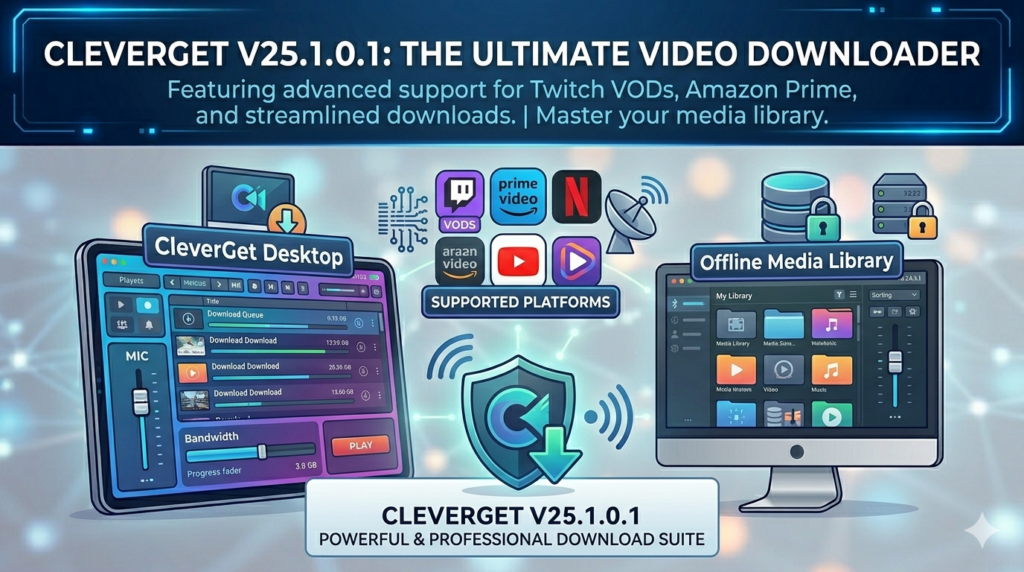
CleverGet V25.1.0.1 is a professional-grade video downloader and conversion software designed to save streaming content from over 1,000 online platforms. Unlike basic browser extensions, this application provides native support for high-definition (HD), 4K, 8K, and even lossless video downloads.
The latest iteration focuses on legal content preservation for offline viewing, allowing users to archive movies, TV shows, live streams, and audio tracks directly to their local drives. CleverGet distinguishes itself by integrating a built-in browser and a video converter, eliminating the need for third-party plugins. It supports major websites including YouTube, Facebook, Instagram, Twitter, and multiple premium streaming services (subject to user account authentication).
Key Features
CleverGet V25.1.0.1 offers a robust suite of technical capabilities. Below are the core functionalities that establish its authority in the media downloading niche.
-
Support for 1000+ Websites: Download videos from mainstream social networks, news portals, and educational platforms.
-
Ultra-High Definition (8K/4K) Downloading: Preserve original resolutions up to 8K, 4K, QHD, and Full HD 1080p.
-
Live Video Streaming Capture: Record live broadcasts and real-time events (M3U8 support) as local MP4 files.
-
Built-in Video Converter: Convert downloaded files to MP4, MKV, MOV, AVI, and audio formats (MP3, AAC).
-
Batch Downloading & Multi-threading: Download entire playlists or multiple videos simultaneously with accelerated speed.
-
Subtitle Preservation: Download closed captions and subtitles as SRT files or embed them directly.
-
GPU Acceleration: Leverages hardware acceleration (NVIDIA, AMD, Intel) to reduce processing time.
What’s New in CleverGet V25.1.0.1
This version release introduces critical stability and performance improvements. Key updates include:
-
Enhanced YouTube parsing engine: Improved compatibility with YouTube’s dynamic player updates, reducing download failures.
-
Optimized M3U8 download logic: Better reconstruction of fragmented TS files, resulting in smoother playback for downloaded live streams.
-
User interface refinements: Dark mode improvements and a more intuitive task queue management panel.
-
Faster playlist extraction: Reduced memory usage when analyzing very long video lists (100+ items).
-
Security patch: Updated SSL/TLS certificate handling to ensure secure data transmission.
System Requirements
Before installing CleverGet V25.1.0.1, ensure your hardware meets the following specifications.
Minimum Requirements (1080p Downloading)
-
OS: Windows 11/10/8.1 (64-bit) or macOS 10.13+
-
CPU: Intel Core i3 or equivalent
-
RAM: 4 GB
-
Storage: 500 MB for installation + extra space for downloads
-
Network: Stable broadband connection (5 Mbps+)
Recommended Requirements (4K/8K Downloading & Conversion)
-
OS: Windows 11 (64-bit) / macOS 12+
-
CPU: Intel Core i7 / AMD Ryzen 5 or Apple M1/M2
-
RAM: 8 GB or more
-
Storage: SSD with 10+ GB free space
-
GPU: Dedicated GPU with 2GB VRAM for hardware acceleration
Installation Guide
Follow this step-by-step procedure to safely install and activate CleverGet V25.1.0.1.
-
Download the official installer: Visit the official CleverGet website (do not use third-party distributors).
-
Run the executable file: Right-click the installer and select “Run as administrator” (Windows) or open the DMG file (macOS).
-
Choose installation directory: Select a location with sufficient space for downloaded video archives.
-
Accept the license agreement: Read the EULA; this is legally required for compliance.
-
Complete installation: Click “Install” and wait for the progress bar to finish.
-
Launch the application: Open CleverGet from your desktop or applications folder.
-
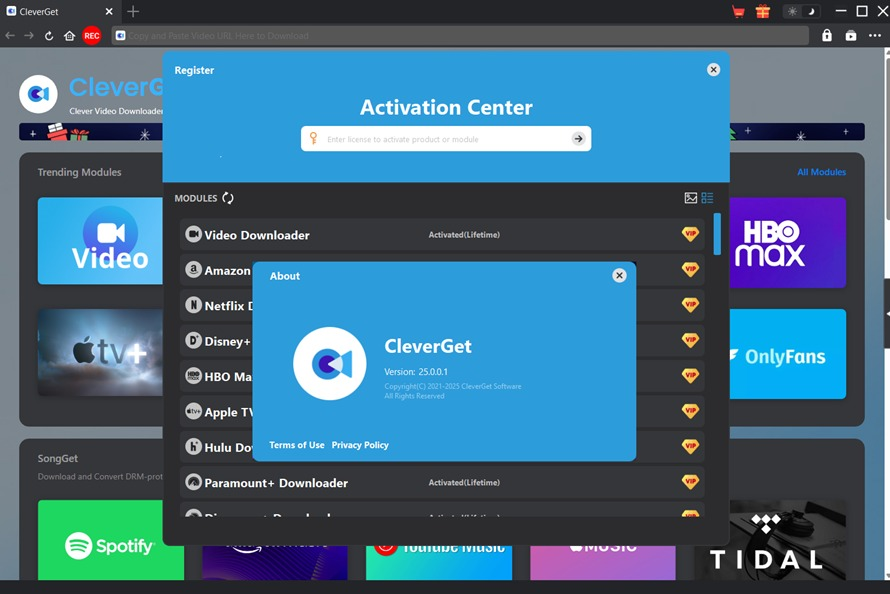
Activate your license: Enter the purchased license key (purchased separately) to unlock full features. No trial limitations apply to core downloading.
How to Use the Software
CleverGet V25.1.0.1 employs a three-step workflow optimized for efficiency.
Step 1 – Locate Your Target Video
-
Open the built-in browser from the CleverGet dashboard.
-
Navigate to the streaming site (e.g., YouTube, Vimeo, Facebook).
-
Play the video you intend to download. The software automatically detects the stream.
Step 2 – Configure Download Parameters
-
Click the “Download Video” button that appears over the video player.
-
A dialog box will present all available formats:
-
Resolution: 8K, 4K, 1080p, 720p, 480p.
-
Format: MP4, MKV, WEBM.
-
Audio: MP3 (320kbps), AAC, FLAC (where supported).
-
-
Select your preferred subtitle options (embedded or external SRT).
Step 3 – Execute and Manage Downloads
-
Click “Download Now” for immediate capture.
-
Or use “Add to Queue” for batch processing.
-
Monitor progress in the “Downloading” tab. CleverGet automatically reconstructs fragmented streams (M3U8) into a single, playable file.
Best Use Cases
CleverGet is designed for legitimate content archiving and offline access. Here are its primary applications.
| Use Case | Description | Legal Consideration |
|---|---|---|
| Educational Research | Download public tutorials or academic lectures to create offline study libraries. | Permitted for non-distribution, personal study. |
| Content Creator Backup | Save your own uploaded videos from social platforms as a local backup. | Fully legal (you hold the copyright). |
| Offline Travel Entertainment | Download free or purchased movies/shows for offline viewing during flights. | Requires subscription or ownership of content. |
| Media Professional Archiving | Preserve client assets or stock footage in original 4K/8K quality. | Must have proper licensing from the asset owner. |
Advantages and Limitations
Advantages
-
Highest resolution support: Handles 8K video natively.
-
Wide compatibility: Works with 1,000+ sites (more than competitors like 4K Video Downloader).
-
No plugin required: Self-contained browser prevents detection.
-
Lossless audio extraction: Convert video to high-bitrate MP3 or AAC.
Limitations
-
Paid software: Requires a license after trial period (no free tier beyond limited testing).
-
DRM restrictions: Cannot download protected content from major subscription services (Netflix, Disney+, Hulu) without valid user login and decryption limitations per regional laws.
-
Resource intensive: 8K downloads require significant RAM and fast storage.
-
Learning curve: The built-in browser interface differs from typical download managers.
Alternatives to CleverGet V25.1.0.1
For users seeking different features or pricing models, consider these legitimate alternatives.
| Software | Key Strength | Platform | License Model |
|---|---|---|---|
| YT-DLP (Open Source) | Command-line flexibility for developers | Windows, macOS, Linux | Free (GPL) |
| 4K Video Downloader | User-friendly interface for YouTube/Bilibili | Windows, macOS, Linux | Freemium |
| JDownloader 2 | Advanced link-grabber for file hosting sites | Cross-platform | Free (Open Source) |
| Downie (macOS) | Excellent macOS integration and polish | macOS only | Paid |
Frequently Asked Questions
1. Is CleverGet V25.1.0.1 legal to use?
Yes, the software is legal. However, downloading copyrighted content without permission from the rights holder may violate local laws. You are responsible for complying with each website’s Terms of Service.
2. Can CleverGet download 8K videos from YouTube?
Yes, CleverGet V25.1.0.1 supports 8K resolution (7680×4320) for YouTube videos that are originally uploaded in that quality. You also need an 8K-capable display and sufficient bandwidth.
3. Does this software work with Netflix or Amazon Prime?
CleverGet can detect streams from these platforms, but downloading protected DRM content requires your own valid subscription. The software does not bypass encryption keys illegally; it captures what is playable in your browser session.
4. How fast is the download speed?
Speed depends on your internet connection and the source server. CleverGet uses multi-threaded downloading (up to 32 segments simultaneously), typically achieving 2-5x faster speeds than manual browser saving.
5. Does CleverGet support batch downloading of entire playlists?
Yes. Simply copy and paste a playlist URL (YouTube, Vimeo, etc.) into the software’s “Analyze” box. It will list all videos for batch selection.
6. What audio formats can I extract?
CleverGet can save audio as MP3, AAC, M4A, OGG, and FLAC. Bitrates up to 320 kbps are supported for MP3.
7. Does the latest version V25.1.0.1 include a built-in converter?
Yes, the converter is fully integrated. After download, you can convert files to different formats without opening a separate application.
8. Is there a free trial for CleverGet V25.1.0.1?
The official website offers a limited trial that allows downloading up to 3 videos. To remove limits and unlock all 1,000+ sites, you need to purchase a license key.
Final Thoughts
CleverGet V25.1.0.1 stands as a professional solution for archiving online media. Its support for 8K resolution, batch playlist processing, and integrated conversion makes it superior to free browser extensions. While it requires a paid license, the time saved and reliability for legitimate offline access justify the investment for content creators, educators, and frequent travelers.
For best results, always use the software with original content you own or have explicit permission to download. Keep the application updated to maintain compatibility with streaming platforms. If your primary need is simple YouTube downloads, a free tool like YT-DLP may suffice; for comprehensive 1,000+ site coverage with a polished GUI, CleverGet is the optimal choice.
Premium Software Support Service
If you need professional help with software installation, setup, or technical configuration, our team is available to assist you.
Contact & Support
For quick assistance and latest updates, connect with us using the links below:
🔹 Direct Telegram Support
https://t.me/PlayoutKing
🔹 Official Telegram Updates Group
https://t.me/yourgroup
Service Policy
- Remote testing available through AnyDesk before confirmation.
• Verify the setup and performance before completing the order.
• Support available for single or multiple systems.
• Step-by-step guidance to ensure smooth installation and working environment.
Our goal is to provide reliable technical assistance so your software runs smoothly without interruptions.